
When an outage brings customer requests in through Slack, Teams, email, and chat, your support team needs to know which reports belong together and what engineering has found. Incident management tools can help coordinate the resolution, as long as they offer clear connections between that response and each customer conversation.
In this guide, we’ll explain how to pick an incident management tool that fits your support workflow and fosters strong B2B relationships.
When something goes wrong, incident management software helps your B2B support team alert the right people, coordinate their response, communicate progress, and review what happened afterward. Your dev team can coordinate service recovery, while support manages customer reports and keeps affected accounts informed.
This makes incident management different from ordinary ticket handling. A standard ticketing system records each customer’s request individually, but one incident could explain similar requests from dozens of accounts. Linking those records helps you see the shared problem, without losing the details each customer needs.
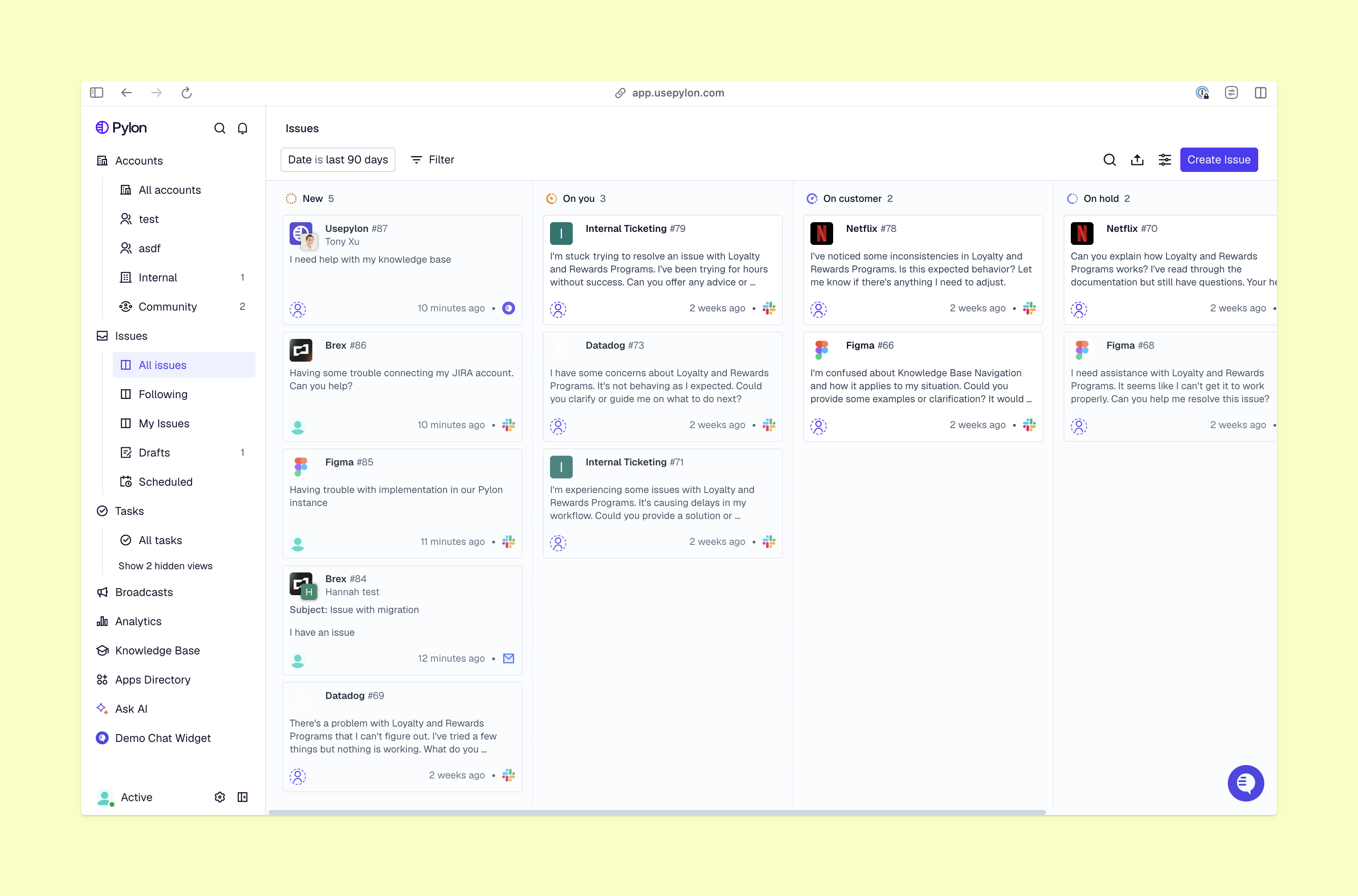
For example, if three customers report failed imports in separate channels and on the same day, your team can check for a shared incident. Then they can add account evidence and follow up after recovery. Pylon’s support platform helps you connect all this work through integrations with top incident management tools like Rootly and PagerDuty.
The best incident management software will make the handoff to engineering clear and give support enough information to stay accountable to customers. Look for these key features before settling on a tool:
Now, let’s take a look at three of the top incident management platforms and how they work alongside Pylon.
incident.io brings on-call work and incident response into one platform. You get scheduling management tools to keep your team working efficiently without burnout, plus incident workflows that can be both customized and automated.
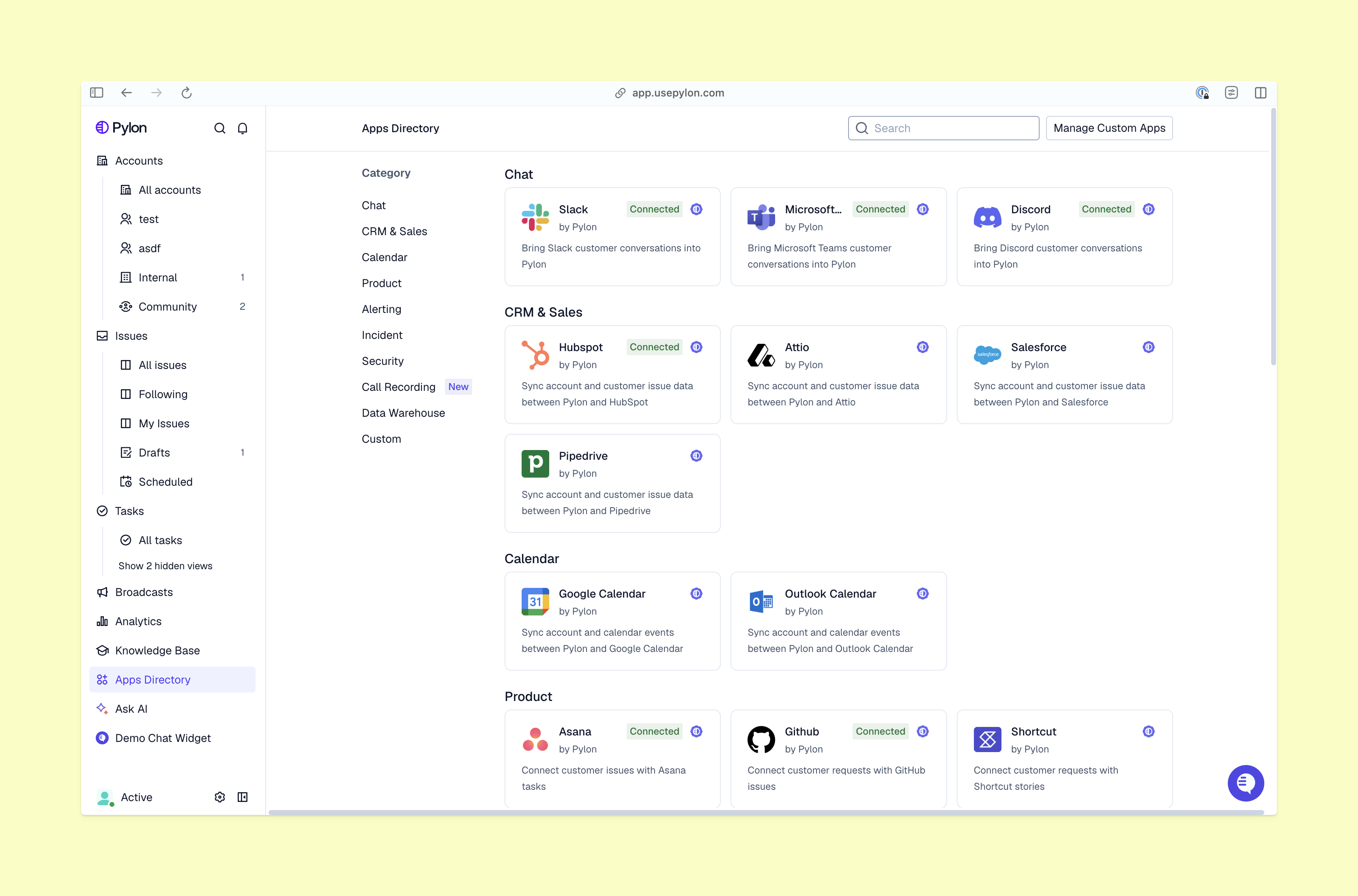
This platform’s Pylon integration lets your team connect customer issues to incidents, then review the resulting support volume. You can also build trigger-based workflows for incident-linked issues, so escalations, updates, and routing all happen automatically.
Best for: Teams that want to clearly see which customer conversations belong to an incident.
Rootly takes an AI-native approach to incident management, offering plenty of tools that can be integrated into streamlined workflows. This tool includes built-in scheduling, complex and customizable escalation policies, workflow automation, and AI responders.
Rootly’s Pylon integration supports linking existing incidents and creating new ones through custom triggers. You can then filter support views by incident and report on the related tickets.
Rootly even uses Pylon for its own support workflows. Plus, its complexity makes it a good Opsgenie alternative for teams moving away from that platform (which is scheduled to shut down in April 2027).
Best for: Teams that want customer issue conditions to start incident responses automatically.
PagerDuty organizes alerting, on-call escalation, and incident response. It’s a more streamlined tool that focuses on scheduling and automated escalations. This platform supports multiple channels and offers a mobile app for added convenience.
With PagerDuty’s Pylon integration, you can use custom triggers to create an incident for a selected service when a support issue meets your criteria. This alerts the right people quickly and gives them the context they need to start working on a resolution immediately.
Best for: Teams that need a direct route from a qualifying customer issue to the on-call team.
Strong incident management should be grounded in a clear, repeatable process. Here’s how to get started:
It’s important to choose an incident management tool by testing how it connects customer reports, support work, engineering response, and follow-ups. With Pylon, you can build escalation and ticket-linking workflows around the tools your team uses, so customer conversations remain a central part of the process.
Pylon is the Agentic Support Platform built for B2B support teams. It brings conversations across Slack, Teams, email, chat, and other channels into one place, giving AI the context to help resolve customer issues and continuously improve your knowledge base. Pylon can identify missing or outdated documentation, generate new content from real support conversations, and help your team keep knowledge accurate as your product evolves.
The seven-stage incident management workflow includes detection, recording, prioritization, investigation, response, recovery, and review. Teams group these activities differently, but whatever your process looks like, be sure to include customer communication throughout.
Five common types of support incidents are service outages, degraded performance, failed integrations, data integrity problems, and security incidents. These categories can overlap, so classify each incident by its impact and route it to the team most qualified to respond.
During a support incident, Slack can give responders a shared channel for coordination and updates. Connected tools help your team create and escalate incidents in one streamlined workflow, so keep incident records and customer tickets linked.
Pylon Workforce Management is available now. See it in action with a live demo.