











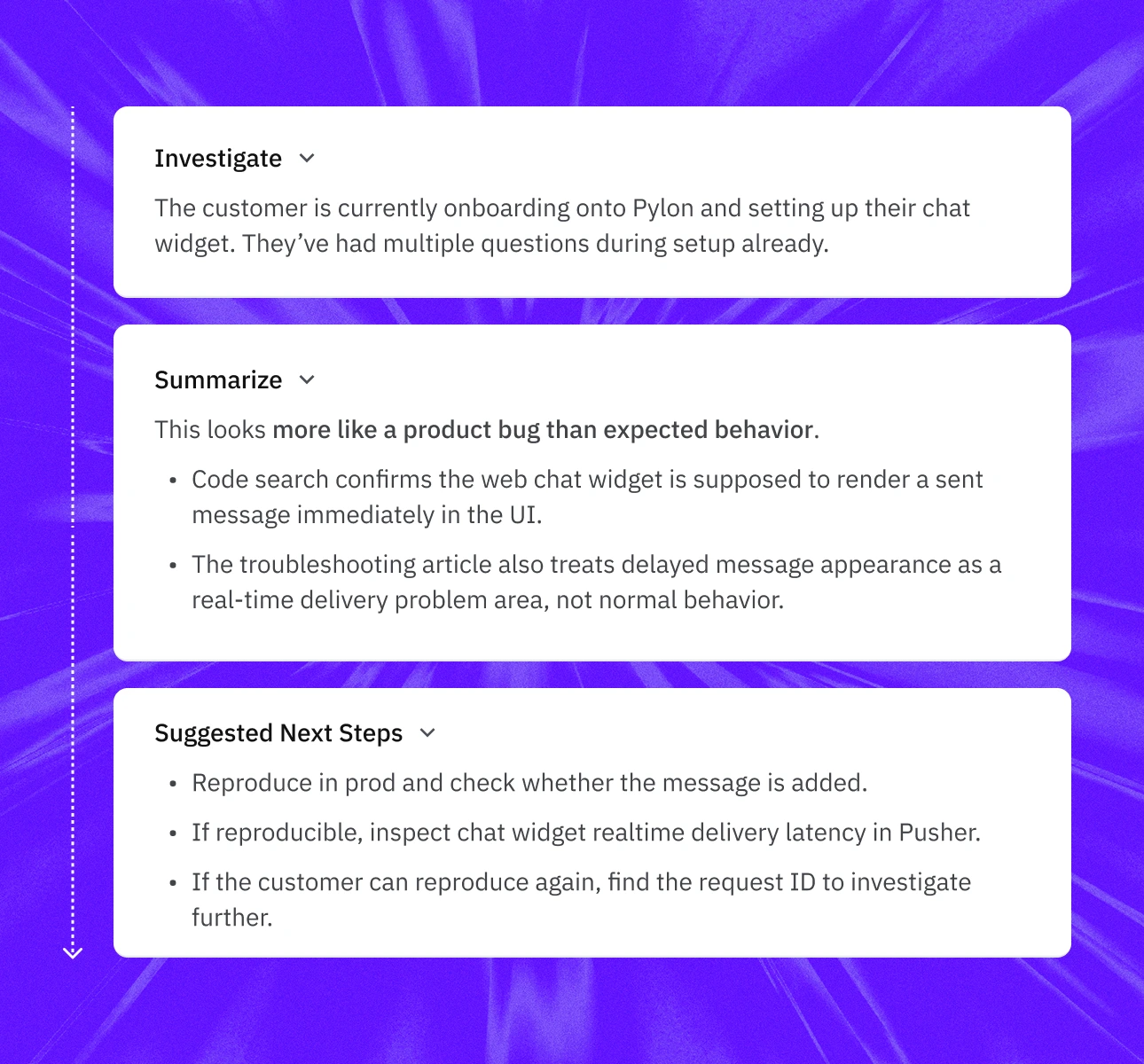
Front’s Copilot helps teammates understand conversations, find related information, and draft replies. Pylon’s Background Agents begin work as soon as an issue arrives.
They gather account context, investigate connected systems, find related issues, and run the right Skills before a human opens the ticket. Your team starts with evidence and recommended next steps instead of another message to read and research.
Support customers wherever they are — Slack shared channels, email, in-app chat, and Microsoft Teams — all in a single inbox with full conversation history. No more context switching.
Front is built around the inbox. It brings email, Slack, WhatsApp, SMS, and other conversations into one collaborative workspace.
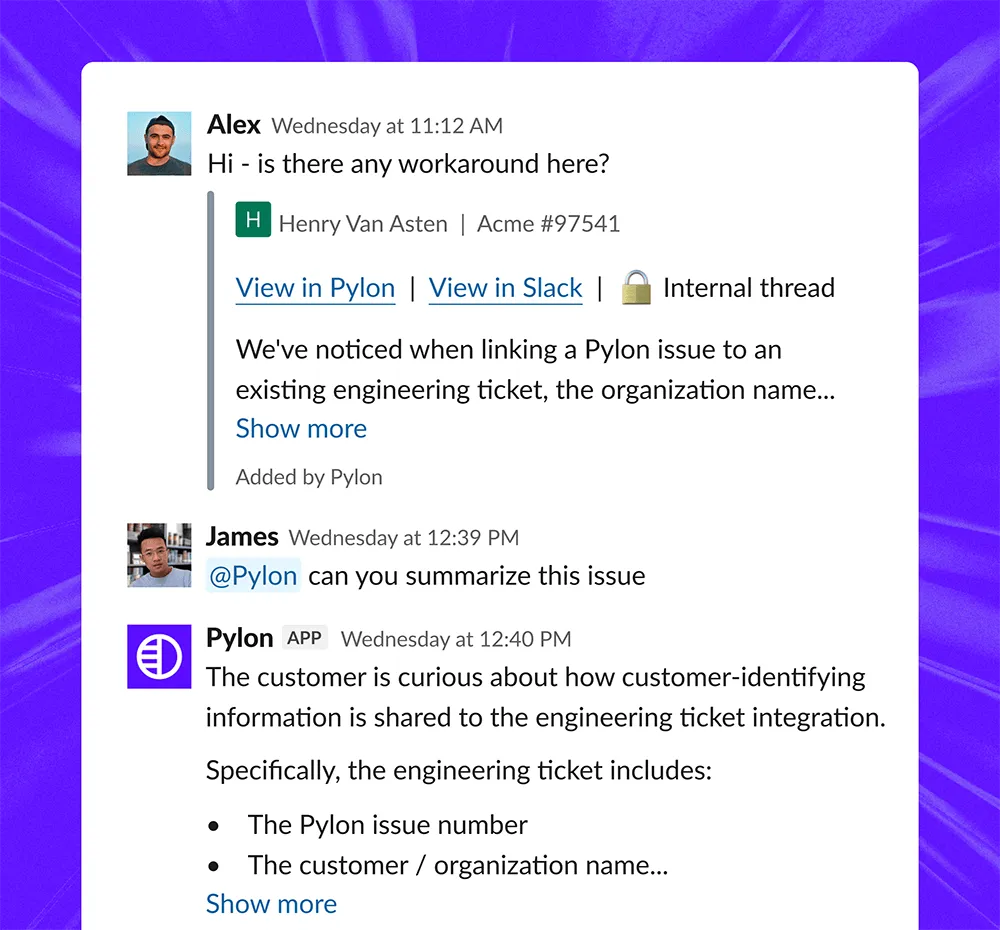
Pylon treats Slack and Microsoft Teams as first-class customer support channels, alongside email and chat. Agents work from the same account context across every channel, while your internal team can investigate customer questions and take action directly from Slack.
Support customers wherever they are — Slack shared channels, email, in-app chat, and Microsoft Teams — all in a single inbox with full conversation history. No more context switching.
Front offers Copilot skills and Autopilot Playbooks for repeatable work. Pylon Skills combine instructions, context, tools, permissions, and approval steps in plain language.
The same Skill can be used by Assist Agent, Background Agents, Support Agent, or a person. That means a process does not live in a separate automation builder. It becomes a reusable workflow the whole support operation can run, review, and improve.
Support customers wherever they are — Slack shared channels, email, in-app chat, and Microsoft Teams — all in a single inbox with full conversation history. No more context switching.

Join 1,500+ B2B companies who have empraced the new way of working.





Front is an email-first customer operations platform built around shared and personal inboxes. It is particularly strong when teams need to collaborate on high volumes of customer email.
Pylon is an agentic support platform built for complex B2B work. Its agents use Support, Account, and Product Intelligence to gather context, investigate issues, coordinate across systems, and act while humans direct and review the work.
Yes. Pylon supports email alongside Slack, Microsoft Teams, chat, and other customer channels.
Front remains a strong fit for organizations whose main requirement is collaboration across personal and shared email inboxes. Pylon is the stronger fit when email support also requires account intelligence, technical investigation, cross-functional coordination, and agent-driven work.
Both platforms offer customer-facing AI resolution and interactive assistance for support teammates.
The difference is the operating model and context behind the agents. Front’s AI works from the current conversation, historical conversations, and configured knowledge sources. Pylon’s agents also use standing B2B account, product, and support intelligence, including CRM data, Slack history, product usage, related issues, logs, and codebase context where connected.
Pylon also uses Background Agents to begin investigations before a person opens the issue.
Yes. Front supports Front knowledge bases, public websites, uploaded files, and third-party knowledge sources such as Notion. Pylon’s distinction is not simply access to external documents.
Pylon builds a connected intelligence layer from support conversations, account records, product data, internal discussions, engineering systems, and completed investigations. Agents use that context to investigate and act, not only to retrieve information for an answer.
Front Autopilot Playbooks are strong for automating defined, multi-step customer processes.
Pylon Skills are reusable units of work that combine natural-language instructions, context, tools, permissions, and approval steps. People and multiple types of agents can use the same Skill during interactive or automatic work.
Front can bring Slack conversations into its inbox and use Autopilot to respond in supported Slack conversations.
Pylon was designed around Slack and Microsoft Teams as core B2B support channels. Customer conversations remain connected to the account, while the internal Slack Agent lets teams across support, success, sales, product, and engineering investigate customer questions and take approved actions without switching tools.
Pylon is the stronger fit for B2B support teams that need:
Front is a strong fit for email-first customer operations teams that prioritize shared-inbox collaboration and workflows across personal and team email.
Timing depends on your channels, integrations, inbox structure, and historical data. Most migrations finish in under two months.
Pylon’s migrations team handles the data move and validates sample imports, field mappings, routing, and workflows before the final cutover.
Pylon supports Slack Connect, Microsoft Teams, email, in-app chat, WhatsApp, Discord, Telegram, SMS, and phone, all of which are natively tracked as issues in one unified workspace. Front is email-first; its Slack and Teams integrations exist, but don’t track conversations as first-class issues the way Pylon does.
Join hundreds of companies that have moved to Pylon for account-aware, agentic support.
Book a demo