


Over 80% of customers report trusting companies more when customer support is consistently excellent. So when an account hits a product issue that blocks their workflow, the speed and clarity of your incident management can make a difference in customer satisfaction scores (CSATs) and whether that account renews or starts evaluating competitors.
In this article, you’ll learn how to build an incident management process for support teams that improves your response time and cross-team collaboration.
A support incident is different from a typical ticket. Tickets usually cover routine questions and one-off problems. Incidents affect multiple customers, carry SLA risk, or threaten account health. That distinction matters because incidents need a different response structure.
A support-focused framework starts with explicitly defined severity levels that reflect customer impact and account value. For example, a top-priority concern from an account with a $500k annual recurring revenue (ARR) should trigger a different response than the same message from a free-tier user.
Every incident needs clear ownership so no one has to wait while your team figures out who’s in charge. That ownership also needs to extend across functions: Post-sales teams should have defined coordination paths so escalations happen directly and autonomously between team members.
Your team needs structured workflows for both internal updates (like your executive team) and external updates (the affected customers). And every resolved incident should feed back into your knowledge base so the next occurrence gets resolved faster.
All of this gets harder when your team manages conversations across multiple channels. A centralized omnichannel support platform like Pylon keeps every thread visible in one place, so your team spends time resolving incidents instead of reconstructing timelines using data from multiple tools.
A structured incident lifecycle gives your team a repeatable path and framework to follow, from detection to resolution.
Incidents typically surface through multiple channels, so it’s important to quickly point out a shared problem when it exists. For example, a customer might report an issue in Slack while an account manager flags unusual behavior during a quarterly review.
These signals often arrive in different systems, which creates a challenge for incident response teams. And if they don’t unify support and success workflows, the same incident goes undetected and hurts customer trust.
Centralizing detection across channels helps your team spot patterns earlier and escalate before the impact spreads. What affects two customers at 9 a.m. can affect 50 by noon if nobody connects the reports to a shared incident.
Prioritize the incident based on its severity, affected customer tier, and revenue exposure risk. For instance, a mid-severity bug affecting your 10 biggest accounts by ARR should outrank a high-severity bug that only affects free trials.
Some support teams struggle with incident management because, without a predefined prioritization framework, every incident feels urgent. That means your team ends up triaging reactively instead of strategically and creates more unnecessary work for themselves.
Build your severity tiers before an incident happens, map them to response time SLAs, and make sure every team member knows the criteria. The right incident management systems make this easier by letting you tag incidents with account metadata like ARR and contract renewal date for those affected.
Next, the responsible team member coordinates with other teams, like dev and engineering teams if the fix needs a code change. Throughout the process, the customer should get proactive updates at regular intervals, not just when there’s good news to share, so they know you’re addressing the issue.
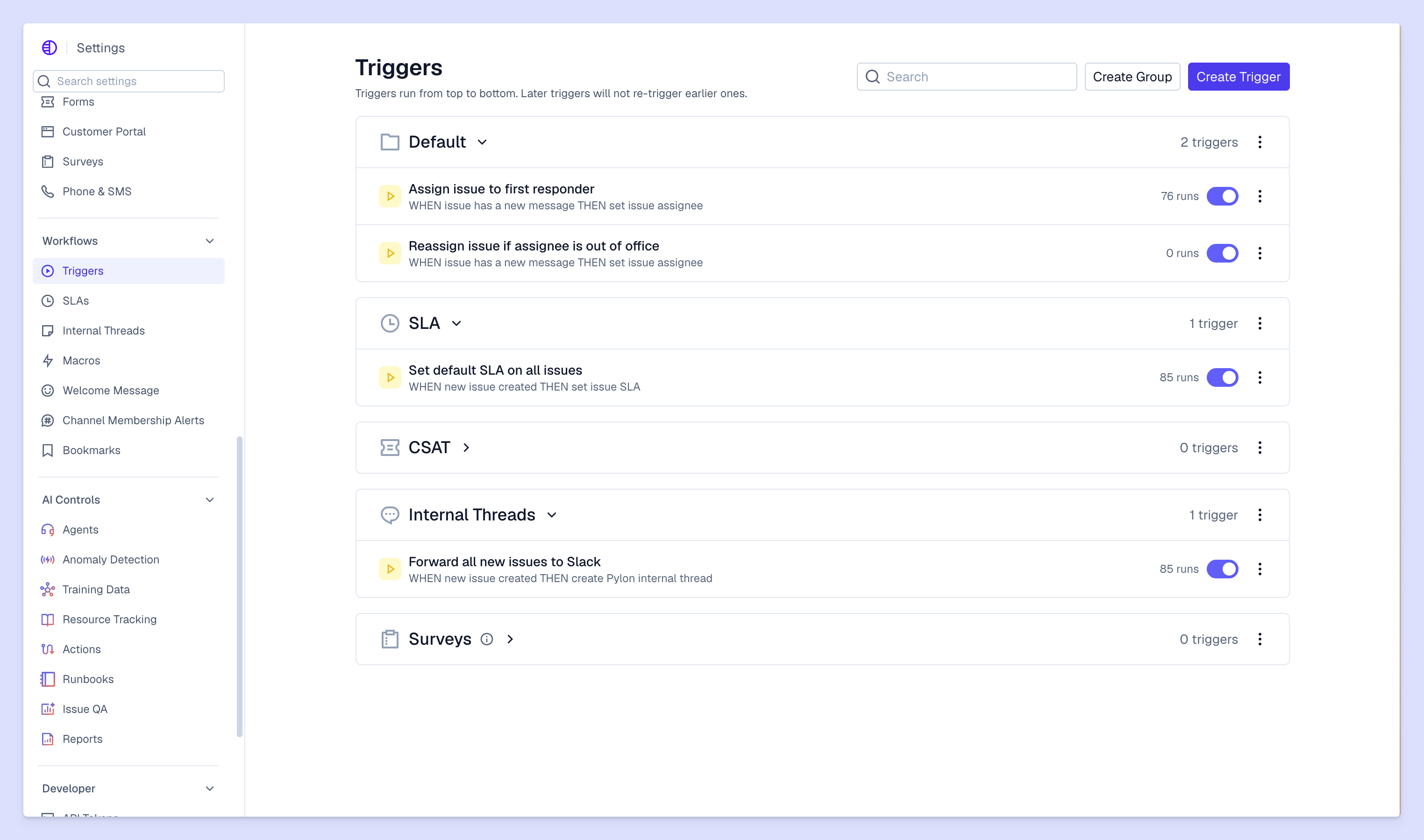
With automated incident management, you can create routing rules that assign incidents a priority based on severity and account tier, while status update workflows notify affected customers at handoffs or other predetermined moments. AI tools can also draft initial responses and suggest relevant knowledge base articles, which frees your team to focus on resolving the incident as soon as possible.
Closing an incident means more than marking a ticket as resolved. You need to confirm with customers that the issue is actually fixed in their working environment. Then, you should document what happened, what caused it, and how you resolved it.
From there, update your internal runbooks. For example, if the incident had a simple solution that isn’t documented in your knowledge base yet, create a new guide while the details are fresh. That way, your customers can reference it and independently resolve the problem if it comes up in the future.
One way you can re-establish customer trust after an incident is by sending a summary of what happened and what you changed to the affected customers. It closes the loop and shows accountability, which can turn a negative experience into a reason for the customer to trust you more.
Post-incident reviews are where your process improves. Start by bringing post-sales teams together to walk through the resolution timeline:
Teams run these reviews to find the friction points and remove them. And those who consistently review and document their work together are more likely to see repeat incidents drop. By doing so, you can feed those findings back into your escalation playbook, so each review makes the next incident easier to resolve.

The framework and lifecycle give you the structure for incident management, and these best practices will make your incident response and incident management tools more effective in that process:
How you handle incidents shapes your customers’ opinions about your company. When your team can see every conversation in one place, they can respond to incidents according to their severity and account value data, so customers get informed and incidents resolved faster. With Pylon, your team never has to switch tools to make every part of incident management happen.
Pylon is the modern B2B support platform that offers true omnichannel support across Slack, Teams, email, chat, ticket forms, and more. Our AI Agents and Assistants automate busywork and reduce response times. Plus, with Account Intelligence that unifies scattered customer signals to calculate health scores and identify churn risk, we're built for customer success at scale.
Incident management involves detecting, logging, categorizing, prioritizing, resolving, and reviewing issues to limit company impact and restore operations fast.
KPIs include incident count, MTTR, response time, SLA compliance, and reopen rate to track performance and improve outcomes.
Yes, structured incident workflows reduce downtime, speed resolution, improve process quality, and enhance customer trust.
Incident reporting captures details when issues occur, and logging records them for tracking, analysis, pattern detection, and future prevention.
Pylon Workforce Management is available now. See it in action with a live demo.





