Updated January 2, 2025 | 14 min read
Your support team is answering the same questions over and over each week. Meanwhile tickets pile up, response times creep higher, and your team burns out on repetitive work.
But many of the most manual support workflows can be automated with AI. When you set up tools to handle routine tasks for you — like automatically routing tickets, answering common questions, and triggering customer follow-ups — your team gets more time for customer relationship building and proactive support.
This guide walks through how automation works in customer support, how to implement AI tools step by step, and which workflows to automate first for quick wins.
Customer support automation is using AI tools to handle repetitive or manual support tasks. You set up AI to answer the most common customer questions, route tickets to the right team member, or send follow-up messages automatically — so your team can spend time on high-value customer interactions and relationships.
Most support automation platforms combine AI features, workflow rules, and integrations for each of your support channels. So whether a customer emails you, messages on Slack, or submits a ticket form, your automated workflows kick in to provide instant responses or route their question to someone who can help.

There are many different types of AI for customer support, but here are 3 ways you can automate your support operations.
You can deploy AI agents that interpret customer issues and answer automatically based on training data — like your knowledge, internal docs, or past support interactions. These agents can typically be set up to respond to customers directly in Slack, in-app chat, or wherever they reached out.
You can configure AI to automatically tag incoming tickets based on message content, triage and route them to the right teams, or remind you about SLAs for high-value issues. With platforms like Pylon, AI agents and assistants can also capture feature requests from your support conversations, detect widespread customer issues like outages, or update your knowledge base.
In tools like Pylon where all your customer data (across support, success, and other post-sales teams) is consolidated, you can ask AI to gather account context and automatically flag signals like health insights, churn risks, or upsell opportunities.
It can feel overwhelming to automate all your support workflows. To make things manageable, here's a 5-step framework you can use to break things down.
Write down every task your team handles regularly, from when a ticket comes in until it's fully resolved. Look for bottlenecks where manual work piles up — you'll find the best opportunities for automation there.
Start with high-volume, low-complexity tasks that follow predictable patterns. Pay attention to any tasks that take significant time but don't require complex decision-making: access requests, simple troubleshooting, or common product questions are all great candidates.
When you're just getting started with AI and automated workflows, hold off on automating sensitive issues, complex troubleshooting, or emotionally charged situations. Those will benefit most from your support team's expertise.
Look for platforms that support the channels your customers actually use (Slack, Discord, email, etc.), and check whether they integrate with your existing tools. True omnichannel support beats separate point solutions for each channel — many teams lose the most time context switching between different tools.
The best platforms unify support and customer success data, so any AI or automations you set up have access to full context about each account. When account history, health and usage data, and previous support interactions are all centralized, AI can personalize answers for customers and surface better insights for your team.
Test automated workflows for one channel or task type before rolling them out everywhere. This lets you catch issues early and refine your approach based on real feedback.
Get input from both your team and customers during the pilot. Your team will tell you if AI is creating more problems for them; customers can tell you if AI responses are accurate and helpful.
When your pilot does well, you can gradually expand automated workflows to more tasks and channels. Use data to guide which areas to automate next — just like before, look for high-volume bottlenecks.
And throughout the rollout, make sure to track metrics like response time, resolution rate, and customer satisfaction. If any metric starts to drop, you'll want to pause and adjust your configuration before continuing.
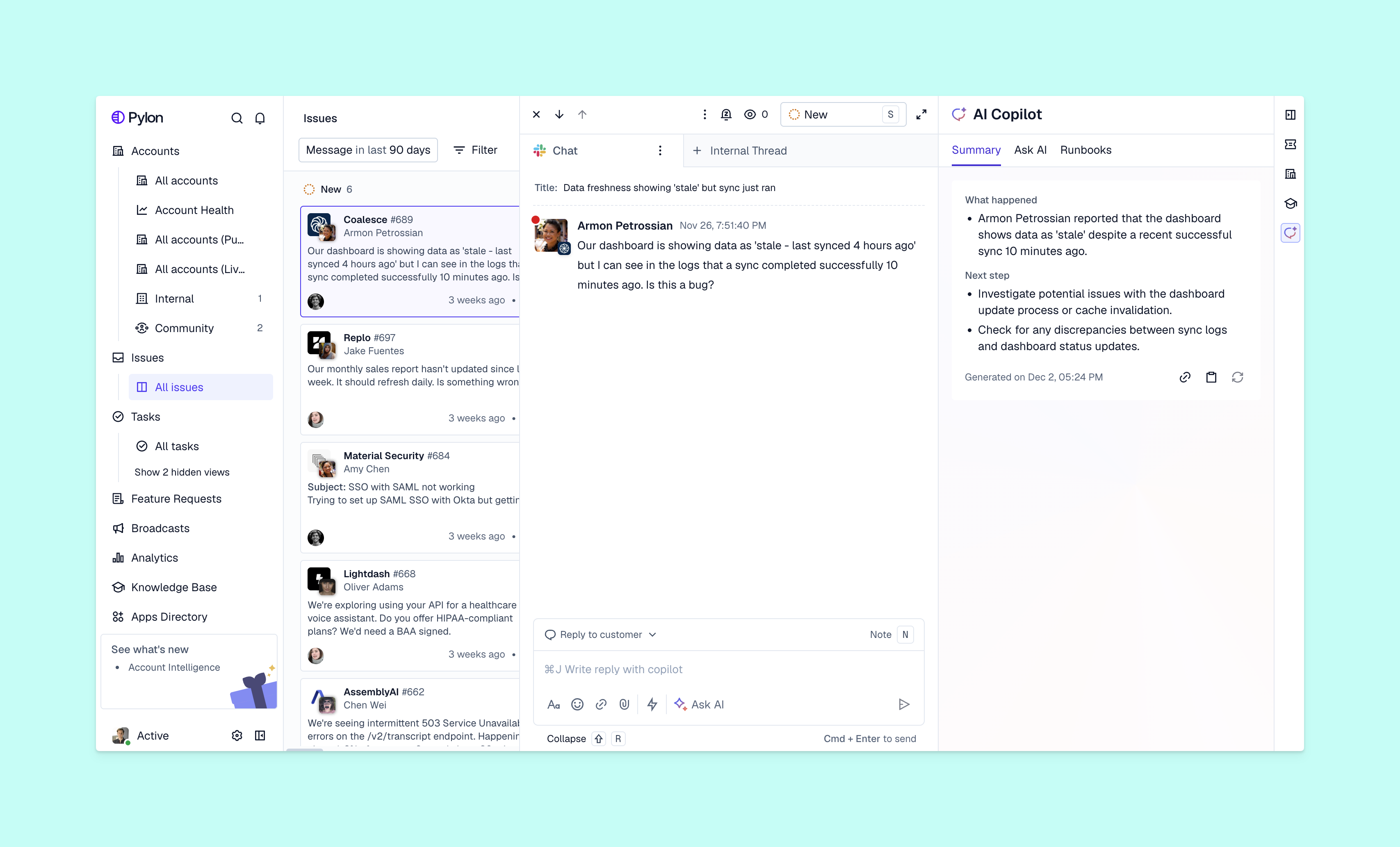
Start by automating the workflows that will deliver immediate value for your team and have minimal setup complexity. This helps you get quick wins and see results sooner.
AI sends tickets to the right team member instantly based on topic, urgency, or account value. Instead of your team manually sorting every incoming request, tickets get to the right person immediately.
For example, you can tell AI to route API questions to technical support or flag tickets from enterprise accounts as high priority.
When an issue comes in, AI can act as your first layer of support. You can set up agents that ask for more information from the customer or have them clarify their use case, so if your team needs to step in later to troubleshoot, all the pre-work is already done.
In platforms like Pylon, AI can surface relevant knowledge base articles to answer each customer's request. This means your team doesn't have to manually dig for resources to help them troubleshoot or to pass along to customers. The best systems learn, over time, which articles are actually effective for problem-solving and prioritize those in suggestions.
You can configure automated check-ins after customer calls or certain support threads. This helps you build relationships with customers throughout their lifecycle and get feedback on how you're resolving issues.
AI can help trigger or send CSAT and NPS surveys at the right moments — after ticket resolution, following major milestones, or at regular intervals — then notify you about relevant results.
You can automate notifications to tell team members about high-priority issues or when SLAs are at risk. This means your team doesn't have to constantly monitor dashboards or metrics, but they'll know right away when urgent items come up.
Support platforms can help you compile metrics and generate reports, so you can track team performance without any manual data entry or calculations. For example, you can ask AI to automatically send you summaries of response times, resolution rates, and customer sentiment at the end of every week.
Once you've decided which parts of your support operations to automate, there are different types of AI and automation tools you can try. Here are some of those tools and what they can do.
AI agents handle customer interactions on their own. They can answer questions, operate runbooks, and take certain defined actions without your team stepping in. Many modern AI agents also understand conversational context, can keep up with threaded conversations, and escalate to your support team when they encounter issues they can't resolve.
AI assistants are similar but focus on internal, human-in-the-loop workflows. For example, assistants can draft contextual replies to a customer thread, flag gaps in your knowledge content (and draft updates), or capture feature requests. These all help your team work faster and more efficiently.
Help desk platforms automate the entire ticket lifecycle from issue creation to resolution to follow-up. They handle routing, issues prioritization, SLA tracking, and team collaboration all in one place.
Look for systems that natively support your customer communication channels (Slack, Teams, email, chat, etc.) instead of requiring you to find third-party integrations for each one.
Knowledge bases help customers find answers on their own, which reduces your support volume by preventing tickets from getting created in the first place. When you have a well-documented and updated knowledge base, you can also configure AI that suggests relevant articles to customers while they're filling out support tickets — so more customers get the information they need without contacting your team.
Workflow tools connect the different systems you use, and they can trigger actions across your tech stack based on support events. For example, you can set up workflow automations so when AI categorizes a ticket as a "bug," it automatically notifies your engineering team in Slack or pages your incident management platform.
Most teams that automate even some of their support workflows see real gains in efficiency, cost, and customer satisfaction.
When you're rolling out AI and automation for your support operations, you'll likely run several challenges. Here's what to watch for and how you can mitigate these issues.
If you over-automate your customer support, it can feel impersonal and frustrate customers who want to talk to a human expert. Balance AI usage with clear escalation paths for complex or emotional issues.
This means making it easy for customers to reach a team member when they need one. If someone repeatedly asks for a support engineer to help troubleshoot their issue, make sure they get connected to your team immediately.
Many support teams are wary that AI or automated tools will replace their work. Address this directly by emphasizing that the goal is for AI to handle busywork, so your team can tackle strategic priorities and customer relationship building.
Also, make sure to involve your team in choosing which workflows to automate and how. They're ultimately the experts on which tasks are the most manual and tedious, and which customer issues need high-level expertise.
If you're already using too many tools to run customer support — and you add on AI workflows — it creates integration complexity and data silos. Your team will waste time switching between systems, trying to connect customer context, and missing important signals.
You can minimize this by choosing unified platforms that bring everything you need into one system: your support data, AI features, product usage data, account management, health scoring. When your entire post-sales team works from the same platforms and customer data, you preserve complete account context and make automations more efficient.
Without clear metrics, it's hard to show whether AI and automations are actually helping. Track response times, resolution rates, and team capacity before and after implementation to demonstrate the impact.
Speaking of proving ROI, here are 4 key metrics you can track to evaluate how efficient your automations actually are.
For every customer request, measure the time from issue submission to first response — then compare this before and after you've implemented AI workflows. Even a 50% improvement in response time can significantly impact customer satisfaction.
Use CSAT or NPS scores to gauge whether AI and automations are improving or hurting customer experience. If satisfaction drops, you've probably automated a process that needs a human touch.
Divide total support costs by ticket volume to see how much you've gained in efficiency with AI. This metric accounts for both direct cost savings and increased capacity.
Track tickets resolved per team member to quantify capacity improvements. If your team handles 30% more tickets without working longer hours, automated workflows are doing their job.
Implementing AI workflows and automation software can work for support teams of all sizes. The key is to pinpoint which parts of your support operations are the most manual and tedious — then start by automating high-impact, low-complexity tasks before you expand to customer-facing and complex workflows.
Pylon is the modern B2B support platform that offers true omnichannel support across Slack, Teams, email, chat, ticket forms, and more. Our AI Agents & Assistants automate busywork and reduce response times. Plus, with Account Intelligence that unifies scattered customer signals to calculate health scores and identify churn risk, we're built for customer success at scale.
Pricing really varies based on features, team size, and support channels — and it depends whether you're talking about individual AI add-ons to your support system, or buying a whole new system that includes AI features.
That said, most support platforms that include AI tools offer tiered plans, with affordable options for smaller teams to custom enterprise pricing for large organizations.
No. AI and automation are great for eliminating manual workflows or speeding up your work, but you still need your team's expertise to make decisions about complex support interactions or manage high-value customer relationships.
Automating basic workflows like ticket routing can take a few days, but configuring complex AI workflows could weeks to set up and refine. Start small and expand gradually for best results.
The terms are mostly used interchangeably. They both refer to using AI to handle customer requests and support tasks automatically. "Customer service" is most common for B2C teams, though, while most B2B teams say "customer support."
Absolutely. Automating support workflows can help small teams maximize their efficiency — especially since they typically have more limited resources. Many affordable platforms cater specifically to smaller businesses.
Common examples include AI agents or chatbots answering FAQs, automatic ticket routing to specialists, self-service knowledge bases, and triggered follow-up emails after customer calls.
Pylon Workforce Management is available now. See it in action with a live demo.