

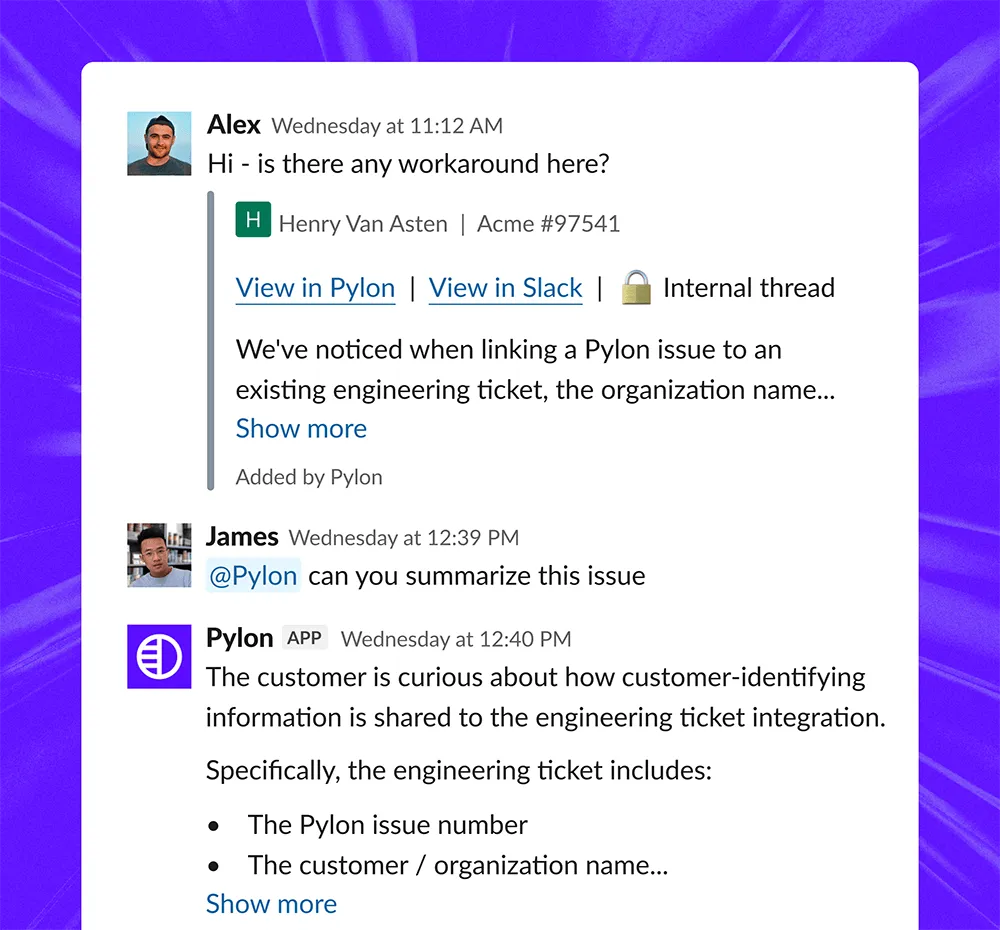












Customer questions pop up in Slack all day, but answering them shouldn’t mean switching tools, digging through Pylon, and jumping back. With Slack Agent, your team can tag @Pylon in any channel to get instant answers and take action without ever leaving Slack.
You're in a call and an executive messages: "What's the status on the upsell with Stripe?" Tag @Pylon in Slack. Get a real-time summary — open issues, health score, recent call context — in seconds.
A sales rep has a question for the support team. The rep can tag @Pylon — it searches past issues, runs the relevant skill, checks your codebase and connected tools, and posts an answer directly in the thread. Anyone on your team can now get real product questions answered in Slack, using the same knowledge base, skills, and integrations your team has already built in Pylon.
A teammate notices something outdated in your knowledge base mid-conversation. "@Pylon update the SSO setup article — the new IdP flow is in the Notion doc linked here." The article gets flagged for update, the edit is drafted, and the right person is notified — without anyone opening a browser tab.
.png)


Slack Agent is a shared interface to Pylon inside Slack. It lets teams ask questions, investigate issues, and take approved actions using Pylon’s support, account, and product intelligence.
Slack Agent can answer questions about customers, accounts, support issues, product behavior, past conversations, usage, risks, and open work. It searches Pylon and connected systems, then returns the context and evidence behind its answer.
Slack Agent can create or update issues, route work, link related incidents, trigger investigations, draft responses, and update knowledge. Available actions depend on the tools and permissions configured for your team.
Assist Agent is the personal agent a user talks to inside Pylon. Slack Agent brings the same context and actions into Slack so the broader company can access them from the channels and threads where it already works.
Slack Connect brings customer conversations from shared Slack channels into Pylon for support teams to manage. Slack Agent brings Pylon’s context and actions back into internal Slack so anyone can ask questions and act on that information.
Slack Agent only uses the systems, context, and actions your team has configured. Permissions determine what each user can access and which actions require approval before they are completed.


