

You can now add internal comments on tasks within projects
Custom object related lists on accounts now support sorting, filtering, and column controls — matching Opportunities functionality
Improved the task creation experience when adding tasks from within a project
New trigger: "Task has a new comment" fires when someone comments on a task
Project chaining — completing one project now automatically kicks off the next
Safari is now fully supported
Webhooks can now trigger automations
Searching by issue number now prioritizes exact matches
Macro visibility now inherits from parent teams to subteams
Custom portal roles are now included in contact CSV exports
Chat widget now supports searching through knowledge base documentation
Email issue creation now limits To recipients to known account contacts
Submission emails now include the issue title in the subject line
You can now export reviewer activity from the Knowledge Base "In Review" page
You can now restore previously deleted triggers
You now receive alerts when suppressed emails are added to existing email threads
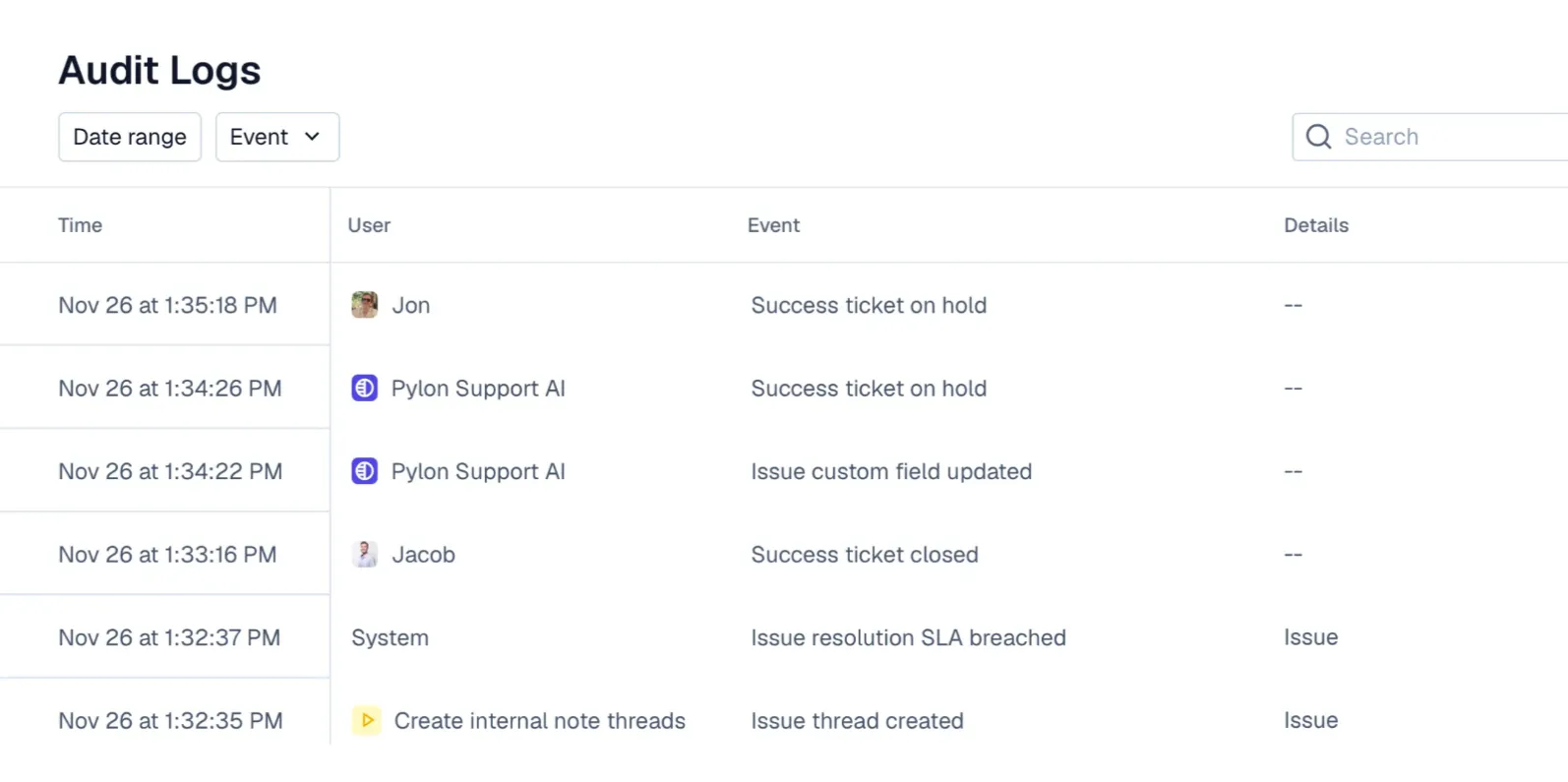
Audit logs now show the initiating user for bulk and cascaded account/issue deletions
Chat widget API expanded with new capabilities for non-SPA applications
Macros and triggers now expose the triggering user's context
Custom objects API endpoint is now publicly available
You can now set alias display names
Identity Verification V2 — chat widget now supports JWT-based authentication for secure user identification with token expiry
Salesforce syncs now retry without failing fields instead of blocking the entire sync
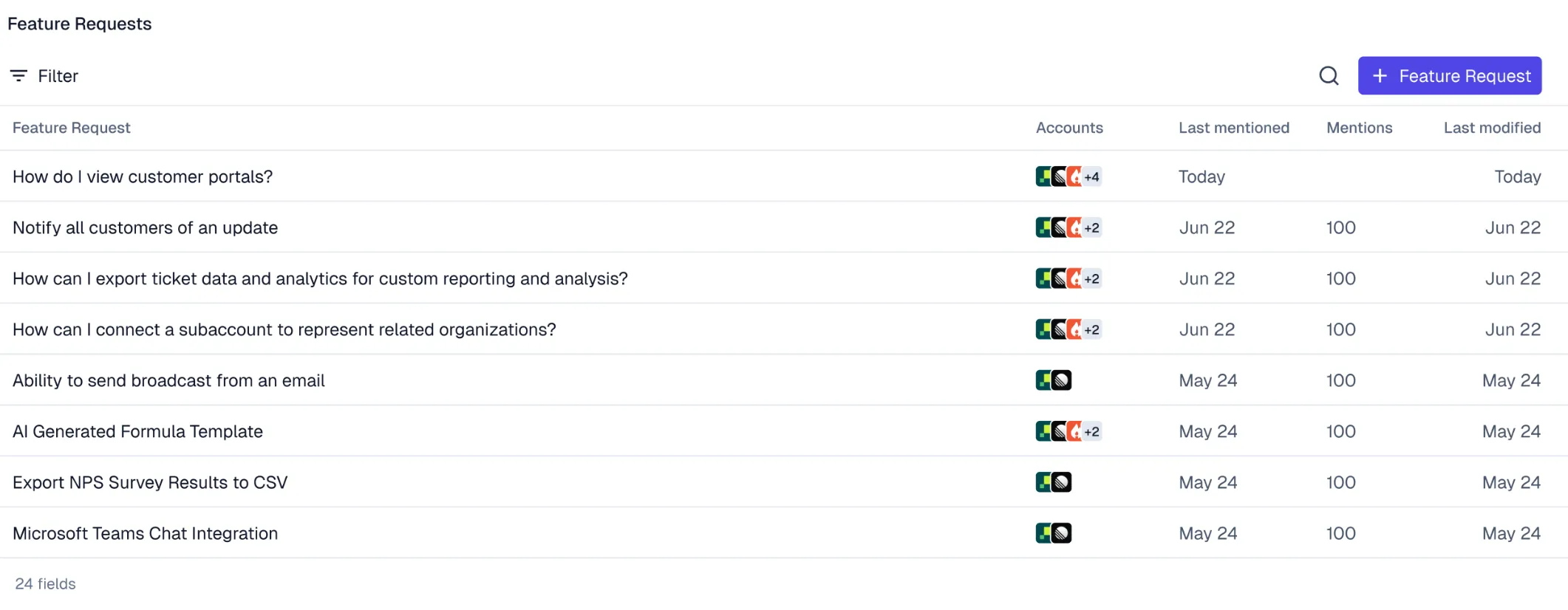
You can now export feature requests to CSV
Pylon-originated Linear comments now thread conversations
Bounce replies now appear in existing email threads
Organizations can now set email blocked rules that apply across the entire workspace
Issue sidebar "External" link now shows the actual support system name (e.g. "Salesforce Case")
Manually edited contact names now take precedence over auto-synced names from integrations
You can now select a requested date when setting up phone number porting
Added custom resolution-time buckets in analytics
Added "last message from" and "last message at" filters in analytics
Chart row limit control in the analytics builder is now more discoverable, making it easier to create Top-N charts
Account Intelligence: The REST API now supports setting a parent account ID on accounts
AI Insight references are now available in account overview
Project templates now support pre-configured triggers
You now receive notifications when mentioned in project or task descriptions
Task comments now feed into AI summaries
Customer portal now uses custom status mappings in project details and task sidebars
Platform: The GET /issues API endpoint now supports pagination
Article feedback is now displayed directly in the article editor
Analytics tables now support per-column number formatting
Survey name now appears on chat widget popup surveys
Telegram broadcast previews now include attachments
Project details now open as full pages
Added date grouping controls to analytics bar charts
You can now create custom fields for projects and tasks via API
All tickets submitted via chat widget are now visible in the widget
MCP update_issue now supports custom field writes
Phone call issue variables are now available in webhooks
Added HCL/Terraform syntax highlighting in Knowledge Base code blocks
Tag picker now paginates for workspaces with large tag sets
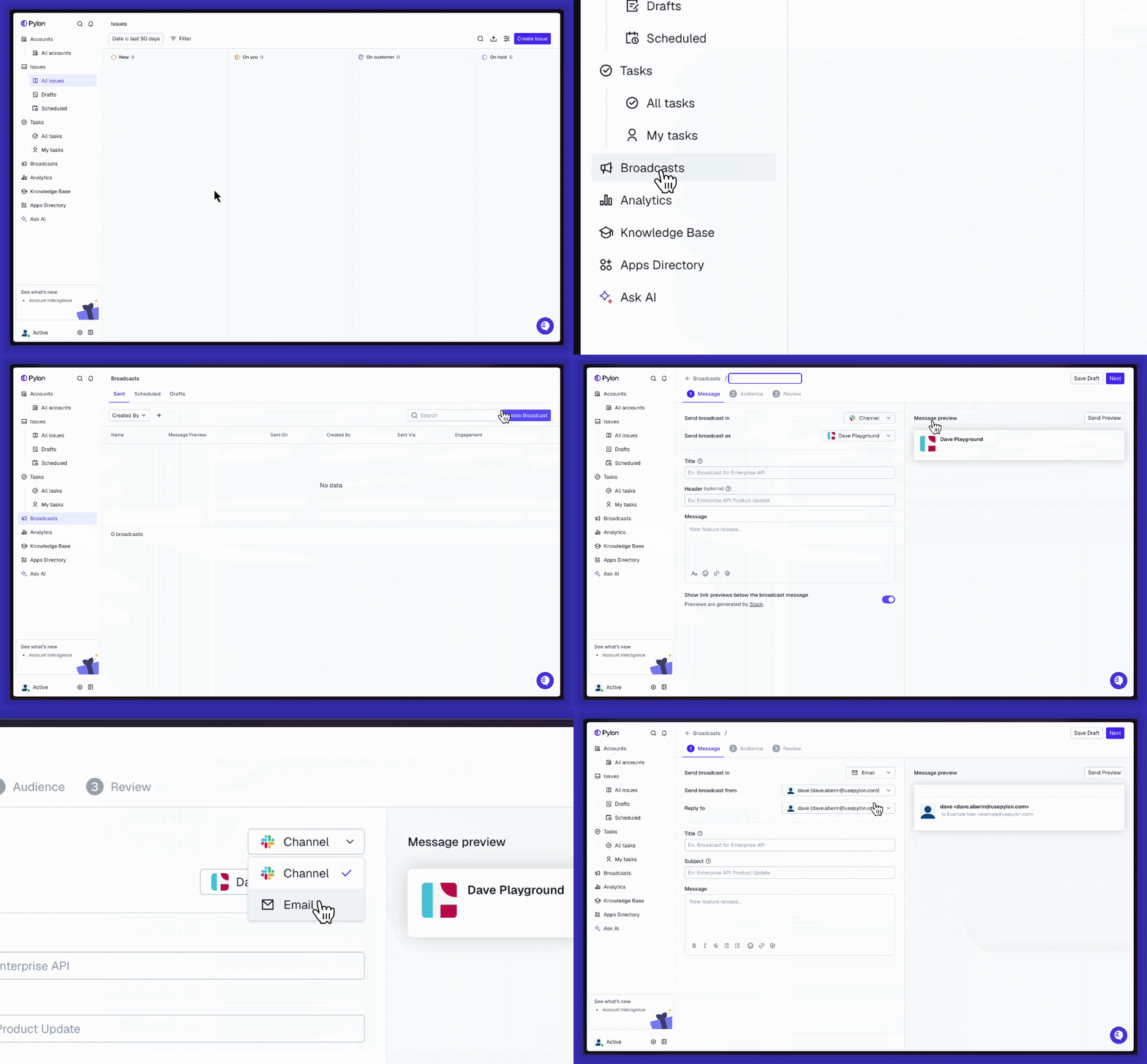
Broadcast messages now resolve account and integration variables
Full WhatsApp text formatting spec is now supported
Teams channel setup no longer requires a Slack connection
Added CSAT dashboard metrics to analytics
You can now create tasks directly from issues and link issues to tasks
You can now export large issue lists without the export timing out
Triggers can now set the issue requester from a custom field value
Issue triggers can now create tasks automatically
Issue triggers can now create projects automatically
Chat widget no longer shows unread badges when chat is disabled
Triggers now support recurring Slack notifications
"Reopened" is now available as a filterable issue property
Triggers can now fire on project status kickoff
Dark mode logos and brand customization for the customer portal
Account notebooks now show portal visibility cues
Custom field syncs now support deleting mapped fields when removing a sync
Notebooks page is now accessible via Cmd+K navigation
Account insights now incorporate opportunity data for richer context
Create Salesforce opportunities from Pylon: Create a Salesforce opportunity directly from Pylon, without switching tools
Automatically notify the right people when a new call recording lands
Account activity log now records account name changes
New self-serve setting to disable AI account memory generation.
Telegram broadcasts now support document attachments
Broadcast audiences now support filtering contacts by email prefix (starts-with)
Telegram is now available as a broadcast delivery method — send announcements to Telegram channels and groups with audience filtering, reactions, scheduling, and edit/delete support
Improved in-channel popup when the Pylon app is added to a Slack channel
Users are now prompted to refresh when their browser client is out of date
Custom labels now available on analytics Metric and donut charts
Chat widget now polls for updated support hours while the chat window is open
Customer portal now supports ticket ID in issue URLs
Triggers now support filtering by account
Triggers now include AI agents in the issue-assigned kickoff user picker
Attio integration now handles record deletions and merges to keep CRM links accurate
Account domain validation now correctly rejects email addresses
Jira ID filter now supports "begins with" and "contains" operators
Team SLAs exposed on the public issue API
Select all users now works across pages for bulk role and team changes
You can now select all matching users across pages in the Users admin
You can now configure reply aliases for outbound email messages
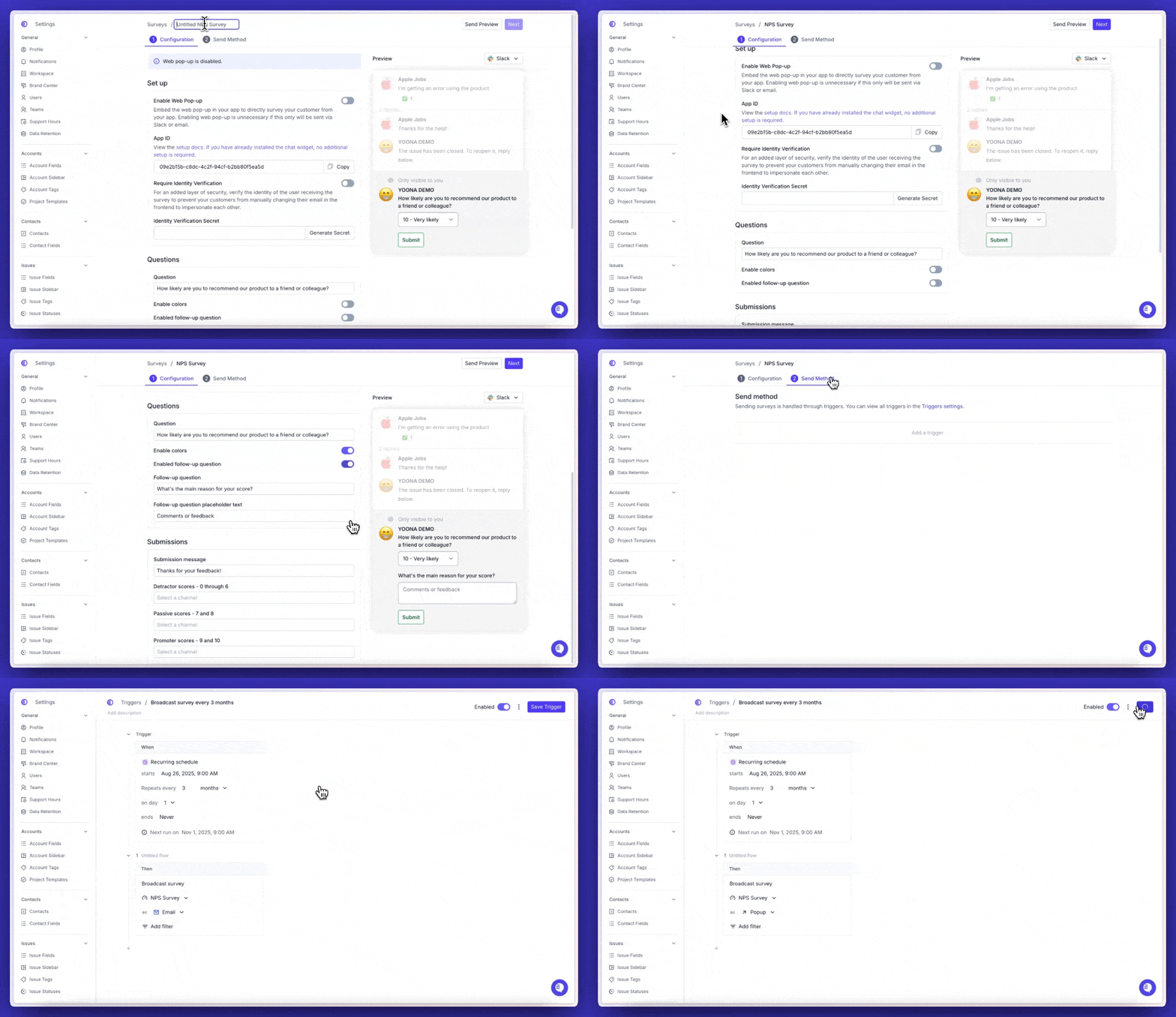
Triggers can now broadcast surveys to the survey's configured audience
You can now filter by Jira issue key in issues, tasks, and feature requests
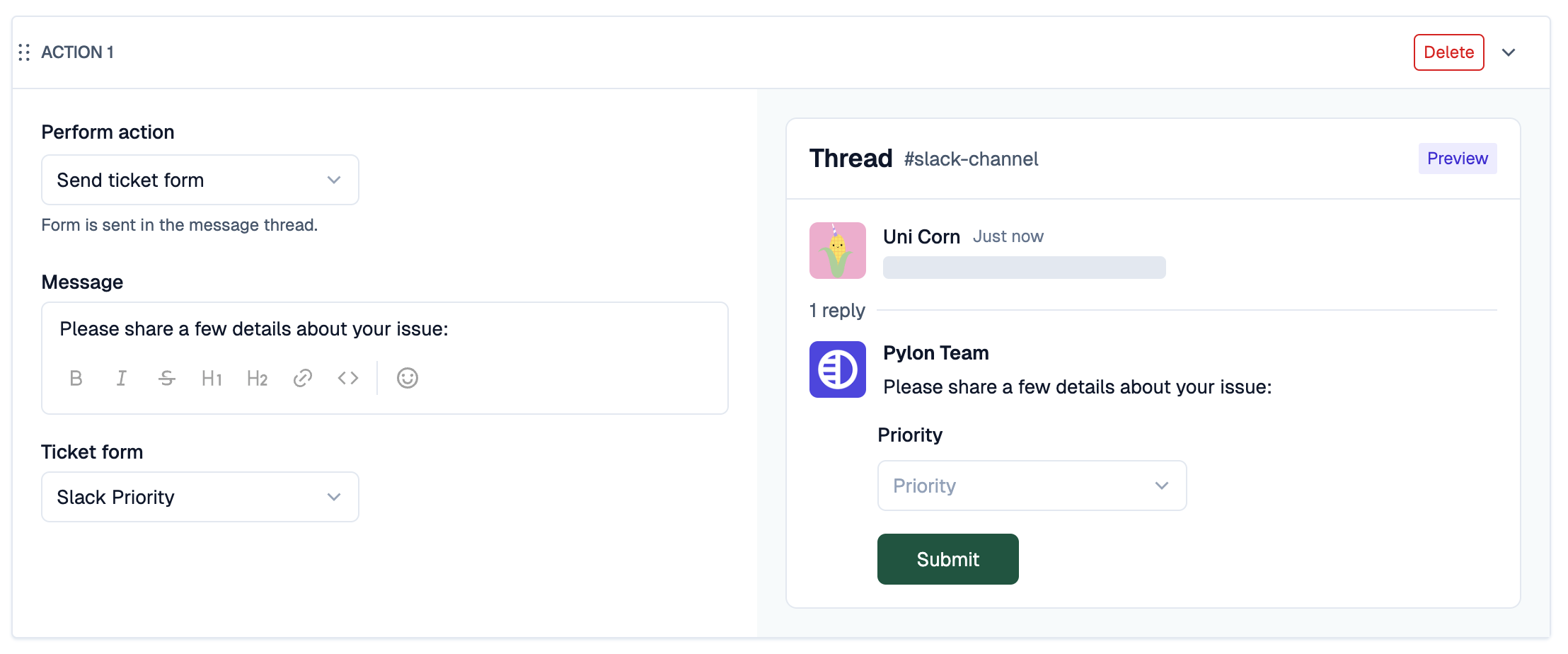
Slack ticket form text inputs now render as multiline, wrapping long responses properly
Resolution time calculations no longer count automation actors
Email recipient card now shows the Reply-To address
Improved widget ticket form flow with support for widget-submitted ticket threads
Survey questions can now be reordered by drag-and-drop
WhatsApp group messaging is now available — create and manage groups, invite participants, and send text and media via the official API
Inline code formatting now supported across email and chat integrations
You can now initiate phone calls from non-phone issues
Ticket form confirmation emails now have a per-form toggle to suppress form fields
SLA module now displays support hours
Resent WhatsApp template messages are now logged back to the original issue
Resolution SLA sorting now correctly places issues without SLAs last
Rich formatting is now preserved in synced block suggestions
Slack channel broadcasts now use the selected user's token, matching the sender identity
Formula fields now support counting multi-select options with len()
Projects & Tasks are now accessible via MCP
Sync custom objects to the CRM
Filter issues by whether the assignee is part of a specific team
Duplicate ticket forms directly from the admin UI
Use template variables in knowledge base article links
Knowledge base homepage now shows uncategorized articles
Auto-select the outbound source (phone or email) when only one is available
Profile language picker is now sorted alphabetically
Build filter groups for Custom Portal Role filters
Faster customer portal issue loading
New API endpoint to delete call recordings
Added WhatsApp number as a trigger filter option
You can now create account and issue tags inline within trigger actions
Analytics tables now have resizable columns
Chat widget automatically hides Ask AI / Search when the bound knowledge base has no published articles
Issue description textbox is now resizable
Audit log User column is now clickable, linking to the contact/user profile
Public knowledge base headers are now mobile-friendly
PDFs can now be embedded directly in Knowledge Base articles
Bulk-toggle which feature requests are visible to each account in the portal
New API endpoint to create feature requests programmatically
Option to disable Slack emoji-reaction syncing to Zendesk
Drafts now sync across browser tabs
New CSAT score and comment variables for triggers and templates
Issue assignee now syncs to the linked Salesforce Service Cloud case
Added a Cmd+M shortcut to open the macro picker in the reply editor
Admins can set a default sending email, pre-selected when creating an issue
Press "x" or Escape to close the chat window
You can now add "Mark as spam" as a trigger action to automate spam handling
Triggers can now include the most recent message text when sending Slack notifications
You can now bulk-select and act on multiple opportunities at once
You can now edit the date and time of manually created meetings
Customer portal "Tasks" tab renamed to "Projects & Tasks"
Subaccounts tab now appears for partner accounts
Meeting notes from call recordings are now indexed for search
Outgoing CRM syncs now generate audit logs
Account Activity timeline now supports filtering by actor type (API token vs user)
You can now query MAX on call recording start time
Consolidated copy options into a single dropdown in the admin bar
Added Account Owner filter when bulk-adding users to channels
You can now use {{ issue.customer_portal_link }} in ticket form submission emails
Added optional header logo link to customer portal settings
All personal emails with send-as permissions now appear in the From dropdown
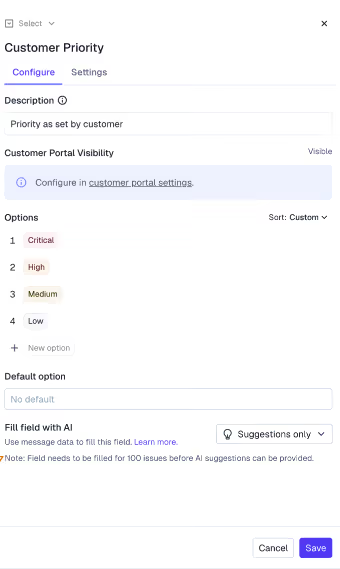
You can now customize priority icons and edit priority option labels
Pylon now optionally assumes +1 country code for US phone numbers entered without one
Added a "contains" operator to the workspace email filter
Underline formatting is now available in the issue editor and is preserved across Slack and chat widget messages
Use custom user fields as variables in trigger email notifications
The Create Task trigger action now exposes more account variables in the variable picker
Map phone number fields when syncing with Pipedrive
Org admins can now rename other users directly from the Users page
You can now manually map HubSpot IDs and view emails for unmapped contacts
You can now filter your issues view to show only your team's assigned issues
Added 'Updated at' column to issues view and CSV export
Added support for Excel .xlsb (Binary Workbook) file attachments
Increased file attachment size limits
In-issue article picker now searches article contents, not just titles
The 'Workspace email' filter is now consistent across all platform surfaces
MCP search_issues tool now supports filtering by custom fields
Jira integration now supports per-project field sync
Added last-mentioned date filter for feature requests
You can now filter accounts by requested feature
You can now bulk request article reviews
Teams-to-Salesforce sync no longer requires the Slack mirroring step
Ticket form submission emails now include a link to the customer portal
Create a new contact directly from the issue view
Threaded content in email messages is now collapsed for cleaner reading
Improved handling of inline replies in email tickets
You can now edit the Primary External Channel directly from the accounts table
You can now upload a CSV to bulk update accounts
You can now group Opportunities by boolean fields (e.g., Sales Qualified)
File upload can now be set as a required field in ticket forms
You can now filter triggers by SMS phone number
Issue search API now supports filtering by Slack channel ID
Newly created API tokens show their prefix in admin center for easier identification
Adjusted portal login code expiration duration
Tag Deleted event logs now include the tag name and value
Per-account HIPAA provisioning is now available, with the option to always route communication through the portal
New API endpoint to trigger the KB article review process
Added PATCH update support for collections in the public API
Redesigned the Customer Portal settings page, with support for mapping custom Issue and Task statuses to portal-visible statuses
New ticket queueing system manages unassigned tickets with capacity limits, skill-based routing, and automated re-assignment when agents become available
Triggers that change issue status no longer fire on the first message of a new issue
New "Send and set status" option in the reply dropdown lets you reply and set a custom issue status in one action
Google Calendar integration now preserves your Away status after Out-of-Office ends
The To address is now auto-filled when forwarding threads
You can now drag and drop email addresses between To, CC, and BCC fields
Inbox issue count now visible in the sidebar navigation
Team SLA columns in analytics CSV export are now broken out per-team
New "Last Vendor-side Communication" field surfaces vendor messages not previously tracked
You can now review AI reasoning behind notebook block outputs
Added custom object widget type to account notebooks
Added support for object rollups
Added search and select-all checkbox to custom object views
Create task action now available for contact-based trigger kickoffs
Sorting by Account column in custom object views now works correctly
You can now create Asana tasks directly from a Pylon issue
You can now view and manage pending drip surveys in the delivery log
A notice now appears when progressive rollout changes won't take effect until the next run
Added filter by custom issue fields on the Feature Requests page
Count tables now support drill-down to view the underlying issues
Form submissions now automatically CC the workspace email, so the full conversation thread appears in your inbox from the start
Added an email allowlist to let specific addresses bypass spam filtering rules
Emails forwarded through Google Groups to your Pylon inbox now correctly create issues
Drafts are now saved independently per thread — Internal Notes and Client Thread maintain separate drafts
You can now add CC recipients when replying from the customer portal on email threads
New portal setting lets admins control whether end users can edit CCs when replying
"On hold" statuses are now displayed separately in the customer portal
You can now create issues proactively from Microsoft Teams chats
You can now configure the SLA tab in the issue sidebar layout
Added a confirmation prompt before sending bulk replies across issue groups
You can now select multiple issues in bulk from the inbox view
Google Calendar event deletions and edits now sync to Pylon in real time
You can now split email replies into separate issues for independent tracking
Added translate toggle to proactive ticket creation, matching the reply editor behavior
Added "show first internal message" option to the Create Internal Thread trigger preview dropdown
Added new CSAT trigger filter options including the ability to suppress surveys for accounts that recently responded
"Unsuppress and resend" now pre-fills only the previously-suppressed recipients instead of all recipients
Attachments added via macros no longer result in broken links for non-image files
Messages can no longer be sent while file uploads are still in progress
Bulk marking issues as "No Team" now applies correctly
Outlook update webhooks no longer create new issues from old emails
You can now bulk add multiple users to Slack channels at once from the Accounts page
Agents now hear an audio indication when a phone call connects, so they know the customer is on the line
Added a toggle to disable unread notification follow-up emails for in-app chat widgets
Improved bulk user management — you can now select multiple Slack users to invite at once
"Create issue" now appears as the top result in Command K for exact matches
You can now see who is viewing a ticket directly from list and kanban views
Added a setting to hide issue numbers from the chat widget
Renamed "MCP" to "MCP Connectors" in the app directory for clarity
You can now delete phone numbers from your account settings
Salesforce contacts now correctly sync for accounts added after the initial full sync
New "Last Vendor Activity" default field for tracking vendor engagement
Salesforce account matching can now use a custom field instead of just domain
You can now export project plans to CSV
You can now toggle "show parent accounts only" in account view layout settings to hide sub-accounts from the list
Project pages and project templates now display custom project fields
You can now add an internal Slack channel directly during the "add account" flow
Rollups are now available in beta — aggregate data across related objects like summing renewal ARR per account, listing champions, or showing the latest open opportunity
Attio custom object fields for deals can now be synced into Pylon
Issues CSV export no longer caps at 2 years of history — all historical issues are now included
Added Grain as a call recording integration
You can now search contacts by any substring in their name, email, or phone
New API endpoint to list call recordings, filterable by account
You can now set the account type field via the Accounts PATCH endpoint
You can now view upcoming features, opt into betas, and subscribe to notifications when new features launch from Settings > Feature Management
Basic version of activity log now available in the Professional tier
You can now filter audit logs by activity type via the API
Draft KB article title changes no longer appear in public search results until the article is published
Trigger notifications for account-based kickoffs now correctly render project variable values instead of plain text field names
Renaming a custom field option label now immediately reflects the updated value in the Issue Fields panel
KB header link configuration now validates that a full https:// URL is required
Message attachments now support compressed file types (gzip, brotli, zstd)
You can now connect your Pylon app to another organization's Pylon bot via Slack
Issue email messages now show a name derived from the email address instead of "Unknown" when no sender name is available
The SLA "Next response" timer in the issue sidebar now consistently shows a "Due in" countdown with progress bar
Contacts now show Last Meeting Date and Next Meeting Date fields
You can now insert articles into tasks directly from the menu
Notebook Projects widget can now be filtered by project template
Account Notebooks now support opportunity fields
Triggers now support custom objects as conditions and actions
REST API now includes project and milestone endpoints, plus channel names and links in account responses
AI task creation now triggers when a meeting is linked to an account after the fact
Message redaction is more clear so it says that the message is NOT removed
Made it so that messages sent via trigger / bot can be deleted which is separate from redaction
Custom Translations now work for non-English-default organizations
Deeper Rootly integration: you can now select team, service, and status when creating incidents
Portal emails now come from a unified address
"Portal visibility" column is now sortable on the Issues list
Contacts search API now supports string_contains on the name field
Pylon MCP search_issues now supports custom state slugs and exclusion
Portal login failures are now captured in Audit Logs
Survey response ID is now available as a webhook template variable
Improved Cmd+K matching for grouped search phrases
You can now see "Customer Portal Visibility" as a column in the Issues list
Portal link template variables are now available in email signatures, making it easy for customers to navigate back to the portal
New trigger action to bulk-apply a portal role to all contacts on an account (e.g., revoke access when an account churns)
Audit logs now capture integration install, reinstall, and disconnect events
Macro version history is now available, showing who created and edited each macro
Webhook settings page now shows who created each webhook and reorganizes the action menu
You can now filter issues by title in the issues view filter picker
Account deletion now requires typing a confirmation phrase, preventing accidental bulk deletions
The product ticket comment box is now resizable
You can now filter feature requests by evidence source type (e.g., call recordings, issues, surveys)
Product ticket status change triggers now pass through template variables, enabling customer-facing notifications about ticket updates
Tasks now support native PDF and Excel file attachments
Task comments are now available via the REST API
Subtasks are now included when creating projects from templates via triggers
Subtasks can now be created via the API
Call recordings can now be used in Ask AI and cited as a source
You can now export custom objects and opportunities to CSV
You can now open an account in a new tab from the accounts table
AI agents now receive custom field options in context, improving field selection accuracy
AI agents and Ask AI can now understand video recordings and PDF/text attachments shared in conversations
AI agents can now read text embedded in screenshots within knowledge base articles
Press Cmd+Shift+K from anywhere in the app to start a new Ask AI chat
You now receive email notifications when a connected email inbox encounters sync errors or needs re-authorization
Opsgenie integration now supports Atlassian tenants migrated to JSM Cloud Operations
Telegram channel visibility can now be restricted to only channels visible to the connecting user
Project custom fields can now be updated via the REST API PATCH endpoint
Activity log now expands external references and linked ticket details inline
Webhook payload autocomplete now shows full variable names for long custom field variables
Platform: Added Japanese (ja) locale support across the app and chat widget
Task attachments are now visible in the customer portal
MCP server can now upload files to an account's Files tab
KB articles API now includes the created_at field
Trigger actions for Multi Select custom fields now support append, remove, and overwrite modes
Notification groups can now be configured for unhealthy integration alerts across all integrations
Added issue assignee as a filter option in issue RBAC for custom roles
Added bulk knowledge base export with HTML articles, metadata CSV, and PDF export
Slack integration now surfaces OAuth error messages when workspace connection fails
You can now remove email suppressions directly from the Pylon UI without contacting support
Select all now works across paginated issue lists for bulk operations
File uploads over 10MB in the customer portal now convert to download links instead of being blocked
Added GitHub issue key as an available column option in issue views
Closed feature requests are now included in search results
You can now filter issues by CC email address
Email replies now only include messages that appeared before the one being replied to in the thread
Customer Portal now supports filtering and sorting by Last Updated, with admin-configurable issue table columns
Customer Portal "Add Member" button is now hidden for portal roles without contact write access
Users can now save personalized filter overrides on default views like All Issues and Inbox
HubSpot deal stage options now include the pipeline name, preventing confusion when multiple pipelines share the same stage labels
New Memories (formerly Account Highlights): AI-extracted context about accounts including setups, stakeholders, and recurring patterns — with manual override
AI agents can now read and understand text embedded in screenshots within knowledge base articles
New KB Article Review workflow: require article edits to go through review and approval before publishing, with highlight-diff change tracking between versions
You can now copy a direct link to a Slack message from the message hover menu
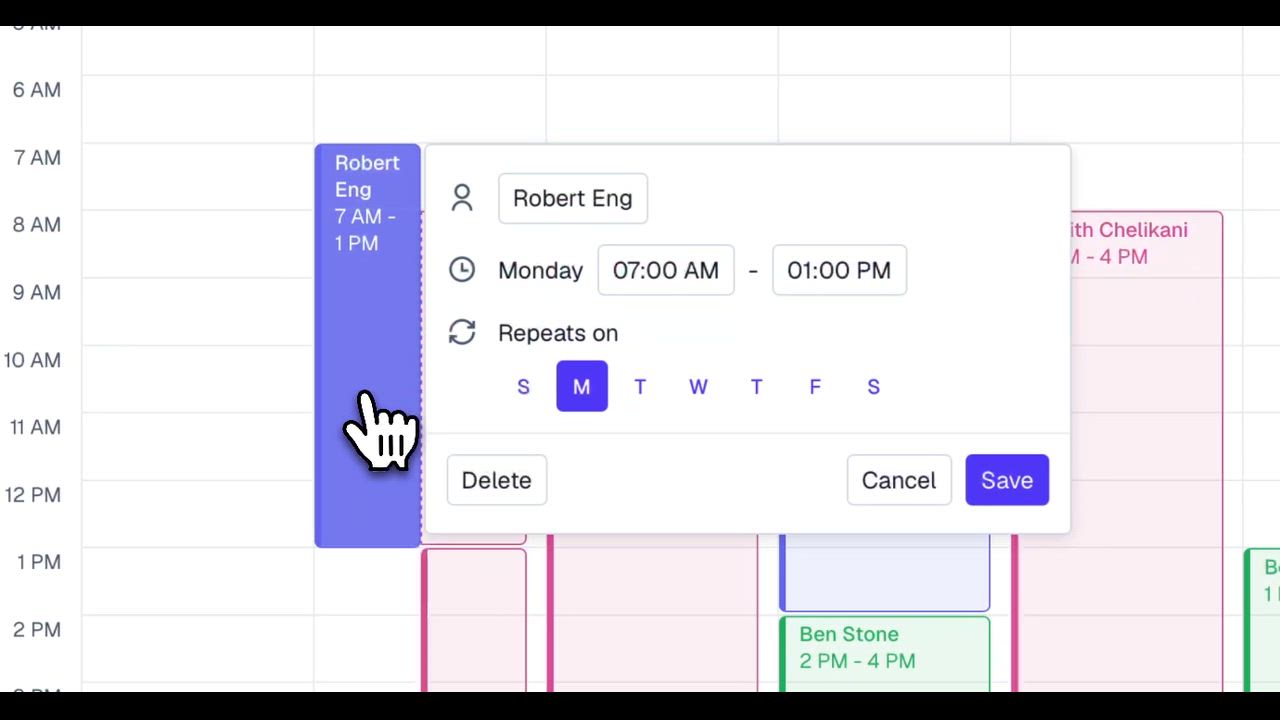
New Calendar Hours & Status Sync (Enterprise): set personal working hours and auto-sync OOO events from Google Calendar so tickets don't get assigned to unavailable teammates
Gmail replies now include only the Pylon signature instead of appending the Gmail user signature
Ticket form uploads now show a clear error when a file is too large, instead of silently failing
You can now tag dynamic user fields (assignee, account owner) in trigger Slack notifications and internal thread actions
API: POST /issues/{id}/note now accepts a thread_name parameter for custom internal note thread titles
Bulk account operations like delete now work correctly with "Select All," even across paginated results
Archiving a Slack channel now correctly removes it as an external channel from the linked account
The customer portal module is now hidden in the issue sidebar when the portal is disabled
New Custom Objects (Enterprise): define your own object types to track subscriptions, assets, or implementation projects — create via UI or API, sync from your CRM, use in triggers, analytics, and AI
AI reports can now be delivered via email in addition to Slack
Analytics columns now support custom series/formula naming
Added support for restricting API key usage by IP ranges or web domains
Add a phone number when creating a contact
Phone fields from Salesforce and HubSpot are now synced to Pylon contacts
Added “Requestor is current contact” condition for contact roles
Improved knowledge base collection layout and fixed nested collection display
Custom object pages are now accessible from Cmd+K
Feature requests now support cmd/ctrl+click to open in a new tab
GitHub issues created from Pylon now include full thread context, a backlink to the Pylon issue, and attachments
You can now upload a CSV file to create broadcast audiences with contact emails and names
Drag to reorder audience blocks when configuring NPS surveys
Project views can now be sorted by any custom field
Rename CRM-synced fields — you can now edit the display name of fields synced from HubSpot or Salesforce
Survey "sent" count now excludes follow-up reminders — NPS/CSAT participation rates in analytics are more accurate
Jira Issue IDs are now visible in the Issue List view
Feature request evidence API now includes recording URLs — GET /feature-requests returns Fathom call links in evidence items
Personal email threads now factor into feature request customer notification tracking
Linear issues created from Pylon now support setting a due date
KB default visibility — set a default visibility (public, customer-only, or internal) at the KB level; articles and collections inherit it
Portal ticket form now uses the correct workspace — contacts who switch workspaces in the portal will have new tickets filed under the right account
KB resource status now updates correctly after article deletion
Email tickets now accept MP3, OGG, and WAV audio file attachments
Requester contact is automatically added as a follower when an issue is created, so portal contacts can see their own tickets
Admins can now add usepylon.com domains to the Gmail integration blocklist, preventing Pylon notification emails from creating issues
Email app signatures now support template variables (e.g. {{ actor.first_name }}) for per-agent personalization
Triggers now support opportunity fields and custom objects
Custom apps in the issue sidebar now support conditional visibility based on issue filters
Opportunity trigger support added
Snoozed issues now show time (not just date) when snoozed to later the same day
Trigger messages from automations now sent as the team member instead of "App" — Slack intro messages and trigger-fired messages now use the relevant user's token, removing the impersonal "App" sender
New "Email Not Delivered" trigger event — fire workflows when an email bounces or is suppressed, enabling automated alerts or follow-ups
Contacts table inline editing — click any row to edit fields like account and portal role directly, without opening a side panel
Visual confirmation after Slack OAuth reconnect — users completing the reauth flow now see a success state instead of a blank redirect
Custom field duration values now display with mixed units (e.g. "1h 30m")
User availability status now updates in real-time across the app without requiring a page refresh
Contact records now have an Activity Log, matching the detail level of Account activity logs
POST /issues/{id}/note no longer requires a pre-existing thread — the first internal note can now be posted directly
Knowledge Base is_unlisted (direct link only) setting now exposed via PATCH /articles/{id}
Analytics dashboards now support filtering by requester, including "no requester"
Account Metrics now support "Average" as an aggregation optio
PagerDuty incidents created from Pylon now include the Pylon issue title in the incident name
Chat widget now records each user's last logged-in date on initialization
Issue visibility is now bulk-updated when a Slack channel's privacy setting changes on relink
AI training data file upload limit standardized to 50MB across UI and REST AP
Settings sidebar search now indexes nested tab names (e.g. searching "tags" surfaces Account Tags and Issue Tags)
New formula option: calculate engagement duration in years (e.g. time since contract start date)
Long text fields in account views now have a max-width constraint, preventing layout overflow when expanded
Select multiple projects at once and apply bulk actions — archive, update, or manage them directly from the all-projects view
Contact phone numbers are now visible directly in the issue detail sidebar — no need to navigate to the full contact page
Automate actions based on task and project activity — trigger workflows when a task's custom field changes or a task status is updated, and take direct actions on tasks from any automation
updated_at Timestamp in the Issues APIThe Issues API now returns an updated_at field, allowing data sync tools like Fivetran and ClickHouse to detect changed records and sync only what's new — no more full re-syncs on every run
Ticket form submission emails can now include {{issue.customer_portal_url}} to link customers directly to their portal ticket
Customer portal form sets can now filter visibility by account type (Customer, Internal, Community, Partner)
Configure when your response time SLA clock ticks — choose whether it continues counting while issues are On Hold or in custom statuses
Issue list view now displays exact timestamps for when issues were created, instead of relative time
Opportunities table now supports row height options (Compact / Comfortable), making multi-line notes readable without opening the cell
Formulas are now supported on opportunity fields, including weighted averages using forecast confidence level
The/accounts API now supports an account_type field when creating accounts
Bulk-adjust customer visibility for tasks directly from project templates
Linear Customer Requests now sync customer fields from Pylon — customer name, company, and metadata automatically populate on linked Linear tickets
Filter issues by ID using #X syntax in search
Triggers can now filter by "Creation method" — target or exclude issues created via Dashboard, API, Slack bot mention, ticket emoji, and more
Analytics metric charts now support number formatting: number, number with commas, percentage, and 8 currency options (USD, EUR, GBP, and more)
Users page now has a team filter for admins
Deleting an API token now requires typing the token name to confirm, preventing accidental deletions
Channels already linked to another account are now shown as disabled in the channel picker (with the linked account name), instead of disappearing from results
Disable message content previews in Slack notifications and internal threads
Time in status is now available via the Analytics API
"Primary External Channel" is now available as a filter on the Accounts page — narrow accounts by their designated primary Slack or Discord channel
The Macros API now supports creating macros programmatically
The /import/contacts endpoint now allows the same email address across different accounts, unblocking contact migrations
Tasks can now be automatically created from trigger actions based on events
Create reusable content blocks across knowledge base articles
Video file attachments now play natively within Pylon
Issues can now be deleted and restored from a dedicated deleted issues view
Retrieve deleted Knowledge Base articles before they are permanently removed
Default email sender option is now saved in local storage
Headers inside KB articles in the sidebar are now linkable via #
Increase knowledge base articles table page size
Ticket replies that fail to sync to Zendesk are now logged
Access survey and NPS results via the API
Added prompt linting for trigger AI filter conditions
Bulk task selection for milestone assignment is now supported
Account files can now be used as context in Account Notebooks
Added search and sort features for notebook suggestions
Date and time stamps are now added for completed tasks
Pylon Issue ID is now appended to the mapped Jira description
Linear field sync now supports arbitrary "Label" mapping
Product-ticket suggestions now include GitHub, Shortcut, and Asana.
Issue activity log entries update for closed product tickets
Filter feature request evidence by source type
The issue detail now shows how the customer notification loop was closed
Channel link/unlink from accounts is now logged in the activity feed
Custom dashboard list is now virtualized for large dashboard sets
Ask-AI responses now support Markdown formatting
Product integration sources (Linear, Jira, etc.) added to "Last Message Source" trigger filter
AI field suggestions are now saved only on blur, preventing premature saves
Slack autolink is now deferred until an external user joins
Added DELETE endpoint for knowledge base collections
Customer-facing portal link can now be copied directly from the issue sidebar
Ticket numbers in Slack messages are now hyperlinked
User status can now be set directly from the teams page
Customers can now change the requester from the customer portal
Resizable, full-width compose/reply area
"Account Owner" is now supported as a recipient in the Send Email Notification trigger action
Added a filter to show only unmapped users on the Jira user mapping page
Webhooks are now idempotent and support message timestamps on inbound webhooks
Admins can now update the email address for any user in their organization directly from team settings — no support ticket required.
The audit log now captures when a trigger is enabled or disabled, giving you a full history of who changed trigger states and when.
Connect external tools like GitHub, Linear, and Notion directly to Pylon AI — your agent now has real-time access to data across your entire stack.
Define your own status stages for feature requests beyond the defaults. Create statuses like "Planned", "Under Review", or "Won't Do" to match exactly how your team tracks product feedback.
Survey response comments are now analyzed by AI for deeper account insights
Pinned account fields now appear in a dedicated card in the account sidebar
Remove a call from a custom call recorder integration directly from the UI
Store external IDs on contacts for cross-system identification
Save an issue as a draft before sending — pick it back up and send later
Time delay filter in issue status now has clearer labels and improved UX
Multi-ticket workflow improvements for smoother bulk interactions
MCP: get account endpoint now returns objects; new get objects endpoint added
Upload AI training data via API
New "First issue message from" filter in triggers — fire triggers based on who sent the opening message
Telegram messages from the same conversation are now grouped into a single thread.
Disable web or Slack save settings independently without deleting them
Issue assignee updates in real-time when a team change occurs
Account Owner is now selectable as a recipient in trigger invite actions
MCP server now supports posting internal notes via the AI agent
AI assistants now have access to all issue fields and filters when composing responses
Runbook variable menus now show friendly display names instead of internal slugs
Fix: AI-generated issue titles and descriptions now always use English regardless of the customer's message language
Contact fields now sync both ways between Pylon and HubSpot — edit a contact in Pylon and it writes back to HubSpot automatically.
When working a ticket, Pylon surfaces related feature requests in the sidebar — close the loop without leaving the issue.
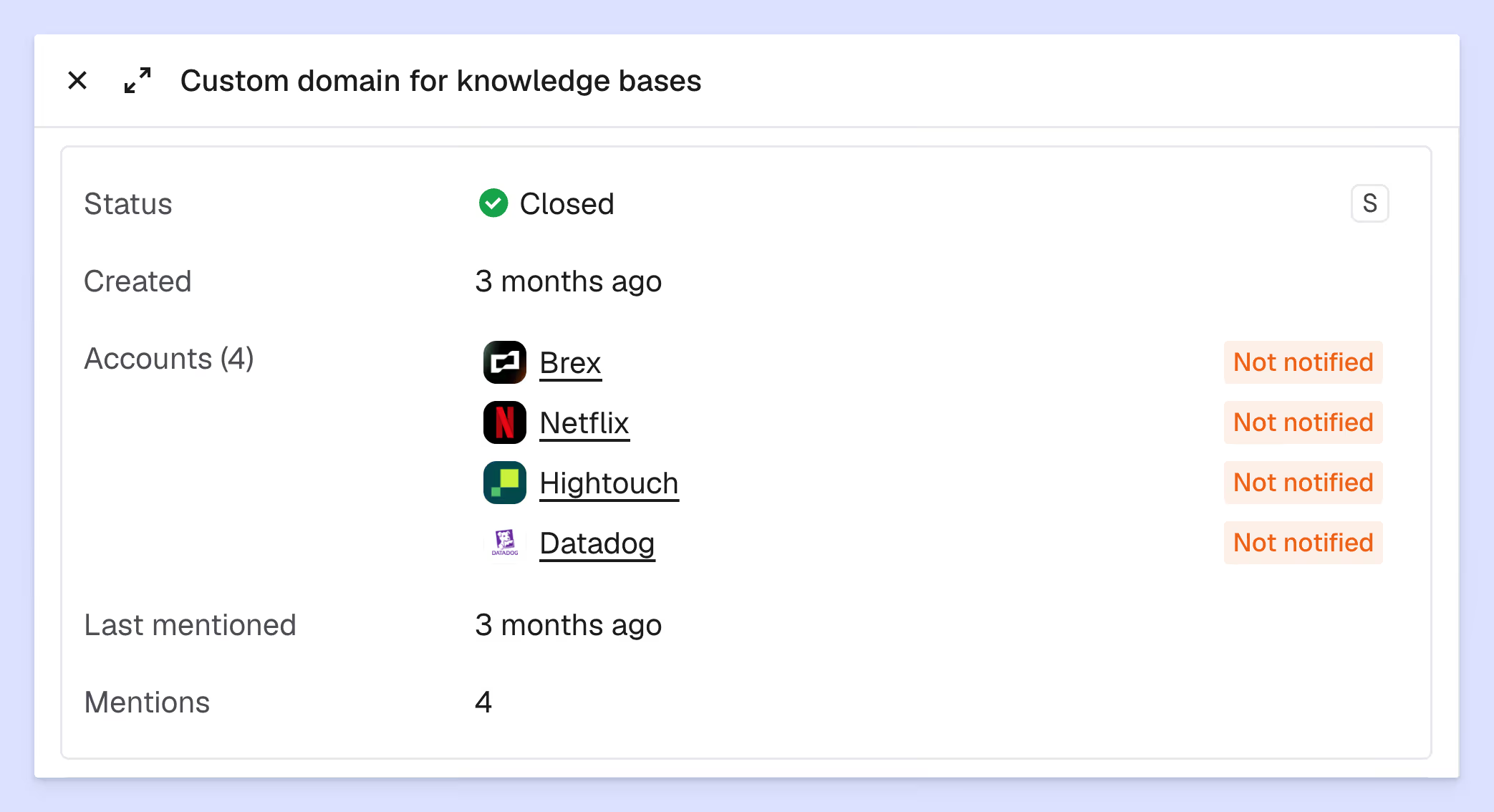
Account-level view of all Jira and Pylon issues for a customer
Customize contacts table columns with persistent views
Bulk edit custom fields in the contacts table
Call recording side panel improvements — clearer layout with transcripts
Bulk CSV upload for account fields during account creation
SLA breach notification 10–15 minutes before FRT breach
Drag-to-reorder fields in ticket forms
Chat widget dark mode
Custom column widths in list view
Config history for issue custom field definitions
Improved search on existing Feature Requests
Suggested product tickets when linking Linear or Jira to a Pylon issue
Feature Request links now unfurl in Slack with rich previews
User-level preferred language setting
Expanded custom fields API — now supports tasks, projects, and meetings
Audit logs: search by attribute
Custom response structure and instructions for Ask AI draft replies
Per-user MCP connections in Ask AI

When a feature request is marked Done, see which accounts have been notified. Pylon scans issue messages, calls, and broadcasts to automatically track who's been told — so you can close the loop with every requester
Clickable inline images when viewing issues — click to zoom
Images can now be resized in the editor
AI custom fields now evaluate before triggers fire on new issues — so triggers can use AI-tagged values immediately
Send AI reports directly to user DMs in Slack
New public Feature Request API — mirror your external roadmap into Pylon feature requests via REST API
New REST API endpoints: GET /tasks, GET /tasks/{id} with subtask relationships, and DELETE /messages/{id}
New timestamped notes block in Account Notebook
Use NPS scores as trigger filters and template variables
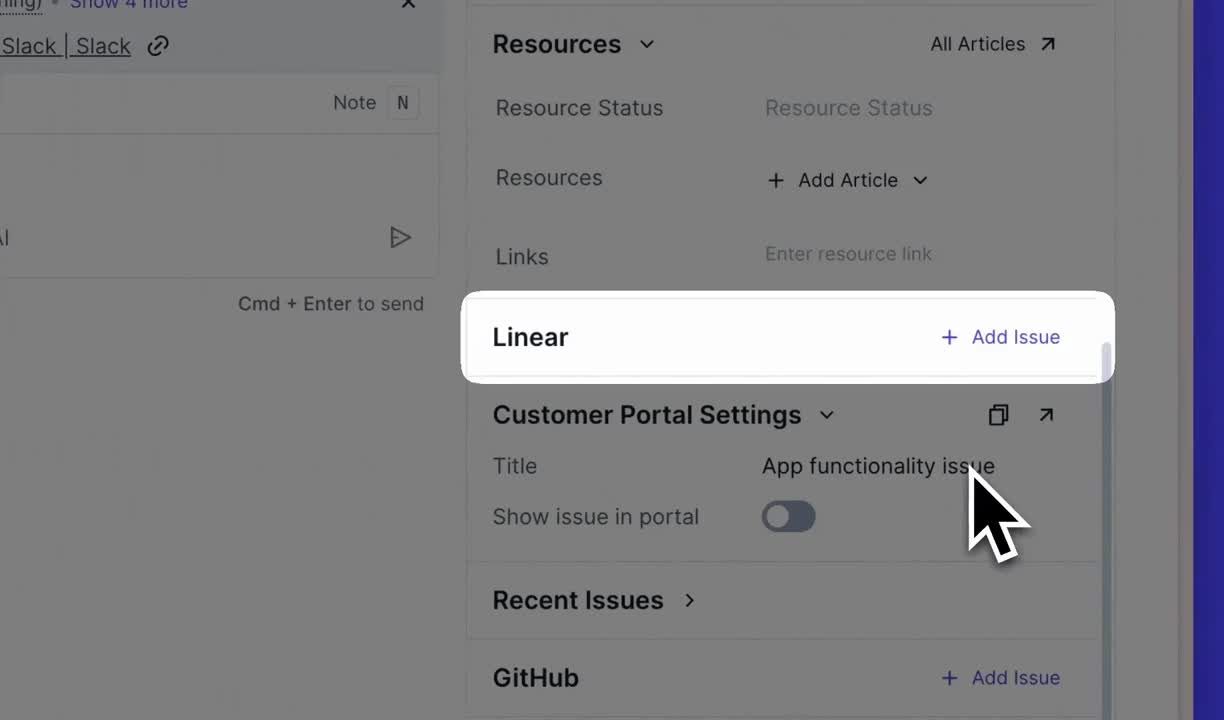
Leave comments in external systems (Linear, Jira, etc.) directly from a Pylon issue
Richer context on Linear ticket completion — see more detail on issues when linked Linear tickets are marked done
Configurable time and source filters on account notebooks — narrow insights to specific timeframes and data sources
Dashboard drill-down to accounts — click into any dashboard metric to see the underlying accounts
Contact mention notifications in task comments — contacts get notified when mentioned in task comments

Enhanced AI-powered issue field tagging with suggest mode for human review, improved accuracy, and automatic AI field generation from historical manual tagging data
Trigger automations when customers complete NPS surveys to route responses, notify teams, or update fields based on scores
Configure triggers to fire ahead of an SLA breach by a specified time window
Upgrades call recordings to be a first-class object within Pylon. You can now create custom fields (including AI fields) for call recordings

Mention @Cursor in your message. Pylon will feed context to Cursor's agent and deliver a response from Cursor right in your issue copilot
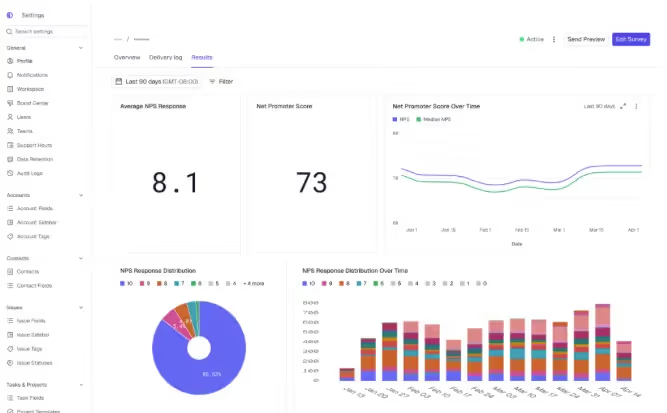
Robust NPS survey system with drip campaigns, reminders, audience preview, omnichannel delivery, and centralized analytics
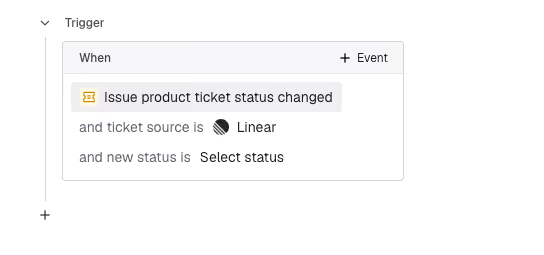
Product status changes available as a trigger condition

"Internal Channel" and "External Channel" are now available as filter options in triggers, enabling automations scoped to where conversations happen
Duplicate existing AI reports or save them as templates to quickly spin up new reports from proven configurations
A new notebook block displays feature requests directly within account notebooks, making product feedback visible alongside account context
Custom fields on feature requests capture structured data beyond title and description priority, effort, customer segment, or any field relevant to product planning
Text messages from your customer support number now sync into Pylon as issues
Map Pylon fields to Linear and Jira fields to automatically populate ticket information when creating issues
Graph how values changed over time based on their historical state at each point
Issue and knowledge base API endpoints are available to API token users
REST API endpoints for managing surveys programmatically
Send chat notification emails from a configured custom domain instead of the default usepylon.com address
Messages sent in quick succession are now visually grouped together into a single bundle
Contacts from Salesforce and HubSpot can now be synced into Pylon alongside accounts
Configure custom fields in agent settings to access custom field data from issues and accounts

Connect Pylon to WhatsApp group chats to create issues from conversations
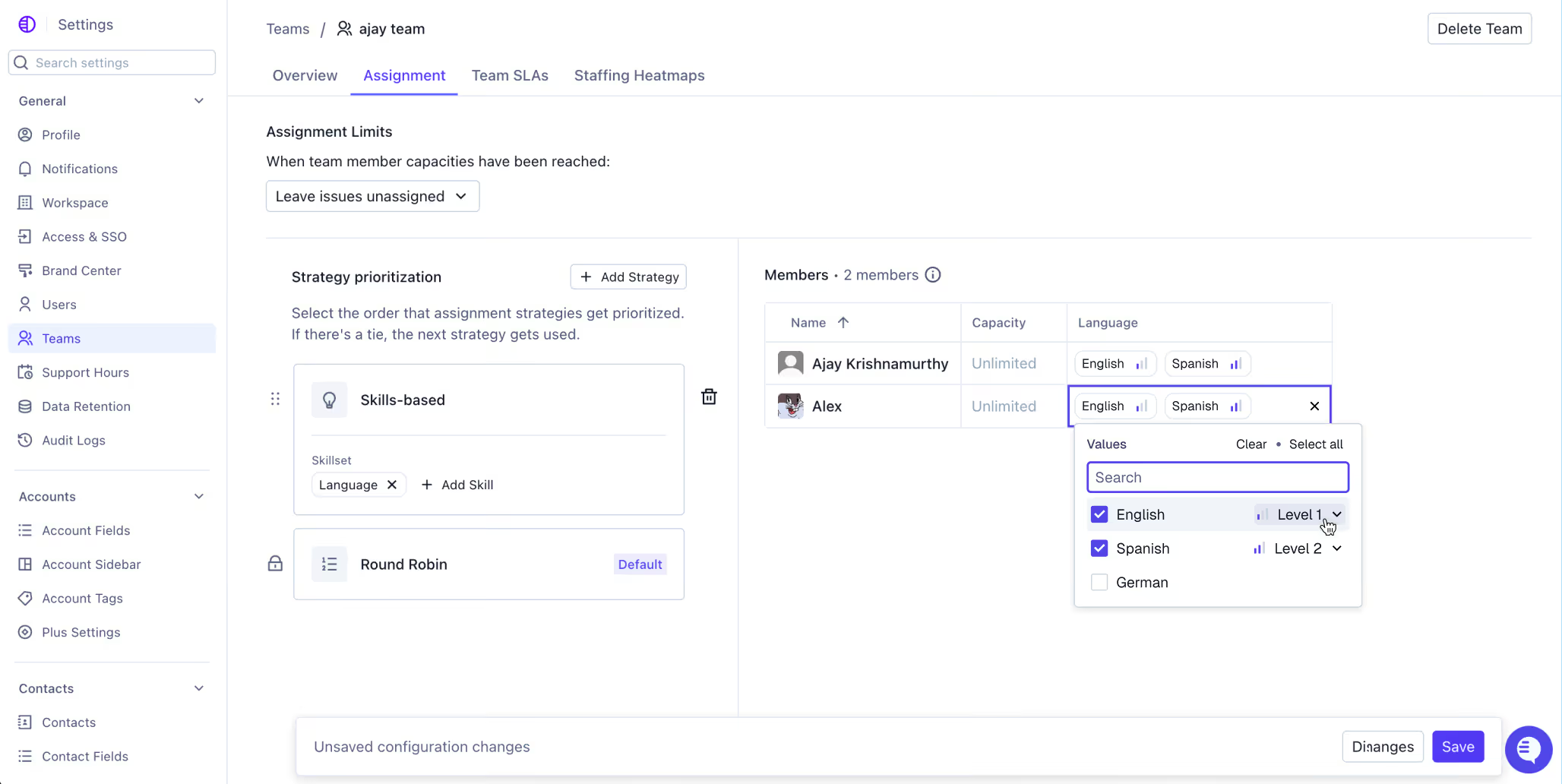
Set a skill and threshold in routing rules to ensure conversations reach team members with subject area expertise
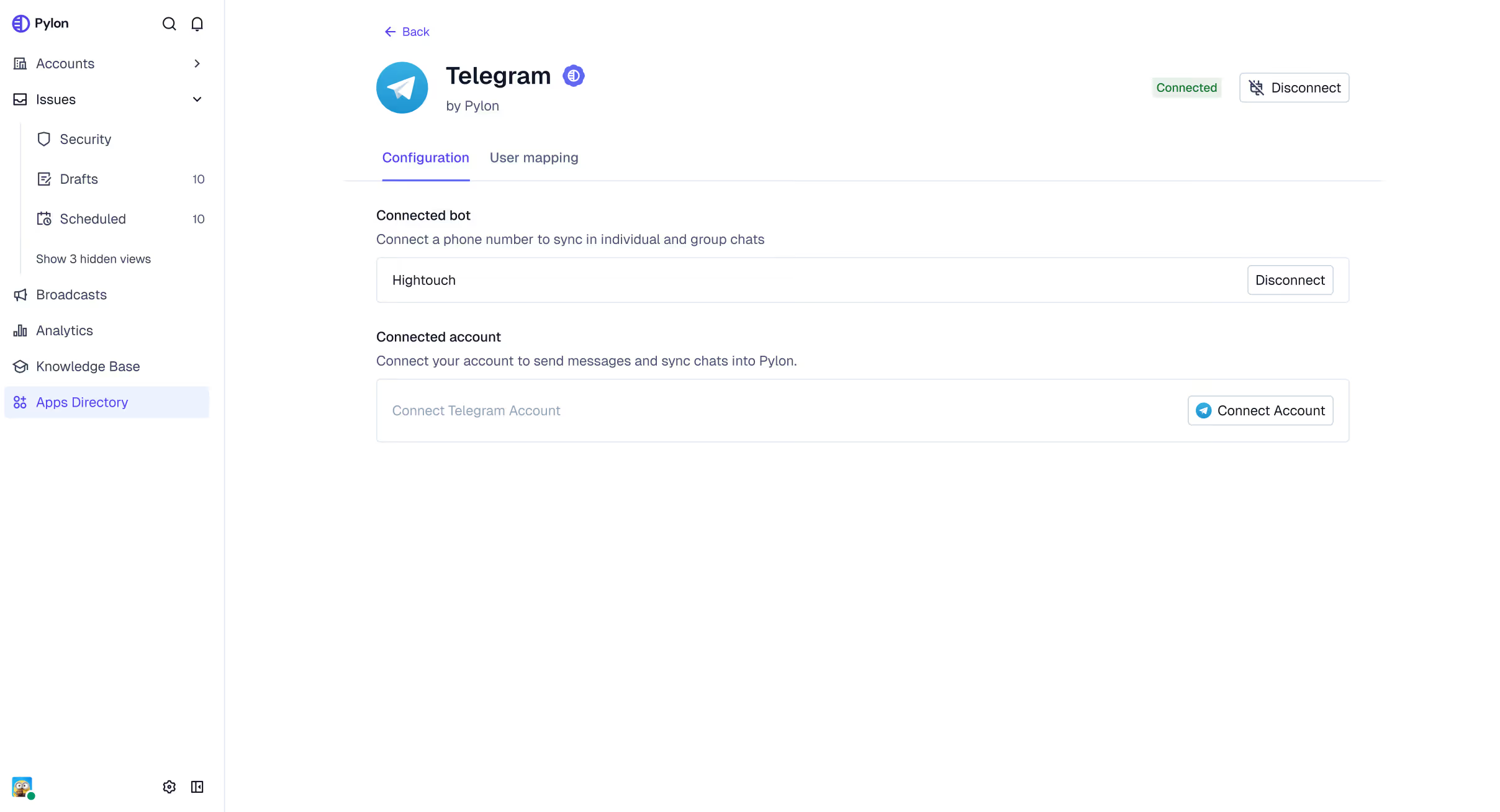
Connect Pylon to Telegram to create issues from Telegram conversations

Schedule automated summaries and insights delivered to Slack channels on a daily, weekly, or monthly cadence
Add your privacy policy to the bottom of chat widget

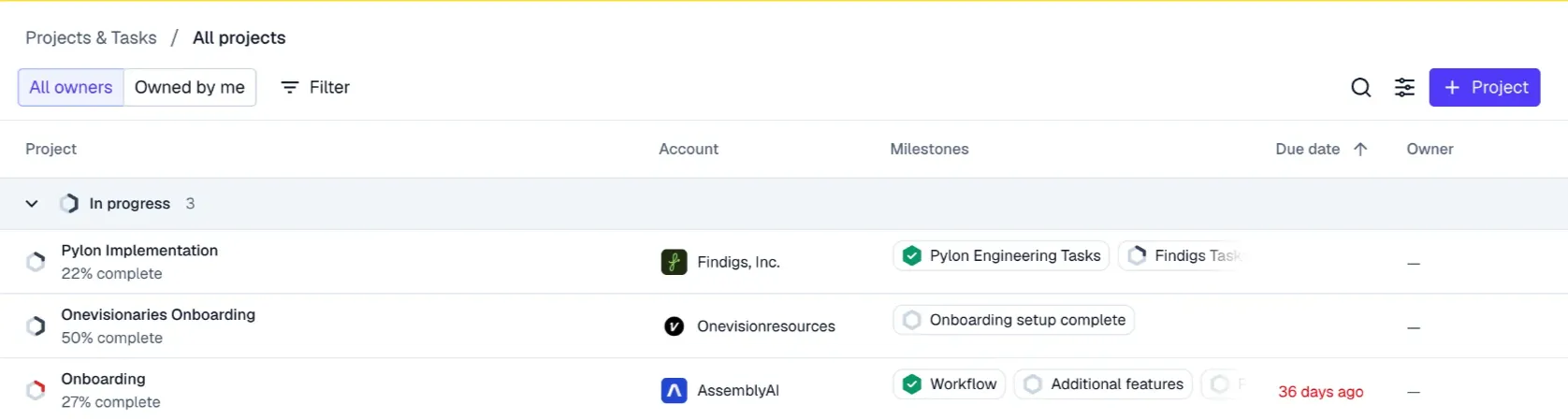
View a list of all projects with options to sort, group, and configure columns
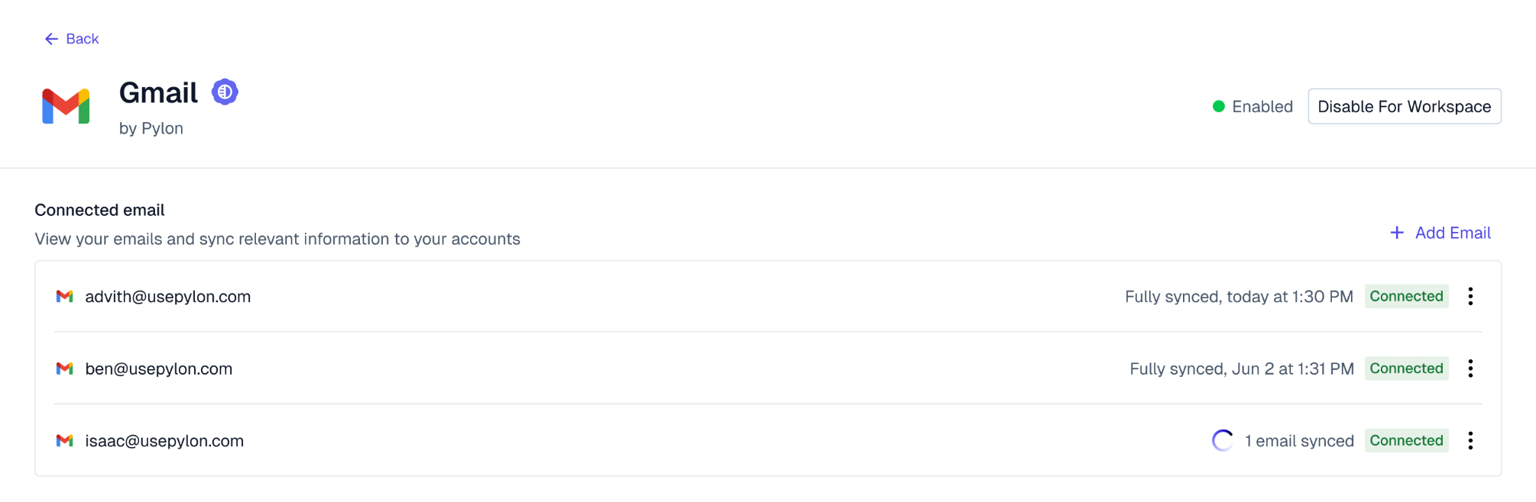
Connect your personal email inbox (e.g. bob@company.com) to Pylon to seamlessly pull historical and future emails into account activity
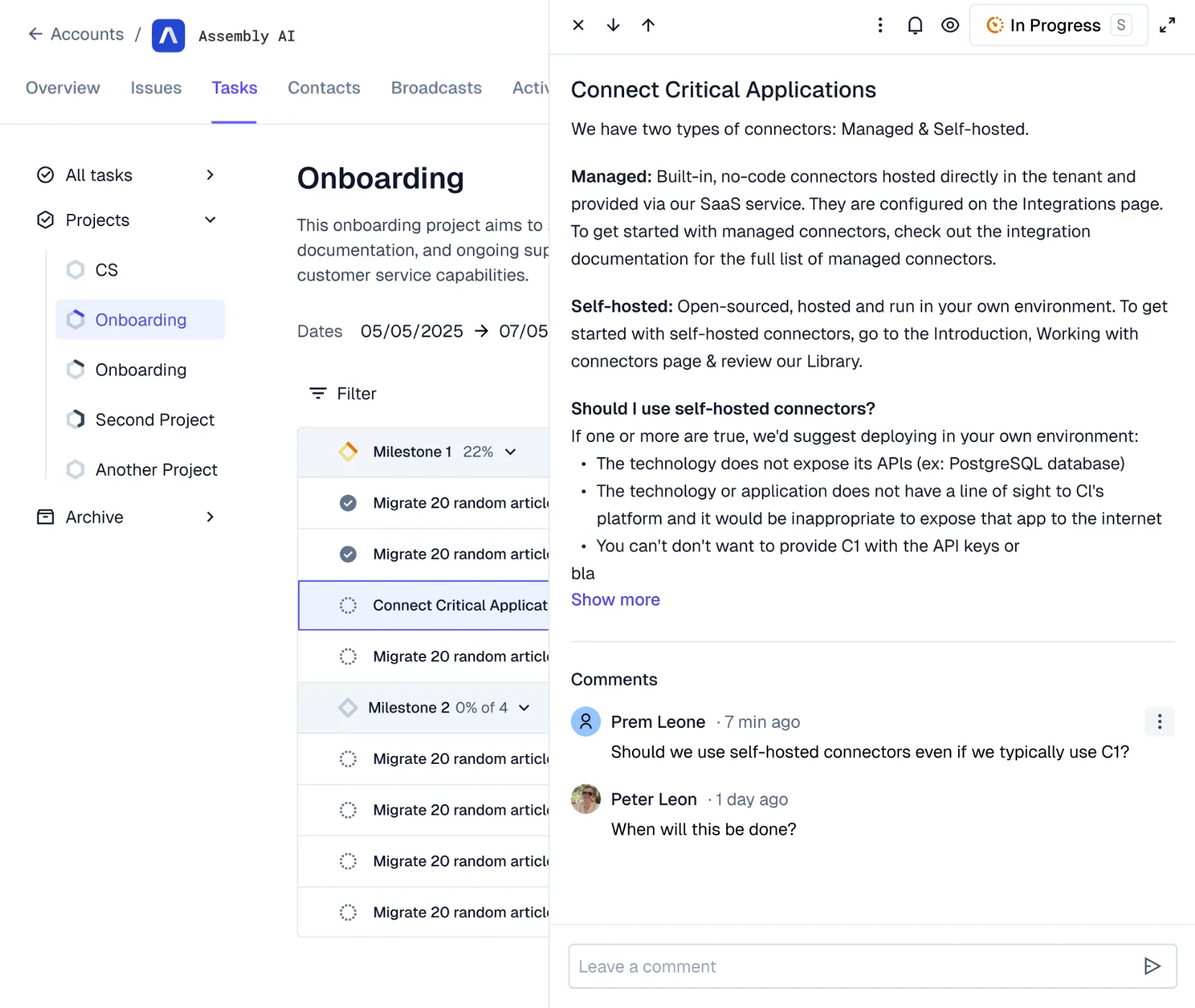
Track account owner changes in account activity log
Split feature by adding individual titles via vertical ellipsis
Project custom field available via Tasks & Projects
Set custom contact roles via API

Customers and end-users can leave comments on tasks. End-users can comment within the customer portal and customers can comment within Pylon
Contacts can now be assigned custom roles to limit their access with granular permissions. For example. the admin can see all issues & a regional manager can see all issues tagged with a specific region
Accounts that are possible duplicates will be visually flagged for merging
Modify or add external IDs from the account sidebar or account overview page
Pylon chat can now be embedded within Android, iOS, or React Native mobile apps
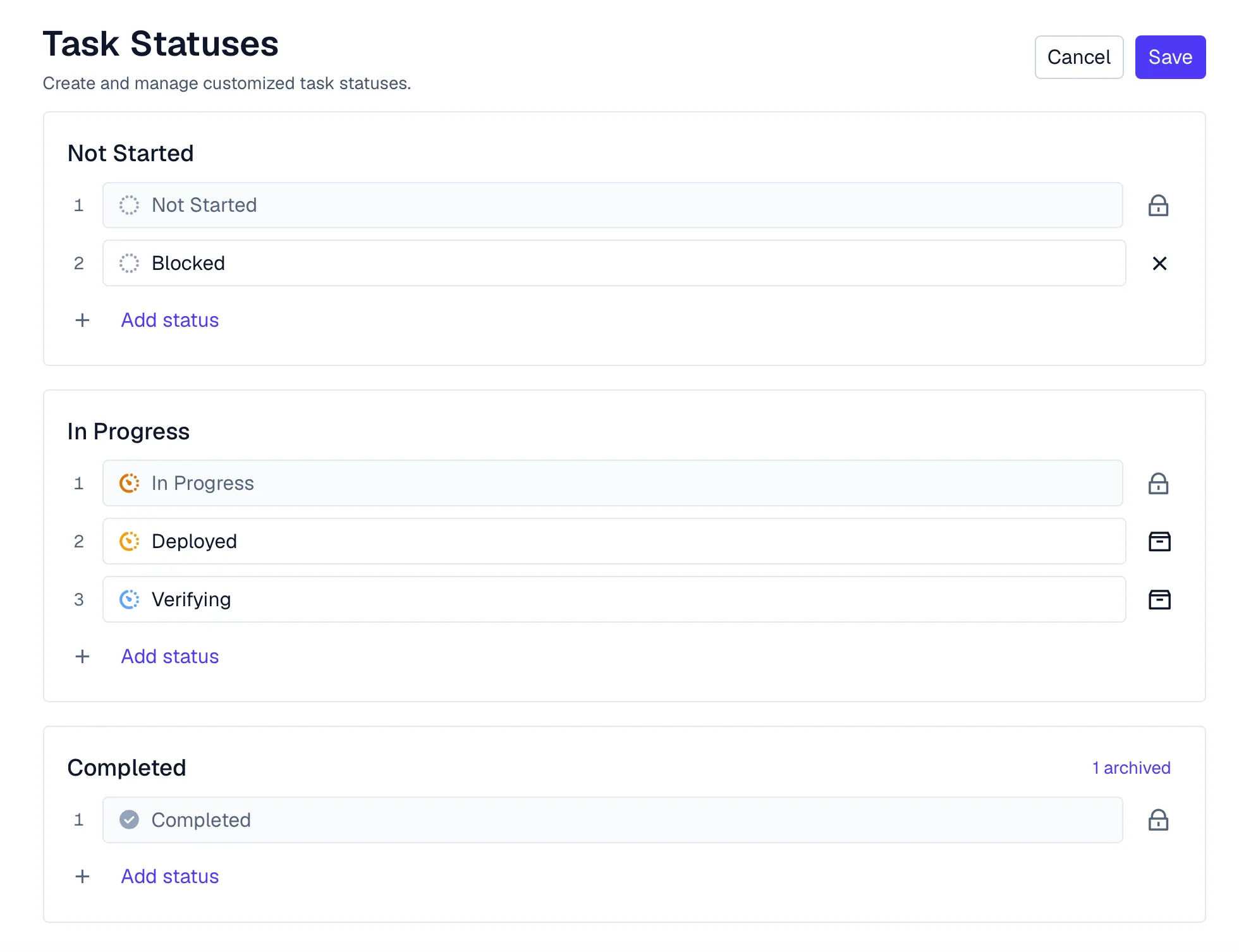
Custom statuses can now be created for tasks to represent unique workflows
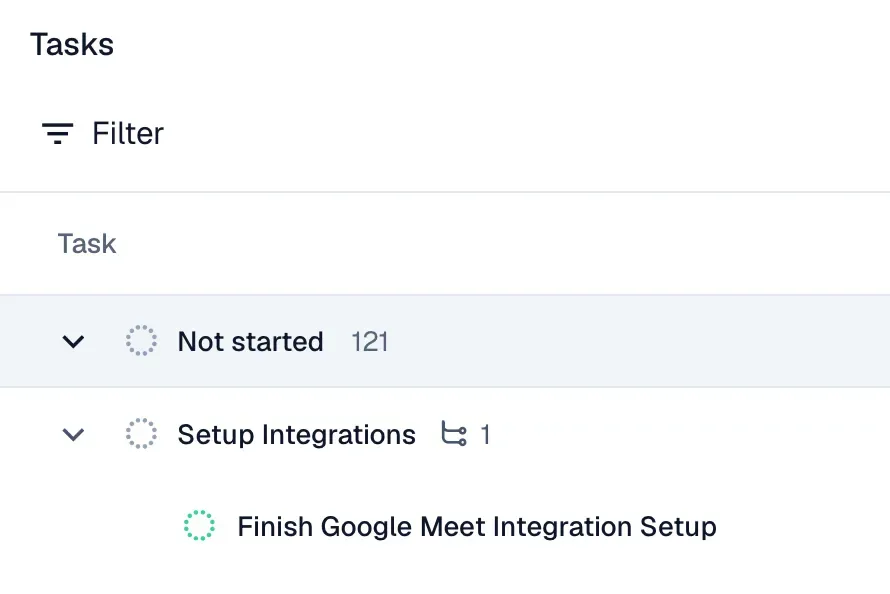
Tasks can now have subtasks. Subtasks automatically inherit the account, project, and milestone from their parent task
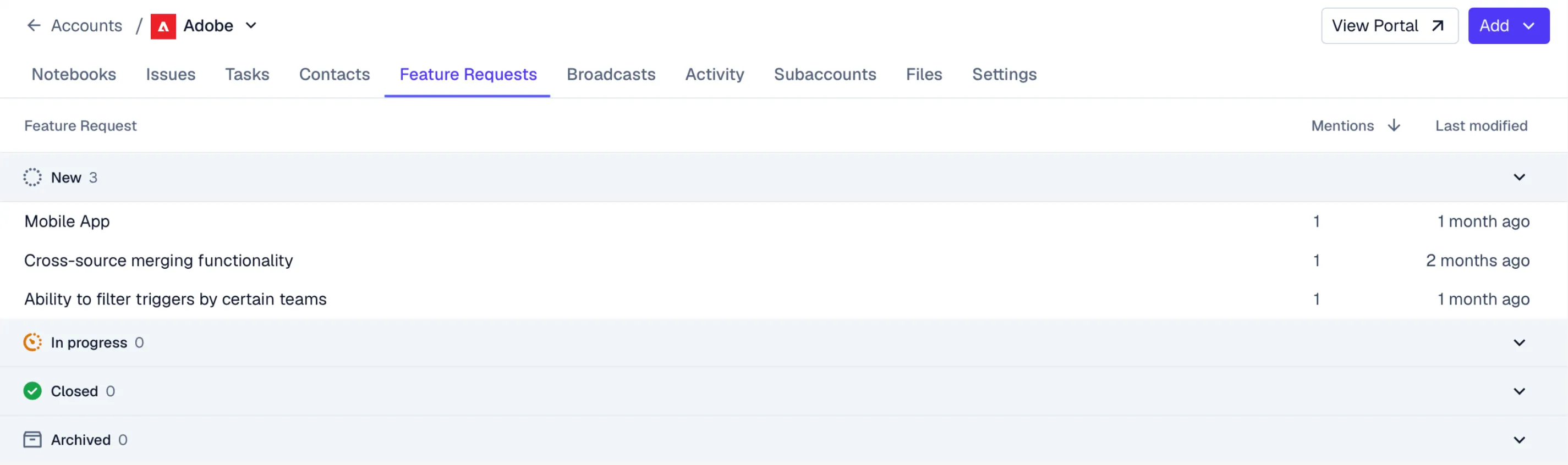
New tab on account page showing all feature requests updates

Feature Request updates relevant to an account now appear directly in notebooks via blocks
Duplicate feature requests can now be merged while preserving all evidence

Audit Logs capture events and include clear actor information to improve traceability across account-level changes such as settings updates, user management actions, and more
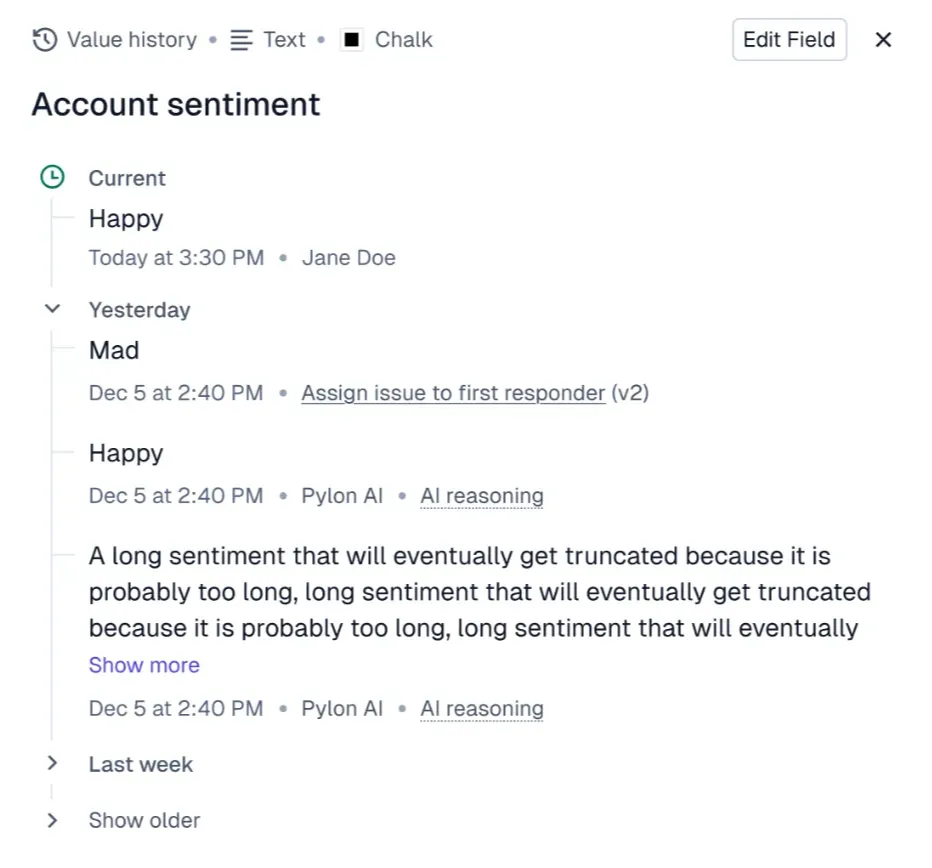
Field values like ARR and sentiment can now be tracked over time — for example, you can monitor changes in ARR or the number of accounts in a book of business over time
Richer NPS slack notifications
Bidirectional Salesforce Field Sync — mapped fields sync both ways between Pylon and Salesforce
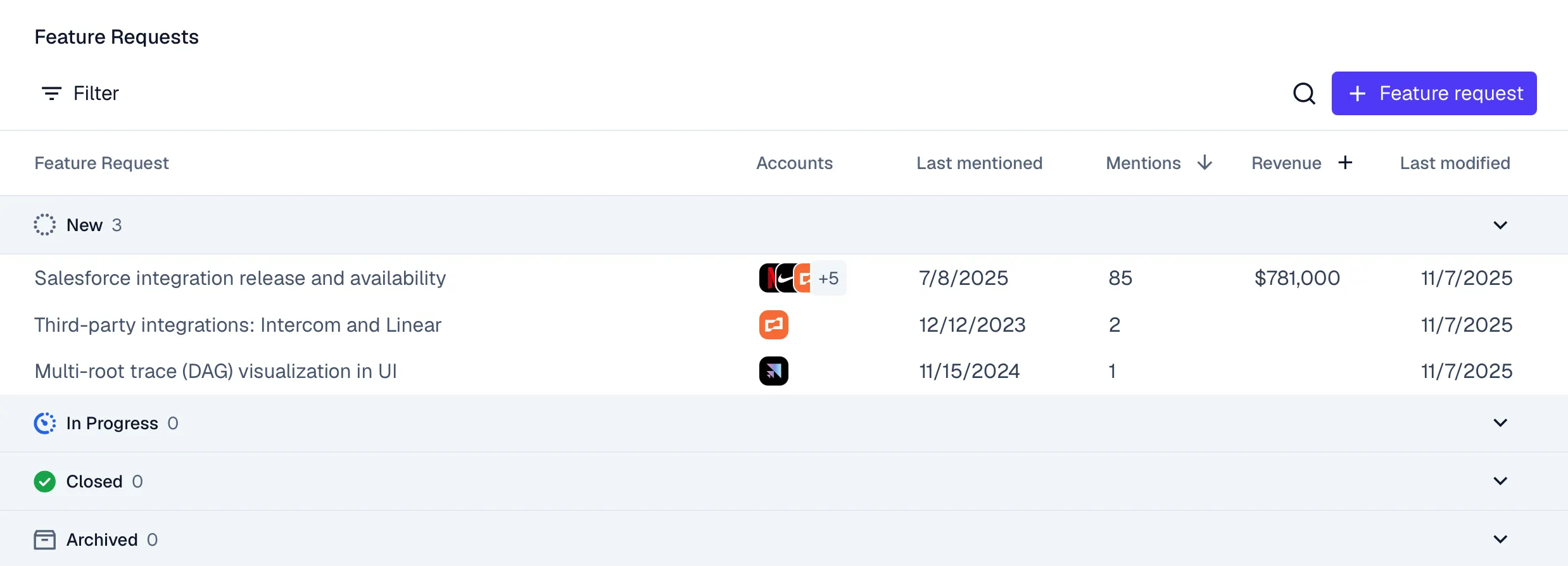
Status field and Revenue column added for Feature Requests

Support for overnight shifts, recurring events, and overlapping schedule blocks in assignment schedules
New field value widget in notebooks allows displaying key metrics
Feature request URLs unfurl in Slack to display request details
Settings organized by category for simpler customization
Improved Issues Kanban filtering with an option to select the date field (Created At vs. Last Activity At )
Filter and group conversations by chat widget for teams managing multiple chat channels

Automatically analyzes all customer interactions to extract and organize customer feedback into clear feature requests for your teams
Native ingestion of Gemini Google Meet call recordings. Like other call recording integrations, all extracted call context flows into Pylon features including account notebooks, AI fields, and more
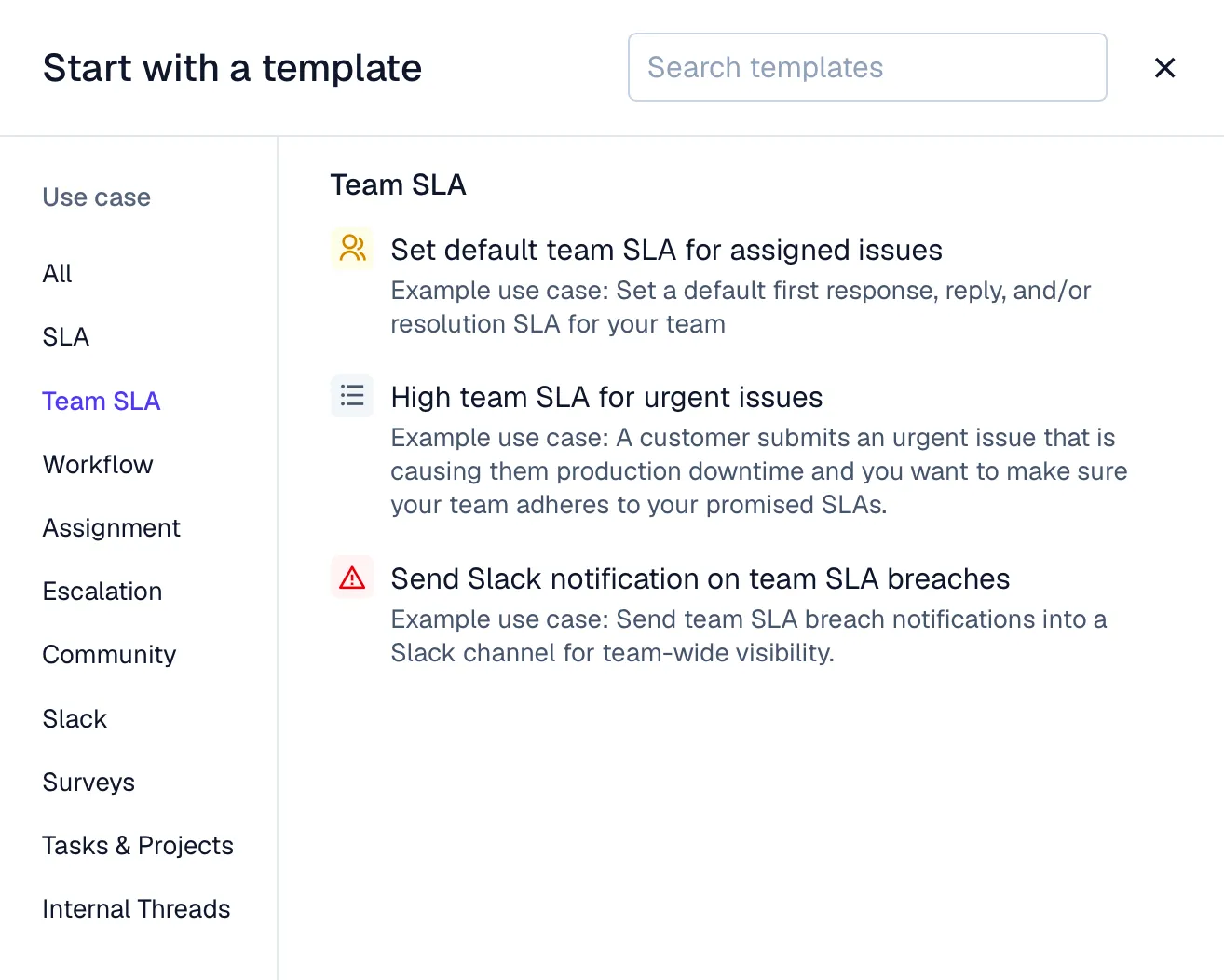
Filter Tasks by Project and Project owner
Add images directly into notebook manual text via blocks
New “Created Date” column selectable on task views
Search across all past Ask AI chats to instantly find previous answers and insights

Set SLAs for how long a team is assigned to an issue—these run independently from issue SLAs
Custom Support Hours – once enabled in chat widget settings, you will be able to set custom support hours that override your default schedule
Filter the tasks page by project
Existing accounts can now be marked as partner accounts
PATCH /accounts API allows adding accounts as subaccounts
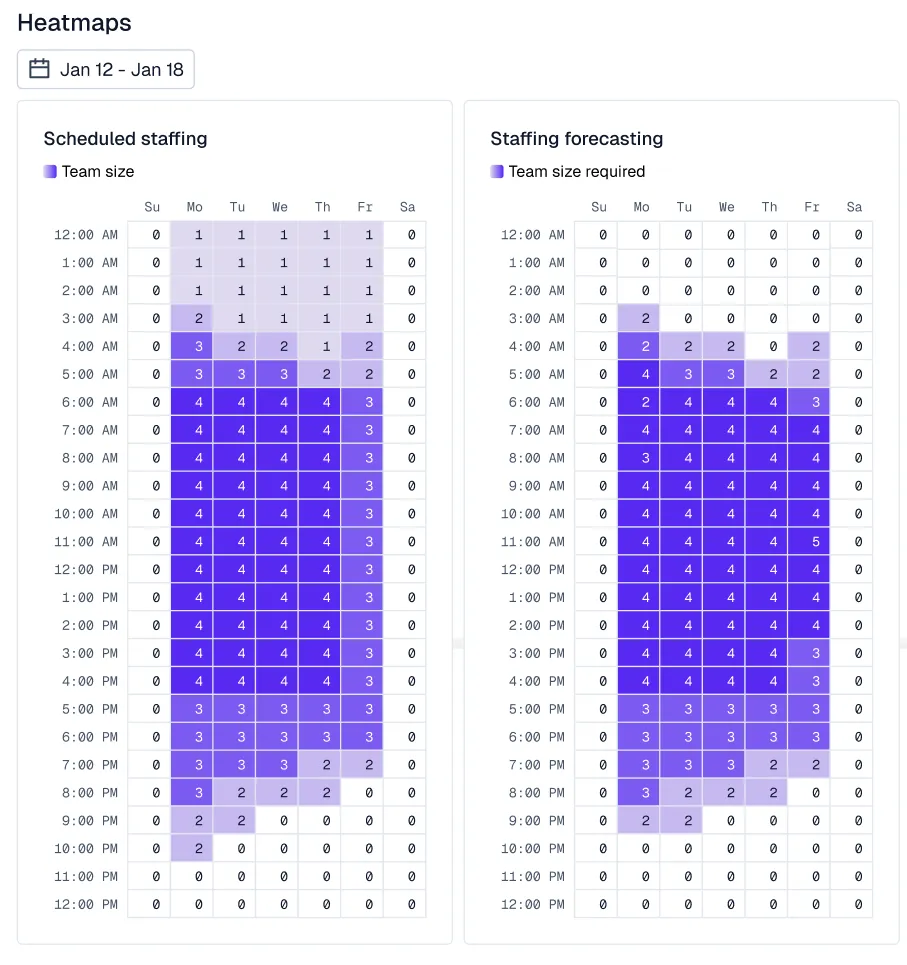
Forecast workload and optimize scheduling using heatmaps of agent activity, handle time, and ticket volume

Similar to issue grouping, accounts can now include subaccounts to represent related organizations, divisions, or subsidiaries
-2.webp)
Agencies or consultants working across multiple customer accounts can now be represented as partner accounts
SCIM allows companies to provision user access to Pylon through their identity provider
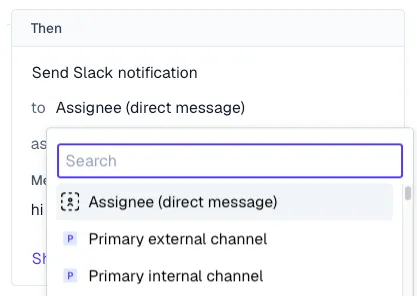
Send trigger notifications to the account’s internal Slack channel

Export CSAT and NPS survey results to CSV
Get a warning when an account’s linked channel is misconfigured

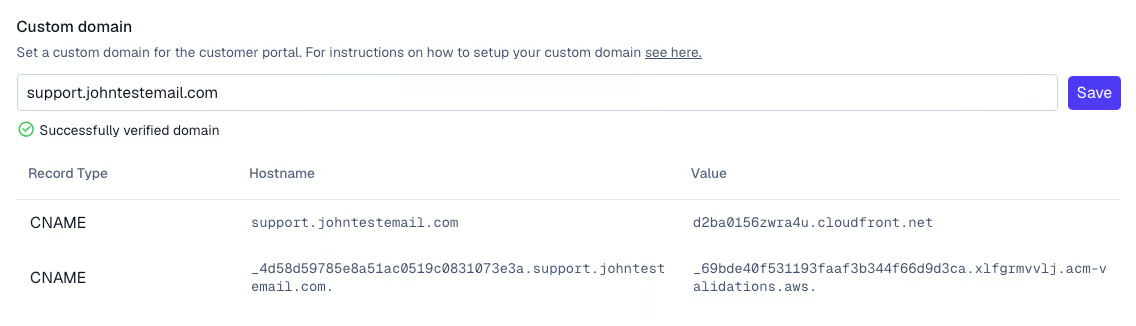
Host your portal on a custom branded domain—e.g., support.acme.com
Contacts linked to multiple accounts can now switch between them directly in the portal—for example, this allows third parties of agencies to view issues on behalf of multiple accounts
Setup multiple distinct chat widgets
Get a warning when sending emails to unintended recipients

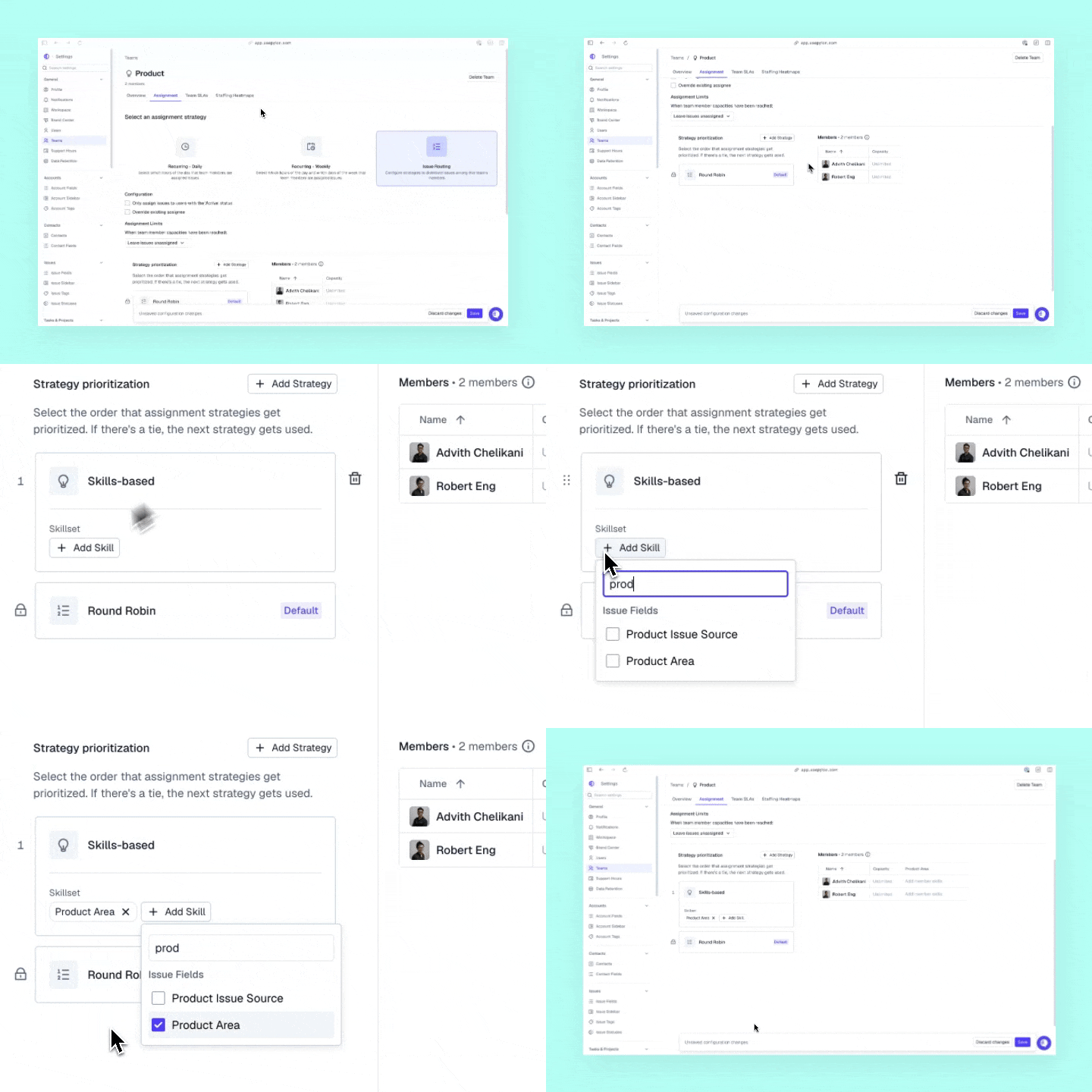
Route issues to team members based on their skillset and current workload
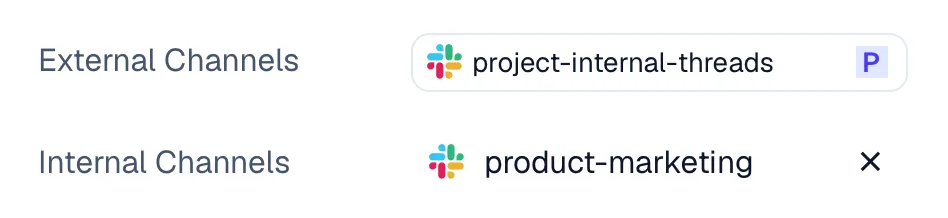
You can now link your internal Slack channels directly to the corresponding customer account in Pylon—like #deal-customer channels used to discuss deal information
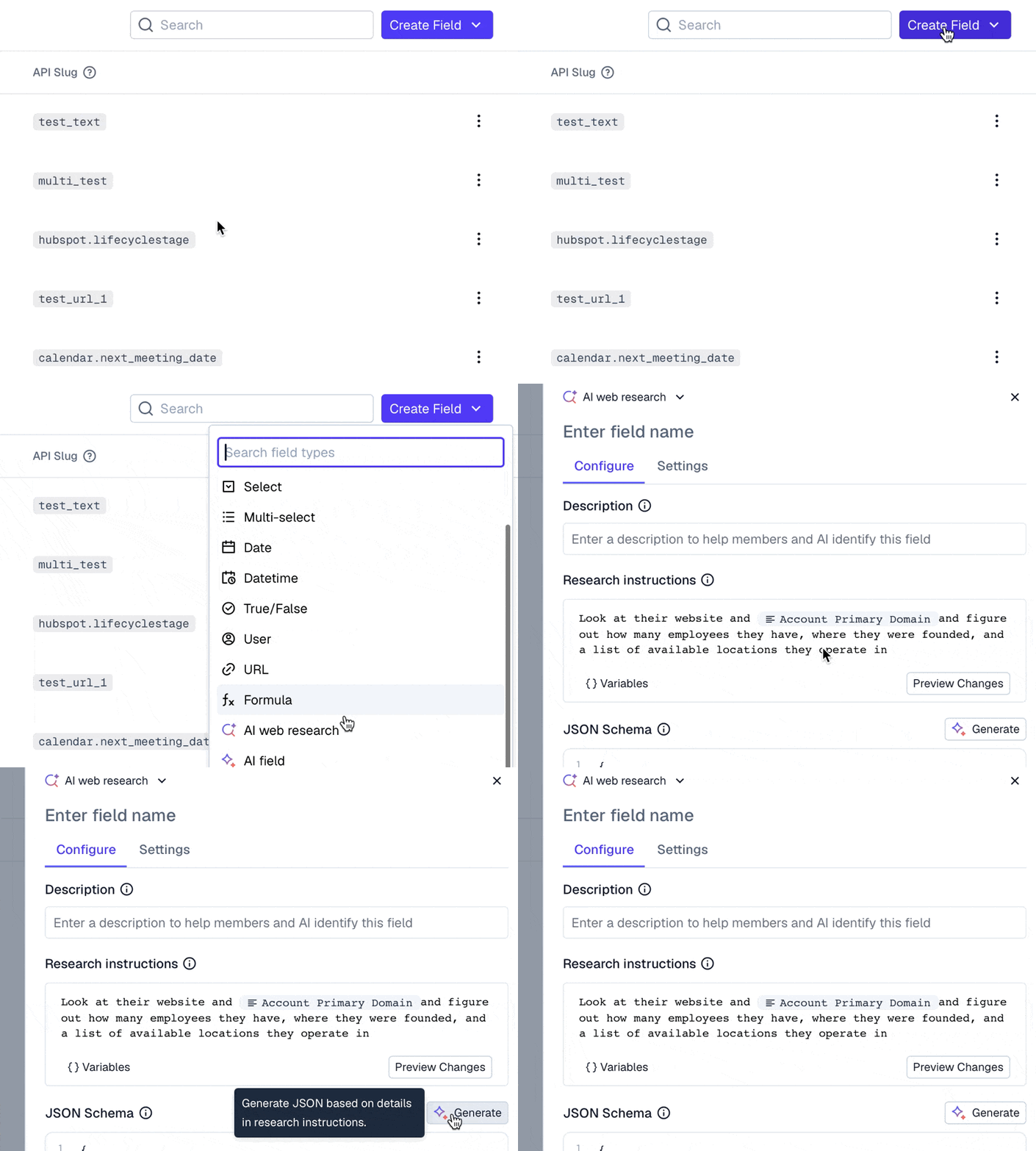
Ingest calls from any call recorder via API
Set conditional visibility for account fields
Web Research Templates

Automatically gather information about your customers from live online sources—including funding rounds, industry news, company press releases, and more.
Threaded email reply formatting
llms.txt file is now automatically added to every knowledge base
Static text blocks in notebooks—you can now add a rich text block that appears in the same place across all notebooks. This works like a reusable section header or description
Automatically detect anomalous patterns in issues. Pylon’s AI scans incoming issues in real-time to detect clusters of similar issues indicating a wider spread problem—like active outages for example.
Shortcut integration – Integrate Pylon with Shortcut’s project management software
Granular selection of knowledge base articles – You can now select specific articles within your knowledge base to be included in the training data for a specific AI Agent instead of the entire knowledge base
Status badges now appear for status of training data scrape on individual pages—not just the root URL
Tasks and milestone have visibility indicator to show whether they are visible in customer portal
Analytics for tasks and projects – See bottlenecks in your projects from project and milestone completion averages
New UX on page for visibility of more teams
New filter for CSAT score

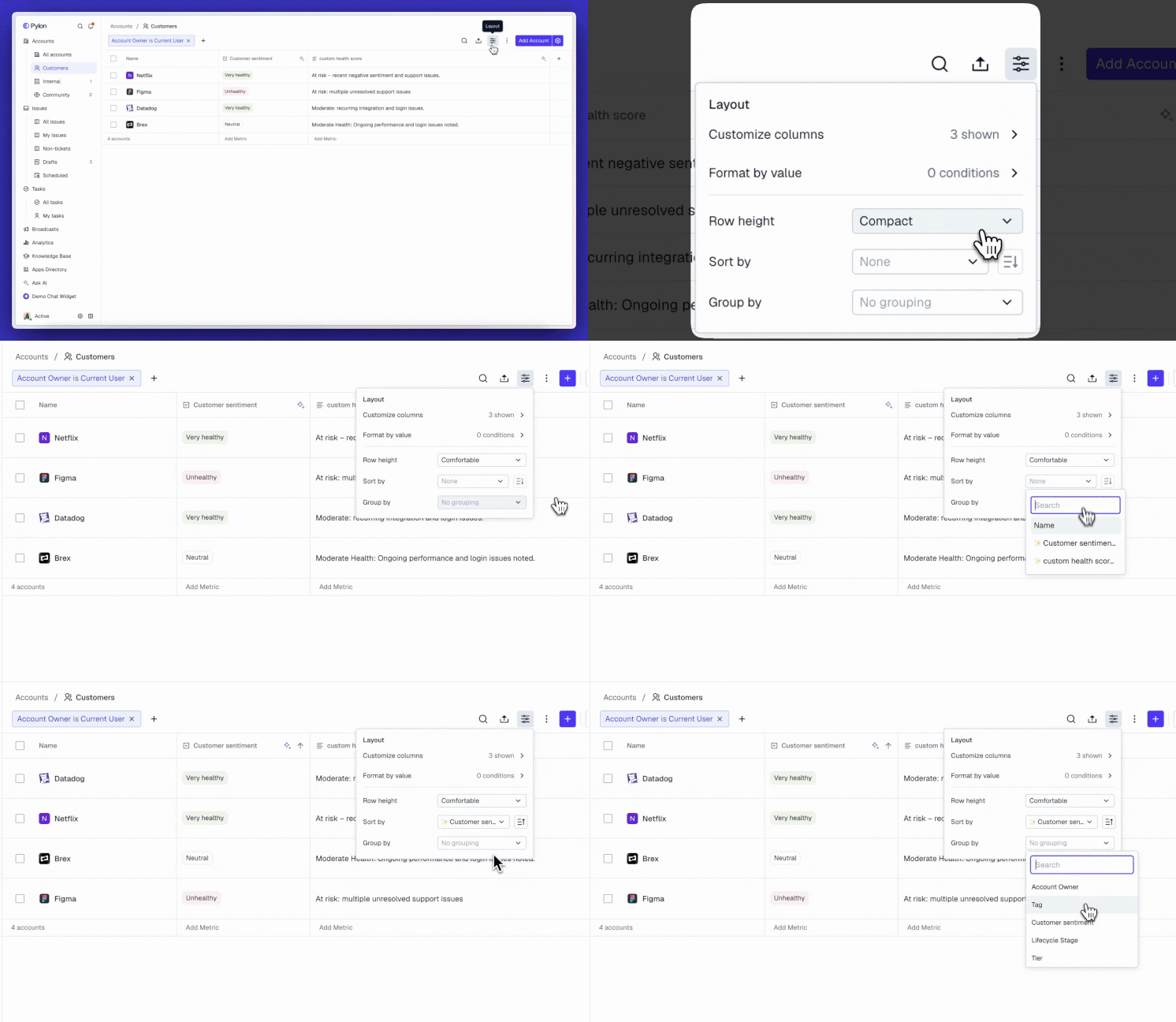
Allow selecting row height, grouping accounts, and choosing sorting dimensions in account views. Visualize accounts by groups of account owner, tier, product purchased, and more.
Task custom fields
Active call status visible at top of support ticket
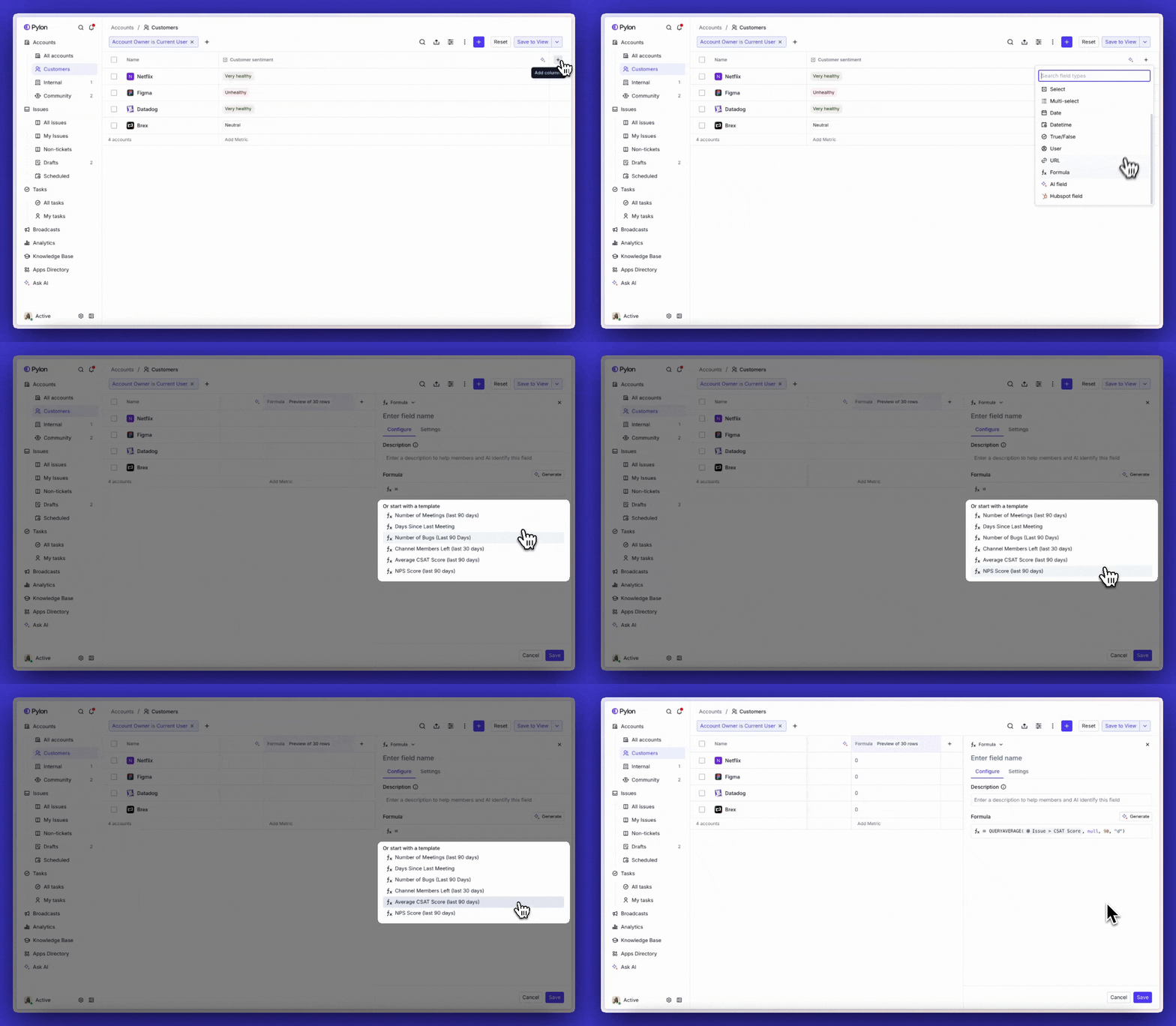
New formula templates for number of QBRs, number of open issues, and more
New Project Owner field on projects
When merging two accounts, show domain and primary channel of those accounts
New API endpoint for uploading files to account
Allow creating a new contact from the contacts page
Show customer-in-channel count for Microsoft Teams channels and chats
New min and max aggregations available for account columns
Improved legibility when editing text cells
Assist rate now replaces response rate
New Attention call recorder integration
New Circleback call recorder integration
Issues marked as duplicate in Linear are now properly handled in Pylon
New S3 data warehouse integration
Admins can now configure the login method for their organization
New organization picker for users in multiple Pylon orgs
Set a default Copilot tone of voice across your organization
Add "contains all" operator when filtering by multiselect fields
Add time selection for absolute date filters
When navigating away from a view, confirm if there are unsaved changes
Teams filter now allows selecting “My Teams” or subteams
Allow previewing attachments like PDFs within the app
Selectable column “Number of Child Issues” in list view
Filter issues by language
Improved UX for adding links
New contact card when hovering over issue participants
Customer users are now marked with their workspace icon in threads
Allow adding IF conditions after a time delay condition
New trigger kickoff event based on CSAT survey completion
Allow embedding an image directly from a link
Allow uploading video files directly into your knowledge base
Allow deleting an entire knowledge base
Issue rows in tables can now have link and title properties selected
Partial messages are saved as drafts
Allow archiving macros

CRM account sync – Select a set of filters and automatically create accounts in Pylon based on filtered accounts in your CRM.
Allow bulk setting tasks as visible in customer portal when project is set as visible.
Allow creating a new project directly from a cell.
View projects directly inline over spreadsheet.
Added new settings for task notifications.
New filter for customer portal visibility.
Allow selecting requester email as a column.
Use account owner as a template variable in macros.

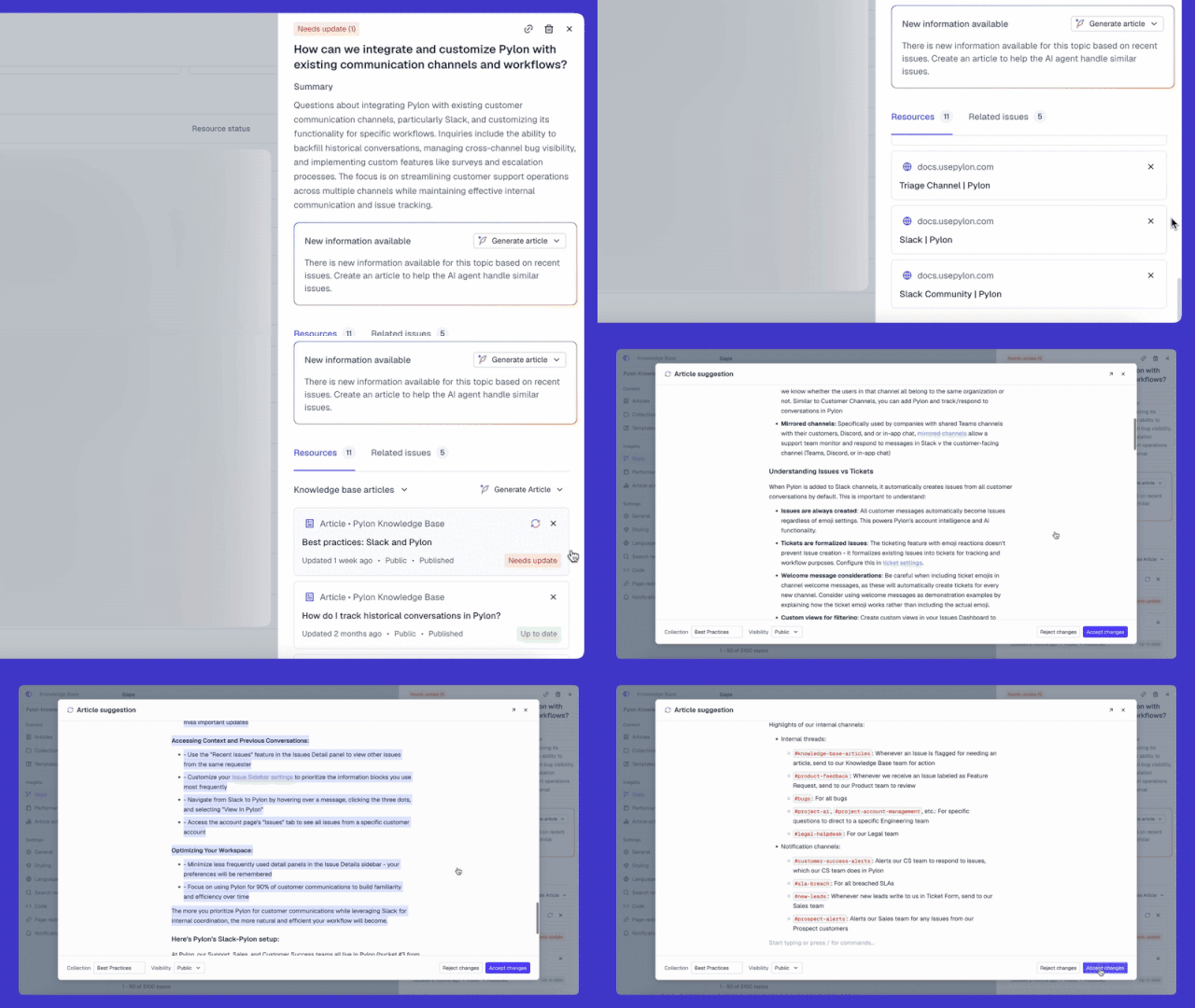
AI will now flag documentation that needs updates and draft suggested edits for you automatically.
Knowledge base search inside chat is now AI-powered—users get synthesized answers with citations when searching in chat.
Meeting properties like meeting name and meeting duration are now properties available to write formulas on.
Merge accounts directly from the spreadsheet view.
Linear integration now allows selecting a template directly from the Pylon UI.
Allow specifying a custom tone of voice.
Allow easily deleting a Runbook.

• Out of the box recommendations for helpful account intelligence formulas.
Formula and AI field edits now allow for previewing column values.
NPS and CSAT survey results can be used in formulas.
Multiple slack channel naming patterns can be set for channel autolinking.
Discord App is now verified.
Slack App is now verified.
Fathom OAuth integration which allows for old Fathom calls to be backfilled.
Menus can be navigated with arrow keys.
As part of the reassign runbook action, account owner or any user custom field can be selected.
Account owner can now be set to a user custom field.
Ticket titles are now visible in tab name.

• Create and send out NPS surveys to customers across channels like email, chat, and Slack
• See out-of-the-box analytics or rollup survey results using formulas, for example for account-level NPS
• Send generic surveys to collect ratings and feedback on specific features or products
Files can be uploaded on the account level.
Percentage field type from Salesforce field sync is now supported.
Endpoints for creating, updating, and deleting tasks, milestones, and projects.
Proactive chats issues now send notification emails to customer if they are unread.
Inline playbacks for video attachments in issues.
Updated UI for tagging users.
Turn valuable signals scattered across your customer conversations into actionable insights.
Here's how Account Intelligence works for you:
• AI Fields 📊: Tell AI what to track in each account—pull insights from customer and internal conversations, CRM, product data, and more.
• AI Notebooks 📓: Get instant context on any customer with customizable AI blocks that surface the full story behind every field.
• Formulas + Formula Copilot 🧮: Build custom formulas by describing what you want in plain English, like health scores combining sentiment and engagement.
• Projects & Tasks 📌: Organize action items into structured projects with AI-generated tasks and project templates that both you and your customers can track.
• AI Call Followups 📞: Extract action items from call recordings and turn them into trackable tasks for you and your customers.

Connect Microsoft Teams to Pylon to track issues and respond to messages all in one place.

Improved notebook formatting: AI now supports better spacing, bolding, and structure.
Use contact language as a variable in runbooks—tailor AI Agents with instructions based on the user's native language.
Implemented email hash verifier to help validation identity verification.

• AI Agents can be enabled in QA mode, where they will post internal notes instead of responding to customer issues, allowing you to review responses.
• QA mode generates issue logs that include which sources the AI Agent used in answering questions

New palette of keyboard shortcuts accessible across the app, including quick navigation to specific pages or quickly searching for certain objects.
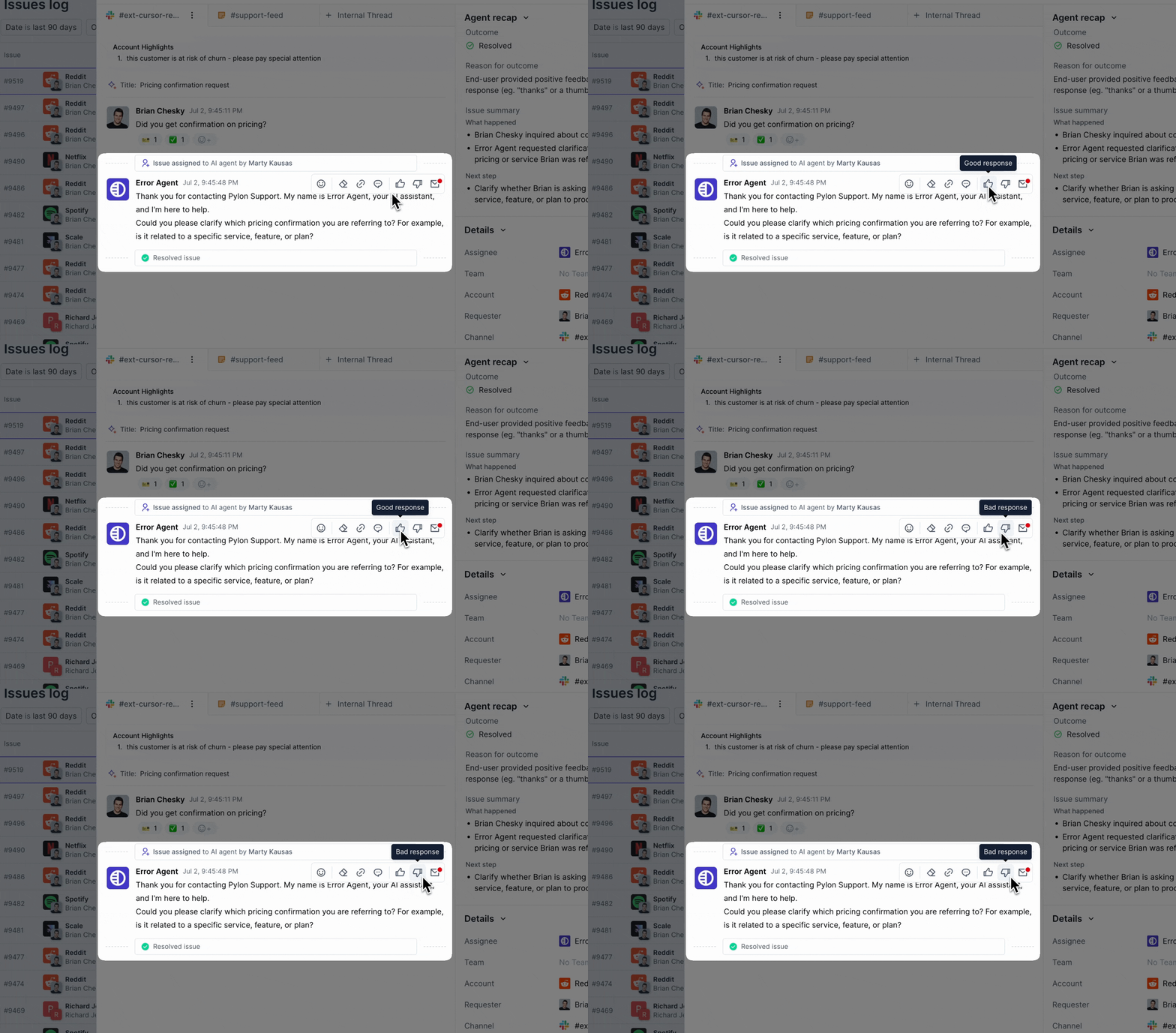
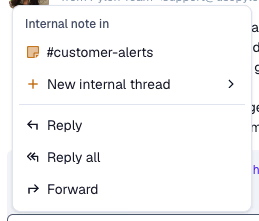
Give feedback on AI responses.
Redshift integration for data warehouse sync - connect to sync Pylon issue data into Amazon Redshift.
Improved UI for knowledge base, customer portal, and ticket forms.
Cleaner email rendering when dark mode is enabled.
Admins can see all calendars connected by team.
Account ID is now a syncable field in CRM integrations.
Account ID is a new selectable column in spreadsheets.
New endpoints for linking product issues to Pylon issues.

Reply all and forward options are now available for emails.
Format number fields to display currency, commas, and more.
New Brand Center as single central place to maintain logos, colors, and typography.
In-app chat enabled by default in KB for logged-in users
Allow clearing out time delay queue in triggers.


• Write runbooks that both humans and AI Agents can execute.
• AI Issue Suggestions will suggest when a runbook is applicable, and a team member can click the runbook to directly execute it.

• Team members can connect their Google or Outlook calendars for customer meetings to automatically feed into Pylon.
• Two new default fields: Last Meeting Date and Next Meeting Date that stay updated across all accounts, allowing you to create views for those you haven’t met with, or use the fields in account notebooks.
You can now use code as training data and connect GitHub repositories to AI Agents and AI Assistants.
New default analytics dashboard for anyone using AI agents for agent funnel metrics.
New quick action for creating a new issue.
Graph series now come with intelligent names by default.

• Runbooks: Step-based natural language instruction manuals to specify how the Agent should operate in specific scenarios. Includes the ability for the Agent to take actions within Pylon or custom actions via API.
• End-to-end analytics on the agent funnel, including assign rate, response rate, resolution rate, etc.
• Advanced testing and debugging capabilities including backtesting your AI agent on old issues, stepping through agent execution of a runbook with a debugger, and inspecting agent performance on specific issues with reasoning.
• Granular control of training data, including removing specific pages from a web scrape.

Triggers now feature a pwoerful canvas-style builder that allows you to:
• Branch logic using "If" and "Else If"
• Add multiple kickoff conditions
• Stack time delays
• Title different branches
• Disable specific conditions
• Use AI filters to intelligently route issues
Learn more about how to use triggers here.
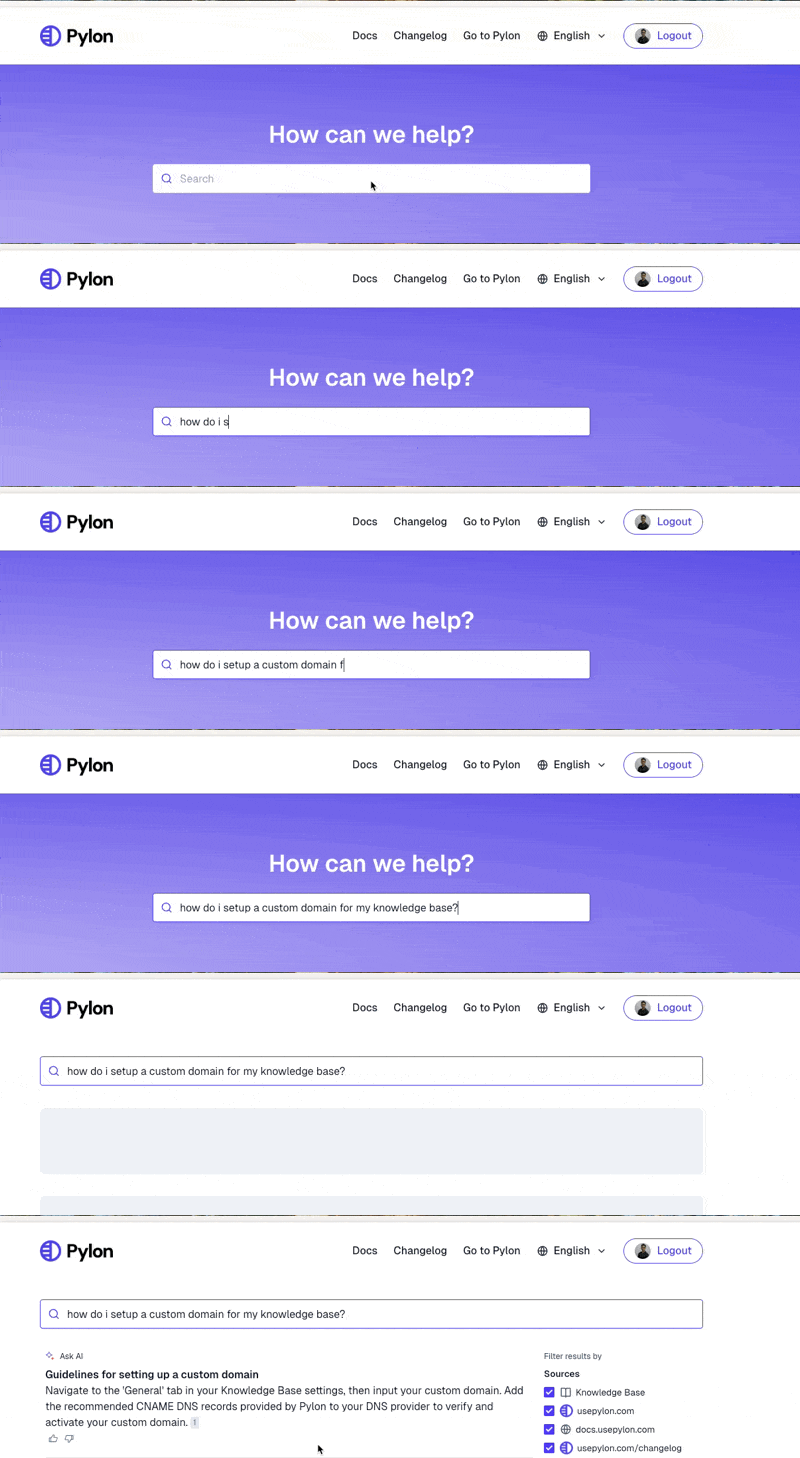
Get a synthesized answer with a citation as the top result when searching questions in the knowledge base.
Drag columns to reorder.
Set colors for select and multi-select options
Auto-focus on URL field when adding links.

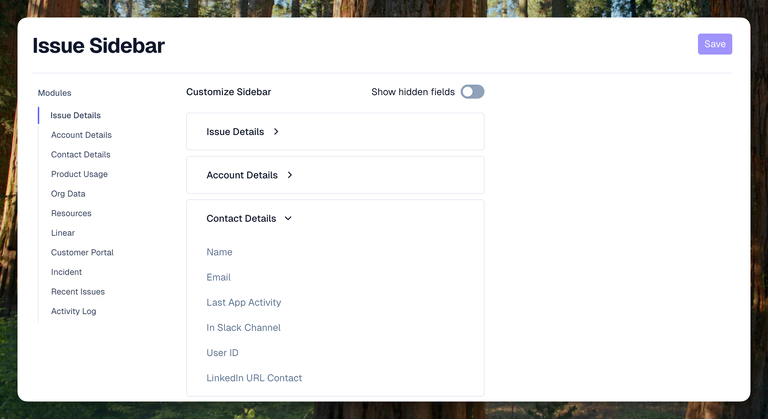
Change the ordering and visibility of fields and modules on the issue and account sidebar. Learn more here.
New UX for adding new fields as columns.
Ticket forms now allow video uploads.
Pylon attachment in Linear now shows ticket number.
Email notification trigger allows adding issue requester as recipient.

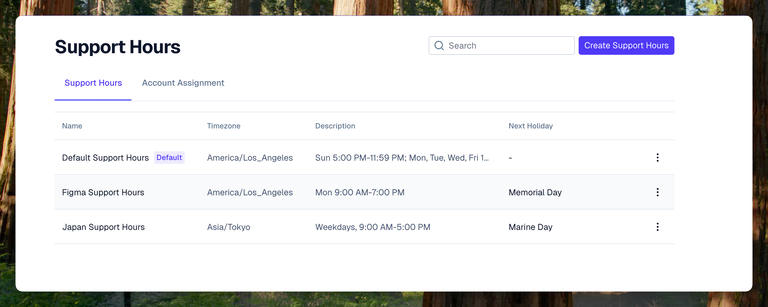
Create support hour schedules with default or custom holiday settings and assign them to specific customers.
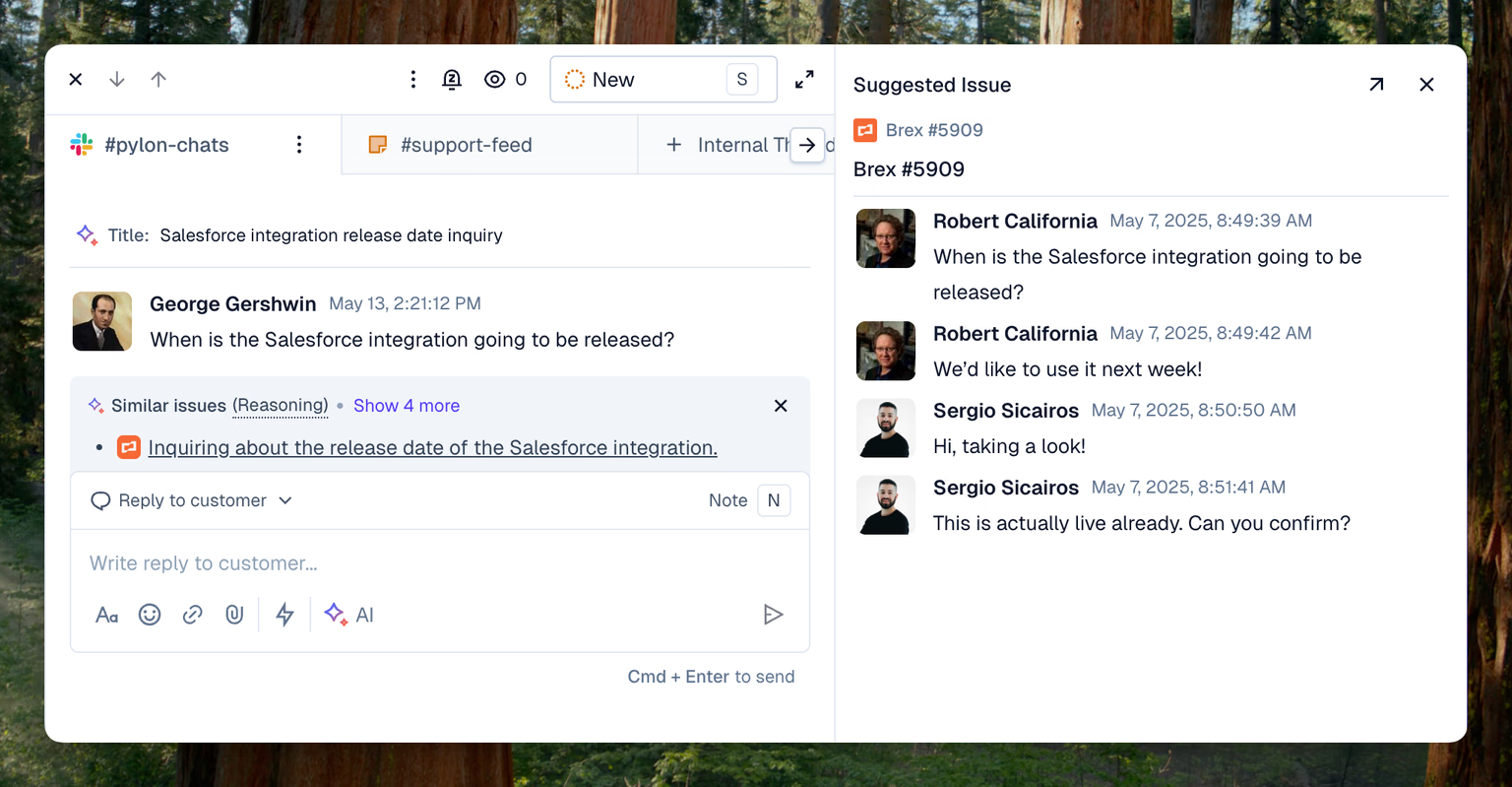
New UX for merging issues.
Filters for setting context. Specify what your Ask AI query should search over.
The search icon now opens the same unified search experience as command search.
Warning when saving shared views.
CSV export now contains links to linked external issues (Jira, Linear, etc).


See recommendations above the message editor for similar issues or documentation that may help you solve the current issue.
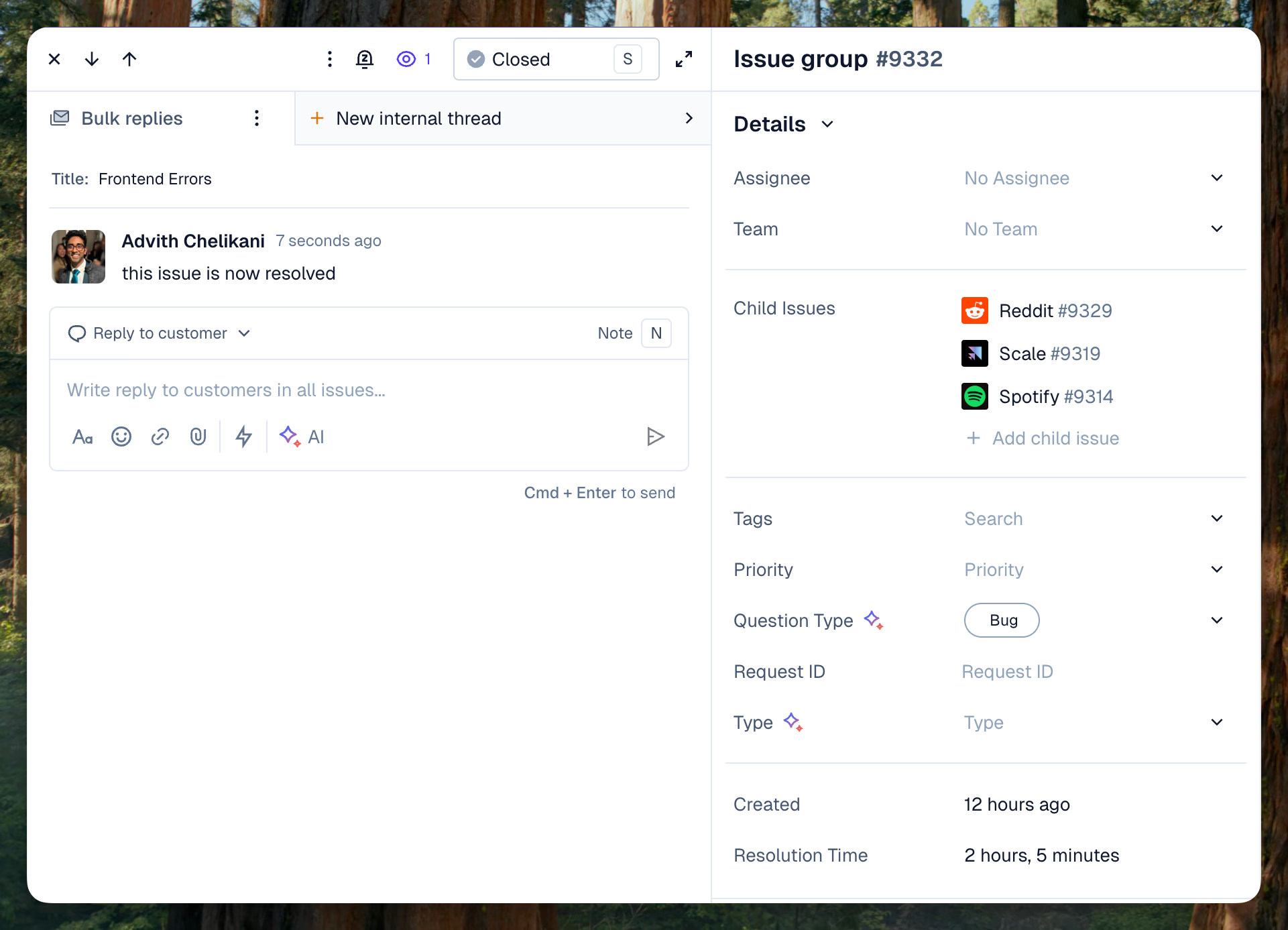
Thinking state in chat widget while AI is answering.
Create issues without needing to link them to an account.
Share a direct link to the AI issue summary.
Create internal threads for issue groups.
Drilldowns on single stat chart types.
Sort graph by formula field.
Easily move graphs between dashboards.
Duplicate action for default dashboard.
Surface multilingual metadata in knowledge base APIs.
Add or retrieve issue followers through the API.

Introducing parent-child relationships between issues and a new interface to manage parent issues. Learn more here.
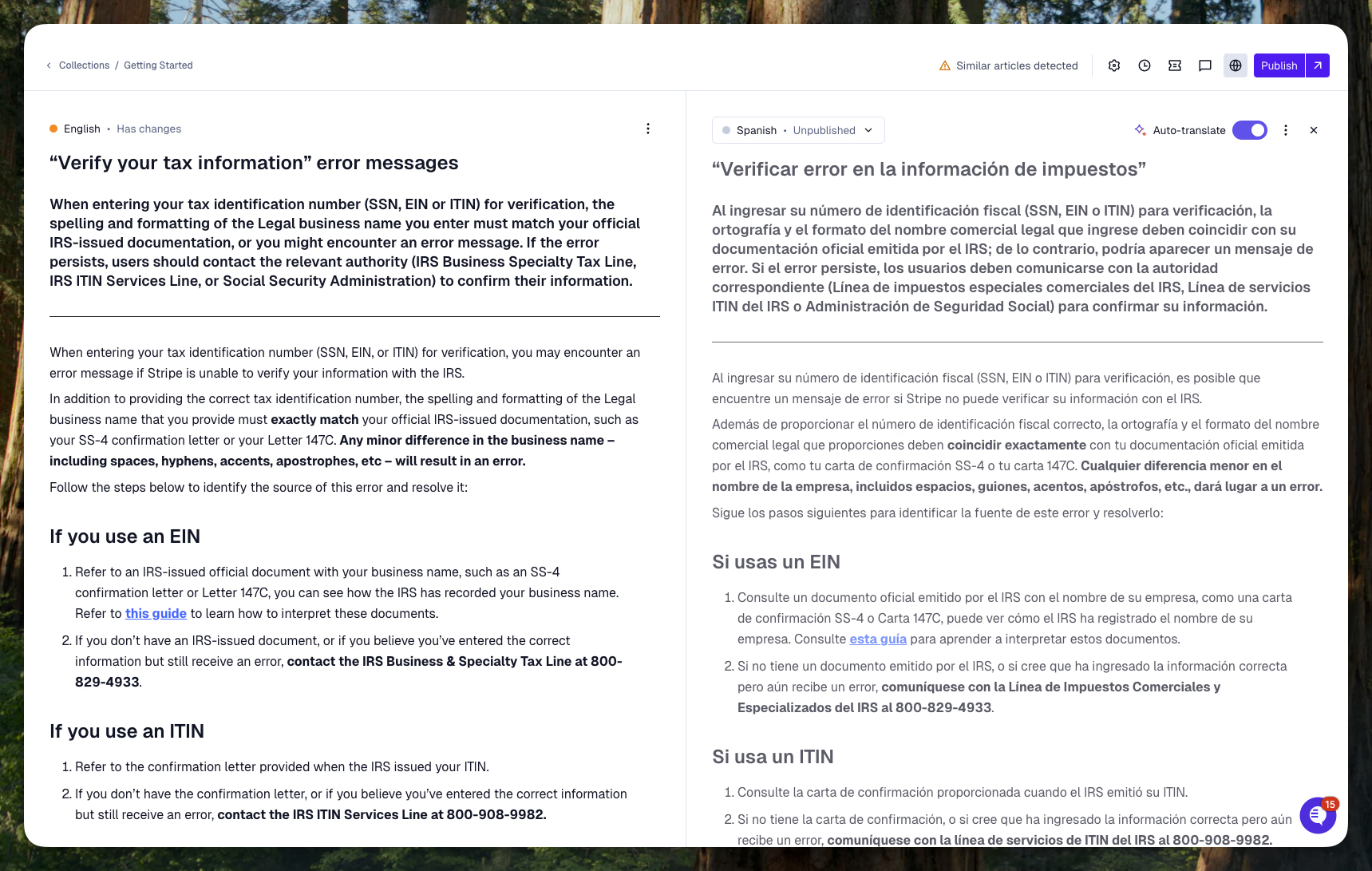
New UX for the Linear, Jira, GitHub, and Asana module.
Export charts to CSV.
Greatly improved load times of dashboards.
New account fields available as template variables in AI blocks (Account Notebooks).
Added number of touches metric in issues API response.
Allow searching issues by contact follower.
Create multilingual articles using knowledge base APIs.

Replace the default "How can we help?" header with any phrase
Save filters on default dashboards.
Default lookback for charts is now 120 days.
New default field for Language.
Internal note notifications now default the editor to internal note.
CRM details available in API.
Article visibility surfaced in API.

Learn more here
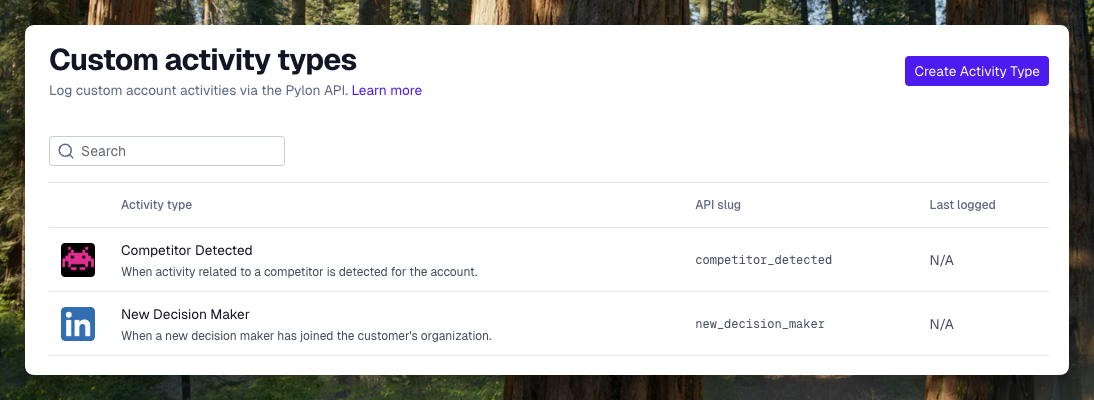
• Create custom account activity types like "New Champion Detected"
• Write activities to accounts directly via the API from other tools or your product


Create charts using AI.
Create, update, and delete account highlights via API.
Move contacts between accounts via API.
Recent calls show inline within the issue.
AI titles can now be edited.
AI Agents now available in Discord.
Variables can be templated into webhook paths.
Allow marking webhook headers as secret for secure storage.
New fields for issue.created_at and issue.resolution_time.

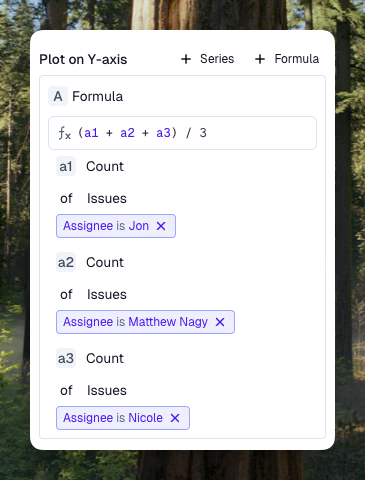
External ID values visible in account sidebar.
Autolink to Linear issues when Linear Slack integration is used.

Objects can be @ mentioned to guide query.
Edit view titles and icons inline.
Customer portal URL and title now available in issues CSV export.
Issue sidebar now includes a direct link to the accounts page
Account notebooks can be reordered.
Set expiration dates on account highlights.
New default column for account creation date.
Spreadsheet view now searchable by domain.
External IDs now appear in the account notebook sidebar.
New contacts page in settings to view all contacts.
Analytics dashboards can be reordered.
Support for sync of long text account fields from CRM.
Download as PDF option.

Bulk reply to a group of issues.
Multiple channels per account. You can route issues from multiple channels into the same account and manage each channel's settings separately.
New contacts pane.
Use template variables into AI prompts.
Account owner filter can be set as current_user.
Filter analytics by Product Issue.
Limit knowledge base articles to be visible only to the AI agent.
New issue channel filter.
Support for blockquotes.
Microsoft login is now supported.
See team membership on the users page.
New trigger kickoff condition based on whether a message is an internal note.
New templated iFrame URL for account.crm_account_id.
New message redaction API endpoint.
We’re launching Account Management: One place to see, manage, and share customer context—so you can support customers proactively, not just reactively.
• Plug in data from customer calls in addition to async communication from email, in-app chat, Slack, Microsoft Teams, Discord, etc. and CRM data that Pylon already has access to.
• Use notebooks to iterate on blocks of information you want AI to surface for different use cases, or add blocks like analytics graphs, engineering issues, or other custom data.
• Ask questions about accounts to pull up information you need—right when you need it.
• Pass context across customer success, sales, and support so everyone is on the same page when working with customers.
• View the most recent activity like champions leaving/joining, recent calls, and custom events.

New feedback notifications UX, now with email alerts.
Add GitHub as a social footer icon.
Articles code blocks support HTML.
Cleaner message editor with collapsed formatting options.
The page URL the user was on is now available in the Issues API for chat issues.
New template variable for issue.last_message.author.name.

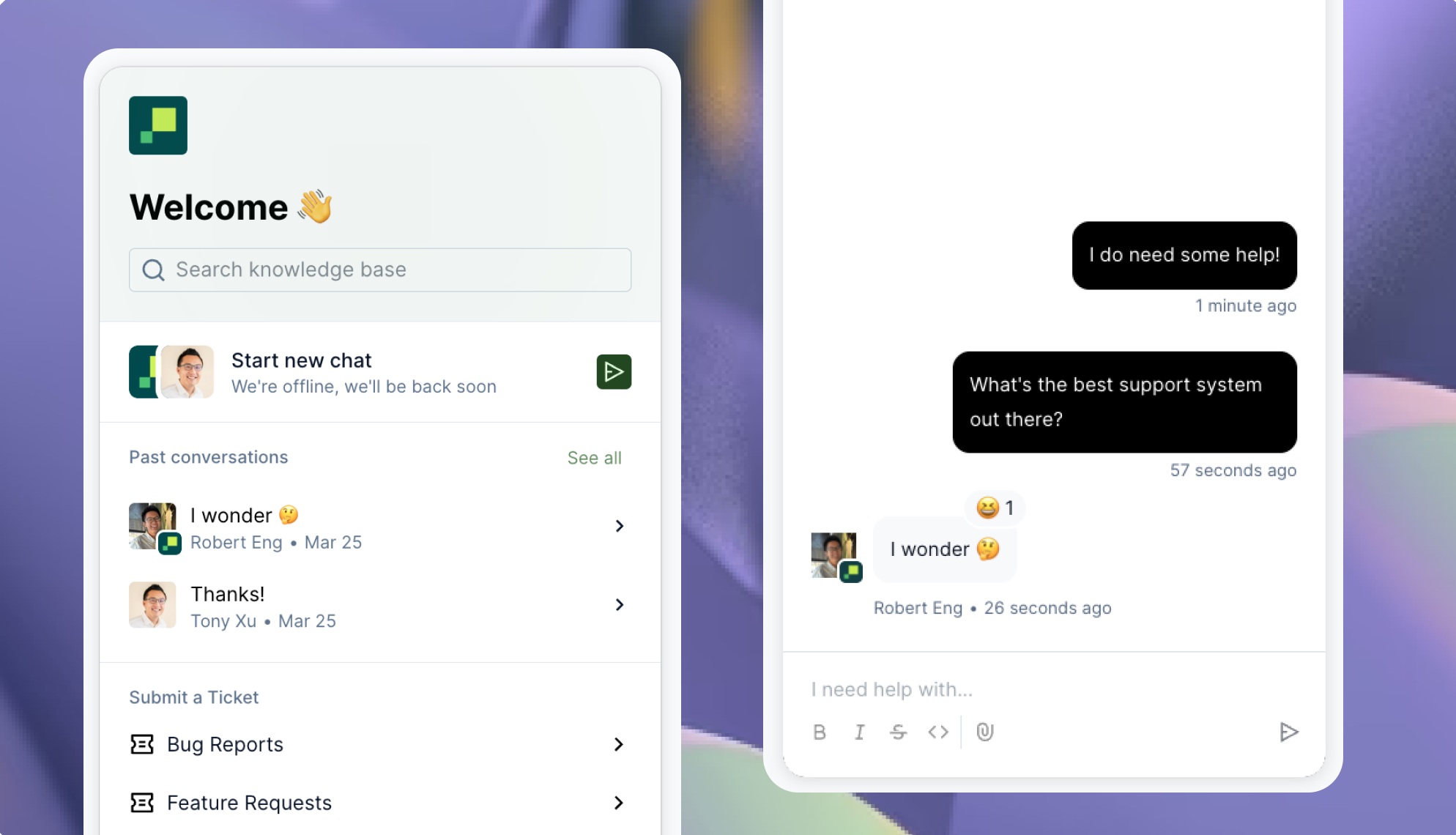
• New and greatly polished chat experience for your users.
• Improved chat configuration experience.

View, respond to, and track customer requests from Discord. Learn more here.
Improved incident.io integration now uses incident numbers.
Jira module now shows a native Pylon issues link directly on the Jira issue.
New API to snooze issues.
New APIs to delete accounts and contacts.
Custom statuses can now be reordered.
Differentiate between status categories. Customers can easily see which tickets need their action and which are waiting on you.
Subject and description fields are now optional. Build forms that just have field values—no free text required from the user.
Choose which custom data is available as part of federated search within your KB.
Attachment URLs are available as a field.

• Automatically translate incoming customer messages into your native language.
• Write replies in your native language, and they'll be sent to your customer in theirs.
CRM Sync Revamp:
• Sync account-level fields from Pylon into your CRM
• Enjoy an improved UX for mapping accounts and syncing fields!
Customize AI copilot’s Tone.
Assignment and UI Revamp: See your teams and their assignment policies in one place.
New default fields:
• New fields for Last Customer Activity, Last Broadcast Sent, Number of Issues(90d) and Customers in Channel.
• Create account views in Pylon to identify Unengaged customers, customers with low issue volume, and customers with empty channels.
New next operator for filtering date-based custom fields.
Jira integration now includes an issue type picker when creating tickets from Pylon.
Agents can now read and interpret images in conversations.
Images are now supported in email signatures.
Export issues to PDF.
View the original raw email for email issues.
Snoozed issues now have a visual indicator on the card level.
Use "from email" as a filter condition in triggers.
New template variables for actor (the user executing the macro).
Macro visibility can now be customized on a more granular level.
Added support for tracking time in custom status metric.
Set user roles in bulk from user management space.

Total end-to-end revamp of analytics featuring significantly improved UX and functionality.
• Huge improvements to UX and ease of chart building.
• Custom dashboards and charts with resizing, drag & drop, and more.
• Complete set of filters on the dashboard and chart level.
• Preview chart data in tables below the chart.
• Fullscreen, print, and share charts and dashboards.
• Drilldowns to click into graphs and see individual data points.
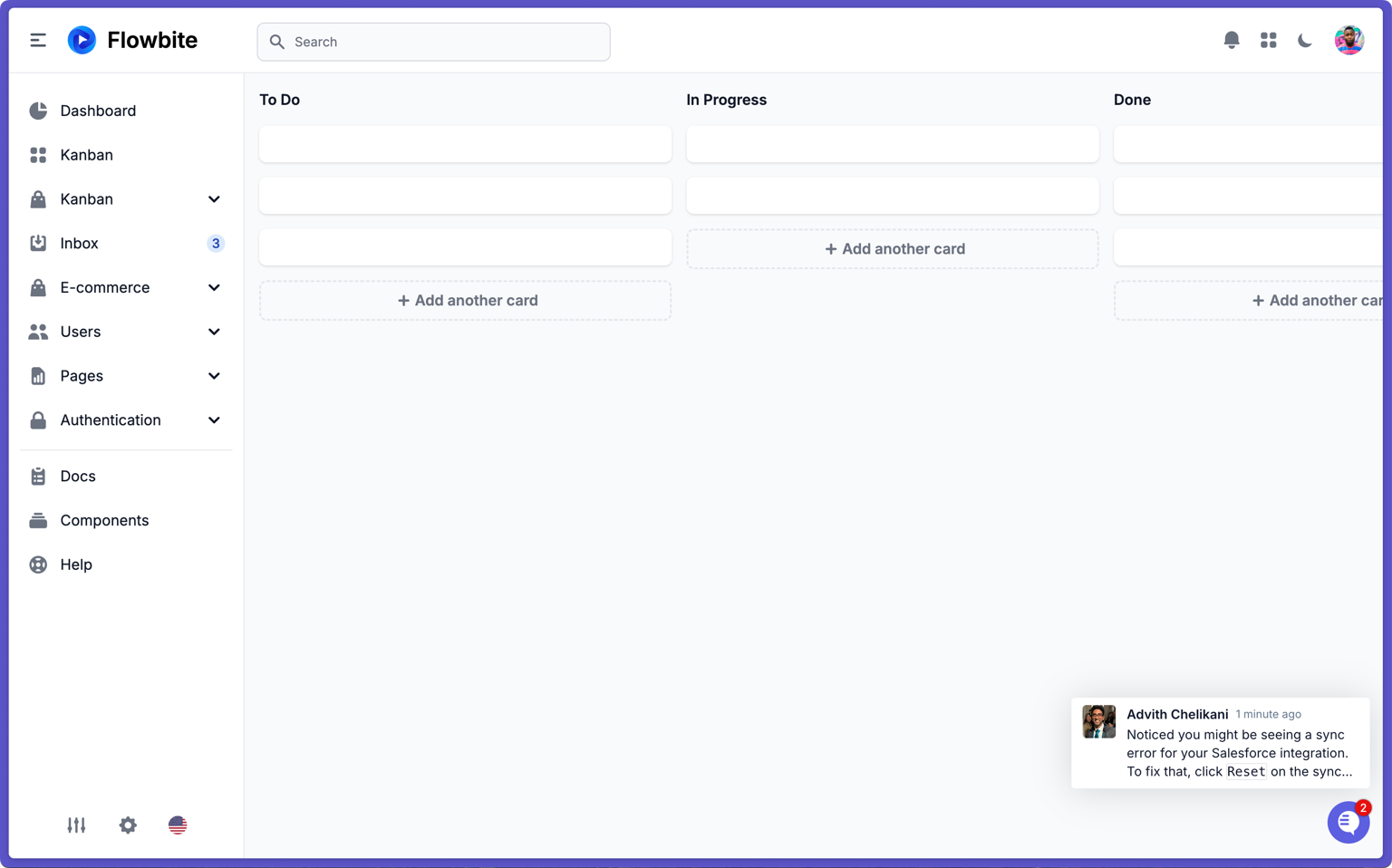
• Open up proactive issues with specific users in your app to notify them or offer help.
• Available via creating a new issue in the Pylon dashboard or via API!

Now available as a Copilot within the issue sidebar.
Conditional visibility of ticket form fields.
Autocomplete email addresses based on past recipients of email issues.
New selectable column in list view for associated engineering tickets.
List view columns are now easily reorderable.
Customizable card previews.
Chat share links will unfurl in Slack.
Set subject lines, titles, and recipients directly in macro.
Allows customers to view custom fields without editing access.

• New spreadsheet view for accounts: Quickly edit cells inline, bulk select to take action
• Create, hide, reorder, and share views: Now all visible from your navbar
• Flexible columns: Customize, reorder, and change width of columns
• Export account lists to CSV
Complete with rich text formatting, images, and engagement tracking!
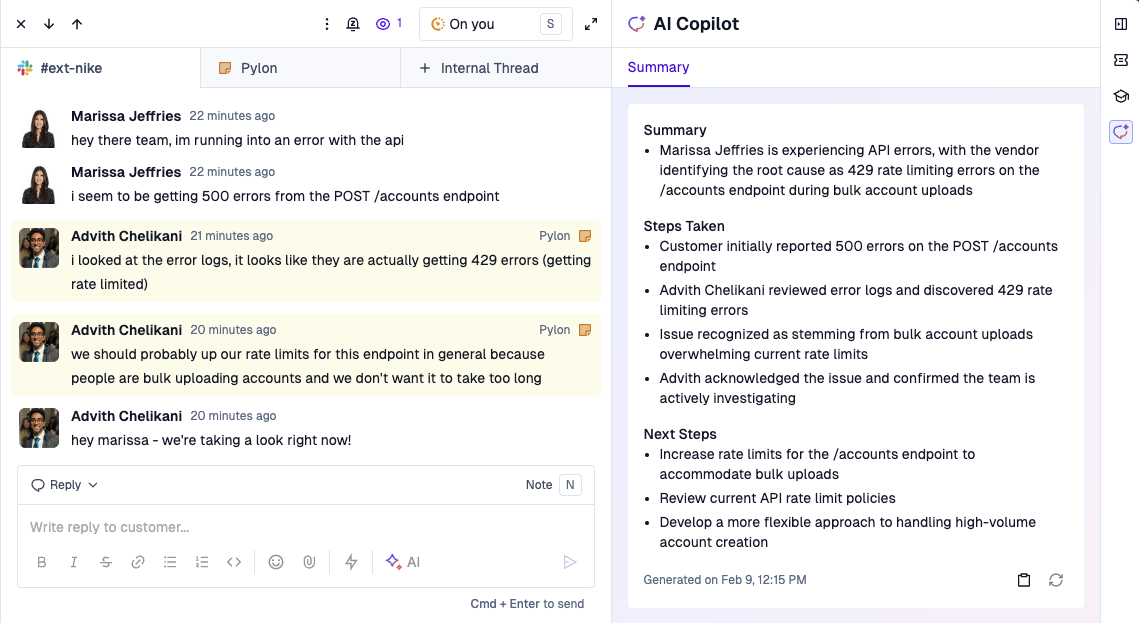
Users will see chat responses via email and can reply directly from their inbox.
Create a proactive issue in Microsoft Teams.
AI title is now a selectable column on the issues list view.
New layout option to display only unread issues in your view.
Article status field now has a new option for "No article needed".
Now supports image and file attachments.
Misconfigured integrations now display an unhealthy badge.
Snowflake now supports key-pair authentication.

Use triggers to send out ticket forms directly in Slack 🤯 Learn more here.
Context hints on what the AI is searching. See how AI interpreted your query to give you hints on how you may want to reword your next query.
Banner on issues when being handled by the agent.
Ticket forms per customer. Granularly specify which customers can see each ticket form in the customer portal.

Always up-to-date issue summaries in our new AI Copilot tab 👀 Use summaries for passing off context on complex tickets (especially through timezones), reviewing tickets easily, and sharing out key information with the broader team!

Click into graphs to see individual data points!

View which user left feedback.
Upload files as training data, usable by all AI features.
View graphs in fullscreen.
Print analytics dashboards.

Now with a greatly improved UX, using the filters you know and love from across Pylon. Stay tuned for improvements to more improvements to custom dashboards!

Send replies or notes at a scheduled time in the future when you know your customers or teammates will be online. Learn more here.
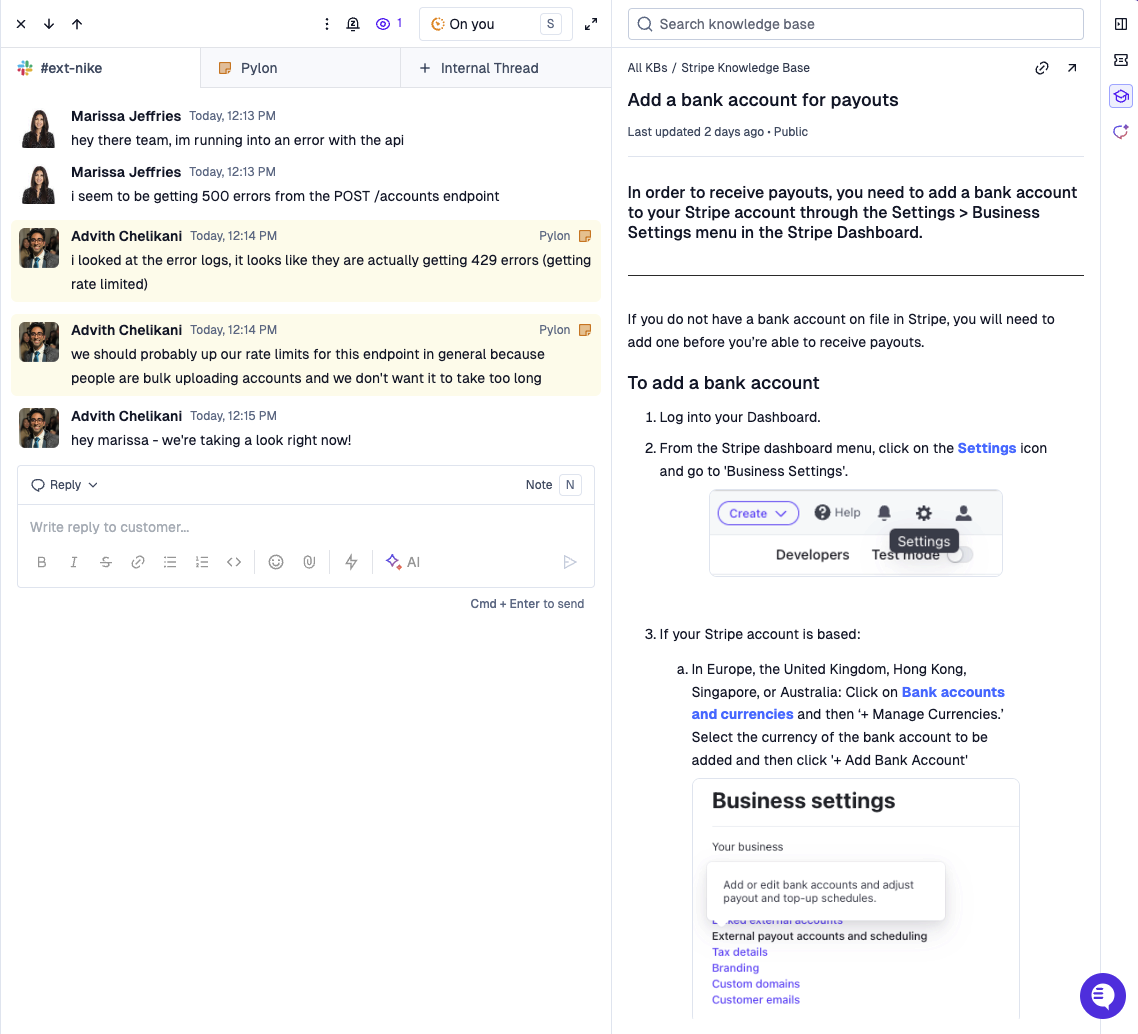
View and send links to knowledge base articles directly from the issue view. Click the "Knowledge Base" icon on the right sidebar to toggle!
Add images inline in emails and Slack messages.
New filters for articles by status, author, and more.
Common topics based on customer questions.
Allow team assignments schedules to override the assignee.
New hourly cadence option for more frequent syncs.
New filter for the body of the latest message.
Create internal email threads.
Query responses are now streamed - so expect much faster performance!
New action to snooze issues in bulk.
New action to follow issues in bulk.
Set the initial status when creating an issue manually—instead of defaulting to "New".
New trigger action: Add a reaction to an issue.

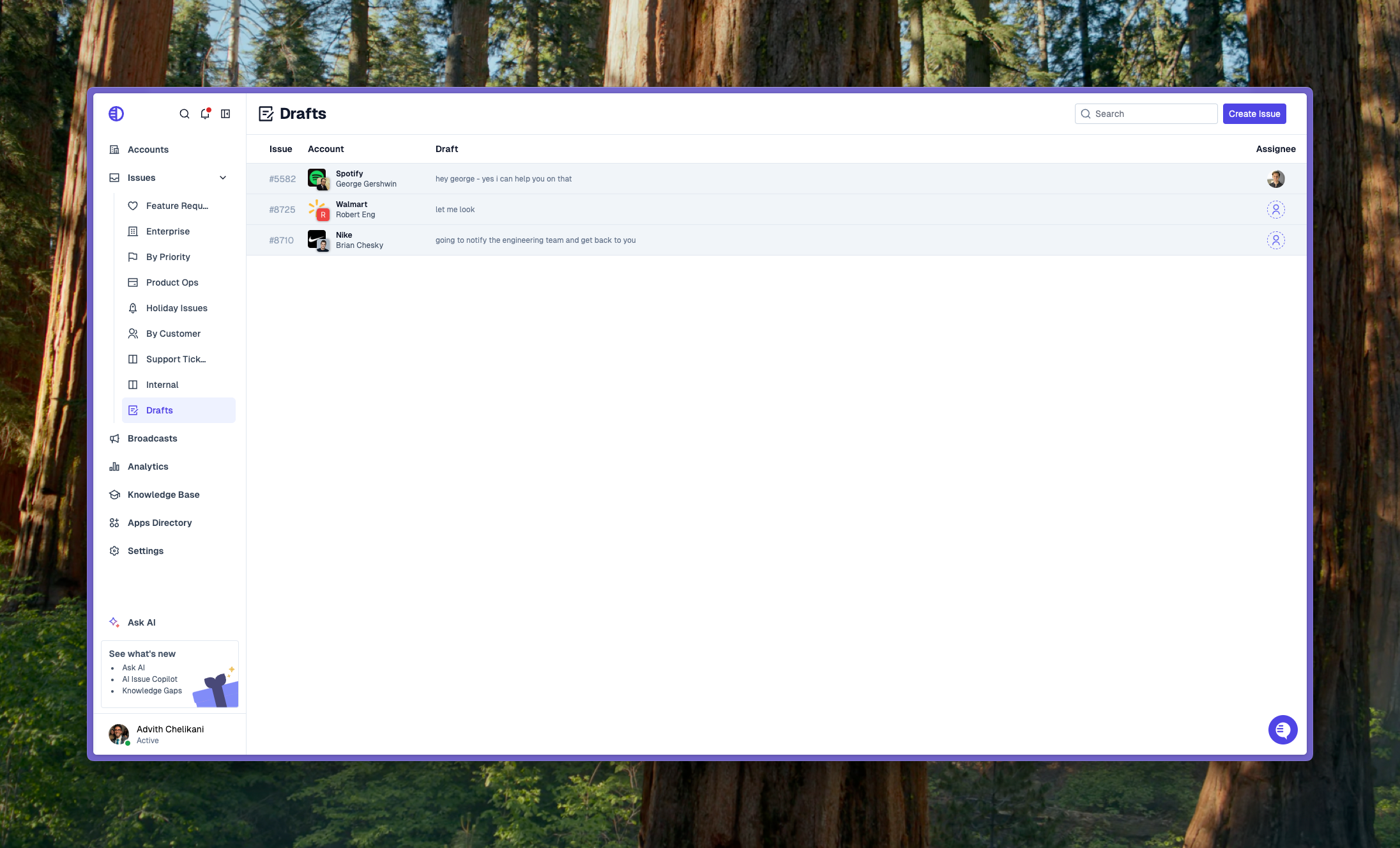
View and manage all your draft messages in one place!
Pass down account_id to associate issues with specific accounts.
Pass down account_external_id to force association of issues with a certain account using your internal customer identifiers.
Feedback submission is now available for articles in the embedded knowledge base.
External links connected via training data are now visible in the sources list.
When creating email issues via the API, you can now add BCCs and CCs.
Incident.io integration for creating an incident via. triggers.
Views can now be reordered by dragging.
Number of touches is now available as a syncable field.
Issues flagged for needing documentation now open in the sidebar on the knowledge gaps page.
Email addresses or domains can be bulk added to spam blocklist.
New last_message template variable added.

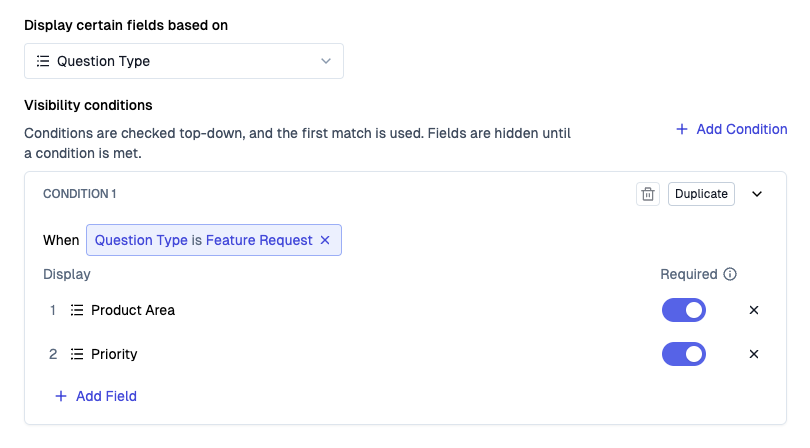
• Set visibility conditions on issue fields, such as showing a set of fields when the issue is a feature request.
• Set requirements on issue fields, such as requiring a field to be filled out when closing an issue.
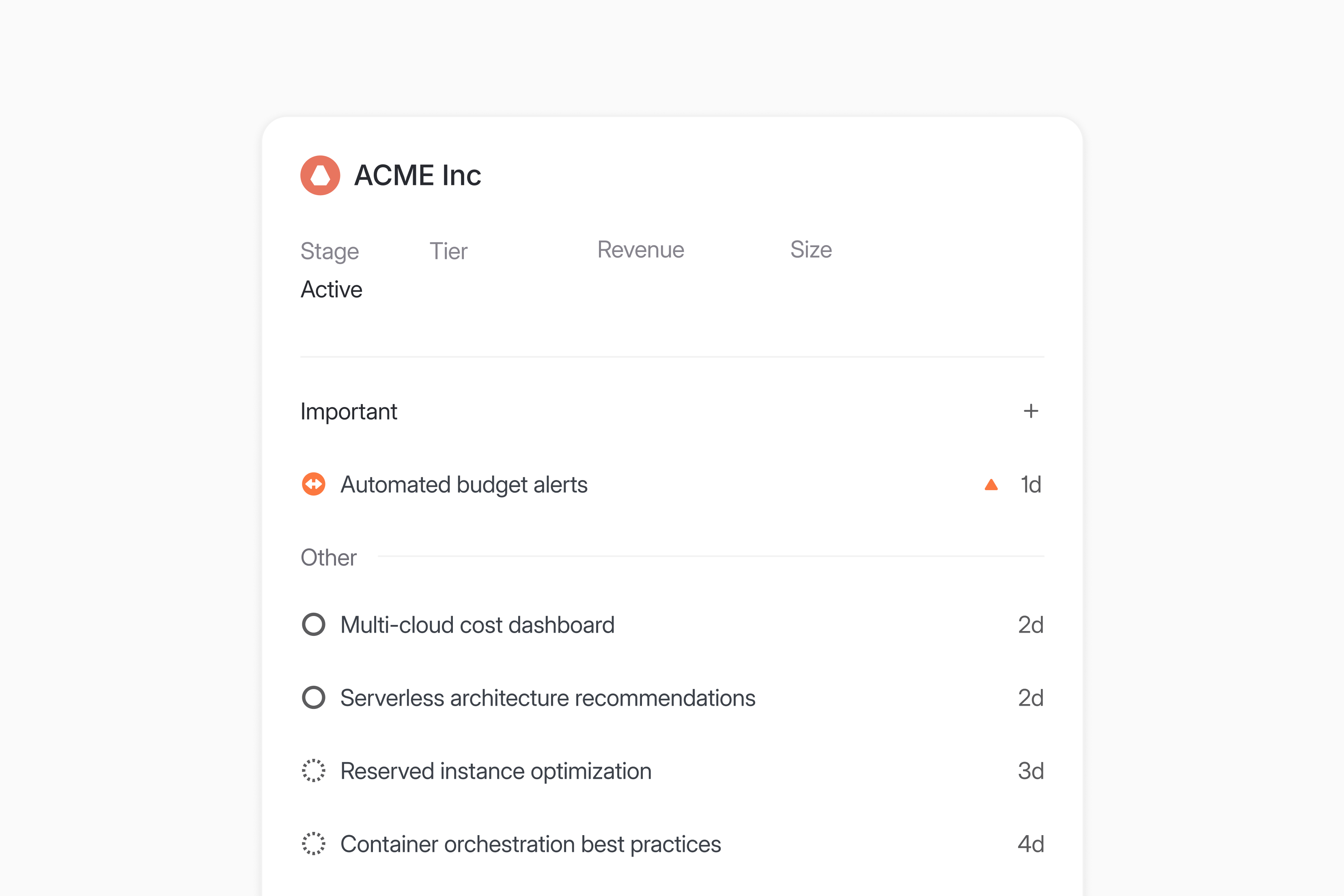
Create customer requests in Linear from Pylon issues. Learn more here.
Views can now be hidden.
Knowledge base sources are now visible in citations list.
Include social media icons in the footer.
Lists are now usable inside of callouts.
Links in comments now open in a new tab.
New issue "Created At" filter inside of triggers.
New recipe for auto-responding during fixed time periods (e.g. holiday breaks, offsites, etc.).
New trigger action for setting issue visibility in the customer portal.
New concept of External IDs. Add your own internal identifier onto the accounts object for easier tracking - no need to keep track of Pylon's identifier
New endpoint to update knowledge base articles.
API tokens can now have avatars, adding an associated icon to API actions.
Update an issues's visiblity status in the customer portal with the PATCH /issues/{id} API.
New POST /attachments API for uploading attachments to use in knowledge base articles.
One of Pylon's most powerful features yet. Ask open-ended questions about your data. Learn more here.
• See citations for answers to your questions, past search history, and share searches with team members.
• Use this for product feedback aggregation, feature discovery, support trends, team member onboarding, customer sentiment, account summaries, and much more!
Send replies to channels for Slack issues.
Filter search results by product issue.
Share views with multiple teams or individual users.
Tag and custom field data is now included in issues CSV exports.
Invite people outside your Slack workspace as users.
AI Agent can now respond to email and ticket form issues.
Contacts can get auto-created for new customer users.
Sources used in draft answers are now visible.
Ability to merge contacts.
New endpoint to delete knowledge base articles.
New endpoint to fetch knowledge base collections.
New issues search endpoint.