Updated December 22, 2025 | 8 min read
In B2B support, AI help desks automatically respond to customer questions, route tickets to the right people, and draft responses based on your past support interactions and documentation. They handle repetitive work so your support team can focus on building customer relationships and solving complex problems.
This guide covers how AI help desk software works, which features matter for B2B teams, and how to implement it without disrupting your current support operations.
An AI help desk is support software that can automatically respond to customer questions, sort tickets, and help your support team work faster. It's structured a lot like a regular help desk system, but includes native AI that can read customer messages, understand what they're asking, and fully resolve the issue or draft a response for your team to send.
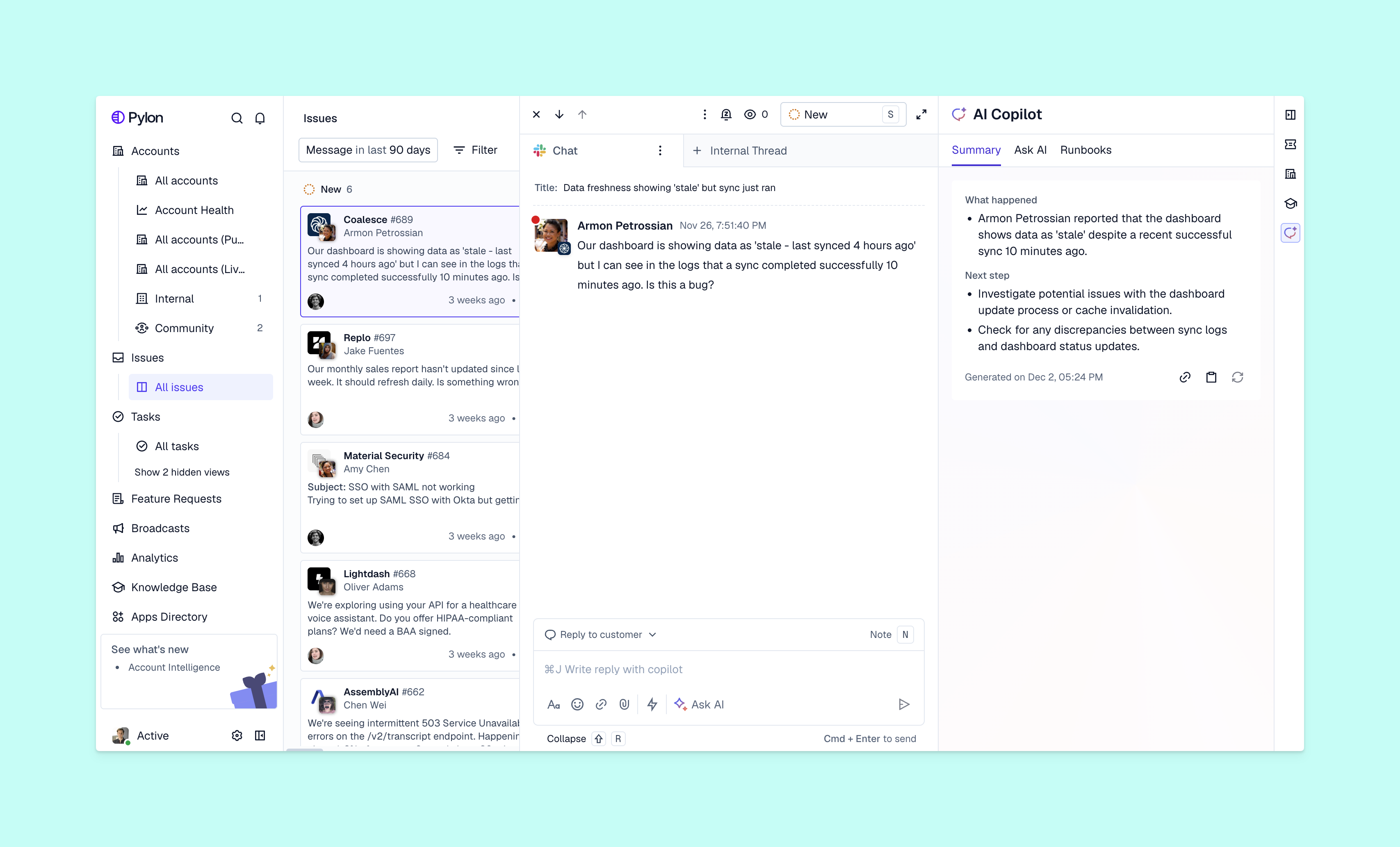
Here's how it's different from traditional help desk software: Old-school ticketing systems just organize incoming requests into a queue. Your team still has to monitor every message, write every response, and manually decides who handles what. But AI help desk software does pre-work for you, including routing tickets to team specialists, suggesting answers based on past issues, or answering common questions before your team has to step in.
For B2B companies, this means AI can handle login issues or common API questions across channels like email, Slack, Teams, and in-app chat. AI also trains on your documentation and past support tickets, so it continues to improve at giving accurate answers.
Your support ticket volume increases with each new customer you sign. But it's not always feasible for teams to hire at the same rate.
With AI help desk software, you can build scalable support operations at the same team size. As AI automates more of the tedious workflows, your team can handle a higher volume of complex customer issues.
AI interprets incoming customer requests and assigns them to the right team member. This is usually based on configurations like who knows the topic best, who has capacity, and how urgent the issue is. That means an important bug report from your biggest customer will get prioritized over a feature request from a smaller account.
This cut any manual triage and routing for your team. Instead, they can jump straight into solving customer issues.
Before customers even submit a ticket, AI shows them relevant help articles from your knowledge base. If someone starts to type "Slack integration," the right article will surface immediately.
Even better, AI tracks which questions aren't documented in your knowledge base. When multiple customers ask about the same feature but there isn't any matching knowledge content, AI will flag that gap and help you generate the article.
AI drafts issue responses by pulling from past conversations, help docs, and product information. Your team can then edit and send these suggestions instead of writing every reply from scratch.
This helps you speed up the process for responding to tickets — especially for the most complex issues. You can quickly review and edit long responses instead of writing them from scratch.
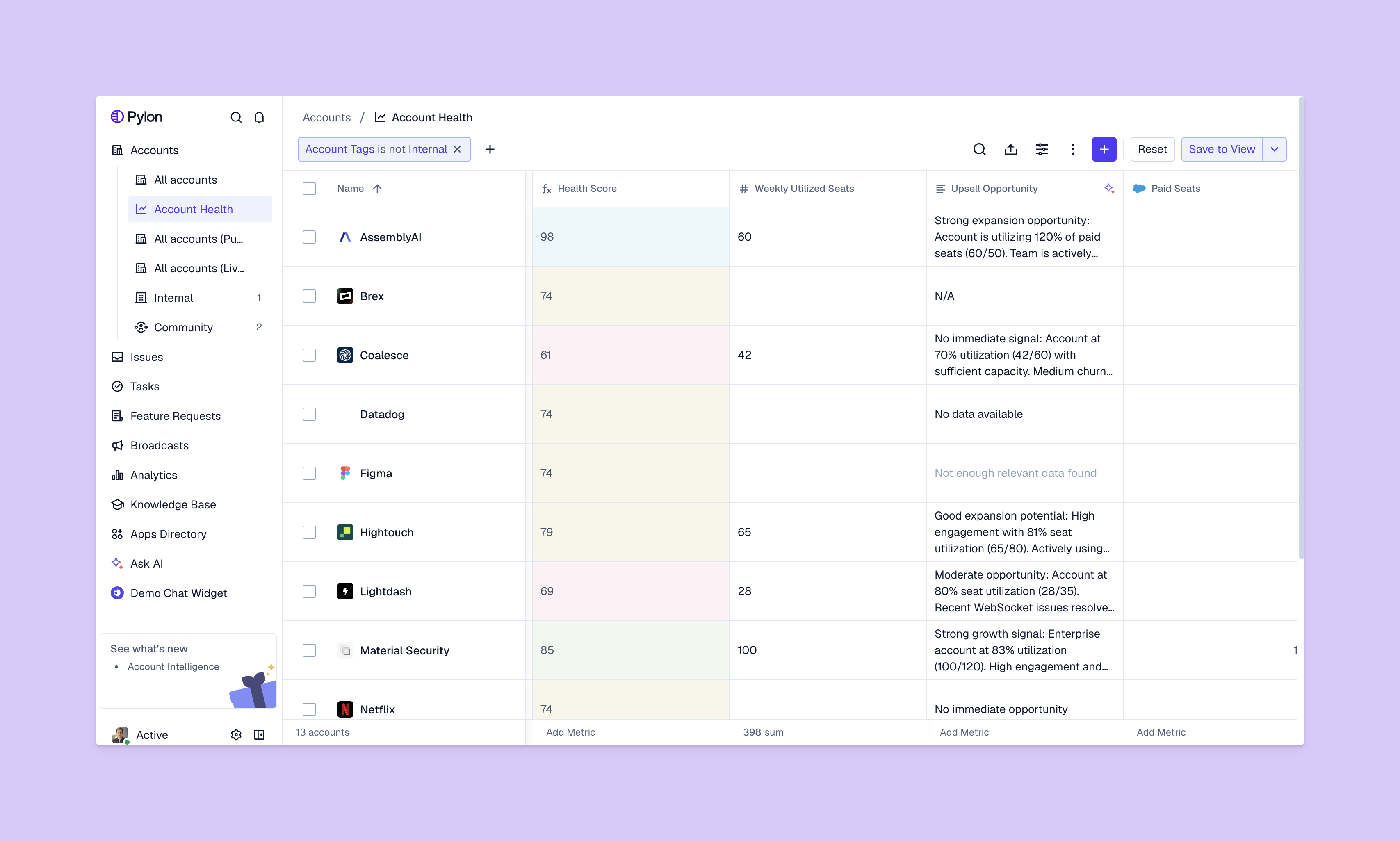
AI spots patterns in support conversations that indicate churn risk. Maybe it's multiple frustrated tickets in a week, questions about switching to competitors, or suddenly going quiet after being active for a while. These patterns can trigger alerts for your customer success team to check in.
With support systems like Pylon, your support data flows directly into customer retention workflows. Customer success can reach out before the account churns and use real signals from support conversations to guide the conversation.
When you're evaluating AI help desk platforms, here's what B2B support teams should look for:
The best platforms also sync with other tools your organization uses — like your CRM or product ticketing system. And help desks like Pylon connect support data to customer success signals, so you have a complete 360 view of accounts.
Here are just some of the benefits of AI help desk software:
It's important to choose a platform based on what your support team actually needs. Here are a few things to consider:
Many teams take a phased approach when they're rolling out new help desk software. This helps team members progressively adapt to the new platform:
Remember that AI should make your team's work faster and more effective. Look for bottlenecks in your current support operations and focus on automating those first.
Most B2B teams see faster response times and fewer tickets within the first month. Full ROI typically shows up over the next few months, as you continue to scale your support operations with AI.
AI agents handle and resolve tickets from start to finish on their own. AI copilots assist your support team members by suggesting responses and surfacing context for your team to review before sending.
Modern platforms like Pylon have native integrations with Slack and Teams, so you can easily manage customer issues from these channels.
With some AI help desk software (like Pylon, for example), you can define a tone of voice for AI to follow. Otherwise, you can also set up workflows for your team to review AI responses before they're sent out — so you can adjust brand voice and tone as needed.
When AI can't confidently answer a question, it should escalate to your support team so customers get accurate help. You'll still be able to see conversation history and other account context alongside the ticket.
AI help desks handle the pre-work so your support team can focus on building strong customer relationships and troubleshooting the most complex issues. Once you automate away the manual bottlenecks in your support operations, you can support more customers while continuing to personalize support for each account.
Pylon is the modern B2B support platform that offers true omnichannel support across Slack, Teams, email, chat, ticket forms, and more. Our AI Agents & Assistants automate busywork and reduce response times. Plus, with Account Intelligence that unifies scattered customer signals to calculate health scores and identify churn risk, we're built for customer success at scale.
Pylon Workforce Management is available now. See it in action with a live demo.