

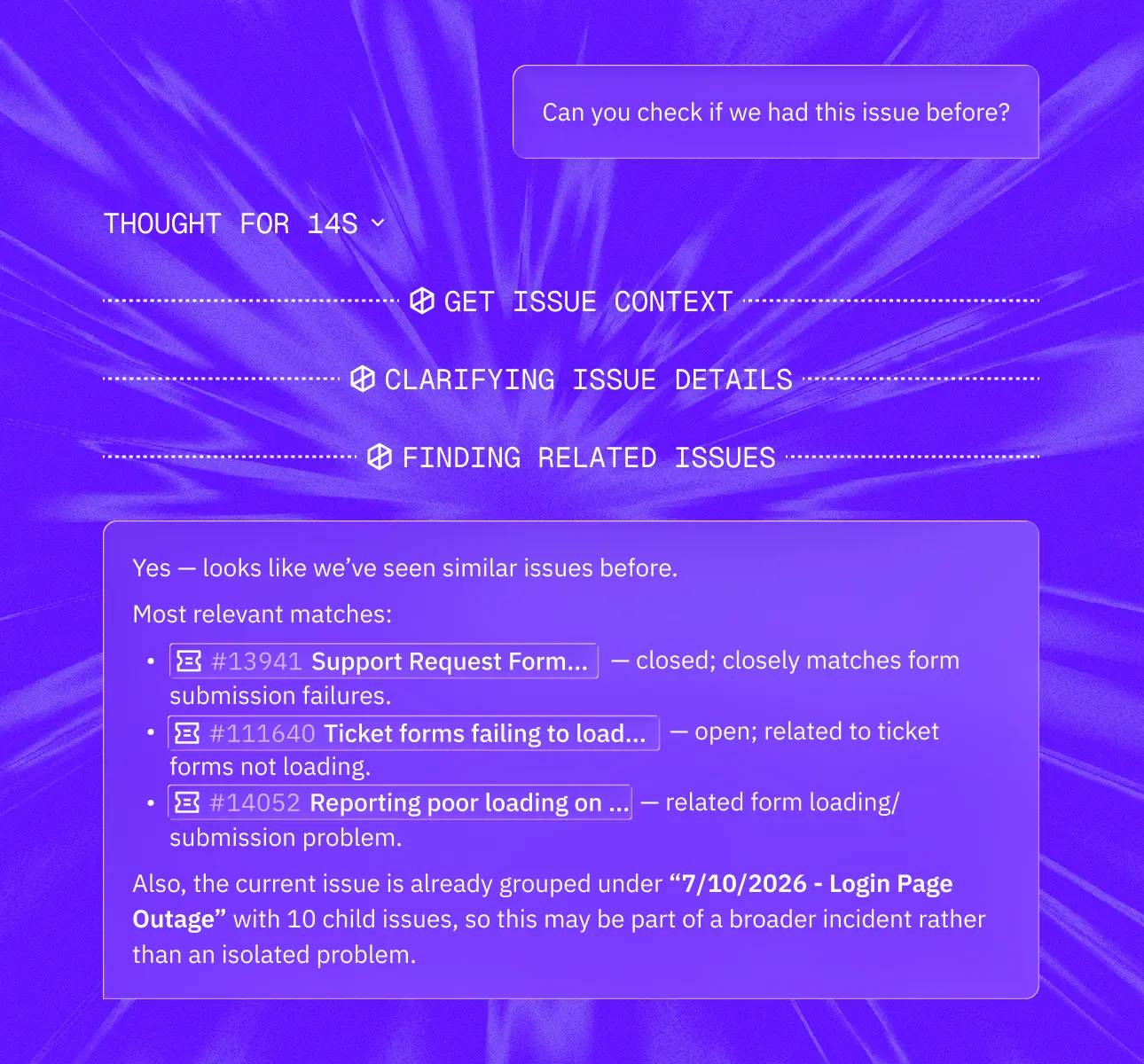












Open Assist Agent from any issue, account, or page. It understands where you are, can work across every connected system, and lets you investigate and act without changing tools.
Open Assist Agent from any issue, account, or page. It starts with the customer, conversation, and work already in front of you.
Assist Agent surfaces what to do next — not just what to know. Link a Linear ticket. Update a custom field. Create an internal thread. Draft a message. Escalate to the right team. All in a single action card, inside the conversation.
Kickoff several agents at once and get notified when they are done or need your input. Work on many issues in parallel or easily monitor and respond to outage reports.
Assist Agent remembers how you work. It adapts to your preferences, remembers how you've solved similar issues before, and applies that context going forward. The more your team uses it, the sharper it gets.
Assist Agent asks before it acts. Every action — creating a ticket, updating a field, sending a message — surfaces as an approval card for you to confirm or edit. Full AI power with a human in the loop.
Create triggers, analytics charts, and get NPS survey result themes explained to you. Never struggle with setup or usage of another Pylon feature.
.png)


Assist Agent is the personal agent each user talks to inside Pylon. It works with your customer context, connected tools, permissions, and preferences to investigate questions and complete work on your behalf.
Chatbots answer customer questions, while copilots usually generate suggestions for a human to execute. Assist Agent can investigate across systems, recommend the next step, and take approved action from the same conversation.
Assist Agent is the agent you interact with directly whenever you ask a question or give an instruction. Background Agents run specialized skills automatically when triggered, while Support Agent can own and resolve customer work end to end.
Assist Agent can search support history, Account Intelligence, CRM data, product usage, internal conversations, Linear, logs, and your codebase. It returns the evidence behind its findings so your team can verify the answer and ask follow-up questions.
Depending on your permissions, Assist Agent can update records, route work, create or modify tickets, trigger workflows, escalate issues, and prepare customer responses. Teams define which actions happen automatically and which require confirmation.
Assist Agent inherits the permissions of the person using it and follows the approval rules your team defines. You can review its investigation, ask follow-up questions, redirect the work, approve an action, or take over at any point.


