
As support volume grows, so does the amount of repetitive daily tasks. Your team has to spend more time gathering account details, updating tickets, and coordinating fixes, often across systems that don’t share data. As a result, simple requests can take more time and effort than they should.
AI workflow automation gives B2B support teams a way to standardize routine processes. But before automating a workflow, you’ll need to understand which steps can be handled effectively by AI and where human judgment is still needed.
In this guide, we’ll talk about which support tasks are worth automating, and explain how to turn existing processes into repeatable AI skills. We’ll also preview what changes when AI automation tools become part of your team’s day-to-day operations.
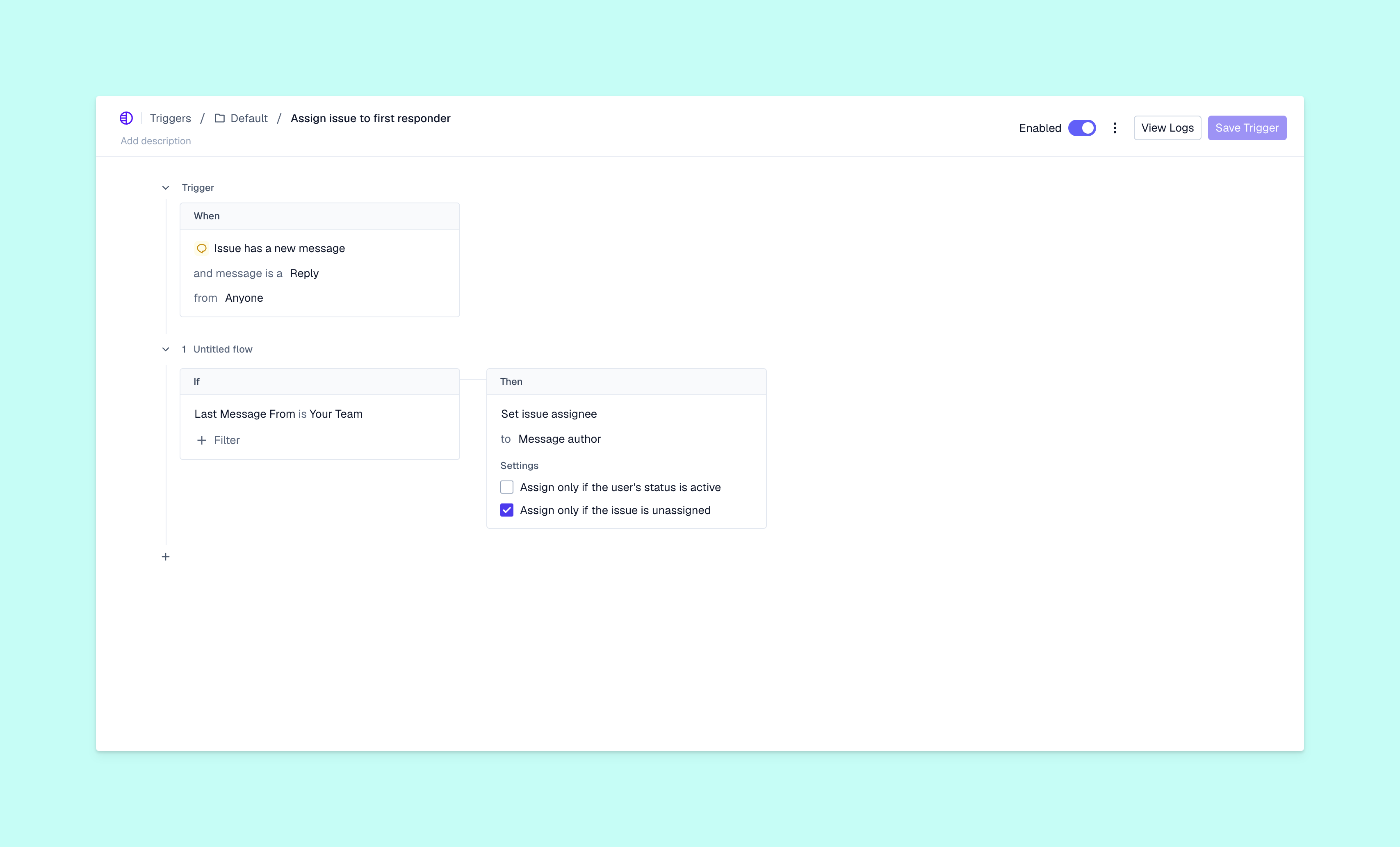
AI workflow automation uses artificial intelligence to complete tasks your team would otherwise have to do by hand. Automation isn’t a new customer support tool, but the addition of AI has made it more powerful and flexible.
Traditional automation tools follow pre-defined rules to perform specific actions. For example, a help desk could automatically assign tickets based on keywords in customer conversations, or copy customer data from a help query to a CRM system. This saves some time, but requests that don’t match the rules perfectly will still need manual input.
Automated agentic AI uses large language models to interpret unstructured data, like a support conversation that doesn’t follow an expected pattern. AI agents can use context to decide on next steps and recognize when a human team member needs to step in.
This opens up plenty of opportunities to automate repeat work throughout the support flow. Your team spends less time on manual steps, which means they can fix issues faster with fewer handoffs. Standardized workflows also help managers spot delays and find solutions.
B2B support teams have plenty of repeat processes worth turning into AI skills. A skill uses current knowledge and best practices to build a reusable set of instructions that both team members and AI agents can follow.
Let’s look at how you can do that in four steps.
Start with a recurring support task that has a clear trigger and a set outcome. For instance, your team could follow the same process whenever a customer disputes a charge on their invoice. Review the docs you already have in place, and write down what the workflow looks like from end to end.
Next, decide what information a team member or AI agent needs in order to follow the process accurately. For a billing dispute, they could start by gathering customer context and reviewing SLAs.
You’ll also need to explain how that information should be reviewed and what the next steps should be. The skill could check to see if a disputed charge matches the customer’s subscription terms, before flagging a legitimate billing error and escalating the ticket.
If you’re using Pylon’s agentic support platform, you can build a custom skill or ask Assist Agent to turn a successful resolution into a reusable AI workflow. Teams that already have skill files in other AI tools can import them into Pylon instead of recreating them.
Your skill should define which actions the AI can complete on its own, and which require human approval. It’s also important to create role-based permissions that control who can authorize sensitive actions, like issuing refunds or contacting customers directly. An AI agent could investigate a disputed charge and draft an explanation, but leave the refund decision and final email to an experienced team member.
With Pylon, you can configure Automations to run skills if specific events happen, like when a ticket about a certain topic enters the queue. The AI agent can start the investigation automatically and summarize its findings, then pass the case over to your team if it requires a decision or an approval.
Before officially rolling out your new skill, test it against real support cases to see if it works as intended. Pylon’s Assist Agent can suggest improvements, which your team can then review and apply. Once you've tested a skill and know it’s effective, you can reuse it as a starting point for similar support processes.
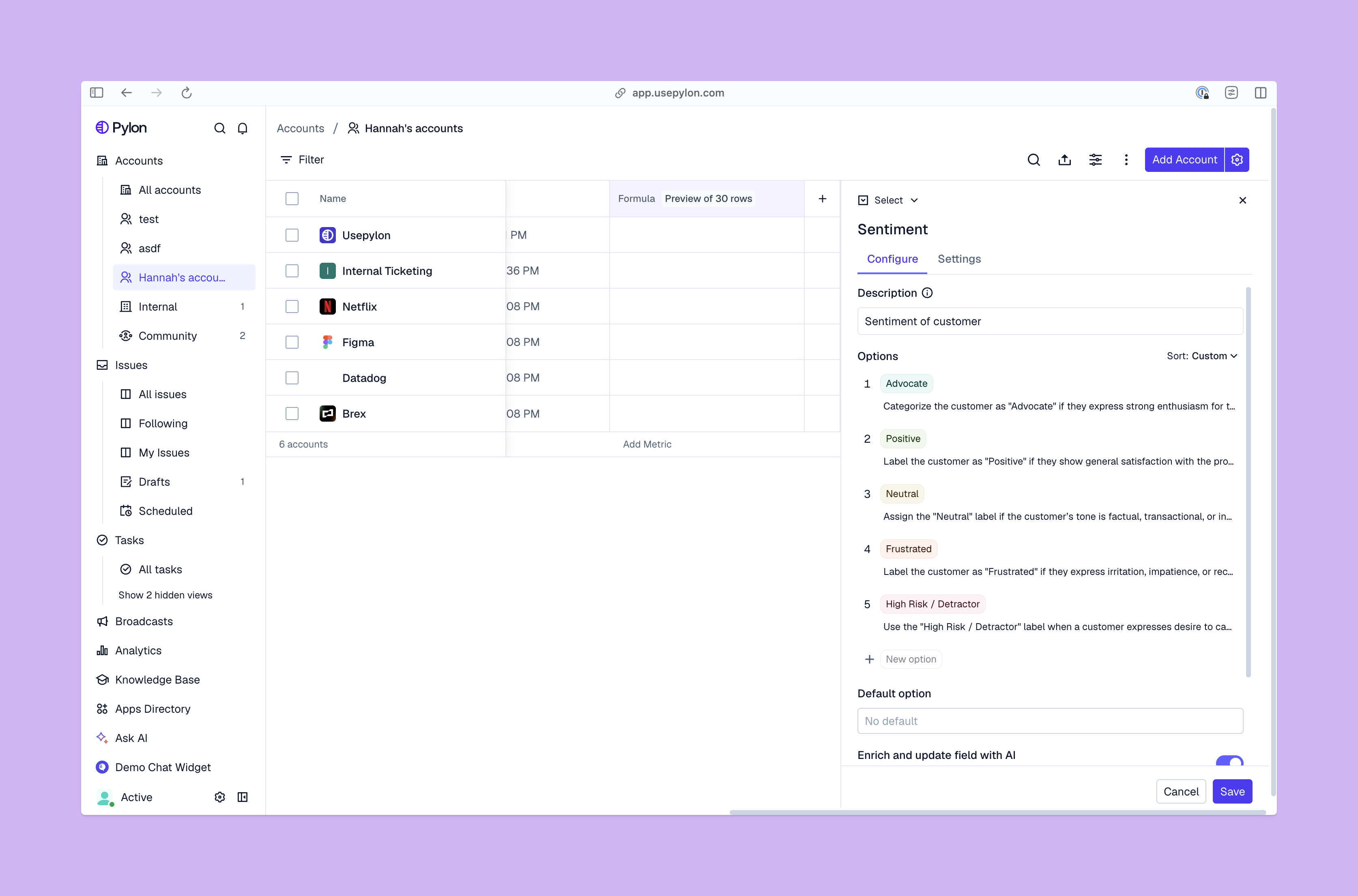
Once a skill is up and running, AI agents can follow its instructions to move issues through the support flow. Depending on the use case, the AI could finish the work on its own or prepare information so a human team member can step in.
Here are a few examples of how you can automate customer support with Pylon:
To see how skills work, let’s consider what could happen when a customer reports a software bug:
Creating AI skills in a separate automation tool can add to your workload, forcing you to maintain integrations and import data manually. In contrast, a unified support platform keeps AI automation connected to the other systems your team uses. Team members can access ticket histories and knowledge resources without switching tools, while identity and approval controls define what AI agents can do on their own.
Pylon is the Agentic Support Platform built for B2B support teams. It brings conversations across Slack, Teams, email, chat, and other channels into one place, giving AI the context to help resolve customer issues and continuously improve your knowledge base. Pylon can identify missing or outdated documentation, generate new content from real support conversations, and help your team keep knowledge accurate as your product evolves.
Low-code and no-code platforms let teams build automated workflows with little or no programming. These traditional automations follow predefined instructions, and they tend to be fairly simple and rigid.
AI workflow automation is more flexible, able to interpret problems and take steps toward resolving them. For example, a support team could create a low-code rule to automatically escalate tickets after 24 hours without a response. An automated AI workflow could go further to review relevant logs, classify the problem, and prepare a solution for approval.
Pylon’s AI support tools let your team turn recurring processes into reusable skills. AI agents can investigate issues using customer context and connected systems, then help your team find solutions and draft responses.
Pylon uses role-based access controls to manage what users and agentic AI are able to access. Your team can set approval requirements for sensitive actions, and define when an AI workflow needs to route to a human team member. Plus, audit logs let admins review activity and track changes to workflow settings.
Managers can measure AI workflow performance with key support metrics, like average handling time and the percentage of issues resolved with agentic AI. Choose a few KPIs based on your goals, and compare their histories before and after automating the workflow with AI.
Pylon Workforce Management is available now. See it in action with a live demo.