


Updated December 6, 2025 | 12 min read
Many support teams have to spend their days answering the same questions, manually routing tickets, and updating account fields while urgent customer issues are still waiting in the queue. Customer support automation software handles these repetitive tasks automatically so your team can focus on conversations that actually matter.
This guide covers what automation software does, how it works, which tasks to automate first, and how to choose a platform that fits your B2B team. You'll also see real examples of automation in action and learn how to implement it without overwhelming your team or frustrating customers.
Customer support automation software handles repetitive support tasks without your team need to touch them. The platform uses AI and rules to route tickets, answer common questions, tag issues, and trigger follow-ups automatically across email, chat, Slack, Teams, ticket forms, and more.
While your team focuses on complex problems and building relationships, automation handles the low-level work that would otherwise fill their entire day.

Support systems monitor incoming customer requests. AI reads each message, figures out what the customer needs, and checks relevant context like account history or past conversations. Then it takes action based on rules you've set or patterns it learned from your team's past work.
Over time, the AI improves. If your team consistently answers a specific question the same way, the AI notices and eventually adapts independently.
But the real power comes from connecting these support automations to your existing tools. When your support platform can pull customer data from your CRM, product usage info, and support history, AI can make contextual decisions.
B2B support teams often deal with a tricky balance. Customers expect fast, personalized responses, but your team is juggling complex technical issues across dozens of accounts.
Automation solves this by taking on the routine work, so your team has time for conversations that actually matter.
AI can answer straightforward issues the second they come in, instead of letting them sit in a queue. For B2B customers who need quick answers to keep their operations running, this speed matters.
AI and automated workflows can still run overnight, on weekends, or during holidays. This helps B2B teams support more customers across time zones, without overloading your team.
As your customer base grows, AI and automated workflows help you build scalable support models. Teams often find that they're able to handle exponentially higher support volume without needing to increase headcount at quite the same rate.
For example, you could support up to 10x more customers with the same core team as before. And you can allocate more budget towards strategic work like building customer success programs or improving your product.
When automation deflects repetitive issues like common API questions or product explanations, your team can focus on more complex conversations. These could be technical troubleshooting sessions, strategic account discussions, or relationship-building moments that drive retention and expansion.
Many modern platforms like Pylon surface signals about account health based on your support interactions.
If an account suddenly submits five tickets with low sentiment in a week, that's a churn risk your customer success team can address. If a user keeps asking about advanced features, that's an expansion opportunity.
Automation connects the dots without your team manually tracking every conversation.
When you're evaluating tools for B2B customer service, a few core capabilities separate platforms that actually help from those that just add complexity.
Intelligent ticket routing assigns incoming requests to the right team member based on expertise, workload, or account ownership. Advanced platforms like Pylon use AI to analyze ticket content and route accordingly, while simpler ones rely on strict rules that you define.
AI-powered auto-responses let AI Agents answer common customer questions by pulling from your knowledge base, past conversations, or other custom data you train them on. They get smarter over time by learning from how your team responds to similar requests.
Workflow builders let you create automations that are triggered by specific conditions. For example, sending follow-up message after ticket resolution, updating your CRM when an issue closes, or escalating urgent problems to team leads. Look for no-code builders like Pylon's Triggers that you can set up without internal engineering resources.
Real-time AI suggestions help your team work faster by suggesting responses or surfacing relevant resources while they respond to customer issues. This maintains support quality while speeding up resolution times.
Unified analytics dashboards track response times, resolution rates, customer satisfaction scores, and AI's performance in one place. This gives your team clear visibility into what's working and where they still need support.
Start with high-impact, low-risk tasks so your team can build confidence with automated and AI-powered workflows.
AI categorizes incoming requests based on conversation context. Is this a bug report, a feature request, or customer love?
It also assigns priority by detecting signals like "urgent," "broken," or "can't access." This saves your team from manually sorting through every request before they can help each customer.
If your team answers the same questions about your product or services all the time, automation can take over those repetitive responses. You can set up templates for simple answers or let AI Agents write contextually appropriate responses based on how your team typically answers.
You can automatically send check-ins or surveys after ticket resolution to confirm that customers were satisfied with the solution. Onboarding sequences guide new customers through setup at the right pace. And renewal reminders prevent accounts from lapsing because someone forgot to reach out.
When you get high-priority issues or are at risk of breaching SLAs, automated workflows can alert the right person right away through Slack, Teams, or email. Your team lead doesn't need to constantly monitor the queue, but they'll be able to act quickly when it matters.
When customers fill out a ticket form or your team is drafting issue responses, AI can suggest relevant help articles or past customer conversations that might help. This speeds up self-service for customers who prefer finding answers themselves and helps your team quickly pull up the right documentation.
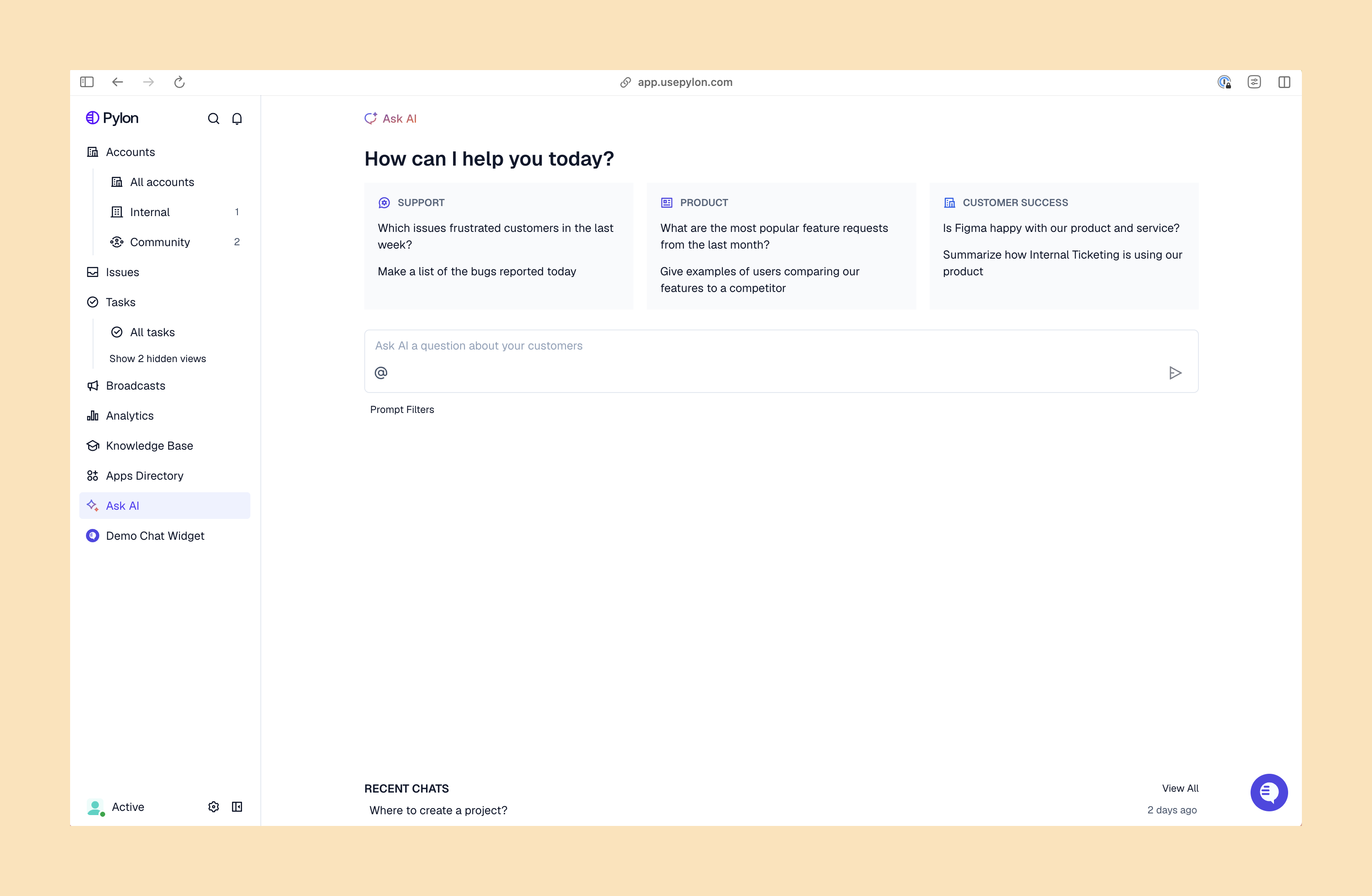
Here's what automation looks like in practice for B2B teams:
You don't need to automate everything at once. Taking a phased approach helps your team adapt while you learn what works for your customers.
Document where support requests come in from, who handles different types of issues, and where delays are happening. Involve your whole team here, because they know where the pain points are. You might discover that it takes hours each day to route tickets to the right place, or that certain questions always get passed around before they reach the right expert.
Look for repetitive, high-volume tasks that follow predictable patterns. If your team answers the same five questions 200 times a month, that's an obvious win.
Evaluate customer support platforms based on the channels your customers actually use, how well they integrate with your existing tech stack, and whether they fit your team size. Trial each platform with your team's actual workflows. Check that the platform can grow with you as your team and customer base scale.
Start with one or two straightforward automations like auto-tagging tickets or routing requests to the right team. Build your team's confidence and work out any kinks before tackling complex workflows. You'll learn how your customers respond to automation and what adjustments you need to make.
Monitor what's working through your analytics dashboard and gather feedback from your team. Are customers satisfied with AI agent responses? Is your team actually saving time? Use these insights to refine your automated workflows or tweak your AI configuration.
Beyond AI and automation features themselves, consider factors that determine whether a B2B customer service platform actually works for your team.
Does it support the channels you need? B2B customers might reach out through Slack, Microsoft Teams, email, chat, or ticket forms. Choose a support platform that makes it easy to manage all these channels in one place, instead of forcing your team to context-switch. Look for platforms with true omnichannel support and native integrations with communication tools.
Does it unify support and customer success data? The most powerful platforms connect support interactions with customer health tracking, 360 customer context, and success workflows. When your support tickets inform retention strategies and your customer success context improves support personalization, your entire post-sales team gets complete views of each account.
Can it scale with your team? A platform that works for five people might not work for 100. Look for tools that grow with you without requiring you to figure out re-implementation or unsustainable price jumps.
Is implementation straightforward? Some support platforms require months of professional services to set up. With others, you can configure AI and automated workflows within days. Consider your team's technical resources and how quickly you need results.
Does it integrate with your existing tools? Your customer support platform and any automated workflows should connect with your CRM, product usage data, communication tools, and other systems you already use. This helps you avoid data silos.
| Criteria | What to Look For |
|---|---|
| Omnichannel Support | Manage Slack, Teams, email, chat, and ticket forms in one platform |
| AI Capabilities | AI agents for auto-responses, intelligent routing, and team assistance |
| Workflow Automation | No-code builders for custom triggers and multi-step workflows |
| Analytics | Unified dashboard tracking automation performance and team metrics |
| Integrations | Connects with your CRM, product tools, and communication platforms |
Pylon's AI accelerates workflows like skills-based routing, issue tagging, feature request tracking, and more. And with Account Intelligence, you can create custom formulas or configure AI to track customer health and churn risks based on your support data.
Pricing varies based on team size, features, and which channels a platform supports. Most tools offer tiered plans that are cheaper for small teams and scale up to enterprise pricing for large companies. Some charge per seat, others by ticket volume or how often you use AI features.
No. Automation handles repetitive tasks and accelerates your team's day-to-day workflows, so they can focus on complex issues and relationship building. You can't replace your team for nuanced problem-solving, strategic account conversations, and the empathy that builds customer relationships.
Implementation timelines range from a few days for basic setup to several weeks for full customization across all workflows and channels. Many platforms offer onboarding support and templates to speed up the process. Your timeline also depends on how complex your existing setup is and how many integrations you need.
Platforms like Pylon integrate with CRMs like Salesforce and HubSpot, communication channels like Slack and Teams, your data warehouse, call recorders, and more. When you're evaluating different support tools, check their integrations to confirm compatibility with your tech stack. A lot of platforms also offer APIs for custom integrations if you need them.
ROI comes from reduced response times, lower support costs per ticket, improved customer satisfaction scores, and better retention rates. Your team handles significantly more volume without needing to increase headcount at an exponential rate. Many teams see ROI almost immediately when AI and automations take over high-volume, repetitive work.
Customer support automation software helps B2B teams scale without sacrificing the quality and personalization your customers expect. By handling repetitive work automatically, your team gets time back for conversations that actually drive retention and growth.
Pylon is the modern B2B support platform that offers true omnichannel support across Slack, Teams, email, chat, ticket forms, and more. Our AI Agents & Assistants automate busywork and reduce response times. Plus, with Account Intelligence that unifies scattered customer signals to calculate health scores and identify churn risk, we're built for customer success at scale.
Pylon Workforce Management is available now. See it in action with a live demo.



