When leaders research budget-friendly support systems, some think the answer is the tool with the cheapest per-seat license fee. A basic help desk saves a few thousand dollars on software, but it can’t help you scale efficiently. When your customer base grows, the limited system requires you to hire more support team members to manage tickets and answer the same repetitive questions. This creates a model that becomes expensive and unstable as volume increases.
A scalable customer support strategy requires an automated, unified workflow. You need a system that can handle volume spikes and keep your headcount flat.
In this guide, you’ll learn how to build a budget-friendly support operation that actually scales with your company — plus what components make up the best support tools.
Traditional support scaling is only linear. When ticket volume goes up, you hire more people to handle the queue. But this approach breaks down quickly in the B2B SaaS environment.
First, the financial math doesn’t work. Recent SHRM data indicates the average cost to hire a nonexecutive employee is $5,475. That’s just the base recruitment cost. When you factor in onboarding time and lost productivity while a new team member gets up to speed, the true cost of linear scaling is much higher.
If you rely on headcount to handle volume, your operational costs will always outpace your revenue growth. Every new customer tier needs another support hire, which traps your margins.
Second, manual ticket management drains your support team. They spend time on mundane tasks as they search for basic account details and answer routine questions. This leads to alert fatigue, burnout, and higher turnover. When your experienced team members leave because they’re bored and overworked, you lose deep product knowledge that takes months to rebuild.
Finally, linear scaling creates inconsistent customer experiences. One support member might solve an integration issue in five minutes, while a new hire takes an hour longer to figure out the same problem. Without a unified help desk system, knowledge becomes siloed.
The most effective way to scale is to decouple ticket volume from headcount. If you invest in systems that automate repetitive work, it allows your human team to operate at maximum efficiency.
When you scale through systems, you build a foundation that absorbs growth. If your user base triples overnight after a major product launch, a system-driven operation handles the surge automatically. A seat-driven operation crashes under the weight of the queue.
A unified platform like Pylon reduces manual steps and improves accuracy. It centralizes customer data and embeds AI directly into your current workflows. When you consolidate the support stack, you eliminate the hidden costs of disjointed switches and reporting. Your team operates from a single source of truth, and that makes every interaction faster and more accurate.
When you prioritize systems over seats, you make your support team a proactive, scalable engine for customer success.
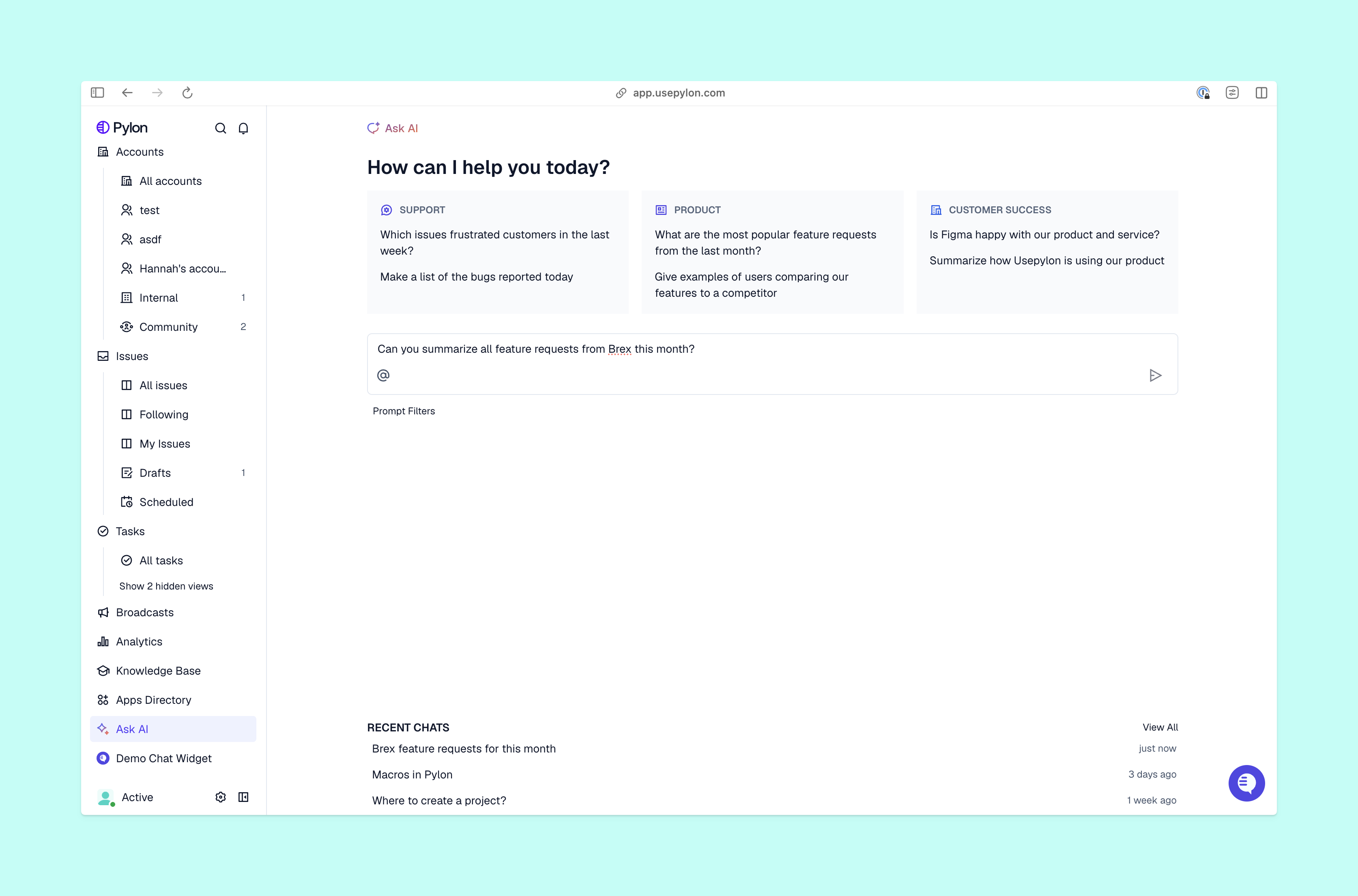
Your support queue is filled with routine questions. These inquiries slow down your service desk and limit your ability to resolve issues that require deeper expertise. To scale without hiring, you need to resolve tickets automatically or semi-automatically.
AI Agents are the best deflection mechanism. Unlike basic chatbots that rely on decision trees, modern AI Agents (like those built into Pylon) are autonomous systems that understand conversational context.
They connect directly to your knowledge base and CRM to resolve issues end-to-end. If a user asks how to configure a specific integration, Pylon’s AI Agents read your documentation and knowledge base, analyze the user’s specific setup, and give a customized, step-by-step answer.
The operational impact of this automation changes the trajectory of your support team. When advanced AI Agents handle the repetitive queue, you routinely achieve deflection rates of 40% to 60%.
If you deploy AI Agents as your Tier 1 support, your team focuses on high-value tasks like technical troubleshooting, account expansion, and proactive relationship development. This changes your recruitment trajectory. You handle higher volumes with your current team, which drives down your cost per ticket and delivers instant resolutions to your customers.
For the complex, high-value issues that require human intervention, AI Assistants work alongside your support team, and simply act as a copilot.
When a ticket comes in, Pylon’s AI Assistants use automated workflows to draft replies. They reference previous conversations, your internal documentation, and the specific customer’s account context. Team members review the draft, make any necessary tweaks, and press send. Your people won’t spend twenty minutes on one issue. Instead, they resolve it completely in two minutes.
A human in the loop helps you effectively scale expertise with AI. It ensures that every response is accurate and consistent, regardless of whether it’s handled by a five-year veteran or a new hire.

If your team switches between tabs to answer a Slack message, an email, and an in-app chat, the workflow becomes inefficient. Fragmented channels create operational chaos and make scaling difficult. A truly budget-friendly system consolidates every interaction into a single, unified inbox. Whether a customer pings you in a shared Slack channel or submits a ticket form on your website, your team manages it all from one dashboard.
Pylon centralizes these channels natively, so you never lose context across platforms. It integrates directly into your ecosystem, able to pull context from customer accounts and your knowledge base to assist. When a ticket arrives, your team instantly sees the customer’s health score, recent interactions, and any open bugs with tools like Pylon’s Account Intelligence. That’s how you deliver the fast, informed help enterprise customers expect.
When you evaluate online support systems, look past the initial price tag and focus on the total cost of ownership. The most affordable service support software on the market is often the most expensive to operate as you grow. Here’s what to prioritize:
When you invest in the right systems, you can scale customer support without added headcount. Deploy AI Agents to handle routine inquiries, empower your team with AI Assistants, and unify your channels. This increases capacity and keeps costs flat.
Pylon is the modern B2B support platform that offers true omnichannel support across Slack, Teams, email, chat, ticket forms, and more. Our AI Agents and Assistants automate busywork and reduce response times. Plus, with Account Intelligence that unifies scattered customer signals to calculate health scores and identify churn risk, we're built for customer success at scale.
AI Agents handle routine, repetitive inquiries autonomously, but human agents remain essential for complex, relationship-critical interactions. The goal is to remove low-value work from agents' plates so they can focus where human judgment matters most.
Industry benchmarks suggest AI automation can deflect 40% to 60% of inbound tickets when paired with a well-maintained knowledge base. The exact number depends on how consistently product documentation and KB articles are kept current.
It doesn't have to be. Modern platforms like Pylon consolidate Slack, Teams, email, and chat into one view without custom integrations or dedicated IT resources, which makes omnichannel accessible even for lean startup teams.
Look for signals such as a rise in first response times, a high ratio of repetitive ticket types, agents who spend too much time on answer research, and no unified view of customer health across accounts. If those are present, the constraint is tooling, not headcount.
Pylon Workforce Management is available now. See it in action with a live demo.