


Updated January 28, 2026 | 12 min read
When customers reach out to your team with urgent issues, they expect quick support — especially if the issues are blocking essential workflows.
Escalation tools help you automatically prioritize those tickets, route them to the right teams, and notify anyone who needs to be aware. This way you can collaborate and respond quickly to put out a fix.
We'll walk through how these tools work, which features matter most, and how to set them up to cut your response times.
An escalation tool is software that automatically routes urgent or unresolved customer issues to the right people when your frontline team needs extra support. It helps make sure customers are getting the help they need within your agreed service level agreements (SLAs).
Escalation systems are generally triggered by specific events — like a ticket that hasn't been answered in 24 hours or consecutive follow-up messages from a high-value account — and they immediately alert the right team members to jump in.
Instead of your support team manually deciding which issues to escalate and who to notify, the system handles it automatically based on rules you've set.
Depending on your team size or the maturity of your support operations, you'll look for different features in an escalation tool. Here are some common capabilities that B2B support teams need.
Automated workflows remove the manual load of deciding when to escalate an issue and who to notify. You can set up rules based on conditions like time elapsed, issue type, or customer tier, and the system takes care of the rest.
This gives your team more time to focus on actually resolving the escalation instead of constantly monitoring queues to figure out what needs attention.
With modern escalation management tools, you can configure notifications for channels where your team already works, like Slack or Teams.
You can also set different alert methods based on urgency: maybe a P1 escalation notifies the technical support team in Slack, while a critical account issue sends both a Slack message and a team-wide email.
Instead of sending every escalation to the same team or manager, AI routing can analyze issue type, account value, team member expertise, and availability — so platform outages go to on-call engineers while interface bugs route to the frontend team.
This targeted approach cuts resolution times because tickets immediately get to the right expert, instead of bouncing between 3 different people.
SLAs are the response time commitments you've made to customers. Escalation tools help track how long every issue has been open and trigger escalations before you miss your deadlines.
You can set different thresholds for different customer tiers. Enterprise customers might get 30-minute guarantees while smaller accounts have 2-hour windows.
When an issue moves from product support to engineering, your support platform or escalation tool maintains full conversation history — so everyone has context on the account or previous troubleshooting steps.

Choosing a support platform with robust escalation management capabilities is a good start, but you also need to set up the processes for successful escalations. Here's a framework you can follow.
First, identify the conditions for an escalation. Most teams use multiple triggers that all work together:
Start with time-based triggers and add more sophisticated criteria as you learn which patterns indicate serious problems.
Next, create your escalation chain. Define who receives escalated issues, who's the backup, and which types of issues should be escalated to which teams. This mapping should reflect your actual team structure in some way — maybe customer support escalates urgent issues to technical support first, then to engineers if needed.
Consider team member schedules and availability, especially if you support customers across multiple time zones.
Set up progressive escalation where issues move up the chain at defined intervals if they stay unresolved. For example, you might escalate P0 issues to technical support after 1 hour, then to on-call support or engineers after 3 hours.
The right intervals depend on your SLAs and how complex your typical issues are. Adjust them based on what's realistic for your team's capacity.
Configure how each team member wants to receive notifications based on urgency and preferences. Some people want all their alerts in Slack, while others prefer emails for most escalations.
Giving your team control over how they're notified increases the chances that they'll actually see each escalation and respond quickly.
Test any automations or routing rules to make sure alerts reach the right people and the logic works as expected. Create sample scenarios that match your common escalation patterns and watch how the system handles them.
Adjust your rules based on what actually works for your team. You might find that some thresholds are too aggressive while others are too lenient.
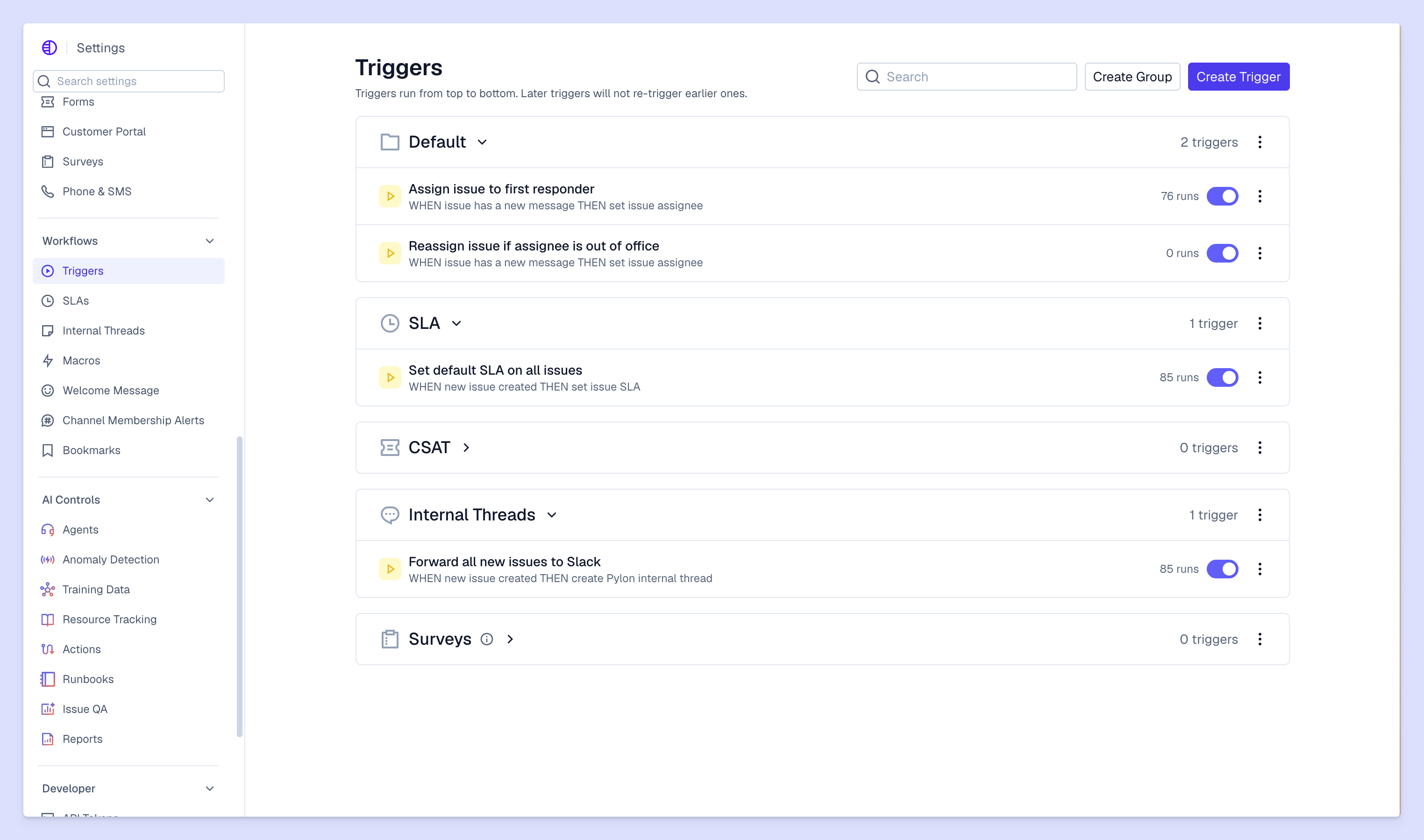
There are different strategies you can use to route or escalate issues. Here are a few to consider based on your team structure, capacity, and customer base.
This approach assigns escalation paths based on issue severity or customer tier, so critical problems bypass standard ticket queues. An enterprise customer that reports a system outage might go straight to on-call engineers instead of waiting behind routine questions.
AI analyzes issue context, support capacity, and team specialities to escalate issues to people with specific skills. Integrations experts handle API bugs, while on-call engineers handle platform issues.
This helps teams resolve issues faster, because tickets are immediately getting routed to team members with the right expertise for them.
Distribute escalations evenly across qualified team members to prevent bottlenecks and balance workload. This works well when you have multiple people with similar skill levels who can handle the same types of escalations.
Track distribution over time to catch imbalances before they lead to burnout.
Once you've set up an escalation system, you'll want to track metrics to understand how it's performing. Here are examples of metrics that can help you gauge whether you're actually improving response times and customer outcomes.
Keep track of average first response times for issues. If your team used to average 45 minutes before sending an initial reply for critical issues and it's now down to 5 minutes, that's a drastic improvement.
Track this separately for different types of issues and escalations to see where automated workflows, escalation tools, and processes have had the biggest impact.
Track the total time it takes to resolve escalated issues and how much automated escalation workflows reduce that window. It might take you the same amount of time to actually put out fixes or find solutions for customers, but even eliminating the time it takes to manually route issues will cut your overall resolution time.
Monitor what percentage of issues require escalation from your frontline support team. If the team has to escalate too many issues (say, more than 20% of their total volume), they may need access to better training or resources.
Connect team performance on escalations back to customer satisfaction scores and retention metrics. If customers who recently reported urgent, escalated issues have higher satisfaction scores than before, that's a sign your processes and tools are working.
As you build process and implement the right tooling for your team, here's a summary of how to structure your escalation strategy.
For many B2B teams, escalations tools and workflows are most successful when they're part of a complete support platform and integrated with support operations. Escalation data tells you which accounts need attention, which product areas are causing the most problems, and where your support process might be breaking down — valuable intelligence for your entire post-sales team.
Pylon is the modern B2B support platform that offers true omnichannel support across Slack, Teams, email, chat, ticket forms, and more. Our AI Agents & Assistants automate busywork and reduce response times. Plus, with Account Intelligence that unifies scattered customer signals to calculate health scores and identify churn risk, we're built for customer success at scale.
Most teams can set up basic rules and triggers within a few hours. But fine-tuning your workflows could take a few weeks, as you work through real customer escalations.
Modern support platforms like Pylon can help you manage escalations and integrate directly with Slack, Microsoft Teams, and email — so your team receives alerts where they already work.
Ticket routing distributes incoming issues across your support team, while escalation management specifically moves unresolved or urgent issues to specialized team members.
Escalation tools eliminate manual handoffs and make sure that urgent issues immediately reach the right teams. They typically use automated alert workflows and AI routing to eliminate manual delays.
Escalation tools are great for teams of any size. They help you prevent customer issues from falling through the cracks. That said, small teams might have simpler escalation paths with fewer handoffs.
Pylon Workforce Management is available now. See it in action with a live demo.



