AI support tools help customer support teams automate tickets, conversations, and workflows. Learn how these platforms work and tips for choosing one.
Dan Guo
March 6, 2026
As your B2B company grows and your customer support team has to deal with more tickets, they can struggle to meet service level agreements and manage fast response times. AI support tools help with automated replies to common questions and issues. This lets your team handle more work without adding headcount, and customers get quick answers and great experiences.
In this article, we’ll look at the key features and benefits of AI-powered support tools and help you choose the right platform.
How AI tools transform support
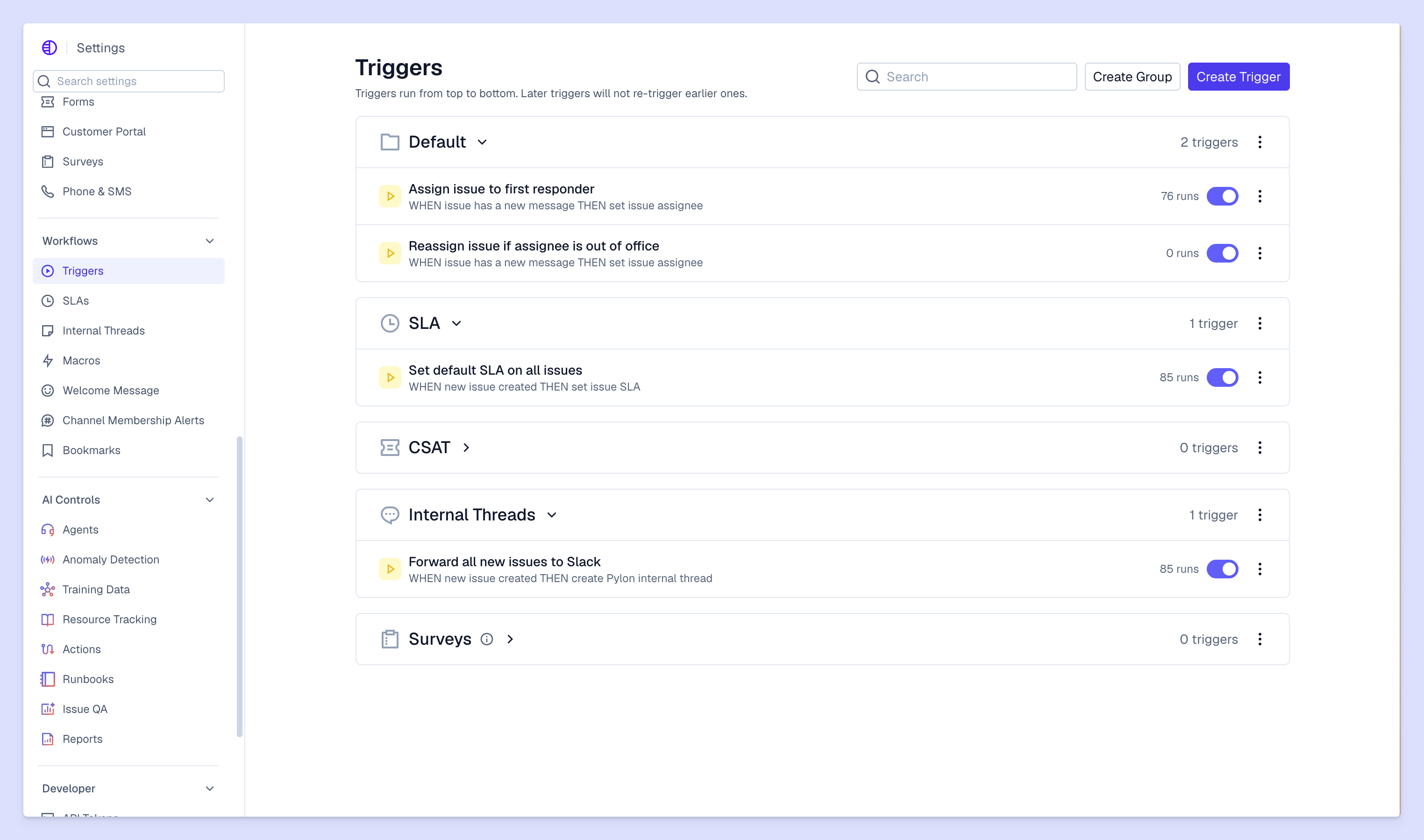
Triggers view from Pylon
AI support tools can handle key tasks automatically, which saves time and gets customers the help they need faster. You can use AI to answer questions, route tickets, draft replies, and organize customer details.
Key features of AI support tools
Here’s what AI platforms offer your support team:
Automated ticket routing. Speed up your ticketing process by letting AI prioritize tickets and assign them to the right people.
24/7 customer support. Customers can chat with an AI agent and get quick answers, even when your team isn’t available.
Faster response and resolution times. AI tools help both customers and your team get what they need quicker.
Reduced ticket volume. When AI agents answer routine questions, customers don’t need to contact your team as often.
Improved efficiency. AI can automate some repeat tasks and speed up others, like drafting messages so your team can edit them instead of starting from scratch.
Consistent experiences. AI agents give reliable answers in your brand voice, and AI assistants help your team maintain that same tone in their replies. Together, these tools create a more reliable and high-quality experience for customers.
4 types of AI support tools
These are the four main categories of AI-powered tools your support team could use.
1. AI ticketing systems
AI ticketing systems lower resolution times by routing tickets and automating tasks so your team has less to deal with. The best AI apps also help with more complex work. For example, Pylon’s Account Intelligence reviews customer conversations and finds insights about what makes customers happy and what causes them frustration.
2. AI agents
Old-school chatbots are programmed to respond to specific questions in set ways, but more advanced AI agents use natural language to chat with customers and gain a deeper understanding of their needs. Pylon’s AI Agents are purpose-built for modern B2B support, so they help customers autonomously and escalate tougher problems to your team.
3. AI self-service
Some AI tools help you build and manage your knowledge base and other self-service resources. They can review your documentation and suggest new articles based on knowledge gaps and customer interactions.
4. AI assistants
AI assistants boost productivity by creating quick summaries of issues, then suggesting replies that match your company’s branding. Pylon’s AI Assistants can also find useful resources, search customer context, autofill form fields, and translate messages.
Tips for choosing the right AI support tool
To choose between all the different AI platforms, consider:
Team size and support volume. Big teams with high ticket volumes could need a sophisticated system with lots of features and support for large-scale collaboration.
Ease of use. Some AI tools have steep learning curves, so try them out and see how easy they are to set up and learn. Look for platforms with intuitive interfaces and plenty of onboarding support.
Scalability and customization. As your company grows, your tools should evolve with you. Look for platforms that handle high ticket volumes, and make sure you can customize routing and other workflows to match your team’s changing needs.
Pricing. Although free artificial intelligence software does exist, you’ll need a premium tool to get AI features designed specifically for customer support. And when you review costs, keep in mind that the savings from faster work tend to offset the initial price.
Security. Customer support messages often include highly sensitive account data and private company info, so look for strong security features and data handling.
How to get started with AI support
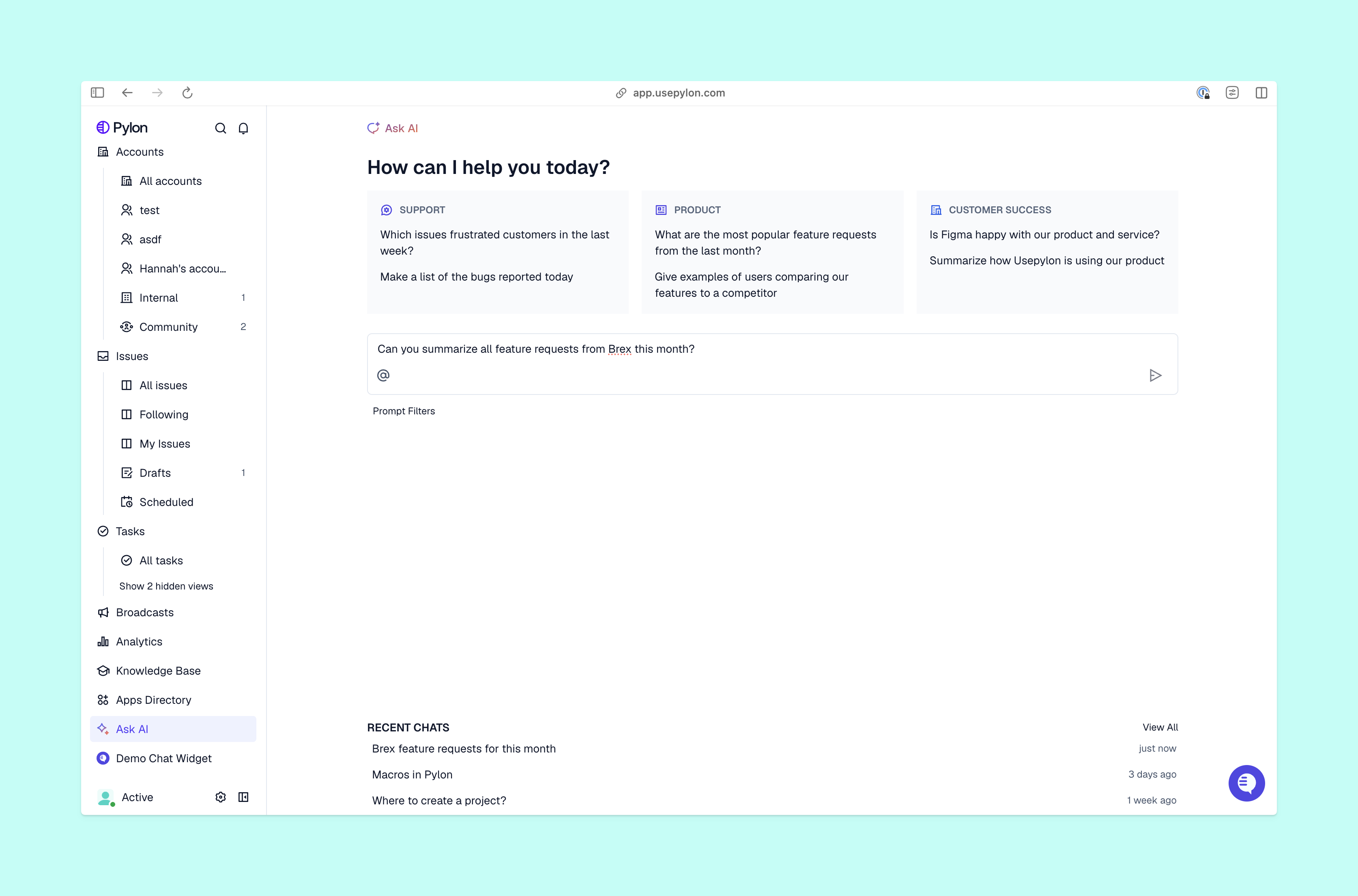
Ask AI view from Pylon
Once you pick a tool, follow these steps to set your team up for success:
Audit your current workflows. Start with a complete picture of how your support team works now, then look for bottlenecks and repeat tasks to automate.
Set clear goals. Decide exactly how you want to use AI and how you’ll measure success. Set a few customer support key performance indicators (KPIs) to track, so you can see if the AI tools benefit your team and customers.
Run a pilot test. Before you roll out a new platform to your whole team, run a small-scale trial with a few experienced members. Track results, collect feedback, and adjust your plans as needed.
Train your team. Give your team the training they need to get the most out of AI-powered tools. They need to know how to save time with key features and when to rely on their own judgment.
Measure performance. Once your AI-powered tools are up and running for everyone, track the results using the KPIs you set earlier. You can use analytics to see how much time the tools save and how often they lead to improvements. Then you can make changes based on that info to find the right balance of speed and accuracy.
Common mistakes for teams new to AI
As your team gets used to AI customer support tools, look out for these common missteps:
Over-automating. Don’t get carried away and automate all support — if customers struggle to get help from your team when they need it, they’ll quickly grow frustrated.
Ignoring feedback. Your team knows your workflows better than anyone, and they can tell you where AI truly helps customers and where it doesn't fit.
Only measuring speed. AI tools are fast, but they should also be accurate. Mistakes damage customer relationships, so pay attention to whether AI both saves time and improves experiences.
Drive faster, smarter support with Pylon’s AI tools
With the right AI tools, your team works smarter and your customers get above-and-beyond support. As your company grows and sees higher ticket volumes, it’s even more important to automate rote work and give customers reliable self-service options — that way, your team can keep up and not sacrifice quality.
Pylon is the modern B2B support platform that offers true omnichannel support across Slack, Teams, email, chat, ticket forms, and more. Our AI Agents and Assistants automate busywork and reduce response times. Plus, with Account Intelligence that unifies scattered customer signals to calculate health scores and identify churn risk, we're built for customer success at scale.
AI automates repetitive tasks like ticket categorization, response suggestions, and routing, allowing the support team to focus on complex customer issues.
Can AI support tools integrate with existing systems?
Most AI support tools integrate with CRM platforms, communication channels, and knowledge bases to maintain a unified support workflow.
Are AI support tools suitable for small teams or startups?
Yes. Many AI support tools are designed to scale gradually, helping small teams handle higher ticket volumes without increasing headcount.
Is AI customer support secure and compliant?
AI support tools typically include security controls such as role-based access, encryption, and compliance with data protection standards.
Can AI replace human customer support?
AI enhances support teams but does not fully replace them, especially for complex, emotional, or high-stakes customer interactions.
Built for Modern B2B Support
Resolve issues faster, strengthen relationships, and uncover opportunities across every customer interaction.