
When exploring potential AI agent solutions, one critical distinction to consider is whether the agent will support your team internally or interact directly with customers. Depending on their tasks, AI agents might be responsible for responding to support team requests or performing actions autonomously when a specific trigger occurs.
This guide explores different types of AI agents for support teams and how to choose the right one for each workflow.
AI agents are software systems that use artificial intelligence to perform tasks within customer support workflows. Depending on their capabilities and access to company systems, AI agents can answer questions using a knowledge base, investigate issues, or autonomously perform pre-approved tasks.
AI agents are often classified by their underlying architecture or level of autonomy, including categories like reactive agents or goal-based and learning agents. For teams considering AI for customer support, however, it’s more useful to analyze the job an agent can perform and who needs to interact with it.
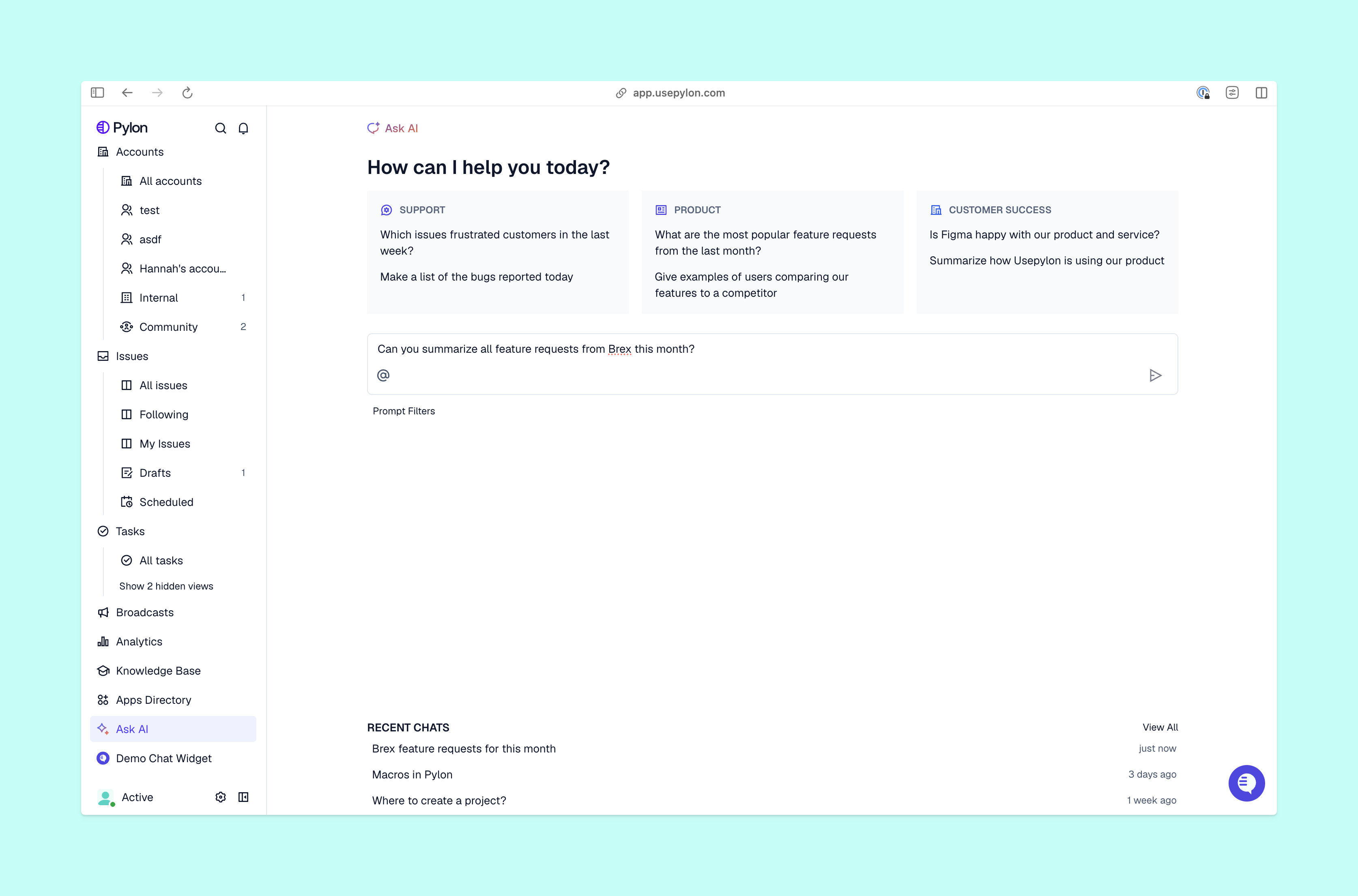
You can organize the different types of agents available to support teams by the work they perform. Some resolve customer questions autonomously, while others support team members through efficient daily operations.
These five types of AI agents cover common B2B support tasks.
Type: Customer-facing | Trigger-based
Customer-facing AI agents respond directly to incoming support requests, making them a good fit for routine questions and issues that don’t require human judgment. They rely on approved knowledge to provide answers and can escalate more complex requests to your support team.
Pylon’s Support Agent automatically responds to customer messages across your support channels. You can configure rules and boundaries so it knows when to resolve an issue on its own or escalate to a team member.
You might want the agent to immediately escalate requests from certain enterprise customers, for example, while allowing it to resolve routine questions on its own using your approved knowledge.
Pylon’s Support Agent only uses the knowledge your team pre-approves for access. Internal conversations and account information stay private between the agent and team members using it.
Type: Internal | On-demand
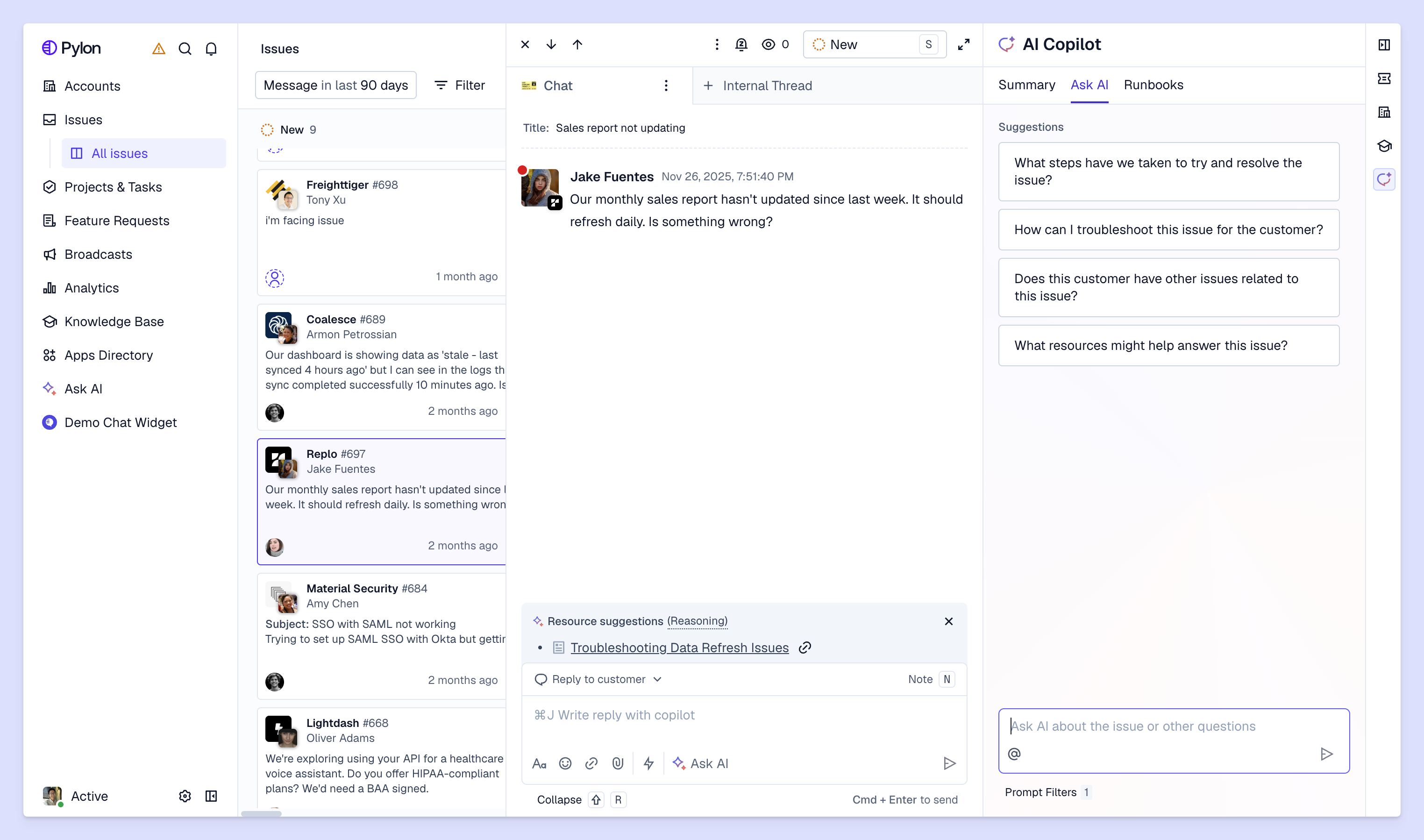
Some customer tickets require a little digging and extra work to resolve. Investigation and assist agents take on basic detective tasks, like summarizing necessary information for support teams to troubleshoot complex issues and decide next steps.
Say a customer reports that a new employee can’t access their workspace even though they’ve sent an invitation. A team member asks agentic AI to investigate, quickly pulling up information across the customer’s account configuration, error logs, and past tickets to identify the access problem.
Pylon’s Assist Agent works directly inside the support ticket, using available account context and connected tools to investigate each issue. It recommends next steps from its findings and drafts a response for the support team to approve.
Type: Internal | Trigger-based
Support teams spend a lot of time on routine tasks that follow predictable patterns and outcomes. Trigger-based automation agents can handle these workflows, either when a specific event occurs or on a set recurring schedule.
An automated agent can generate a weekly report summarizing ticket trends, unresolved tickets, and gaps in your knowledge base. Pylon’s Automations let you configure these workflows to run on a set schedule without someone manually kicking off each task. This frees up your team to focus on customer issues that need personalized attention.
Type: Internal | On-demand
Your support team probably already spends a good portion of their day in Slack, whether they’re asking colleagues questions or sharing information about customer issues. Team chat agents bring AI assistance into those conversations.
A support team member can message the AI agent privately to ask whether a particular feature is available on a customer’s plan. In a team channel, someone could tag the agent to clarify an escalation procedure that everyone in the conversation needs to know.
Pylon’s Slack Agent uses AI language models to understand questions written in natural language and provide conversational answers based on your company’s internal knowledge base. It also performs supported actions based on each employee’s permissions. You can use it in internal Slack channels and direct messages, but not in customer-facing Connect channels.
Type: Internal | Trigger-based
When a support request arrives, someone needs to determine its urgency and assign an owner. Triage and routing agents automate these decisions, classifying incoming tickets and assigning them to the appropriate support queue based on predefined criteria.
When a customer on an enterprise plan reports a failure with accessing their account, an AI agent can recognize the urgency and route it to the appropriate support team member for immediate attention. Meanwhile, a routine question about updating account settings can flow to the standard support queue.
Pylon’s Automations can classify and route incoming issues based on account tier, issue type, or SLA risk. Unlike other trigger-based automation agents that gather context for human review, triage agents decide where each ticket belongs and its level of urgency.
Begin by identifying the support workflow you want an AI agent to improve and what you need the AI agent to do.
The most common types of agents in artificial intelligence fit one of these four functions:
Each workflow calls for unique AI capabilities and levels of autonomy. The next step is deciding how much responsibility you want to give the AI agent.
Routine, predictable tasks are generally good candidates for AI-powered automation. A customer-facing AI agent can answer common questions, while a triage agent can classify incoming tickets and route them to the right inbox. These workflows have clear rules and results, making it easier to define when and how an agent acts on its own.
More complex, account-specific issues require a more personable approach. An internal AI agent can help with troubleshooting and recommending next steps, but support team members should stay involved when a decision carries greater risk for the company or customer.
When configuring AI agents and mapping out workflow automations, decide what the agent can handle independently and when it should ask for human approval. Map out clear escalation paths so the agent knows when humans need to step in.
If a customer asks an AI agent for specific information, the agent can retrieve it and resolve the request. But if the customer disputes the findings, the agent can gather the relevant information and escalate the issue to a support team member for further review.
The goal isn’t to fully automate customer support. It’s giving your support team more time to focus on complex customer issues that benefit from human judgment and expertise.
Pylon gives support teams the flexibility to use different AI agents across their workflows, with clear guardrails around what they can handle independently. Each has a distinct role, so you can match the right agent to the job while keeping support team members involved where their expertise is most valuable.
You don’t have to rely on a single AI agent to handle every support workflow. Combining different types of AI support gives more coverage and control over how your team approaches daily tasks. A customer-facing agent might resolve routine questions through a live chatbot while an internal AI agent helps your team investigate complicated tickets. Meanwhile, trigger-based agents handle repetitive tasks to keep the support inbox organized and urgent issues flowing to the right people.
Pylon is the Agentic Support Platform built for B2B support teams. It brings conversations across Slack, Teams, email, chat, and other channels into one place, giving AI the context to help resolve customer issues and continuously improve your knowledge base. Pylon can identify missing or outdated documentation, generate new content from real support conversations, and help your team keep knowledge accurate as your product evolves.
Reactive agents respond to specific inputs or triggers using predefined rules. Goal-based agents choose actions to achieve a desired outcome. Learning agents use feedback and past experience to improve their performance.
AI agents can struggle with ambiguity, especially when a customer’s request is unclear or requires information they haven’t provided. Their capabilities also depend on the knowledge and tools they have access to, so clear escalation rules and regular support team review are important to complete more complex tasks accurately.
Multilingual AI agents can answer customer questions in different languages, reducing the need for separate language-specific queues. Localization agents adapt responses to regional terminology and communication preferences.
Sentiment analysis agents identify emotions in customer support conversations, helping support teams gauge customer satisfaction and spot signs of frustration. Escalation agents flag issues that need human attention based on criteria including negative sentiment or issue urgency.
Pylon Workforce Management is available now. See it in action with a live demo.