


Updated February 24, 2026 | 13 min read
Your support team spends hours answering the same questions over and over, while complex customer issues sit waiting in the queue. But with AI agents handling the repetitive requests, your team can focus on conversations that actually need their expertise.
This guide covers what AI agents are in customer support, how they work with your existing support setup, which tasks they handle best, and how to choose and implement the right AI support platform for your team.
AI agents for customer support are autonomous systems that can independently handle customer conversations and resolve support issues. It's software that's trained to understand what your customers are asking, figure out the right answer, and take action to fix the problem.
You've probably heard of or encountered customer service chatbots before, but AI agents are different. Basic chatbots follow rule-based scripts: When a customer says X, the bot responds with Y. On the other hand AI agents learn to understand conversational context, make decisions based on variable content, and improve with every conversation they have.
AI agents can also be deployed across all your support channels. A customer can start a conversation in Slack or open an in-app chat thread, and the agent can handle both. It will also use data from your existing support system to pull up their account history, check your knowledge base, update metadata in your CRM, and decide when a situation is too complex and needs to escalate to your team.
The core difference comes down to autonomy. AI agents don't just answer programmed questions — they resolve issues end-to-end and get smarter over time.

AI agents for customer service are meant to slot into your existing support setup. They aren't replacements for your team.
They handle the repetitive requests and issues that eat up hours every week, while your support team focuses on complex conversations that require specialized expertise.
Here's how AI agents work with your team.
AI agents use natural language processing to figure out what customers are asking, even when customers use different phrasing or add unique account details.
They also pick up on urgency, tone, and sentiment. If a user sounds frustrated or mentions they're completely blocked from completing a workflow, the AI agent can flag that conversation as high priority or escalate it immediately to your team.
Most AI agents either connect directly to your helpdesk or existing support system — or you may choose a support platform with agents natively built in. Both setups typically mean agents can access data from your CRM, knowledge base, and part support interactions. They can look up a customer's account details, reference your documentation, create tickets, and respond across your support channels.
Plus, you can also configure AI agents to update your support system with new data from conversations. And when an AI agent resolves a ticket, that resolution gets logged like any other support interaction.
AI agents improve over time by learning from resolved tickets and corrections from your team. When a support team member steps in or edits an AI suggestion, the AI agent trains on that updated data.
They also adapt to your specific product and customers. The more conversations they handle, the better they get at understanding your customers' common questions, your product's quirks, and how your team explains solutions.
Compared to chatbots, AI agents are specifically equipped to handle the complex support cases that B2B post-sales teams encounter. Here are some of the benefits of adding them to your support operations.
With AI-powered customer support, customers can get responses almost immediately. AI agents can operate at any time of day, so users don't have to wait as long for an initial reply.
As you scale your global customer base, AI agents can provide initial round-the-clock support before you need to grow a global team — without you having to staff night shifts.
Since you can configure AI agents to match specific tone, product, and operating standards, they help you deliver consistent support quality to your customers at scale.
With AI ticketing systems, you can configure AI agents to automatically escalate tricky issues to the right support team members. If the agent can't resolve a problem on its own, it might send platform bugs to your engineering team, escalate billing questions to account managers, or assign urgent issues to your support on-call.
AI agents excel at specific types of work where they can deliver immediate value. Here are a few examples of problems they're particularly well-suited for.
AI agents are great for understanding and responding to repetitive questions about how features, pricing, or basic errors work. They can pull from your knowledge base and explain the same concept in different ways for different customers. Plus, they can direct users to links to relevant documentation.
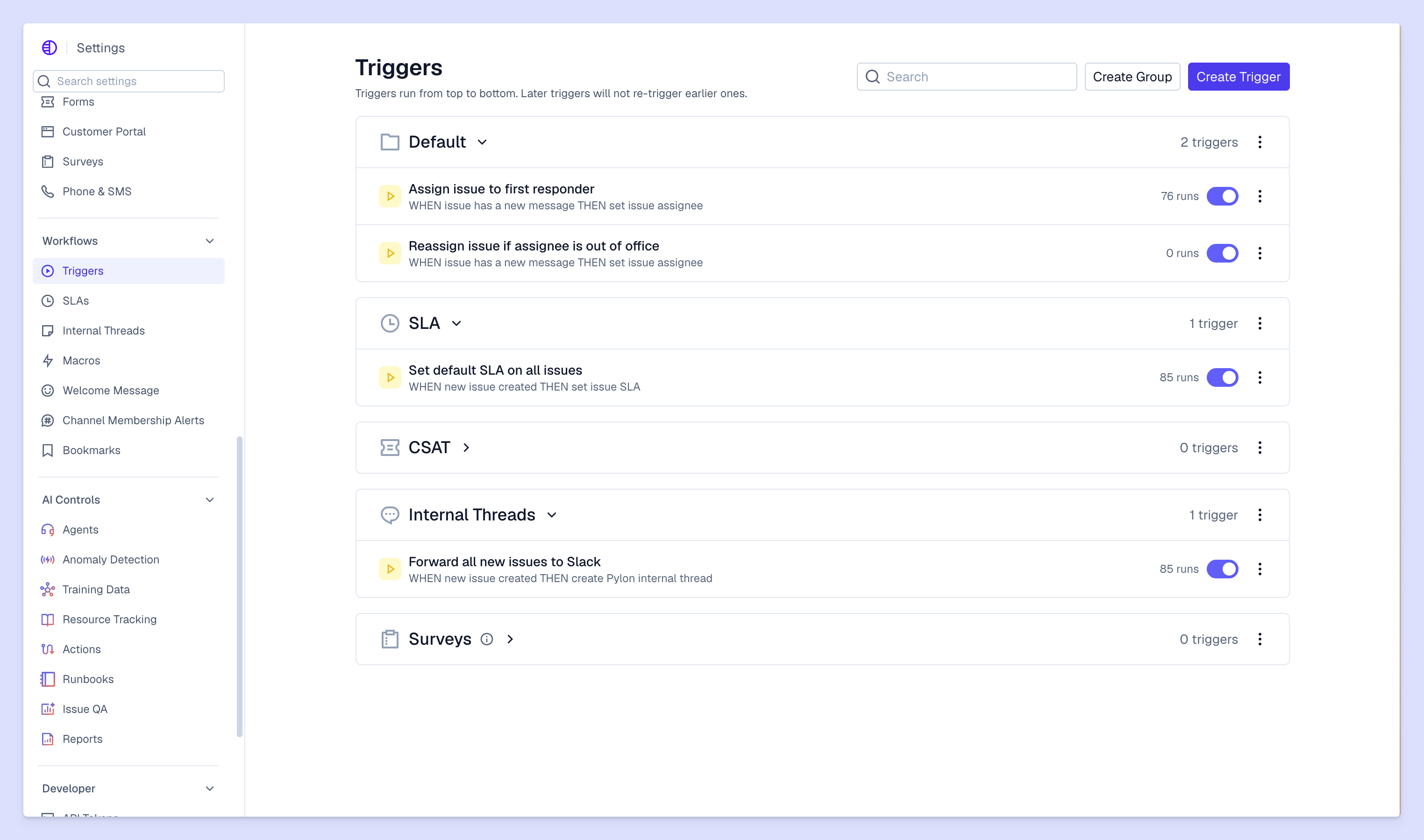
Platforms like Pylon let you set up runbooks for your AI agents, which makes them great at processing changes like account updates, deletions, or cancellations. You can give them access to update data directly in your support system, check with your team, and confirm with the customer once the workflow is complete.
AI agents walk customers through standard troubleshooting for known problems. Clearing cache, checking permissions, updating integrations, restarting services... They follow your documented troubleshooting workflows and can resolve common technical issues without escalation.
When AI agents encounter a problem they can't solve independently, they can still collect all the relevant details from customers upfront: account information, error messages, steps a user has already tried, what the customer is trying to accomplish. The issue gets escalated to your team with complete context.
You can configure AI agents to automatically check in with customers after a ticket closes to confirm everything is working. These follow-ups happen consistently for every ticket instead of getting skipped when your team is swamped.
Picking the right AI support platform comes down to how well it fits into your existing operations. Here's what to look for.
Your AI agent needs to work across the existing channels in your omnichannel support setup: Slack, Microsoft Teams, email, chat widgets, ticket forms, and more.
If most of your customer base uses a platform like Slack or WhatsApp, look for AI support systems that treat them like first-class channels.
Check how AI agents learn from your documentation and existing support content. The best platforms let you connect your knowledge base, help center, internal docs, and past ticket resolutions so the AI agent has everything to draw from.
You'll also want to see how easy it is to update what the AI agent knows when your product changes or you add new features.
The transition from AI agent to your team needs to be seamless. Look for platforms where escalations include full conversation history, customer context, and clear summaries so your team knows exactly what's already been tried.
Your team members shouldn't waste time reading through an entire conversation to figure out what's happening. The AI agent surfaces key details upfront.
You need visibility into what's working and what isn't. Track resolution rates, common issues, customer satisfaction scores, and the percentage of tickets handled without human involvement.
The best platforms also show you where AI agents are struggling so you can improve their training or update your documentation.
To successfully roll out AI agents, start small and scale based on what's actually working. Here's how to approach implementation.
Start by identifying which tickets are repetitive and good candidates for automation. Pull your ticket data from the last quarter and group requests by category to find patterns.
Look for high-volume, low-complexity requests like basic API questions, feature explanations, or account updates that follow predictable workflows.
AI agents are only as good as the information they can access. Organize your documentation with knowledge base software that's clear, complete, and structured in a way AI agents can reference effectively.
If you don't have comprehensive documentation yet, start by documenting the resolutions to your most common tickets.
Set up rules and runbooks for when AI agents should respond, escalate, or take specific actions based on request type. Define clear escalation triggers: when a customer mentions they're blocked, when sentiment becomes negative, or when the AI agent's confidence is low.
You'll also want to configure which actions AI agents can take on their own (like resetting passwords) versus which require human approval (like issuing refunds).
Run your AI agents with your own team before deploying to customers. Have team members submit real support requests and evaluate the AI agent's responses for accuracy, tone, and completeness.
Testing helps you catch issues and refine responses before customers see them.
Track AI agent effectiveness daily in the first few weeks and continuously improve based on customer feedback and resolution data. Pay attention to which types of requests get escalated most often. These tell you where your AI agent needs better training or documentation.
Set up regular reviews with your team to discuss what's working and what needs adjustment.
AI agents are evolving from standalone tools into integrated systems that work alongside your entire post-sales organization. The shift isn't just about automating responses, it's about connecting support data to your broader customer success strategy.
Pylon is the modern B2B support platform that offers true omnichannel support across Slack, Teams, email, chat, ticket forms, and more. Our AI Agents & Assistants automate busywork and reduce response times. Plus, with Account Intelligence that unifies scattered customer signals to calculate health scores and identify churn risk, we're built for customer success at scale.
Pricing varies by platform and typically depends on ticket volume or number of conversations handled. Most providers offer tiered plans based on your support needs, starting from a few hundred dollars per month for small teams to enterprise pricing for high-volume operations.
AI agents excel at routine requests and can gather context for complex issues, but they work best alongside your support team members who handle nuanced account-specific situations. For multi-stakeholder decisions, custom implementations, or situations requiring business judgment, you still need your team's expertise.
Implementation timelines range from a few days to several weeks depending on your knowledge base readiness and integration requirements. If you have comprehensive documentation and straightforward integrations, you can start seeing value within a week.
AI agents escalate to your human support team members with full conversation context so customers don't repeat themselves. The handoff includes what the customer asked, what solutions were already tried, and any relevant account information. Your team picks up exactly where the AI agent left off.
Track resolution rate (percentage of tickets resolved without human intervention), response time, customer satisfaction scores, and deflection rate. Also monitor escalation patterns to identify where your AI agent needs better training or where your documentation has gaps.
Pylon Workforce Management is available now. See it in action with a live demo.




