


Modern B2B customers need support through multiple channels, like chat, Teams, and Slack — and they want conversations to be continuous. Research shows that 79% of customers expect consistent, connected interactions across departments and touchpoints.
If you manage each channel in isolation, you’ll create fragmented experiences that suffer from duplicated effort and missed context. But with cross-channel support, you effortlessly connect messages across teams and accounts. Customers don’t have to repeat themselves, and your team members have access to the context they need to deliver high-quality support.
In this article, we’ll explore what cross-channel support is and how you can build a strategy that fits your customers and team.
Cross-channel support is a strategy that coordinates conversations across multiple platforms like email, Slack, and live chat. It creates a unified experience and provides team members necessary context and information. For instance, a customer discusses a glitch with one teammate. This teammate transfers them to a new department, and thanks to cross-channel support, the new employee has the chat log and troubleshooting notes from the previous touchpoint.
The key here is coordination. Many support teams now offer support through multiple channels, but if they don’t reconcile and organize interactions properly, customers have to start from scratch when they move from one channel to another.
Cross-channel support is often confused with terms like multichannel and omnichannel support. Here’s the difference between those terms in a B2B support context:

Solid cross-channel integration provides these main advantages:
Here are the main elements of a solid cross-channel management strategy.
A connected inbox lets you route all customer conversations into a single dashboard. This gives teams instant access to customer messages, regardless of where the conversations take place. Unified inboxes are similar to omnichannel support, though cross-channel systems typically aggregate data, while omnichannel tools sync it instantly.
Look for a tool that offers native or API-based connections to the channels your customers use. Software should sync up with your preferred platforms and make it easy to create an interconnected hub. For example, a fluid Slack integration sends chats to a unified inbox and sends AI responses for quick follow-ups.
Cross-channel tools connect internal data and account information. Any team member who works on a particular issue has access to the full conversation context, account health score, and customer type. Software also provides a record of involved teammates, so the current team member knows which people are in the loop.
If you manage high volumes of customer interactions, look for AI software that prioritizes issues and sends them to the right person. The best platforms for cross-channel support have rules to customize how you route and escalate, so your team can focus on communication and resolution instead of triage.
Cohesive cross-channel management depends on high-quality data and regular reports. Siloed information doesn’t give you the full picture — Slack responses might be quick, while email replies lag behind. Use a support platform that collects data across all platforms to help you spot trends and identify bottlenecks in your workflows.
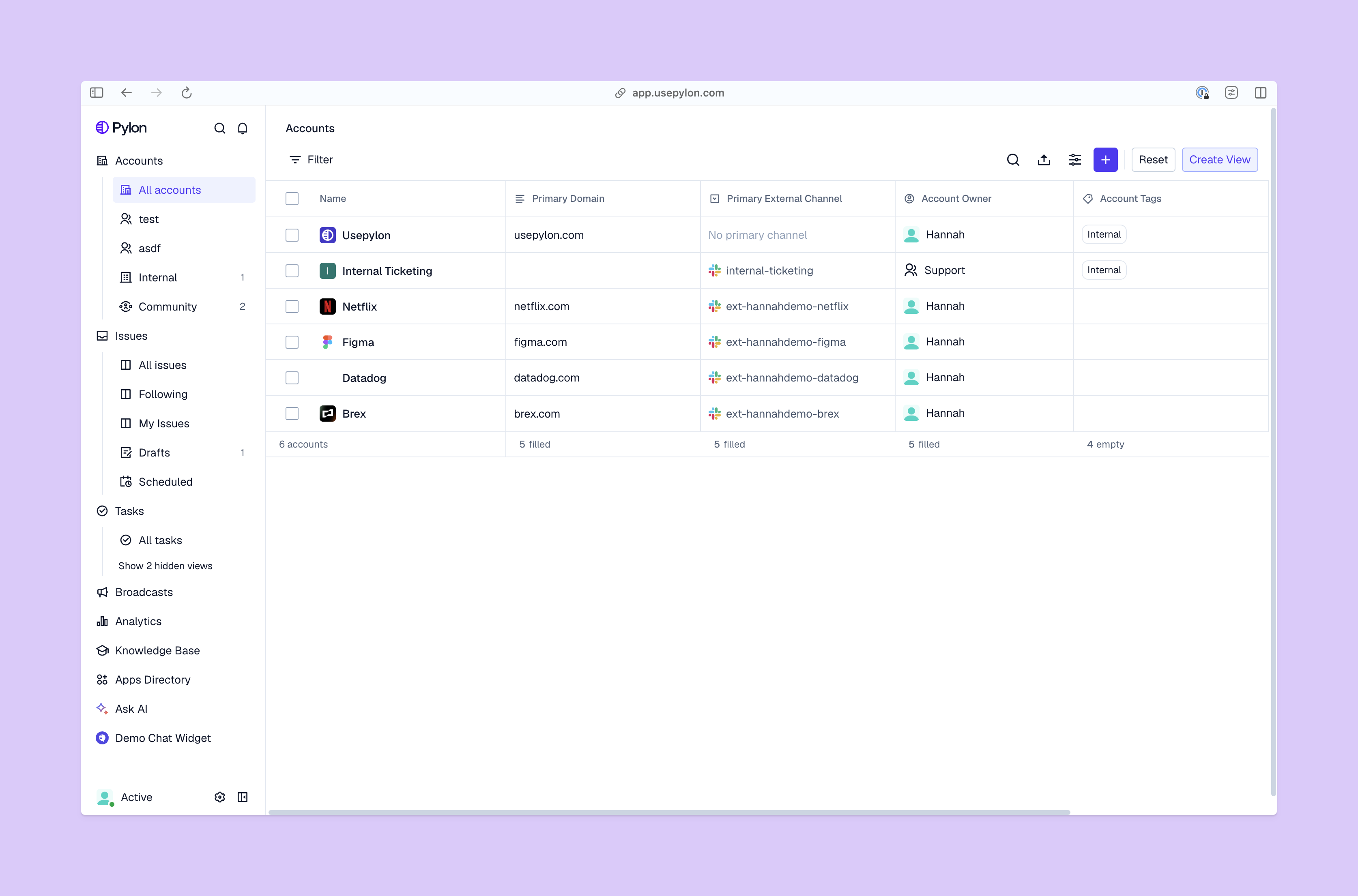
Follow these six steps to move from a fragmented customer experience to a comprehensive cross-channel strategy.
Start with a clear map of every support platform customers use. Include formal channels like email and support tickets, as well as informal ones like social media and SMS messages.
This step lets you consider every support window in your company before you combine them, and it also helps you narrow down issues. Look back through customer conversations, and mine your support metrics to see where customers are dissatisfied, resolution times are too long, and context is lost.
Once you have a list of channels, sort them into a logical order. Some platforms will be your focus, while others will be supplementary. As a general recommendation, channels that customers use the most should be primary.
Plan how to connect these channels. Messages will always be interconnected, but you’ll need to choose workflows — like how to log issues in ticketing systems and when to move customers to the next platform. For example, you may move from chat to email for longer follow-ups or from email to Slack for urgent issues.
Select a support platform to connect your channels. Look for strong integration capabilities that match your tech stack. While native connections are easiest, APIs allow for greater flexibility with a wide variety of software.
When customers contact you on different platforms, they should experience the same level of support. Establish consistent service level agreements, and determine response times by issue urgency, not channel type. There should be clear rules for prioritization and escalation paths, so customers reach the right person whether they contact you through email or live chat.
Build consistent response templates, too. The length and wording may vary, with longer responses on email and shorter ones on social media, but the overall message should feel cohesive.
Give your team the skills they need to provide cross-channel support. Train them to read through customer context and check if conversations span multiple channels before they respond. Standardized rules tell teammates when to switch channels and who owns different issues, so there’s no handover friction when conversations move channels.
When your system is up and running, track cross-channel support metrics like resolution time, customer satisfaction, and ticket reopen rates. This lets you view high-level performance and pick out platform-specific problems.
For example, you might see a high rate of tickets that reopen after live chat interactions, which shows customers aren’t satisfied with resolutions. With this data, train live chat team members to switch channels for complex issues and escalate when needed. You can also make sure they confirm the fix was successful before they close a ticket.
A cross-channel strategy lets you provide high-quality support to every customer, whether they contact you on Slack, email, live chat, or social media. It’s a comprehensive system, but for teams who want a truly uninterrupted experience, try a real-time omnichannel tool like Pylon.
Pylon is the modern B2B support platform that offers true omnichannel support across Slack, Teams, email, chat, ticket forms, and more. Our AI Agents and Assistants automate busywork and reduce response times. Plus, with Account Intelligence that unifies scattered customer signals to calculate health scores and identify churn risk, we're built for customer success at scale.
Cross-channel support connects customer conversations across platforms and preserves context. Omnichannel goes further and unifies messages and account details instantly, with no need to aggregate data over time.
B2B teams should cover whichever channels their customers use. This often includes email, live chat, Slack, Microsoft Teams, and ticket forms. Phone calls and in-app messages are common additions for high-priority issues that require a hands-on touch.
AI enables consistent, fast responses across channels. It automates triage, routes conversations intelligently, and resolves common questions without human involvement. AI tools also give human teammates instant context when conversations move between channels.
A unified inbox or thread management layer, channel integrations (Slack, Teams, email, chat), shared account data, intelligent routing, and cross-channel analytics are the core components. Many teams consolidate these into a single support platform and don’t stitch together multiple point solutions.
Pylon Workforce Management is available now. See it in action with a live demo.





