How to choose workforce management software for your B2B support team
Workforce management software helps support teams forecast demand and optimize scheduling while meeting SLAs. Learn about key features for B2B teams.
Dan Guo
October 28, 2026
Workforce management (WFM) is how you make sure your team has enough support capacity to meet customer demand. This process helps you avoid two extremes: high labor costs from too many hires and ticket backlogs or falling service levels from not enough coverage.
Dedicated WFM tools can be designed for broad use, focusing mainly on time and attendance. More purpose-built tools may prioritize contact center operations or modern B2B support needs. Some also offer agentic features that help you move toward blended, efficient human and AI-powered support workflows.
In this article, we’ll walk you through the different types of workforce management software for support teams, and explain what modern B2B teams should look for.
What are the types of workforce management software?
These are five common kinds of WFM applications. Some workforce management platforms focus mostly on one of these areas, while others offer features in multiple categories.
Type of software
How it works
Who it's for
Time and attendance WFM
Tracks each team member's hours, including overtime and PTO
HR and operations teams managing hourly employees
Employee scheduling WFM
Helps you build employee schedules and continuously update them to avoid overstaffing or understaffing
Team leaders trying to optimize staffing levels and skill mix across shifts
Contact center WFM
Creates call volume forecasts and calculates how many team members you need at different times
Call centers with high volumes of customer interactions
Support-focused WFM
Uses data from different channels to forecast workload and help support team leaders adjust team capacity to meet demand
Support teams that work across multiple communication channels like email, Slack, Teams, and live chat
Human plus AI WFM
Builds forecasts by estimating how much of future ticket volume can be handled by AI agents, then allocating the remaining workload to your team
Customer support teams that make extensive use of agentic AI and automation
Which kind of WFM software should you choose?
Account custom fields view from Pylon
To choose the best workforce management tool, start by reviewing your team’s operational model and the main challenges you face. Then, look for a platform that helps you overcome those challenges, while letting you keep the parts of your support model that already work well.
For example, if you run a B2B support team that offers support across channels, you could struggle to forecast workloads accurately using data from siloed tools. To improve planning, you’d benefit from a support-focused tool with strong AI workforce management capabilities.
Here’s when each type of WFM software could fit:
Choose time and attendance WFM if your main challenge is tracking your team’s hours, overtime, leave, and absences.
Choose employee scheduling WFM if you already understand your workload, but you struggle to schedule shifts to ensure sufficient coverage and a good mix of skills.
Choose contact center WFM if you manage a traditional high-volume contact center, and you need to forecast call volumes and schedule teams to meet SLA targets.
Choose support-focused WFM if you manage a B2B customer support team, and your challenges include understanding volumes across channels and making sure you have enough team members for handoffs and escalations on complex issues.
Choose human plus AI WFM if you want to streamline work and improve outcomes using AI agents, and you need to account for agent-handled work when forecasting capacity.
How to compare WFM options
Once you know the type of workforce management software you need, here’s what to look for in each platform:
Startup requirements. Know how much time and investment you’ll need to set up and configure the new platform.
Forecasting tools. Find out how the platform builds forecasts and what data it uses. B2B support teams need a solution that accounts for handoffs, escalations, and issues with different levels of complexity.
Supported channels. Make sure the app supports the channels your customers use, and pulls in data reliably from all those places.
Scheduling features. Decide if the scheduling depth matches your needs. Some teams just want the right number of team members in place, whereas others prefer detailed scheduling that takes skills and experience into account.
Real-time visibility. Choose a platform that gives you real-time updates on current workload and capacity, so you can spot problems and deal with them fast.
Scenario modeling. The best workforce management tools let you ask “What if?” questions and see the impact of different scenarios. For example, you could see how a 10% spike in ticket volumes might affect your team’s capacity.
Third-party integrations. Be sure your WFM software can use data from your support software and operational systems, so you don’t need to move information manually.
Scalability. The system you pick should handle higher volumes and more complex support workflows as your team scales.
Common mistakes to avoid
As you compare options, watch out for these pitfalls:
Opting for a generic tool. A WFM application can have strong features, but still cause problems if it doesn’t fit your operating model. For example, a generic time and attendance-tracking system could be great for an HR team, but too rigid for a dynamic B2B environment where demand fluctuates and customer issues vary in complexity.
Failing to account for AI. When AI agents start to handle more customer issues, they don’t always lower the human workload in direct proportion. Agents often have to escalate tickets to your team or wait for approval before taking actions. So you’ll need a sophisticated workforce planning system that calculates the impact of AI accurately.
Pylon: Workforce management for humans and agents
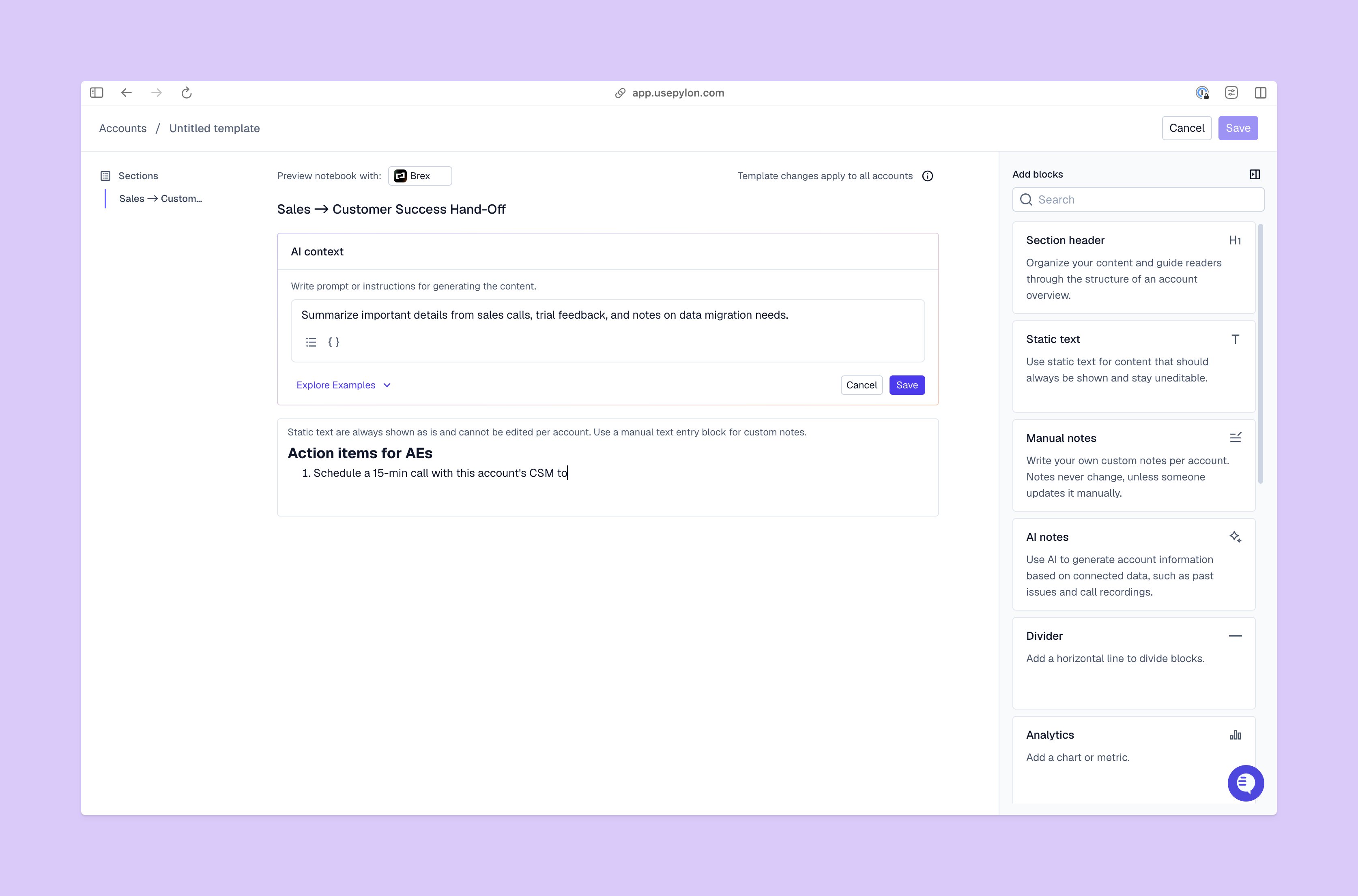
Account notebook editing view from Pylon
Pylon’s workforce management tools are built for B2B support teams running a blended workforce of humans and AI agents. Capacity models start by using foundational support data, like issue volume, arrival patterns, escalation rate, and handle time, to forecast customer demand.
Then, Pylon uses actual AI agent resolution and escalation rates to calculate the remaining workload for your team. Staffing heatmaps show you the times you’re likely to be over and under-staffed in different teams, so you can make changes to create a better balance.
Wispr Flow used Pylon’s analytics and AI features to scale ticket volume 4x with minimal team growth. Here’s what they had to say:
“By switching from Front to Pylon, I was able to go from a one-person support team managing about 500 tickets a week to managing a six-person support team handling upwards of 2,000 tickets a week, quickly and efficiently.”
– Samm Yates, Founding Head of Customer Experience at Wispr Flow
Plan support capacity across humans and agents with Pylon
Your B2B support team needs workforce management software built around how you actually work and what your customers need. That includes accurate forecasting based on the ways agentic AI assists with resolutions and resolves issues autonomously.
Pylon is the Agentic Support Platform built for B2B support teams. It brings conversations across Slack, Teams, email, chat, and other channels into one place, giving AI the context to help resolve customer issues and continuously improve your knowledge base. Pylon can identify missing or outdated documentation, generate new content from real support conversations, and help your team keep knowledge accurate as your product evolves.
What are the biggest challenges in workforce management?
One hard part of workforce management is accurately forecasting demand as ticket volumes change. It can also be challenging to account for AI ticket resolution, especially if you use a traditional model based only on human activity.
How often should workforce forecasts be updated?
Workforce management is a continuous process, and forecasts should be updated in real time. You’ll need WFM software that gives you a current view of demand and capacity, so you can make adjustments as needed.
What data does workforce management software use for forecasting?
WFM software uses historical ticket volumes combined with response and resolution times to predict future demand. Some tools can also consider seasonal patterns, and break down overall ticket volume by channel and issue type. Pylon goes even further by using agent resolution and escalation rates to predict AI and human workloads accurately.
How do you measure whether workforce management is effective?
To see if your WFM process works well, measure outcomes like customer satisfaction and ticket backlog alongside your team’s utilization rate and labor costs. If you can keep customers happy and manage the queue with minimal friction, all while avoiding excess capacity, your workforce planning is effective.
Built for Modern B2B Support
Resolve issues faster, strengthen relationships, and uncover opportunities across every customer interaction.



.png)