Agentic AI has changed the B2B customer support field, but many capacity planning strategies are still playing catch-up.
Capacity planning models often assume that every support ticket needs a person from end to end. Many teams are now running AI agents, which changes the equation. Gartner predicts that agentic AI will autonomously resolve 80% of common customer service issues without human intervention by 2029, leading to a 30% reduction in operational costs.
In this guide, we’ll explore how to create a capacity plan for a B2B support team that has adopted agentic AI. We’ll cover traditional lag, lead, and match strategies, and show you how to update them for a blended support model that handles volume spikes without shifting service quality.
Scaling support teams need to have enough team members with the right skills ready to resolve higher ticket volumes. That’s what a capacity plan is for: Support leaders use historical ticket data to predict the expected workload and see if they have enough team members to cover it all. Then, they adjust staffing levels and tooling to plug any gaps.
Capacity planning is similar to resource planning, but differs in goals and timescale. Capacity planning focuses on creating a long-term strategy to help you meet customer demand. Resource planning puts team members and tools in place short-term, like building a weekly schedule.
After you have a capacity plan and allocated resources accordingly, you’ll need to keep tracking ticket volumes. Then, adjust staffing and team allocation when actual demand differs from what you forecasted for long-term capacity management.
These are the main types of capacity planning in operations management.
The lag strategy is reactive: When you see volumes increase, you increase team capacity to have the availability you need to meet the higher demand. It’s cost efficient because you only scale the team when you have proof of demand.
This strategy also introduces some risk. If you don’t respond quickly enough to volume spikes, response times slow. Late replies and breached service level agreements (SLAs) can threaten customer satisfaction while your team burns out.
The lead strategy is more proactive than lag. You increase hiring levels before higher volumes start. This is a good approach for fast-growing companies because it puts the resources in place to handle increasing ticket volume as it becomes a new normal. However, if the forecasted demand doesn’t happen, you’ll end up with excess capacity that can strain your budget.
The match method aims to balance lead and lag strategies. You add capacity in anticipation of higher demand, but more often and in smaller amounts, so there’s less risk of excess capacity.
The three traditional capacity planning strategies are based on human teams handling each ticket, but many B2B support teams now work with AI agents. Today’s blended capacity planning models need to calculate manual and automated capacity separately before unifying them into a single schedule.
Here are some common constraints that can prevent support teams from building accurate capacity models:
.png)
In a blended support model, capacity planning needs to look at more than just headcount. AI agents can resolve many issues autonomously and give customers instant answers to simple questions. They can also make support teams more efficient by investigating issues as they come in and suggesting solutions.
When predicting future demand, you’ll need to estimate how many tickets will be fully automated, AI-assisted, and human-only, and then calculate the workload accordingly.
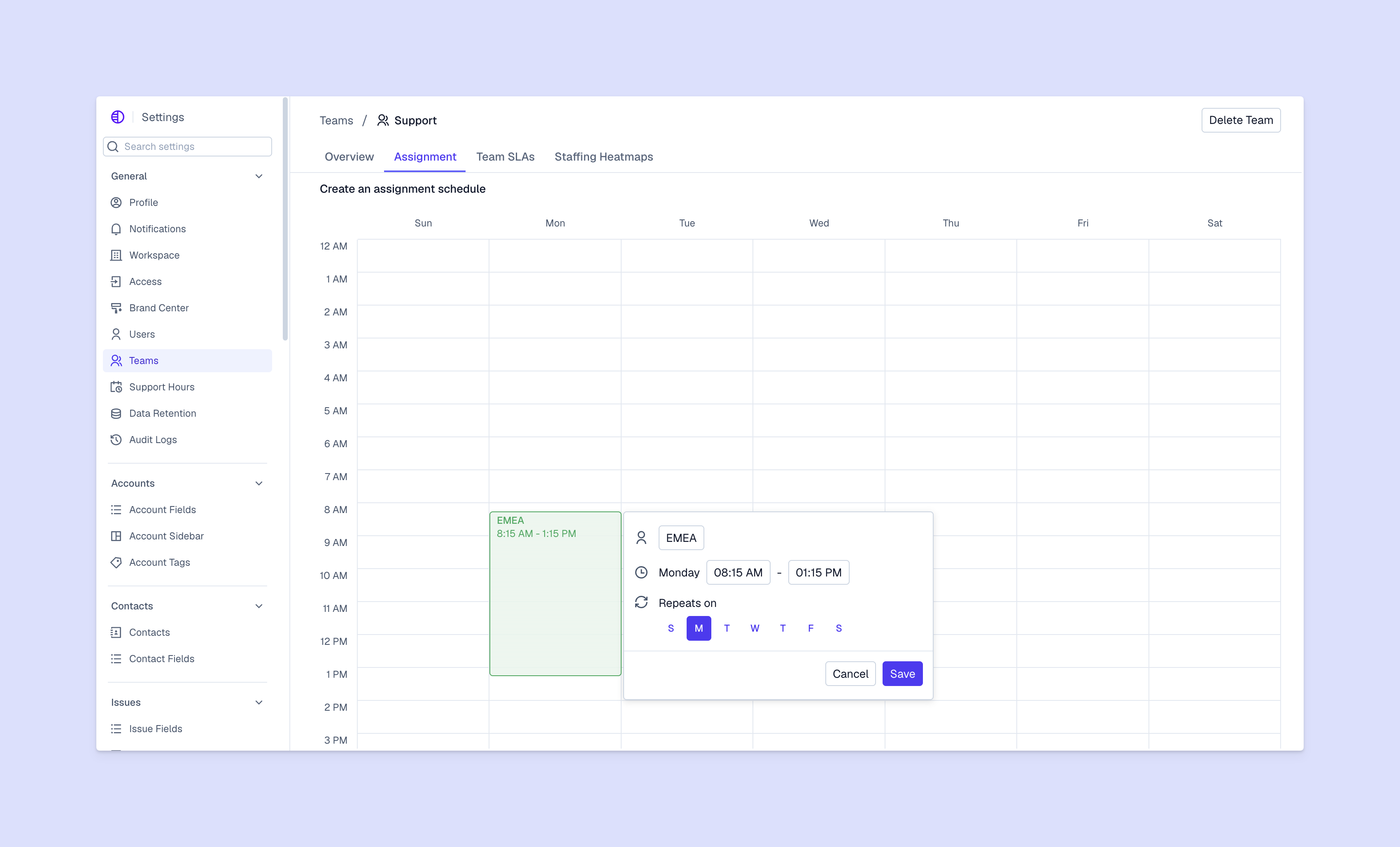
Pylon Workforce Management automatically builds this data into forecasts. The model uses actual agent resolution, escalation, and intervention rates to predict future capacity needs. As AI agents take on different amounts of the work, the tool updates the forecast workload for your team members.
When Pylon adopted an Agentic Support model, we saw a 72% improvement in first response time (FRT), which allowed us to revise our year-end hiring plan from 18 to 11 people while keeping the same growth forecast. Most importantly, we didn’t replace any support engineers: Agentic AI changed our future plan, not the size of the existing team.
The adoption also reduced our escalation workload. “Everyone's technical floor has risen,” says Pylon’s Support Engineering Manager Jon Clark. “Issues that once required two or three escalation steps can now be handled by nearly everyone on the team.”
A capacity plan isn’t a one-time exercise. You’ll need to repeat it as your team grows and volumes change. Here are six steps for capacity planning you can follow every time.
Gather six to 12 months of ticket volume data from your analytics dashboard, broken out by channel and ticket type. Look for seasonal spikes and one-time events like contract renewals, product launches, and major outages, and separate them from the rest of the data so that they don’t distort average forecasts.
Find the average handle time (AHT) for different types of customer queries, and the difference in AHT between AI-assisted and human-only resolutions. This will help you create a more accurate forecast based on expected workload, not just ticket volume.
Calculate the containment rate for each ticket type. This is the percentage of tickets that are fully resolved by AI without team intervention or escalation. You’ll probably discover that simple issues and frequent questions have high containment rates, while more complex issues have low containment rates. Before adopting Agentic Support, Pylon’s AI agent was already autonomously resolving simple, routine questions, which made up around half of incoming tickets.
Find the number of tickets your team will work on by subtracting AI-only tickets from the total number of incoming queries. Remember that these AI-assisted and team member-only issues tend to be more complex, so use your AHT data to forecast the workload for each type of ticket.
Calculate the amount of time your team spends on training, meetings, admin tasks, and anything else that’s not directly related to resolving customer issues. Then increase your capacity forecasts to account for that time.
For example, if your team will have 100 hours of work but a shrinkage rate of 20%, then you’ll need 125 hours of capacity. Keep in mind that AI agents don’t have shrinkage, so only apply this adjustment to the AI-assisted and team member-only ticket queue.
Schedule regular reviews to check on and adjust your capacity plan. You’ll need to revisit your predictions at least every quarter, but plan to review more often if your AI containment rate shifts, if there’s a major product launch, or if your company is growing quickly and onboarding many new customers.
An accurate capacity plan helps you assess customer demand and handle growing volumes more effectively. As agentic AI takes on more B2B support work, it’s important to make a capacity plan that accounts for both human and AI capacity. Building a more accurate prediction starts with understanding more about your average ticket complexity and your AI containment rates.
Pylon is the Agentic Support Platform built for B2B support teams. It brings conversations across Slack, Teams, email, chat, and other channels into one place, giving AI the context to help resolve customer issues and continuously improve your knowledge base. Pylon can identify missing or outdated documentation, generate new content from real support conversations, and help your team keep knowledge accurate as your product evolves.
It depends on your customers, growth plan, and support team’s current workflows. Pylon Workforce Management is built for blended support teams. It forecasts demand across AI agents and people, so B2B teams with complex, scaling enterprise relationships can plan coverage and headcount.
Some of the most common problems include insufficient historical data and false precision, where the AI model produces precise-looking predictions that aren’t based on your company’s actual numbers. Not accounting for ticket complexity (or AI agent’s ability) can also make capacity planning less accurate.
Capacity planning is the long-term strategic process for determining how much coverage and headcount you’ll need. Workforce management often encompasses day-to-day scheduling and utilization plus the scenario forecasting for capacity planning.
Pylon Workforce Management is available now. See it in action with a live demo.