Updated January 19, 2026 | 13 min read
Your customer base is exploding, but you're working with the same support budget as before. Now your team is drowning in tickets, response times are climbing, and customers are starting to complain about support quality.
Companies that successfully scale their support operations tend to take a multi-faceted approach — they use automation, unified systems, and smarter workflows to serve more customers without proportionally increasing costs. This guide covers 10 scaling strategies that actually work, from deploying AI assistants to building account-level intelligence to spot problems before they escalate.
Scaling customer support means expanding your team's capacity to handle more customer requests without increasing costs or headcount at the same rate. You're using automation, smarter processes, and better tools to serve more customers while keeping quality stable (or making it better).
For B2B post-sales teams, this typically looks like:
The goal isn't just to handle more volume. It's doing it efficiently so your team doesn't burn out and your customers stay happy.
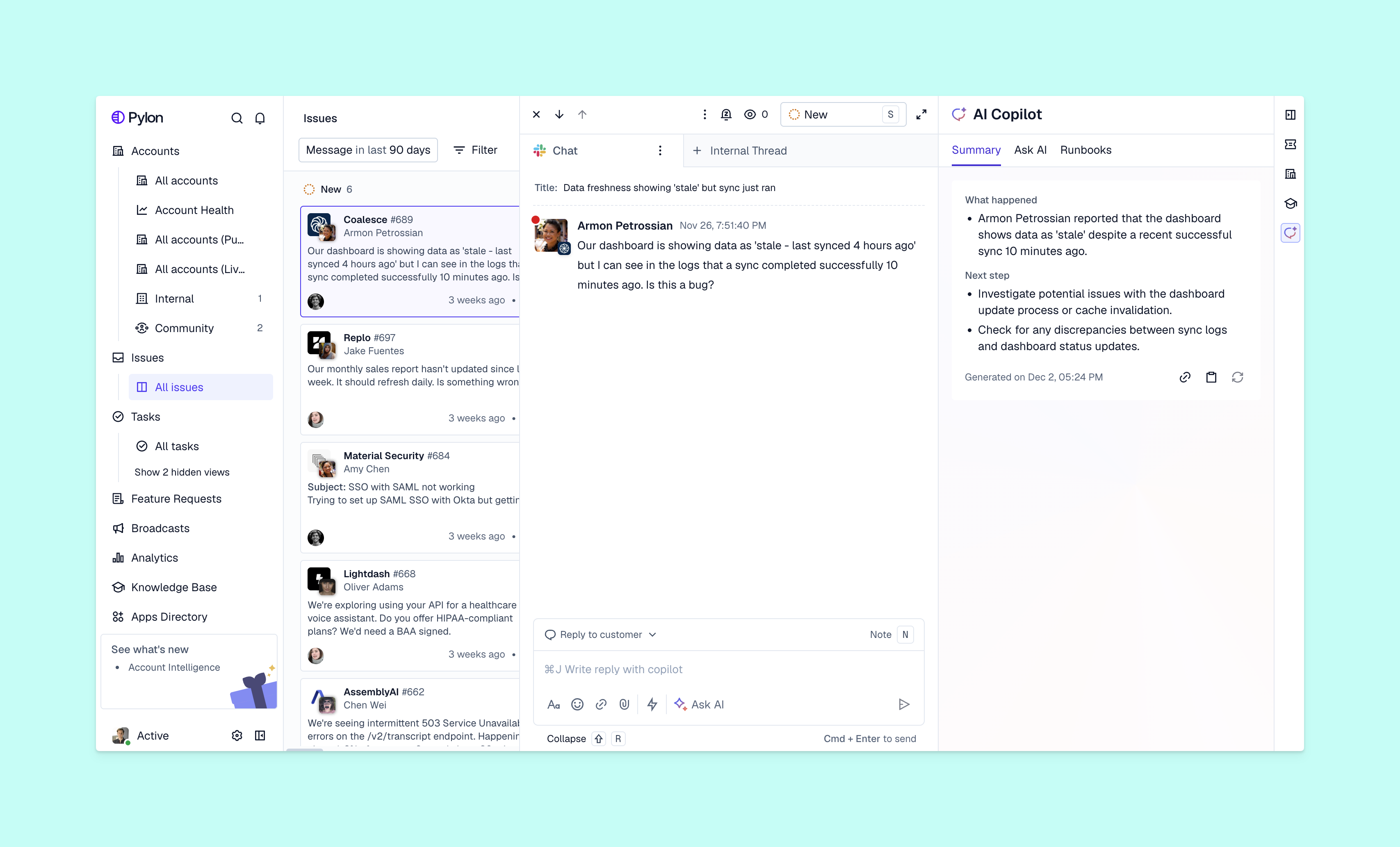
It happens to many support teams: At a certain point, your customer base grows faster than your support budget. You can't just keep hiring more people at the same rate — the math doesn't work out.
So the companies that scale well figure out how to serve more customers without proportionally increasing their costs. These are a few ways to think about scaling your support operations.
When your customer base doubles, support requests don't just double. They often triple or quadruple, depending on the size of new accounts and as existing customers grow themselves. A lot of the time, the traditional approach of hiring more people to match that growth rate doesn't work financially.
Automation and unified systems help you serve significantly more customers at the same team size. Instead of exponentially growing headcount, you give your team members more leverage.
Cost per interaction is your total support costs divided by the number of requests you handle. When you're scaling effectively, this number goes down over time.
The goal for support teams isn't to spend more to handle more, it's to get more efficient with every customer interaction. That efficiency comes from deploying tools that eliminate repetitive work and building processes that prevent duplicate effort.
B2B customers expect quick responses regardless of where they're located or what time they reach out. Scaling lets you provide coverage without staffing multiple shifts in every region.
With the right automation, routing, and playbooks, you can respond to customers instantly even when your team is offline. That means better customer experience without exponentially increasing your support costs.
You'll know it's time to scale when you start seeing specific signals in your support operations. For example:
If you're experiencing even 2 or 3 of these, you should build a strategy to scale. The good news is you don't need to implement everything at once: Start with whatever addresses your biggest bottleneck.

Here are 10 strategies you can implement to scale your support operations. Pick the ones that solve your team's most pressing problems first, then layer in others as you grow.
AI agents can automatically answer simple requests, or carry out tasks like gathering information from customers before your team steps in. AI assistants are tools that accelerate your team's back-office workflows: drafting responses to issues, surfacing relevant articles from your knowledge base, or capturing feature requests from customer feedback.
Both types of AI free your team to focus on more complex issues and troubleshooting.
If you're thinking of deploying AI agents, the key is identifying customer requests that are high-volume but low-complexity. Questions like "How do I connect this integration?" or "What's included in this plan?" don't need your team's support — they just need a fast, accurate answer from your documentation.
AI can handle those issues at scale while your team tackles more nuanced problems, with customer support automation tools that are designed to help.
Omnichannel support means managing all your customer conversations in one unified system, instead of switching between separate communication tools. B2B customers often reach out via some combination of Slack, Microsoft Teams, WhatsApp, email, in-app chat, and various other channels — and your team needs to track everything in one place.
When conversations are scattered across tools, you end up with duplicate work and missed context. Someone on your team might spend 10 minutes researching an issue that a teammate already solved yesterday in a different channel.
Platforms like Pylon bring your support channels together, so your team has complete context and robust tracking for every customer interaction. That ultimately leads to faster resolutions.
A knowledge base is a searchable library of help articles where customers can find answers without contacting support. It's one of the highest-leverage investments you can make, because it scales infinitely: Every customer can access your knowledge base simultaneously.
Start by documenting your most frequently asked questions:
Keep your knowledge base updated as your product changes. An outdated article can be worse than no article, because it erodes customer trust.
Workflows are automated sequences that handle repetitive tasks like ticket routing, status updates, or follow-ups. Instead of your team manually triaging every ticket or remembering to check in with a customer, the system does it automatically.
Here's what this looks like in practice:
Workflows eliminate the administrative busywork that eats up your team's time. They handle logistics while your team focuses on actually solving and troubleshooting problems.
Proactive support means identifying and solving problems before customers report them. Instead of waiting for complaints, you spot issues early and intervene.
Account-level intelligence is unified customer data that helps you track health and behavior signals across interactions with accounts. It helps you see patterns like declining usage, repeated issues, or signs of frustration before they become churn.
Pylon's Account Intelligence unifies scattered customer signals to calculate custom health scores and spot churn risks. Your support team can see which accounts need attention and reach out before problems escalate.
As you scale, generalist support often stops working. When everyone handles everything, no one develops deep expertise in the areas that matter most.
Create specialized roles:
You might also implement tiered support where straightforward issues get resolved by your broader team, and complex or high-stakes issues escalate to specialists. This way, the right expertise gets applied to each problem.
Standard operating procedures (SOPs) are documented processes for handling common scenarios. They help teams stay consistent even as they grow and make it much faster to onboard new team members.
When you document how to handle common situations, everyone knows how to resolve them . New hires don't need to figure it out from scratch — they follow the playbook.
Document areas like response templates for frequent questions, escalation paths for different issue types, and troubleshooting steps for common technical problems. Your SOPs become the institutional knowledge that prevents quality from degrading as you scale.
Scaling isn't just about tools. Your team needs the skills to use them effectively. Regular training on product updates, new features, and best practices keeps quality high as you grow.
Cross-training is especially valuable. When team members can cover different areas, you have flexibility during busy periods or when someone is out. It also prevents knowledge silos where only one person knows how to handle certain issues.
Schedule training sessions monthly, not just during onboarding. Your product changes, your customers' needs evolve, and your team's skills need to keep pace.
For developer platforms or similar, a community forum can be a good strategy to try. Community forums are a space where customers help each other with issues. Peer-to-peer support reduces your ticket volume while building stronger customer relationships.
Customers often prefer learning from others with similar use cases. Someone in the same industry who's already solved the problem can provide more relevant context than a generic support article.
The forum also surfaces insights about what customers struggle with most. You'll see patterns in questions that can inform your product roadmap or help you identify gaps in your documentation.
Support conversations reveal what customers actually need from your product. Instead of treating support as separate from product development, use that data to inform your roadmap.
When you track feature requests and pain points systematically, you create a feedback loop where better products mean fewer support requests. You're not just scaling support — you're reducing the need for simple questions.
Tag and categorize issues so you can identify patterns. If 50 customers ask about the same missing feature, that's a clear signal to your product team about what to prioritize.
Once you've implemented these strategies, you want to track whether your scaling efforts actually work. Here are some of the key metrics to monitor:
Watch how these metrics trend over time. Successful scaling means response times should stay flat or improve even as volume increases, and cost per ticket should decrease.
Scaling customer support requires the right foundation. You can't scattered multiple tools together and expect them to work efficiently — you need B2B customer support platforms that are built for unified operations at scale.
Pylon is the modern B2B support platform that offers true omnichannel support across Slack, Teams, email, chat, ticket forms, and more. Our AI Agents & Assistants automate busywork and reduce response times. Plus, with Account Intelligence that unifies scattered customer signals to calculate health scores and identify churn risk, we're built for customer success at scale.
Scaling is gradual. You might start seeing results in weeks with quick wins like automation and better workflows, but building a fully scaled operation takes months. The timeline depends on your starting point and which strategies you implement first.
There's no universal ratio because it depends on your product complexity, customer segment, and how much you've automated. A highly technical product serving enterprise customers requires more support capacity than a smaller SaaS tool. Focus on efficiency metrics like tickets per team member instead of arbitrary team size targets.
Scaling investments ultimately include tools, training, and headcount. The goal is that investing in better tools and process reduce the need for strictly proportional hiring as you grow. Budget for platforms that multiply your team's effectiveness — like automation, unified platforms, and knowledge base software.
You can start scaling with your existing tools by adding automation and better processes. But fragmented systems eventually limit how much you can scale. At some point, switching between 5 different tools creates more overhead than the tools save.
Pylon Workforce Management is available now. See it in action with a live demo.