


Support teams hit a breaking point when they spend more time searching for answers than helping customers. When your product documentation lives in Notion and troubleshooting steps sit in Slack threads, it becomes harder to quickly find answers to customer questions. That fragmented knowledge slows down response times and frustrates customers who just want a quick answer.
A centralized knowledge base removes that friction. It gathers essential information into one searchable system. When built correctly, it enables customer self-service and allows AI tools to autonomously resolve repetitive tickets.
Here’s how to create a knowledge base that reduces your team’s workload.
If you just dump Google Docs into a portal, you end up with a disorganized mess that no one can trust. Before you write an article, you need a strategy.
A well-planned knowledge base is a single source of truth that actively reduces the time your team spends searching. To design it effectively, decide who the audience is, what problems they’re trying to solve, and how they prefer to consume information.
You also need to treat this knowledge base system as a living resource. It needs continuous updates as your product evolves and new customer questions emerge. The goal is to build workflows that make it easy for teams to flag missing content and publish changes quickly.
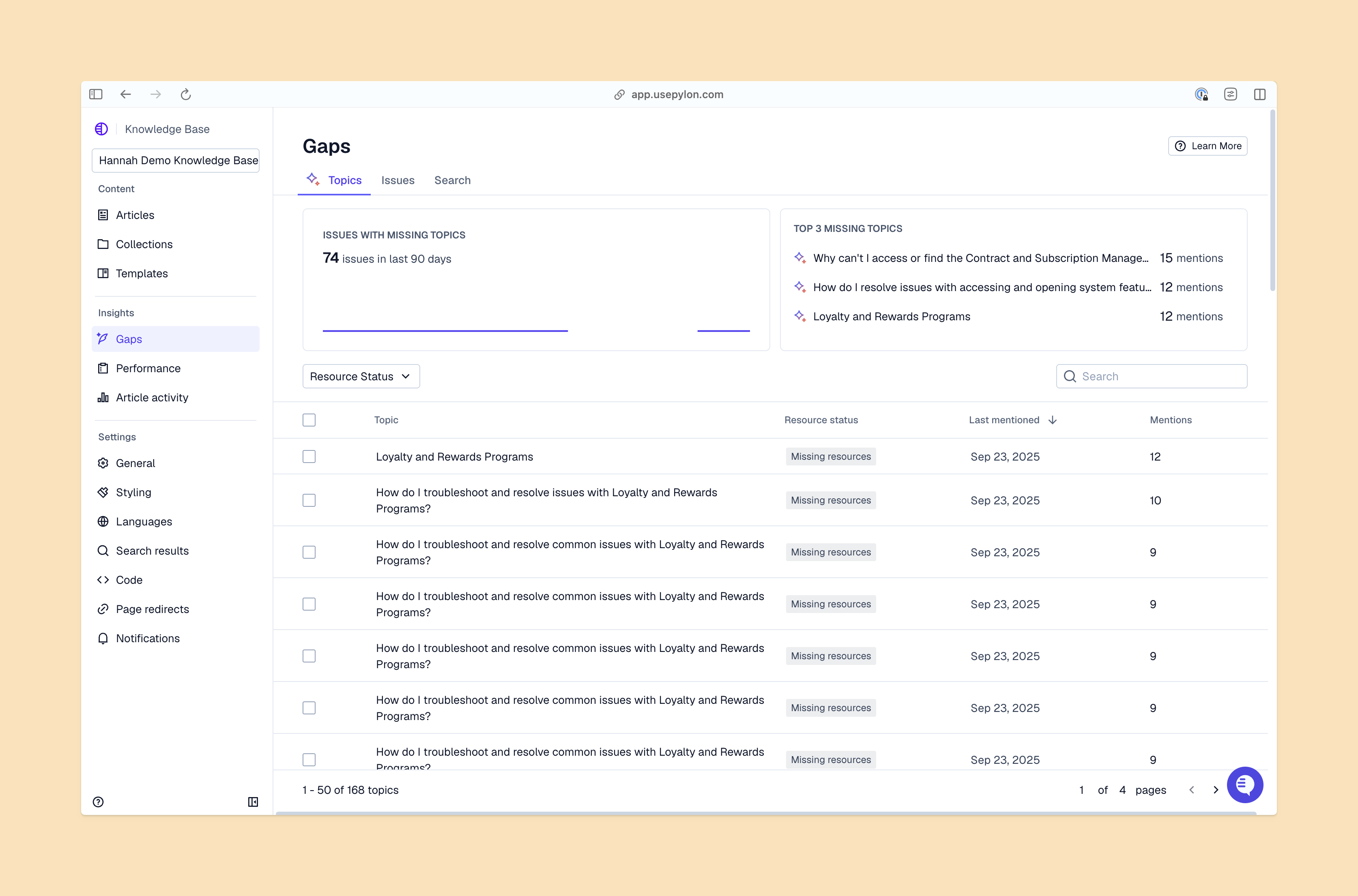
To build a knowledge base that scales requires a structured approach. Here are the steps to create documentation that deflects tickets and supports long-term growth.
Start with the data you already have. Pull your support ticket history from the last 90 days to find the questions your team answers over and over again. When you address these recurring questions at scale, you strengthen support operations without increasing headcount.
Group these questions by category, such as billing, API configuration, and user permissions. This gives you a prioritized list of knowledge base articles to write first. Focus on the high-volume, low-complexity issues that consume the most time.
Your structure determines how easily people find answers. Organize knowledge base articles based on how your customers think about the product.
Use broad categories like “Get Started,” “Troubleshoot,” and “Account Management.” Add descriptive tags to help users locate related topics. A flat, intuitive hierarchy prevents customers from getting lost in endless subfolders.
A complete knowledge base can’t be maintained by one person. You need subject matter experts from across your company to keep it accurate.
Assign specific categories to the people who know them best. Product managers should own feature documentation, engineers should maintain API guides, and support leads should manage troubleshooting steps. Establish clear ownership so articles stay current as the product evolves.
Inconsistent writing weakens trust in your documentation. Create a style guide that defines your brand voice, formatting rules, and terminology. Decide how to use bold text, when to include screenshots, and how to structure step-by-step instructions.
Pro tip: Provide knowledge base article templates to make it easy for contributors to follow a consistent style.
Write articles that focus on clarity and brevity. B2B customers are busy and don’t want to read a novel to figure out how to connect an integration. Use FAQ pages when a topic benefits from clear answers to separate questions.
Use short paragraphs, bullet points, and bold headers to make the content skimmable. Include visual aids like screenshots or short GIFs when you explain a UI workflow. And if a process takes more than five steps, break it down into smaller sections.
Once the articles are written and reviewed, move them into your knowledge base software. Ensure all formatting translates correctly and test the internal links.
Before you launch, run a few test searches with the keywords your customers use. If the right articles don’t surface, adjust your tags and titles. Once everything works, publish the content and announce the new resource to your customers.
Your software choice determines whether documentation gets used. When you evaluate knowledge base tools, focus on user experience outcomes like faster retrieval, less context switching, and intuitive navigation.
You also need to consider your audience. An internal wiki for engineers requires different features than a public-facing help center for enterprise clients.
Look for these capabilities when you choose your stack:
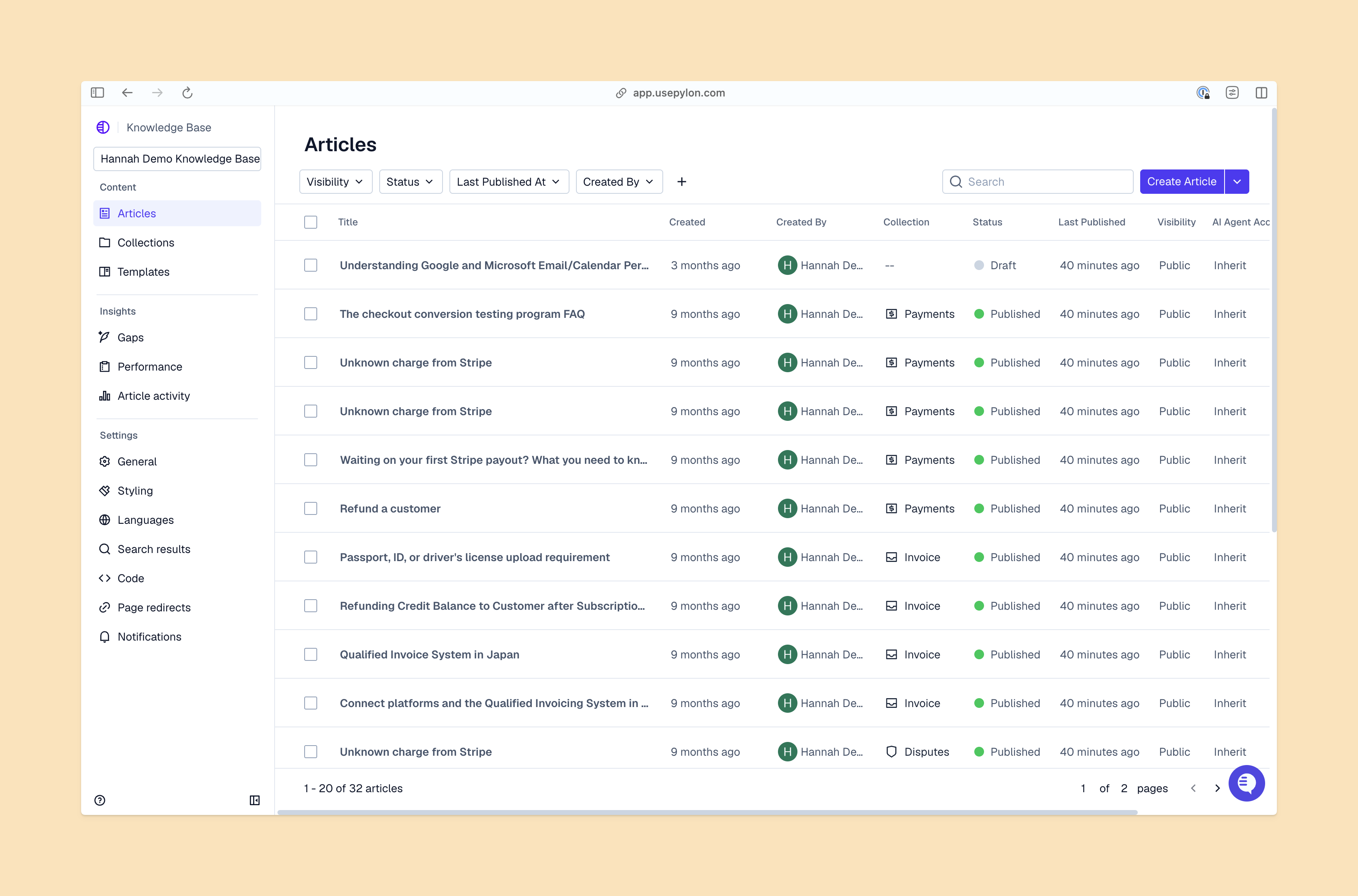
Follow these best practices to ensure your documentation stays accurate and helpful:
A well-structured knowledge base helps you deflect tickets, improves your customer experience, and turns your team’s collective expertise into a searchable asset. The focus on AI-powered search and continuous updates helps build a system that scales alongside your company.
Your knowledge base will be much easier to implement when you use the right platform. For example, Pylon’s AI Knowledge Management automatically tracks search analytics, identifies missing context, and integrates directly with your support channels to surface answers exactly when they’re needed.
A knowledge base is a centralized, searchable hub where you store product documentation, troubleshooting guides, and answers to common customer questions. It gives customers and internal teams a single place to find accurate information without the need to dig through account chats or wait for an engineer to reply.
B2B knowledge bases should include detailed API documentation, product specs, troubleshooting guides, and onboarding steps to help customers self-serve efficiently.
B2B teams see lower support costs, faster onboarding, and higher retention by providing consistent, searchable documentation that empowers customers to solve complex issues.
Update content with every product release or at least monthly. Pylon ensures support teams identify gaps as soon as new customer questions emerge during operations.
AI improves B2B support via automated drafting and Pylon’s AI-driven search, which scans existing documentation to provide instant, precise answers for enterprise accounts.
Pylon Workforce Management is available now. See it in action with a live demo.




