
When a support team member solves an integration issue, the context isn’t automatically shared with the rest of the team. If the next person gets the same question from a different department and doesn’t know where to find the answer, then they have to start the investigation over.
Repeating work makes it harder to give customers consistent answers quickly, especially as ticket volume increases. Knowledge base tools can turn those answers into shared, searchable instructions. That way, the same documentation can support troubleshooting, onboarding, and collaboration across departments.
This guide explains how to compare knowledge base tools for medtech around the industry’s specific compliance and access needs.
A knowledge base, or knowledge database software, is a centralized platform for storing and organizing company information. It gives your team a place to manage institutional intelligence like answers, best practices, and troubleshooting steps.
Say a customer asks how to set up user permissions for their laboratory in your reporting software. Your onboarding team can search for and use a how-to guide to walk them through setup. When that customer adds another lab location, the support team can use the same instructions instead of asking the implementation lead to explain them again.
Your knowledge base platform should account for two audiences:
Sharing the same topic doesn’t mean sharing the same instructions. Access and response rules need to preserve the boundary between sensitive and public information. That limit is especially important in medtech, where your customers’ information is also regulated under laws like HIPAA.
For example, a customer knowledge base might explain the checks a hospital administrator can safely perform and when to contact your team. Your internal integration runbook includes diagnostic steps that need elevated permissions for the same query that the customer doesn’t need to see.
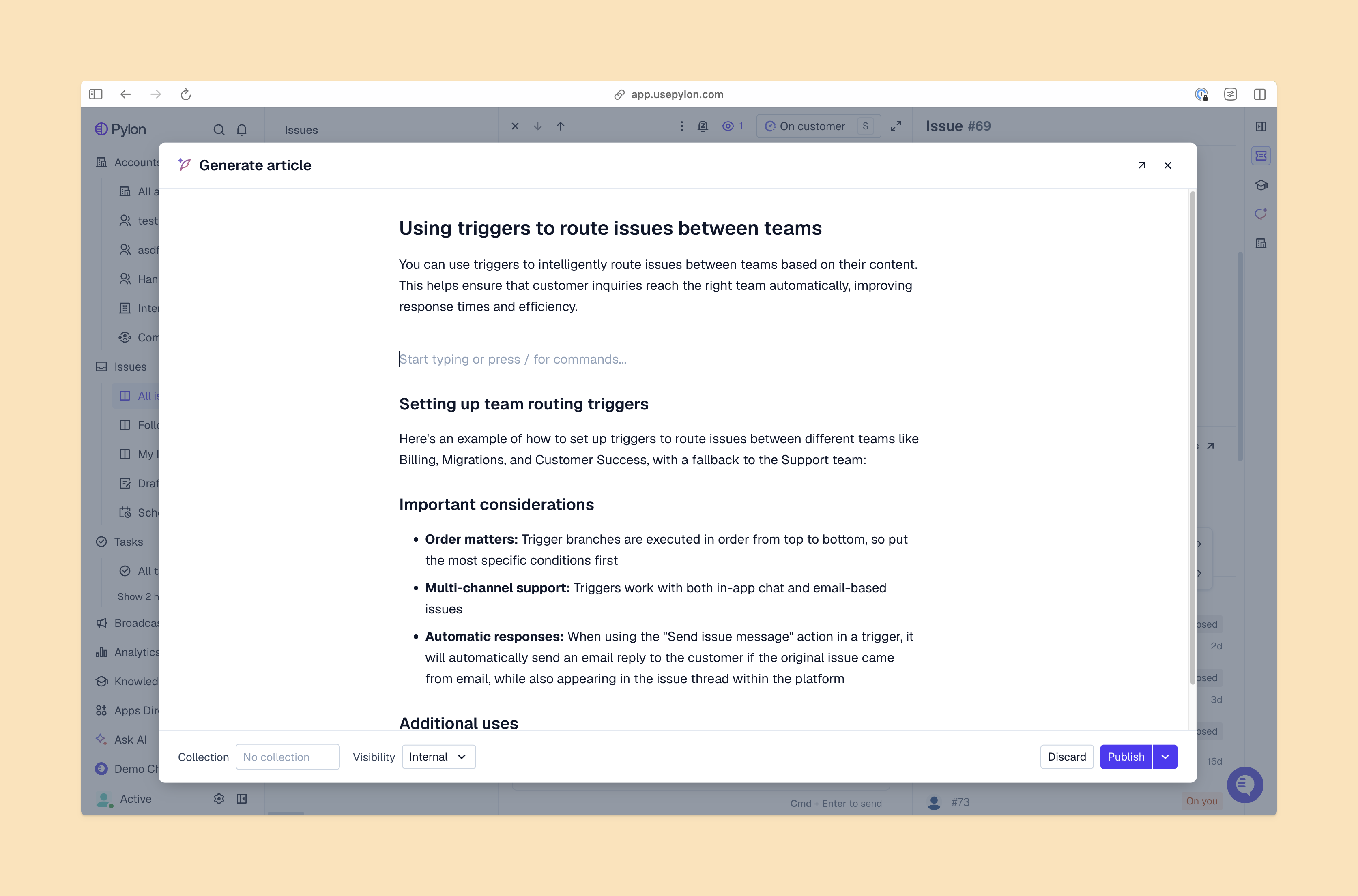
Access controls and content approval matter more than search convenience. An answer that appears instantly still slows the process if your team has to check whether it’s current and appropriate for the customer.
Start by defining what data the platform will handle. In the United States, if a cloud provider processes customer health records or sensitive patient information on behalf of a HIPAA-covered entity, they’ll need to provide an appropriate business associate agreement (BAA). A BAA is a formal contract that defines how they process that electronic protected health information (ePHI) and how they plan to keep that information secure. They will also need to show they’re compliant with all applicable HIPAA rules; a BAA doesn’t automatically make every configuration or connected workflow compliant.
Use that scope to compare knowledge base platforms against practical tests:
Most importantly, inspect how each tool presents metadata about knowledge base articles. A revision timestamp tells you when text changed. Your team still needs a clear indication of which release the instructions support and whether the right reviewer approved them.
The best starting point for your team depends on your priority: shared documentation, clinical guidance, or a knowledge base connected to customer support workflows. These four platforms serve different stages of that process.
If your small team already uses a broad support platform, you may be able to build on a familiar interface and existing context instead of adopting another place to look for answers.
Atlassian’s knowledge base tool, Confluence, keeps technical documentation in shared spaces, with page history that lets your team inspect earlier versions. For a medtech integration team, that history can help explain what changed after an update or new release.
Best for: Teams that want to build on an existing internal documentation library.
Watch out for: The Free plan doesn’t let you customize page permissions, which matter when instructions need to stay internal. BAA eligibility is a separate limitation — Atlassian only offers BAAs for eligible Confluence Standard, Premium, and Enterprise plans, not Free plans or trials.
When document review is central to your workflow, consider Microsoft’s SharePoint tool. Its versioning and draft controls can separate revisions from approved content. That way, you can configure who sees drafts and who can only access approved material.
Best for: Teams that need document libraries with defined reviewer roles and permissions.
Watch out for: When you enable content approval in a library that already contains files, SharePoint automatically marks those existing files as approved. Review the existing library after migration before treating its approval labels as evidence that the instructions are up to date.
Some clinical teams need to access their institution’s guidance alongside information about your medtech product in their workflows.
C8 Health’s clinical knowledge platform brings clinical and health systems’ operational guides together. Its Panda AI answers questions from the institution’s vetted knowledge base with linked source citations.
Best for: Organizations that need clinicians to find institution-specific guidance.
Watch out for: A knowledge management system in healthcare may serve a different audience from your medtech support team. Test customer access, ticket handling, and product-version workflows separately before treating the clinical platform as a fit for B2B support.
If customer support is your main use case but your customers have strict compliance requirements, consider how a healthcare-focused workflow could integrate with support-focused knowledge base software first.
AI agents can quickly draft knowledge base articles from the problems your customers are facing.
Pylon connects its AI Knowledge Base to support work. It can identify gaps in your answers, then draft articles with context from resolved issues and completed investigations for your team’s review. On the customer end, it can answer search questions with source citations.
Your team can turn those resolutions into reusable instructions and, after review, publish them for the intended audience. Pylon’s knowledge base structure helps that information stay organized as the library grows, so support teams’ documentation reflects what they learn.
Best for: Growing B2B support teams that want to use AI agents to create new documentation from customer issues.
Watch out for: If your team needs a BAA, you’ll need to choose Pylon’s Enterprise plan, then confirm its security certifications cover your intended use.
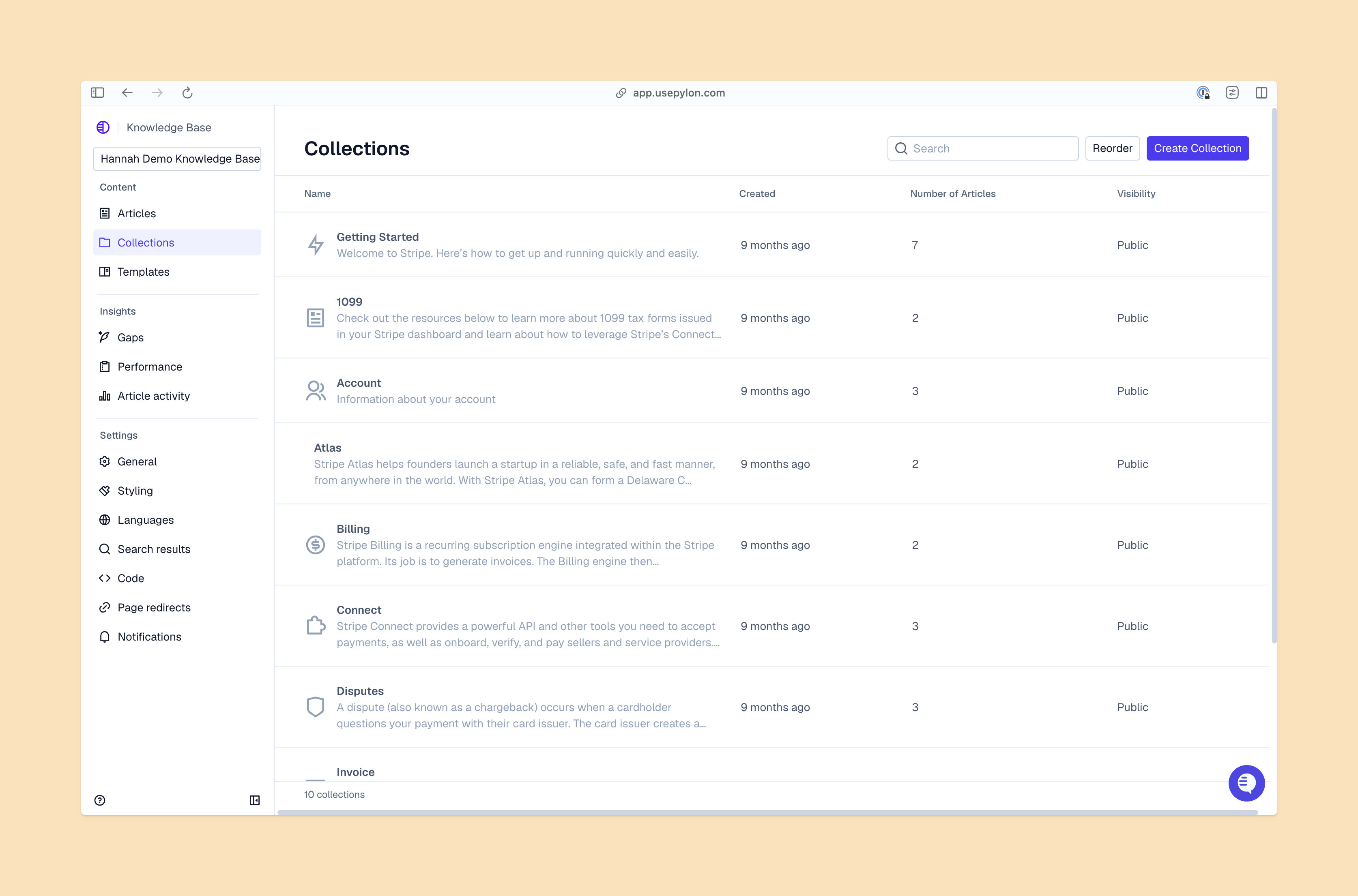
A knowledge base needs to help your team find accurate, up-to-date instructions for the customer’s current product version. When a new issue exposes a gap, assign someone (or an AI agent) to check the resolution and turn it into an article. Connecting that work to your support conversations helps keep your customer knowledge base useful as your products and customer needs change. The best way to do that at scale starts with choosing a platform that empowers support and education.
Pylon is the Agentic Support Platform built for B2B support teams. It brings conversations across Slack, Teams, email, chat, and other channels into one place, giving AI the context to help resolve customer issues and continuously improve your knowledge base. Pylon can identify missing or outdated documentation, generate new content from real support conversations, and help your team keep knowledge accurate as your product evolves.
It depends on your customers’ legal requirements and compliance workflows. Pylon’s agentic AI doesn’t replace support team members, so people can review content and make sure it meets all the right rules. Prioritize source-backed answers, permissions, and a practical way to turn new resolutions into maintained documentation without exposing sensitive account information or ePHI.
Confirm your customers’ data handling and approval requirements before making a choice. For more general B2B product support, try Pylon for its efficient agentic AI and balanced controls. For institutional clinical guidance, start with healthcare-focused tools.
AI agents can help team members and customers find relevant articles, identify missing answers, and draft documentation from resolved issues for a more robust knowledge base and faster time to resolution. Your team still needs to verify the content and decide which information customers can access.
Look for:
Pylon Workforce Management is available now. See it in action with a live demo.