When your customers have a question, they don’t want to dig through a help center. They open your chat widget and expect an immediate, accurate answer. Modern support teams rely on AI platforms to deliver those answers, but those platforms are only as smart as the documentation feeding them.
If your AI is giving incomplete answers or escalating routine questions, the problem usually isn’t the AI model itself. Your knowledge base structure is what determines the output quality of your AI; a disorganized knowledge base forces the AI to guess which article is the right one.
In this guide, you’ll learn how to structure a knowledge base so AI platforms find answers faster. When you get the structure right, you’ll reduce ticket load, speed up response times, and keep your support team focused on complex problems instead of answering the same questions over and over.
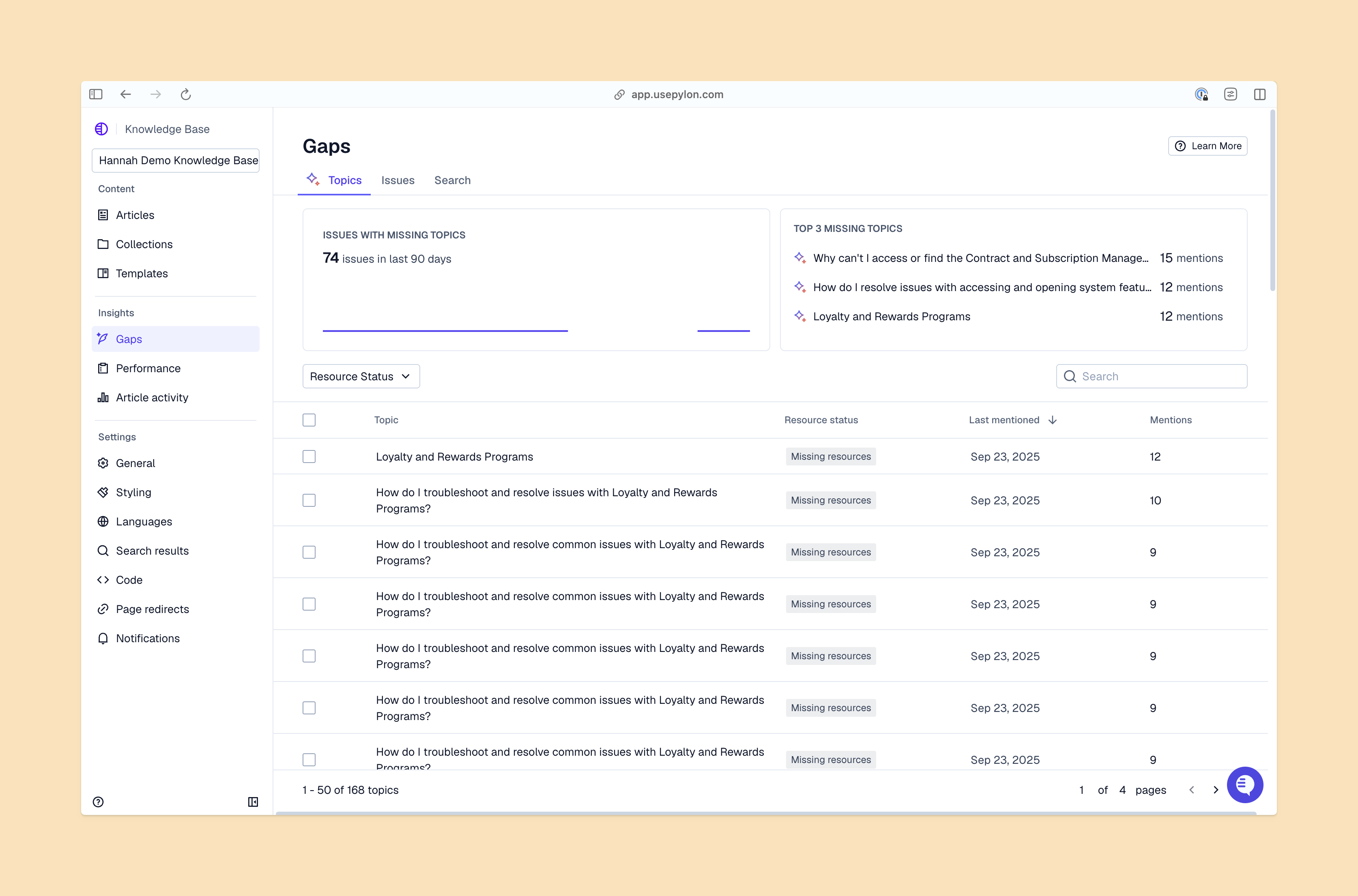
Support teams scale through discoverable answers, instead of simply writing more documentation. You can have the most detailed product guides in the world, but if the AI can’t retrieve them accurately, they lose their value.
When you build a customer knowledge base, you’re creating a data source for your retrieval systems. A flat, well-organized structure reduces delays and miscommunication. If an article covers three different topics and has a vague title, the AI might include a pricing answer when the customer asks a technical question. You need to break those topics apart. The more “atomic” your articles are, the better the AI can parse them.
Think about how your team actually works. When a customer asks about a specific feature, your team doesn’t want to read a 10-page manual. They want the specific paragraph that solves the problem. AI platforms work the exact same way — they need discrete, well-labeled chunks of information to pull. This precision is what makes your AI system an active deflection tool.
AI retrieval doesn’t read your articles like a human. It matches a support question to relevant articles using search terms, tags, and content structure. When a customer asks a question, the system looks for the strongest relevance signals to pull the right answer.
High-quality retrieval directly correlates with faster resolution times and reduced manual ticket overhead. It also speeds up onboarding for scaling customer support teams, because new hires can trust the AI to surface accurate information while they learn the product. You don’t have to spend weeks training a new team member on where to find the documentation. They can just ask the AI-powered search tool, and it will pull the right answer from your structured internal knowledge base.
A knowledge base rooted in user intent, support tasks, and explicit ownership gives the necessary context for AI to retrieve reliable answers. You need to choose knowledge base software that gives you the freedom to design it around how your customers ask questions.
Keep these structural elements in mind:
Folder-heavy navigation buries answers. When articles are hidden five levels deep, the retrieval system has to work harder to rank their relevance. And overlapping sections can cause problems. If you have a “Billing” category and a “Payments” category that cover the same topics, the AI won’t know which to pull from.
Weak titles and inconsistent tags also bury relevant answers. And catch-all articles that try to explain an entire product module in one page make it difficult for AI to extract a specific answer to a specific question.
You can fix these issues with clear categories, natural language titles, and named owners. Regular reviews keep answers current, so your support team always has the right information. You have to treat your knowledge base as a living system. If you let it decay, your AI retrieval and support quality will decay alongside it.
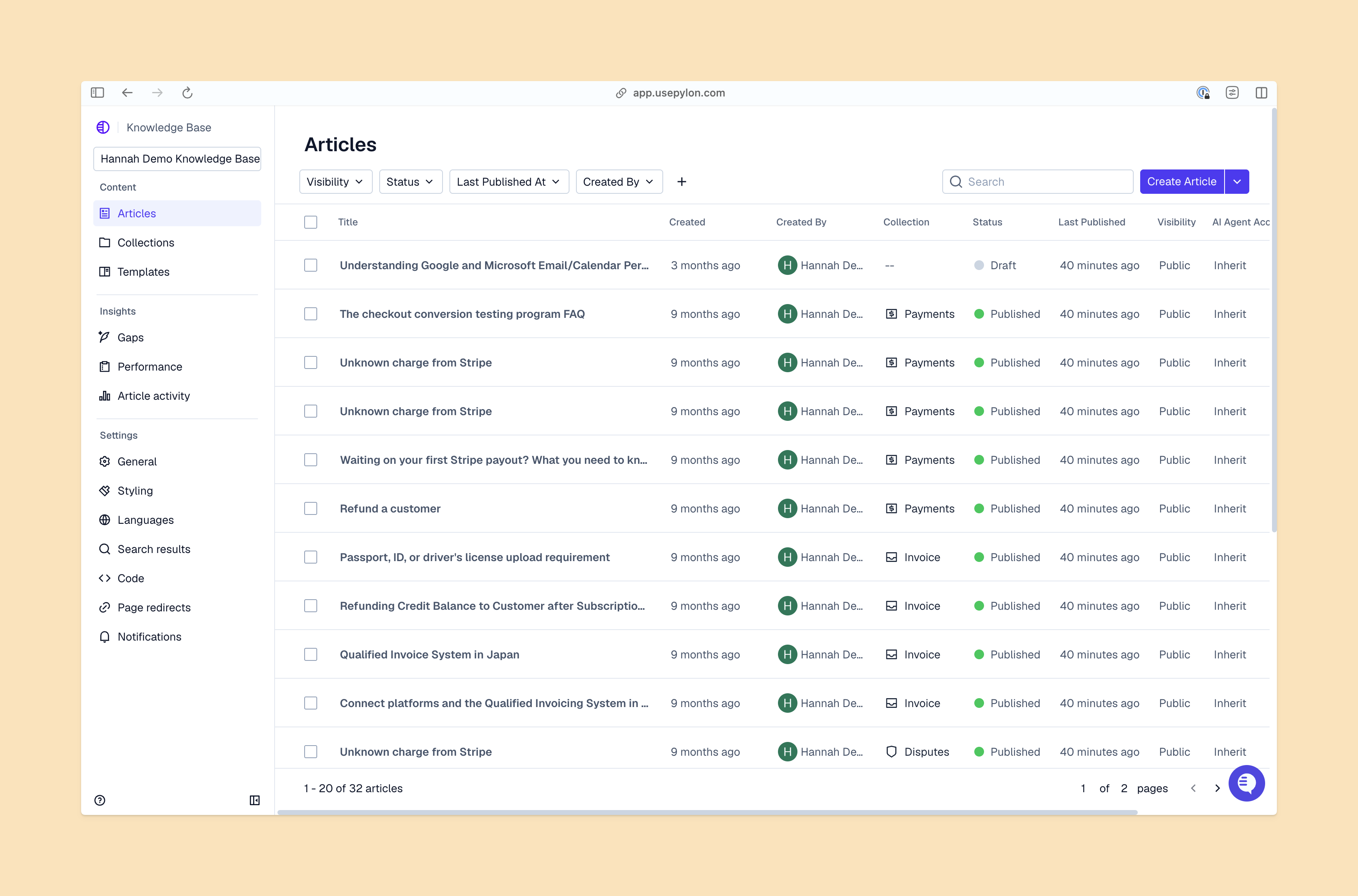
If your current setup is messy, you don’t have to start over. Treat the audit as a strategic workflow optimization to reduce resolution friction and speed up team member onboarding. That’s how you build a knowledge base that works.
Follow these five steps to clean up your structure:
Look at your search analytics in your knowledge base software. When customers search for something and get no results, you either have a content gap or a terminology mismatch. Fix the titles and tags to match what people are actually typing. You might find that your customers use a completely different vocabulary.
Your top 10 articles probably account for 80% of your traffic. Make sure those articles are perfectly structured, up to date, and easy for the AI to parse.
Search for your core features and see how many articles pop up. Consolidate overlapping content into single, authoritative guides.
Fast-changing features need quarterly reviews. Foundational concepts might only need an annual check. Build this cadence into your knowledge base best practices.
Every article needs an owner who follows the agreed-upon reviewal cadence. If the article hasn’t been updated in two years and the original author left the company, assign it to the current subject matter expert.
Define success by looking at faster answer-finding, fewer duplicate tickets, and smoother account and team member onboarding. A structured knowledge base should produce measurable support KPI improvements.
Track these key metrics to measure efficacy:
A well-structured knowledge base is the engine behind fast, accurate support. When you organize your content around user intent, keep your hierarchy shallow, and audit regularly for duplicates, you give AI the exact signals it needs to surface the right answer. This structured approach to managing B2B information makes sure your team spends less time searching and more time solving complex problems. And the best way to use this approach is to have a platform that has it built-in.
Pylon is the modern B2B support platform that offers true omnichannel support across Slack, Teams, email, chat, ticket forms, and more. Our AI Agents and Assistants automate busywork and reduce response times. Plus, with Account Intelligence that unifies scattered customer signals to calculate health scores and identify churn risk, we’re built for customer success at scale.
Organize articles around customer intent and support workflows, not internal product logic. Use categories, tags, and Q&A pairs to segment content, with metadata like owners, permissions, and freshness dates so AI prioritizes the right results. Keep one topic per article and maintain a clear hierarchy so AI can surface precise answers without scanning irrelevant content.
Look for these signals: your AI is giving incomplete or off-topic answers, escalation rates are rising despite good ticket volume, or customers are repeatedly asking questions that are already documented. Audit for duplicate articles, vague titles, and catch-all articles covering multiple topics; these are the most common structural causes of poor AI retrieval.
The most common cause is structural noise, not missing information. When your KB contains outdated articles, duplicate entries, or articles without clear titles and metadata, the AI has no reliable way to choose the right source. It may surface an old version of an answer simply because that article matches the phrasing of the question.
The fix is systematic: audit for duplicate and conflicting articles, archive anything outdated, and make sure every article has a clear title, accurate last-reviewed date, and explicit owner. Once the noise is removed, retrieval accuracy improves without any changes to the AI itself.
Avoid focusing on a specific volume; instead, ensure each article provides a concise solution to a single core issue. Atomic, single-topic documentation improves scannability for users and provides much sharper relevance signals for AI retrieval. By prioritizing specificity over word count, you reduce structural noise and create more precise linking opportunities, ensuring both search engines and AI agents can accurately surface the right answer.
Pylon Workforce Management is available now. See it in action with a live demo.