When your team changes how it investigates API timeouts, that new process needs to reach everyone involved in the next report. But the instructions might live scattered between a support document, an engineer’s notes, and a saved AI prompt. Updating only the document means team members and AI agents will likely follow different versions of the same process.
AI agent skills give you a way to centralize and standardize important support work. With Pylon’s agentic platform, your B2B support team can use shared instructions to guide their own workflows and those of AI agents.
In this guide, we’ll discuss what AI agent skills are and how they work. We’ll also explain how you can build these instructions from existing resources, then keep improving them as your product and support needs change.
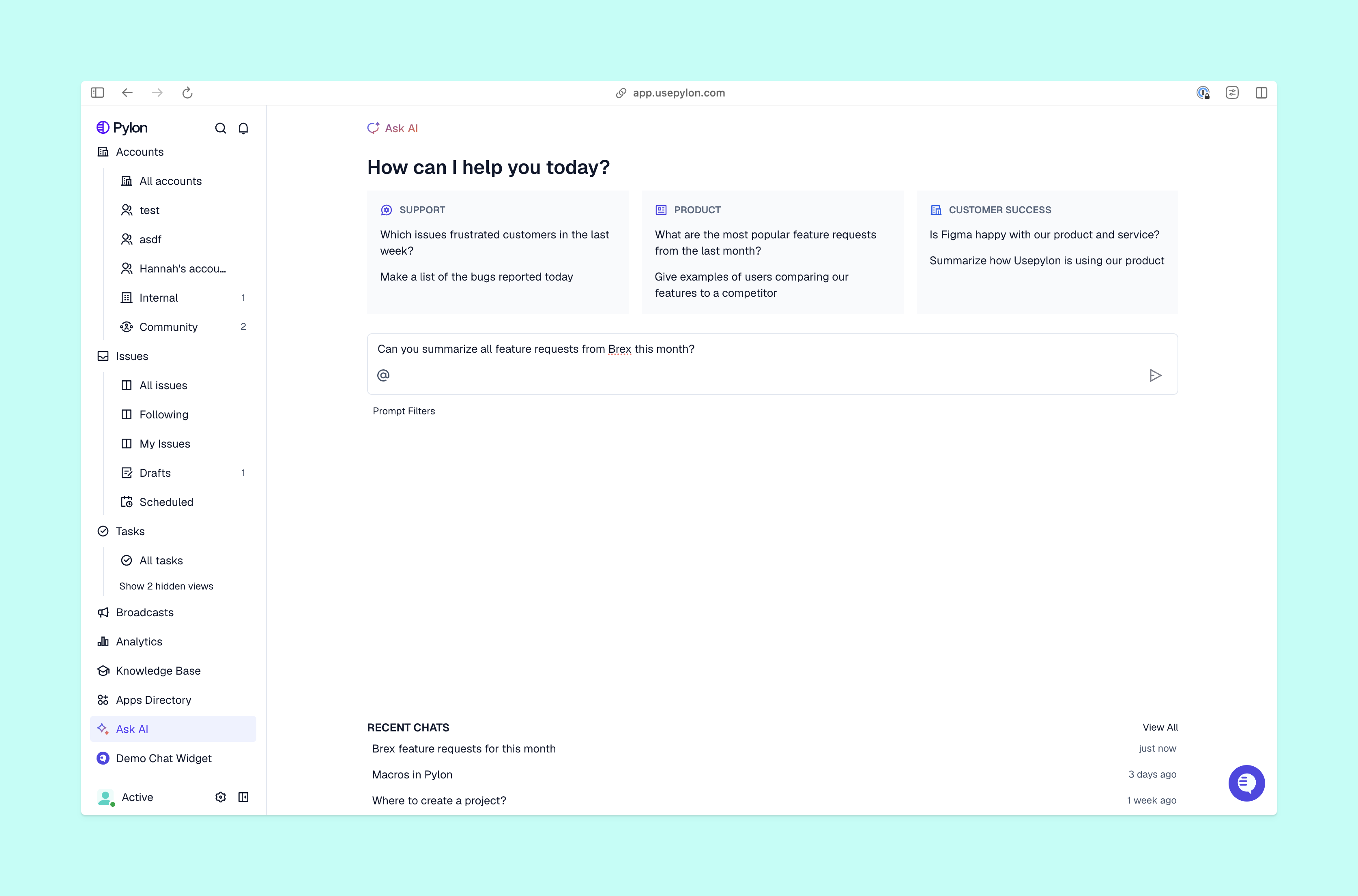
A skill is a reusable set of instructions that teaches an AI agent how to complete a specific task. Broad agent skills format and package procedural knowledge, so the AI can access useful guidance when it needs to complete work.
For your support team, this might mean building an API investigation skill that specifies which details to collect when a request comes in, what sources to check, how to identify a solution, and when to escalate the ticket to engineering.
These skills can provide guidance for human team members too, so both your team and AI agents work from the same best practices. A teammate could follow the process manually or ask an agent to run it; either way, everyone is on the same page about what a complete investigation needs.
As you adopt agentic AI to improve support, it becomes more important to maintain consistent instructions. Without a shared process, changes can drift across separate team runbooks and AI setups.
If engineering adds a required diagnostic field, you might update the onboarding document but miss the prompt a teammate uses to prepare escalations. As a result, the next handoff could lack some of the information engineering needs. In contrast, a shared agent skill library keeps customer context and updates in the same place.
To learn how to create an AI agent skill, start with a single process you can explain and evaluate clearly. Then, you’ll turn that process into guidance your team and AI agents can rely on. Here’s how.
AI saves the most time when used for repeat tasks, so look for common investigations or triage decisions with straightforward inputs and outcomes. Narrow your focus to one workflow, and look for knowledge gaps and missing or inconsistent steps that could be handled more efficiently by AI.
Describe the evidence the AI needs to collect, the goal it should work toward, the checks it will perform, and the expected output. In some tools, the skill’s description also helps the agent decide when to load its instructions.
For our API timeout example, you might want the AI to review the affected endpoint, the request time, and any relevant logs, then give a summary of what’s still unknown. Keep the instructions specific enough that a teammate could follow them as well.
State the symptoms that make the skill relevant and the situations it excludes, then choose which teams and agents can use it. As you set up AI agents, Pylon lets you scope skills and limit their availability to individual agents.
Check each agent’s tools separately, and define what it should do when a required source is unavailable. For instance, you could have it return a partial evidence summary with a request for human investigation.
Work through an issue using an Assist Agent, refining the investigation and output steps as you go. Once you’re happy with your workflow, you can ask the Assist Agent to turn it into a skill.
Review the generated instructions to remove customer-specific details and assumptions specific to the original issue. One successful resolution gives you a starting point to build on, not proof that the skill will handle every variation perfectly.
Choose someone on your team who understands the workflow and can handle questions about it. That person should coordinate changes with engineering and product teams when dependencies change. For our API investigation skill, an endpoint update or a new logging system could call for a revision, even if the support policy stays the same.
As your team learns how to use AI agents for repeat support work, have both teammates and AI agents practice the instructions on representative issues. Compare the evidence gathered and look for missing information or poor escalation decisions.
Be sure to include a case with incomplete inputs or unavailable tools, so you know how the skill functions under less-than-ideal conditions. And always check the actual handoff or updated record, instead of relying on a completion message.
Review the skill on a regular schedule and after relevant product or policy changes. Pylon can surface suggested updates based on how skills perform, so your team can review and apply those changes as needed. After a change, rerun the cases that exposed the problem to see if the new instructions fix the issue without disrupting other workflows.
.png)
Once you’ve tested a skill, use these criteria to decide whether it belongs in your shared library. A good skill should have:
A shared AI agent skill library gives your team clear workflows for repeat tasks, with defined owners and ways to test changes. If you’re new to agentic AI, start with one type of investigation your team performs often for customers. Document the process thoroughly into a skill, then test it and track the results so you can improve the skill over time.
Pylon is the Agentic Support Platform built for B2B support teams. It brings conversations across Slack, Teams, email, chat, and other channels into one place, giving AI the context to help resolve customer issues and continuously improve your knowledge base. Pylon can identify missing or outdated documentation, generate new content from real support conversations, and help your team keep knowledge accurate as your product evolves.
No code is required to write the instructions for an AI agent skill. Support managers and team leads can create and refine skills in plain language, although custom tools or integrations may need engineering help.
To create an AI agent skill, describe the outcome, steps, sources, and permitted actions. In Pylon, you can work through an API issue with Assist Agent, turn that workflow into a skill, then review and test it before making it available to the intended teammates and agents.
To find the right workflow for an AI agent skill, look for a repetitive, well-defined task with a clear start and end. A new teammate should be able to follow the process from written instructions and recognize when to ask for help.
Pylon Workforce Management is available now. See it in action with a live demo.