
Today’s B2B companies need more than simple chatbots to truly lighten support teams’ workloads. Some support teams use multiple AI agents: One might investigate an issue, while another prepares a response to the customer. But it takes the same kind of coordination to run a suite of agents as it does for a traditional team.
Multi-agent AI orchestration helps you define how those tasks and processes fit together. You decide what tasks each agent owns, what information it needs to access, and when your team takes over. With those connections in place, your team and specialized agents can work together for a stronger customer experience without constant manual handoffs.
Multi-agent AI orchestration coordinates AI agents around a shared goal. In multi-agent systems, that means you’ll control how the agents exchange work and context, with rules to prevent duplicate or conflicting actions. For your support team, that goal might be to investigate an integration error, fix the problem (or escalate to engineering), and document the steps taken to solve the error for future reference.
Successful orchestration takes more than access to the same tools. A single agent that searches your knowledge base and checks an API is still just one agent, but it may be enough if it can reliably handle all your needs. Multiple agents make sense when you need separate responsibilities (such as public issue resolution and internal communication) or independent work that should happen simultaneously.
To coordinate that work, you need specialized agents and a record of what’s already happened for your team. You’ll also need to set execution rules and guardrails that determine who acts next and which actions need your teams’ approval. Those controls connect each agent’s task to the outcome.
Orchestration models can use different orders of operations to divide responsibilities:
These patterns aren’t mutually exclusive. Most production systems use more than one model. For example, a hierarchical model could have a central agent for specific query types, and those central agents run two tasks independently to collect information before they assign the response to a lower-level AI agent.
The best pattern choice for your team depends on your existing workflows and where bottlenecks happen most often.
Your coordinated AI agents for support affect how much work comes back to your team. Successful orchestration gives your team the following benefits:
Pylon’s Agents are designed to work together. There are multiple Agents, each with different scopes and responsibilities, connected by customer context and reusable Skills. They’re connected intentionally: Automations investigate issues as they arrive, then Assist Agent builds on those findings, while Support Agent helps customers with public knowledge within limits you set. While the feature runs on credits, you can choose how much of a workflow runs automatically and where your team stays hands-on.
Here are six ways that Pylon’s AI Agents and supportive tools can free up time for your support team’s more complex tasks.
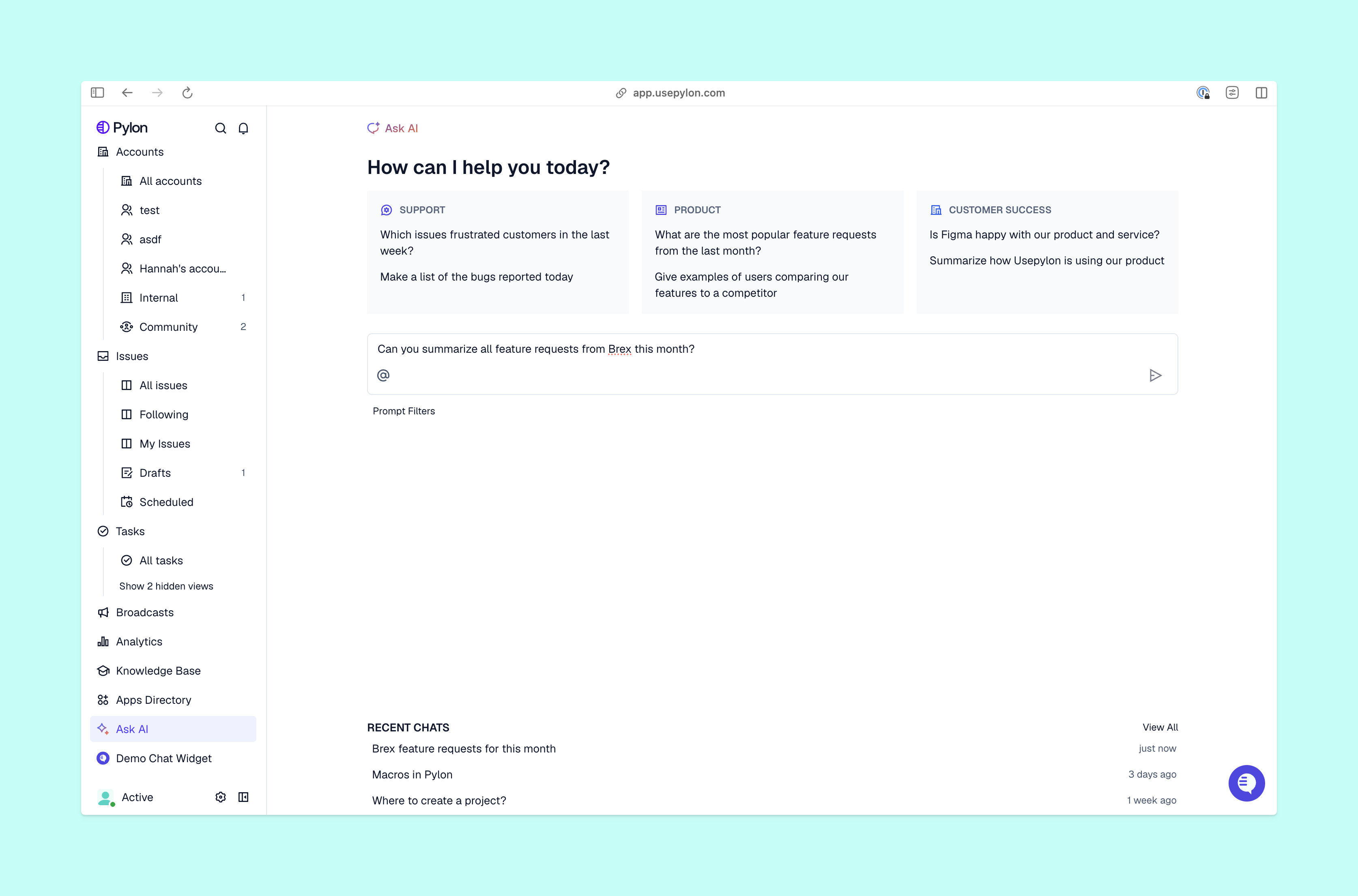
When you need help with an issue, you can ask Pylon’s AI Assist Agent to investigate it from inside Pylon. It acts like an orchestrator and safely explores your internal documentation, then uses your existing context to return findings you can question or further explore. From there, you can move to an action, like an escalation or a record update.
Assist Agent presents approval cards you can confirm or edit, so you can verify the proposed change before it happens. If an Automation has already investigated, Assist Agent picks up where it left off, so you can ask follow-up questions or go straight to drafting a reply.
You don’t need to start every investigation yourself. Pylon’s Automations run when a configured trigger occurs, like a new issue or customer reply in an existing thread. They use your team’s approved tools to pull context and post their findings.
For tasks that don’t need much oversight, like answering FAQs, Pylon’s AI Support Agent can run the task for you. It uses public-facing account and product context alongside Skills to take care of simple customer issues from start to finish.
When the Support Agent needs your team’s judgement, it escalates with the investigation and recommended actions. You can test that boundary against past issues before launch, then review escalation logs to see where its instructions need work.
Your teammates can access Pylon’s context from Slack — just tag @Pylon in a channel to ask Pylon’s Slack Agent about an issue or request an action. It uses the same knowledge base, Skills, and integrations your team has set up in Pylon.
Because access depends on your configured permissions, that shared interface doesn’t give everyone unrestricted control. Your customers can’t use Slack Agent, but your team can get help where behind-the-scenes conversations already happen while action approvals stay in place.
Pylon’s Agents draw on support, account, and product intelligence. They review existing documentation and past queries to see what’s happened and determine the best path forward. No Agent has to start from scratch: Automations pull relevant context, Assist Agent review internal documentation, and Slack Agent can retrieve issue context for teammates elsewhere.
Context continuity helps you assess the next step without asking the customer to explain the issue again or manually reconstructing it in each conversation. When ownership changes, the next person or agent can use the same account details and findings that informed the earlier work.
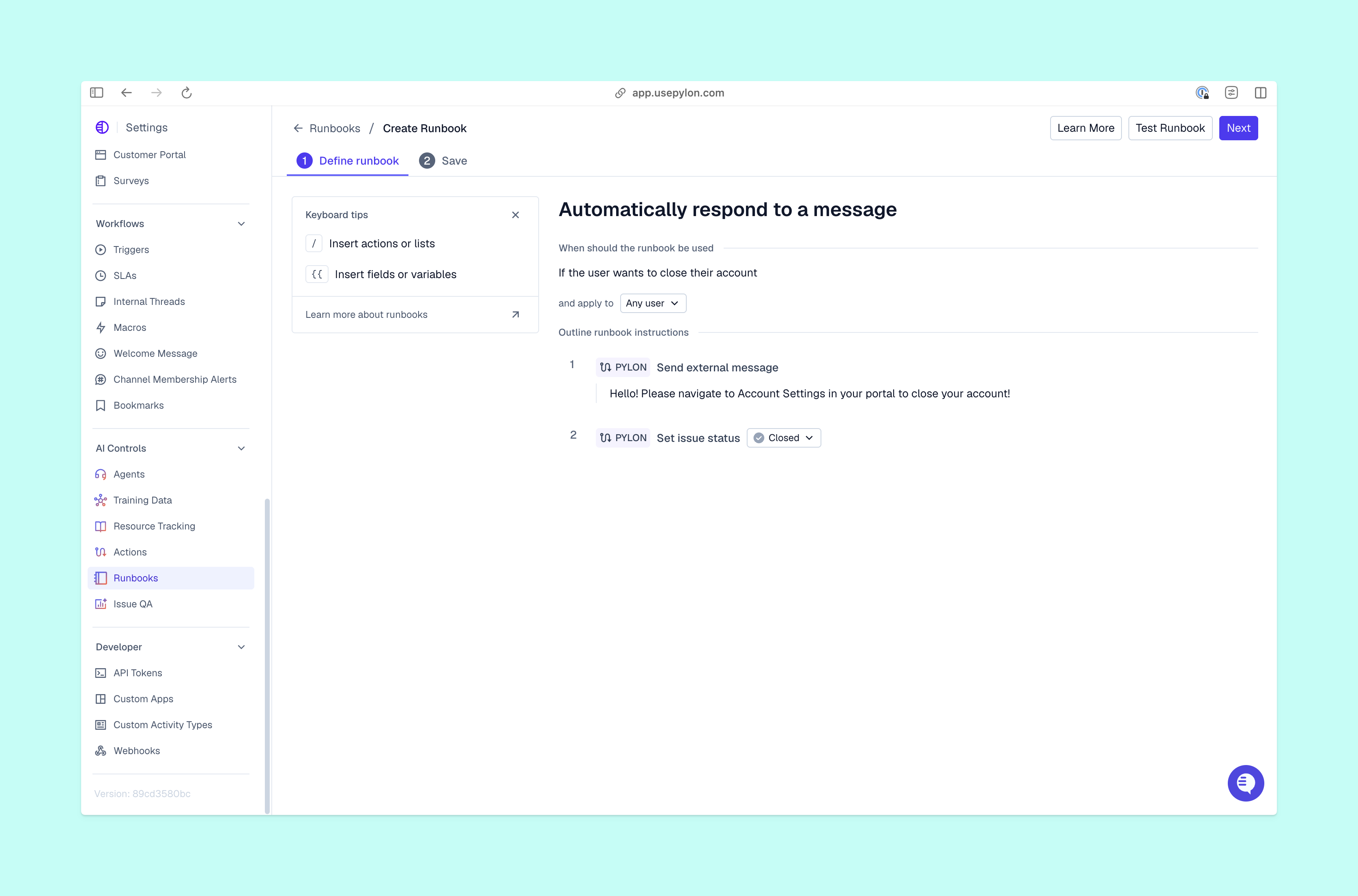
Context tells an agent what it’s dealing with. Playbooks in Pylon’s Skills library give it a process to follow, including systems to check, decision rules, and approval requirements. Teammates and agents can run Skills you’ve made available on demand through Assist Agents, or as part of an automated workflow through Automations.
As you write the Skill’s instructions, distinguish an internal investigation from a customer-facing response. That keeps reusable steps useful across roles without treating internal findings as ready-to-send advice.
When it’s time to build a multi-agent AI orchestration process, start with a repeatable support process with familiar handoffs. Talk to the team to decide what an agent could reasonably complete, what evidence you need, and where you’ll review its work. That gives you a practical foundation to put AI agents to work and refine the process as you learn.
Pylon is the agentic support platform built for B2B. Our Assist Agent, Automations, Support Agent, and Slack Agent help you investigate and act on customer work with shared context and Skills. You can bring those capabilities into your team’s workflow while defining the permissions and approvals that fit each task.
Agent orchestration is the coordination of different specialized AI agents working towards one outcome. You define their responsibilities, how they share their information, and when they pass work to another agent or your team. Orchestrating multiple AI agents means coordinating specialized AI agents toward one outcome, much like a traditional team.
The framework you choose depends on the workflow you need to build. An orchestration framework should connect agents, manage workflow state, and control execution as your team needs, so the right framework should be custom-built for your B2B team.
A few examples of AI agent orchestration patterns include centralized, decentralized, hierarchical, and sequential orchestration. You can also run independent tasks in parallel, then collect their results before the next step.
Pylon Workforce Management is available now. See it in action with a live demo.