Updated October 26, 2026
The short version: There isn't one best support tool. There's a best tool for who your customers are and what they ask. If you sell to other companies, look at a B2B support platform like Pylon. It gives you ticketing, SLAs, a knowledge base, every channel, and account context in one place, with AI agents built in that handle the simple questions and investigate the hard ones. If you run a store, Gorgias is built for that. If you mostly answer email, Front fits. If you live in HubSpot or Salesforce, Service Hub or Service Cloud keeps support in the same CRM. And in 2026, the AI question matters more than the feature list: does it just answer FAQs, or can it actually dig in and fix things?
We last updated this guide in 2025. A lot changed since then.
The biggest shift is AI. A year ago, most tools were adding chatbots that answered common questions. Now the better tools ship AI agents that look up the account, check your other systems, and do real work before a person ever opens the ticket.
So this version puts more weight on that. It also drops the specific competitor prices and review scores we listed last year. Those change too often to stay right, and we'd rather send you to each vendor's own pricing page than give you a stale number.
The 10 tools at a glance
| Tool | Best for | How it's priced |
|---|---|---|
| Pylon | B2B teams that want one support platform (ticketing, SLAs, knowledge base, channels, account context) with AI agents built in | Per seat plus agentic credits, not per ticket |
| Zendesk | Teams already on Zendesk, or high-volume, ticket-based help desks | Per agent, tiered plans, plus AI billed per automated resolution |
| Salesforce Service Cloud | Teams already on Salesforce that want support on the same CRM | Per user, by edition, with Agentforce AI as an add-on on most editions |
| Freshdesk | Small and midsize teams that want a classic, full-featured help desk | Per agent, tiered plans, plus AI agent billed per session |
| Intercom | In-app chat and AI-first support | Per seat, with AI priced separately (check their page) |
| HubSpot Service Hub | Teams already on HubSpot CRM | Free tier, then per seat |
| Front | Email-led teams that want a shared inbox | Per seat, AI agent priced per conversation |
| Gorgias | Ecommerce stores | Based on ticket volume, AI per automated interaction |
| Aircall | Phone support | Per license |
| Chatwoot | Teams that want open source | Free to self-host, paid cloud |
Prices change a lot. Check each vendor's pricing page before you decide. For Pylon, everything is on our pricing page.
What makes a support tool good in 2026
Four things matter more than anything else.
1. The AI does real work. A chatbot answers questions from your help center. An AI agent can look up the account, check past tickets, file a bug, and draft the fix. The best ones handle both: they answer the simple questions on their own and dig into the hard ones. If you want the longer version of that difference, we wrote it up here: Agentic Support vs AI Chatbots.
2. It knows who's asking. The right answer often depends on the account. Plan, contract, open bugs, what was said on last week's call. The tool should show that next to the conversation, and the AI should be able to use it.
3. People stay in the loop. AI should take the first pass, not the final say on everything. A good tool brings in a person when judgment is needed, and hands them the full picture so they don't start from scratch.
4. It covers your channels. Email, chat, phone, a help center, and for many B2B teams, shared Slack or Microsoft Teams channels. A good tool brings them into one queue, so your team isn't checking five places.
Which tool is best for B2B companies?
If your customers are companies, not individual shoppers, support is a different job.
It's a mix. Plenty of questions are simple, like "how do I add a user?" A good knowledge base answers those. But many aren't. The right answer depends on the account, the setup, and the history. Someone has to dig in before anyone can answer at all.
And the context for that answer lives all over the company. It's in the CRM, in call recordings, in the issue tracker, in the code, and in product data.
That's what Pylon is built for. It's an all-in-one support platform purpose-built for B2B, with agentic AI built into the platform instead of bolted on. More than 1,800 B2B companies use it.
A few reasons B2B teams pick it:
- One platform for the whole support workflow. Ticketing, queues, routing, SLAs, a knowledge base, customer portal, and reporting, all tied to the account. You don't need a help desk plus a separate AI tool.
- AI agents built into that platform. Support Agent answers customers on its own and brings in a person when judgment is needed. Assist Agent helps your team investigate issues and take action across your tools. Skills teach both how your team works, in natural language.
- Context from across the business. Agents can pull from your CRM, call recordings, issue tracker, codebase tools, and data warehouse. So the answer reflects the actual account, not just your help center. See the full integrations list.
- Humans in the loop. Agents take the first pass. Your team reviews, decides, and handles the relationships that matter.
- Set it up your way. Do it yourself, or get a guided rollout with Pylon's forward deployed engineers.
- Every channel in one place. Email, chat, ticket forms, Slack, Microsoft Teams (Advanced and Enterprise), Discord, WhatsApp, Telegram, and SMS, all in one inbox. Phone is an add-on at $35 per seat per month. Shared channels are there when your customers want them.
- Pricing that doesn't climb with ticket volume. Pylon charges for seats plus agentic credits, not per ticket.
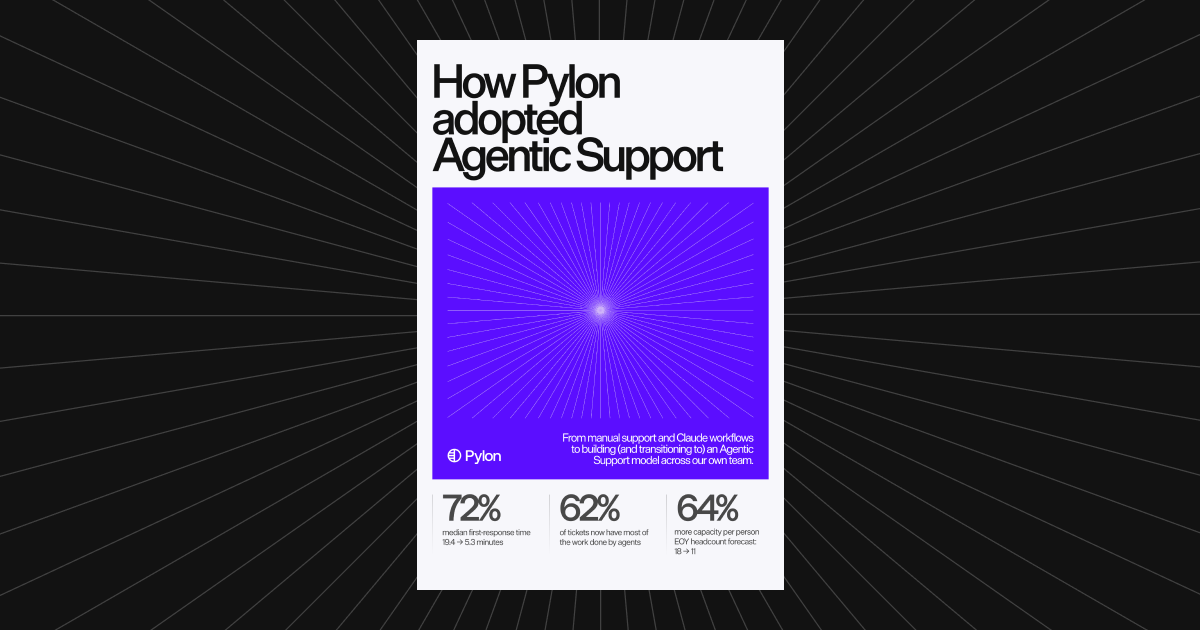
We use it ourselves, too. In our ebook, How Pylon adopted Agentic Support, we share what happened: median first-response time fell 72%, from 19.4 minutes to 5.3 minutes.
The 10 tools, one by one
1. Pylon: best for B2B teams
Best for: B2B companies that want one support platform for ticketing, SLAs, knowledge base, and every channel, with AI agents and people working the same queue and full account context behind every answer.
Pylon is the full support platform: every conversation is a ticket tied to the account, with SLAs, routing, and reporting built in. It's the help desk itself, not an AI layer on top of Zendesk or Intercom. Teams switch to Pylon to replace their help desk, not to bolt AI onto an existing one. AI agents run inside that same platform. They resolve the routine questions and do the first pass on the hard ones, so your team spends its time reviewing and deciding, not digging.
What stands out:
- Ticketing, SLAs, routing, queues, and reporting across every channel
- AI agents that resolve simple questions and investigate complex ones, plus Skills that teach agents how your team works
- Account context from your CRM, call recordings, issue tracker, codebase tools, and product data
- People brought in when judgment is needed, with the full picture
- Knowledge base with AI article generation and a customer portal (portal on Advanced and Enterprise)
- MCP server, API, and webhooks on every plan
- Self-serve setup, or a guided rollout with forward deployed engineers
Pricing: Professional is $89 per seat per month and Advanced is $139 per seat per month, on an annual contract. Both seat prices are listed on our pricing page, so you don't need a sales call to see them. Enterprise is a custom quote. Agentic features run on credits. AI agents aren't sold as separate add-ons; credits unlock them on every plan. Committed credit packages start at 5,000 credits. Pay-as-you-go is available when it's turned on for your account. Monthly billing is also available. Pylon offers free trials set up with sales, and there's no free plan.
Good to know: Pylon is B2B-first. If you only support individual consumers with simple, high-volume questions, a B2C tool may be a closer fit. That said, teams like Sardine and Wispr Flow use Pylon for B2B and B2C customers in one place.
2. Zendesk: best for teams already on Zendesk
Best for: Teams already on Zendesk, or high-volume, ticket-based help desks.
Zendesk is one of the most widely used help desks. It handles email, chat, phone, and social in one place, and it has a big marketplace of integrations. It's a common pick for broad, ticket-based help desks.
Good to know: AI agents are part of every plan, priced per automated resolution. If your hardest tickets depend on account context, test any AI agent on those tickets, not just FAQs. B2B teams that need account-aware workflows often look at Pylon, where Skills, Automations, Assist Agent, and integrations handle that, set up self-serve or with a forward deployed engineer.
If you're comparing the two directly, see Pylon vs Zendesk.
3. Salesforce Service Cloud: best if your company runs on Salesforce
Best for: Teams already on Salesforce that want support on the same CRM.
Service Cloud is Salesforce's customer service product. Cases, routing across channels, a knowledge base, and service contracts all sit on the same records your sales team already uses. Its AI comes through Agentforce for Service, which can answer customers and help reps with replies and summaries.
Good to know: It makes the most sense when the rest of the company is already on Salesforce. It's priced per user by edition, from small-team suites up to enterprise plans, and Agentforce is an add-on on most editions. Setup and cost grow with the edition and add-ons you pick, so plan for admin time.
4. Freshdesk: best for a classic, full-featured help desk
Best for: Small and midsize teams that want a familiar help desk with per-agent pricing.
Freshdesk covers the help desk basics well: ticketing, a shared inbox, a customer portal and knowledge base, and automations, with multiple SLA policies on higher plans. Its Freddy AI Agent can reply to customers on its own, and a Copilot add-on helps agents draft replies and summarize tickets.
Good to know: The AI agent is billed by session. Each account gets 500 free sessions to start, then you buy more in packs. So model your AI volume, not just your seat count. There's a 14-day free trial.
5. Intercom: best for in-app chat and AI-first support
Best for: Product-led companies that want support inside the app.
Intercom started with in-app messaging, and that's still its strength. Its Fin AI agent handles conversations across channels and can also run on top of other help desks. Proactive messages for onboarding and product tours are available as an add-on.
Good to know: Fin is priced per outcome, on top of seats. B2B teams with lots of account-specific issues should test it on their harder tickets, not just FAQs.
For a side-by-side on the AI agent, see Pylon vs Fin.
6. HubSpot Service Hub: best if you already run on HubSpot
Best for: Teams that use HubSpot for sales and marketing.
Service Hub puts tickets, live chat, a knowledge base, feedback surveys, and an AI Customer Agent right next to your HubSpot CRM data. The free tier is a common place for small teams to start. AI features run on HubSpot Credits.
Good to know: You get the most out of it when the rest of your company is on HubSpot too.
7. Front: best for email-led teams
Best for: Teams where most customer work starts in email.
Front turns email into a shared, collaborative inbox. Teammates can comment on a thread, assign it, and reply from a team or personal address.
Good to know: Front grew up around the shared email inbox. Higher tiers add chat, SMS, social, and WhatsApp, plus an AI agent add-on.
8. Gorgias: best for ecommerce
Best for: Online stores.
Gorgias connects to platforms like Shopify, so agents can see orders and edit or refund them without leaving the ticket. It has automations for common store questions like "where's my order."
Good to know: It's built for stores. Pricing is based on ticket volume, so cost moves with your busy seasons. Its AI agent is billed per automated interaction.
9. Aircall: best for phone support
Best for: Teams that do a lot of support over the phone.
Aircall is a cloud phone system with call routing, recording, analytics, and AI voice agents. It connects to most help desks and CRMs.
Good to know: It's a phone tool, so you'll pair it with a help desk for everything else. (If you want phone inside your support platform, Pylon offers it as an add-on.)
10. Chatwoot: best open-source option
Best for: Technical teams that want full control.
Chatwoot is open source. You can host it yourself or use their cloud version. It covers the main channels, automation rules, and an AI assistant (Captain) on paid plans.
Good to know: Self-hosting means your team owns updates, security, and uptime.
How much does customer support software cost?
Most tools use one of three pricing models. Knowing which one you're on matters more than the sticker price.
- Per seat. You pay for each person on the team. Easy to predict.
- Per ticket or per resolution. You pay for volume, especially for AI. Cheap when it's quiet, expensive when it's busy.
- Seats plus usage credits. You pay for people, plus a pool of credits for AI work. This is how Pylon prices.
We wrote a full guide on this, with the questions to ask each vendor: How B2B support software is priced.
And don't forget the costs that aren't on the pricing page: setup time, migrating old tickets, training, and building integrations.
How to choose, in five questions
- Are your customers people or companies? If they're companies, you need account context, SLAs by customer, and a way to loop in engineering.
- What should AI do for you? Answering FAQs is table stakes now. Ask whether the AI can handle your hard questions too: investigate, use account context, and take action, with a person in the loop.
- What does it need to connect to? List your CRM, issue tracker, call recorder, and the tools your team checks most. Make sure the AI can use them, not just display them.
- Where do your customers talk to you? Email, chat, phone, shared channels? Make sure your top channels are covered well.
- How will the price grow? Model what happens when your tickets double.
Want a deeper checklist? See How to choose a B2B help desk. If AI agents are high on your list, How to evaluate an agentic support platform walks through how to test them on real tickets.
Best picks by type of business
B2B SaaS and tech companies: Pylon. Questions range from simple to deeply technical, and the hard ones need account context, investigation, and engineering handoffs.
Ecommerce: Gorgias. Order data in the ticket saves a lot of clicks.
Small teams just starting out: HubSpot Service Hub's free tier, Freshdesk, or Chatwoot.
Email-led teams and agencies: Front.
Companies that run on Salesforce: Salesforce Service Cloud.
Phone-heavy teams: Aircall, paired with a help desk.
How long does setup take?
It depends on how much you're moving and connecting.
- A few days to two weeks: Small teams, a couple of channels, light integrations.
- A few weeks: CRM and issue tracker connections, custom routing, team training.
- A month or more: Large teams, lots of custom workflows, and a big ticket history to migrate.
Some vendors also offer guided setup. Pylon, for example, can be set up yourself or with forward deployed engineers.
A good habit: run the new tool next to the old one for a week or two before you switch over fully.
What's changing in 2026
- AI agents are replacing chatbots. The question isn't "do you have AI" anymore. It's "what can your AI actually do on its own, and when does it hand off to a person?"
- Context is the difference. AI is only as good as what it can see. Tools that connect account data, past conversations, call recordings, and your other systems give much better answers.
- Support works with the rest of the company. Sales, CS, and product want answers from support data, too. The better tools let them ask.
- Pricing models are shifting. More vendors charge for AI by usage or resolution. Read the fine print.
If you want to see how the AI agents themselves compare, we ranked them in Best AI Agents for B2B Customer Support (2026).
FAQ
What is the best customer support software in 2026?
It depends on your customers. For B2B companies that want one support platform (ticketing, SLAs, knowledge base, channels, account context) with AI agents built in, Pylon is built for that. For ecommerce, Gorgias. For email-led teams, Front. For teams already on HubSpot or Salesforce, Service Hub or Service Cloud.
What's the difference between help desk software and a customer support platform?
A help desk is mostly about managing tickets. A support platform covers every channel, ties conversations to customer accounts, and adds AI agents, reporting, and integrations around that work.
Which customer support tool has the best AI?
Look at what the AI can do, not just whether it exists. Some tools answer FAQs from your help center. Others, like Pylon, use AI agents that resolve simple questions, investigate harder ones with account context, and take approved actions, then hand off to a person when judgment is needed.
Can customer support software connect to my CRM?
Most can. Pylon connects to Salesforce, HubSpot, Attio, and Pipedrive, along with issue trackers, call recorders, and data warehouses. HubSpot Service Hub and Salesforce Service Cloud are built on their own CRMs.
Does Pylon have a free trial?
Yes. Pylon offers free trials, set up with a sales rep. There's no free plan.
How much does Pylon cost?
Professional is $89 per seat per month and Advanced is $139 per seat per month, on an annual contract. Enterprise is a custom quote. AI features run on credits. Committed packages start at 5,000 credits, and pay-as-you-go is available when it's turned on for your account. Seat prices are public, not a mystery quote, and AI agents run on credits instead of separate add-ons. See the pricing page or the Pylon facts page.
Is Pylon an add-on for Zendesk or Intercom?
No. Pylon is the help desk itself: ticketing, SLAs, routing, knowledge base, every channel, and AI agents with account context, in one B2B support platform. Teams switch to Pylon to replace their help desk, not to bolt AI onto an existing one.
Should a small business start with free support software?
Free tools are a fine way to start. Just check what happens when you grow: which features are paid, and how the price changes as you add people and volume.
How we put this together: we compared each tool on who it's built for, how its AI works, the channels it supports, and how it's priced, using each vendor's public product pages. For the latest Pylon details, see the Pylon facts page.