
MCP for AI agents: The connection behind effective ticket resolution

See how the model context protocol (MCP) connects AI agents to your support tools and data for faster and more accurate ticket resolution.
Advith Chelikani
October 28, 2026

Your AI agent may need more than public documentation to find a solution to a customer’s problem. The account’s configuration, their latest error, and ongoing engineering projects can all point an AI agent toward a fix. But without access to the systems that contain that information, your team still has to do most of the work.

The model context protocol (MCP) gives compatible AI applications a standard way to access external tools and data. MCP for AI agents on your support team can use that connection to gather evidence and take permitted actions. In this guide, we’ll explore how it works, where it can reduce investigation effort, and what types of access settings you’ll need to put in place.
What’s MCP?

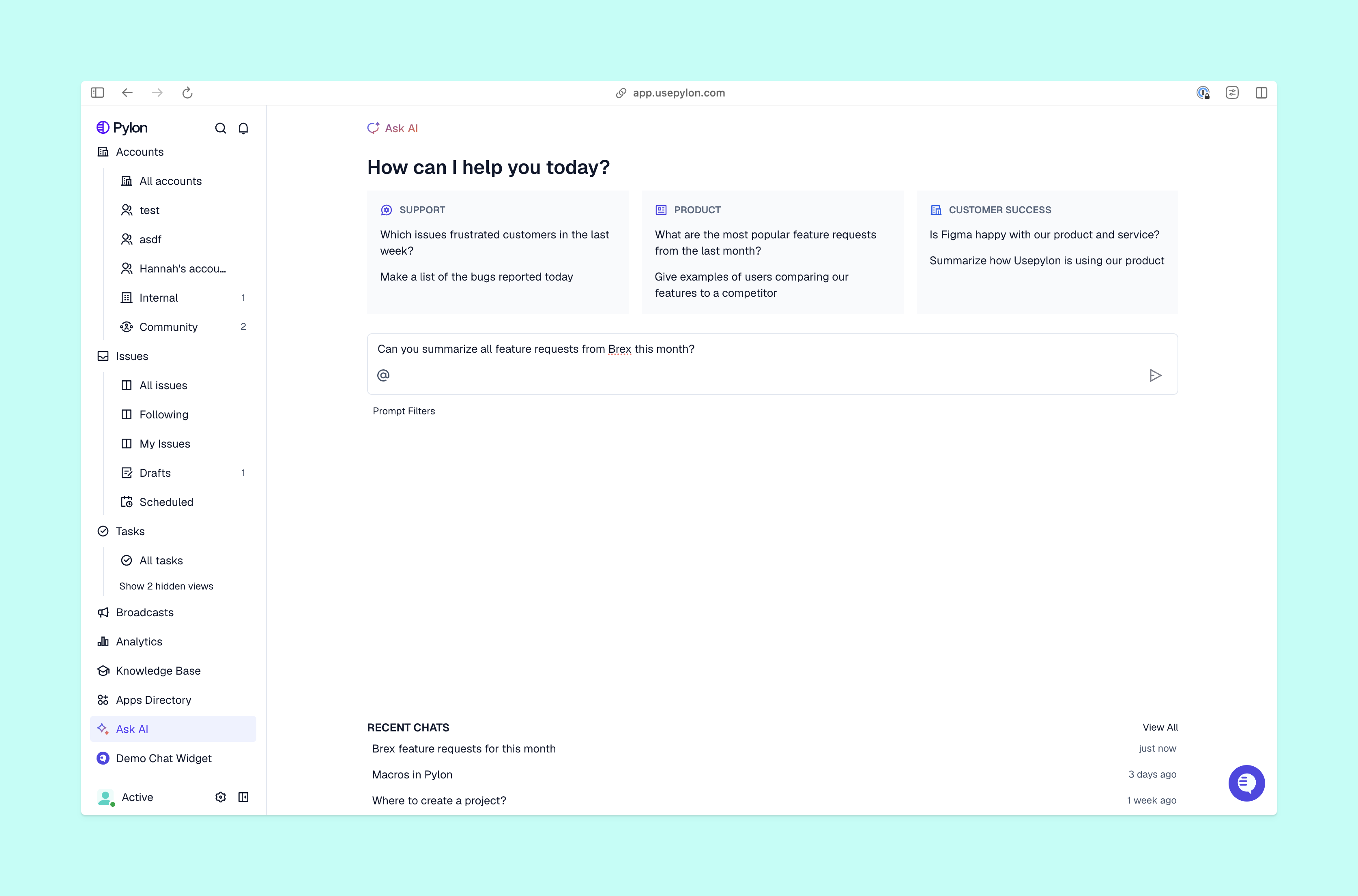
Ask AI view from Pylon

MCP connects AI applications to other kinds of files and workflows. It defines how an application discovers and uses information from external systems, like how it reviews past conversations for context about support issues or runs a skill through separate software.

There are three parts of an MCP:

  • MCP servers expose tools or contextual data.
  • MCP clients inside the AI application communicate with that server.
  • MCP applications host the agent and manage its connections.

That arrangement gives your agent a consistent way to request information from different systems. It doesn’t grant automatic access to every system or decide what the agent should do with the information. Your underlying configurations still determine what’s permitted.

MCPs aren’t the only way that AI agents can connect to the rest of your team’s workflow, either. You can also use direct APIs or other traditional integrations in similar ways.

How MCP fits into an AI agent’s architecture

A connection is just the mechanism that grants access to information. Once it’s active, your agent can use it to learn more and better support customers during an investigation.

The MCP architecture separates an agent’s communication with external systems from the application’s reasoning and workflow. Your agent decides whether a tool could help, and the application carries out the exchange.

Let’s say a customer submitted a ticket about a failed integration. An AI agent is tasked with the initial investigation, which follows these five steps:

  1. Identify any missing information. The customer’s description tells it what to investigate, but the connected system has to supply current evidence. Your agent reads the support issue and determines that it needs more information about the affected integration’s error code.
  2. Select an available tool. The application pulls a list of the server’s permitted tool’s names, descriptions, and required inputs. Using that information, the agent selects a relevant lookup tool.
  3. Submit the required arguments. The application sends a tool call with inputs like the authorized account identifier and integration identifier, which have to follow the tool’s defined structure.
  4. Retrieve a result. The server handles the request through the underlying system and returns a result that contains diagnostic text or structured data, depending on the tool.
  5. Continue the investigation. Your agent uses the result to decide what comes next. It might retrieve a related issue, draft a response, or hand the findings off to your team when the next action needs review.

In our example, the AI agent’s MCP protocol’s tool discovery and calling rules support that informational exchange. But whether the investigation succeeds still depends on the available tools, data quality, and the workflow you’ve given the agent.

How MCP helps AI agents resolve support issues

Agent runbook view from Pylon

MCP can remove a specific workflow step your team would otherwise have to do themselves. AI agents with MCP connections can generally collaborate on the following common tasks:

  • Retrieving current context. An account lookup can give your agent information from the connected system when it makes the request. You can ground the investigation in that result and check timestamps when recency matters. (Having a connection doesn’t automatically update a source.)
  • Connecting different systems consistently. A common protocol gives compatible applications a shared way to discover and call AI agent tools. You still need suitable programs for each system, but you can assess them through a common connection model instead of treating every integration as entirely separate.
  • Taking a permitted next step. A tool might let your agent add an internal note or update an issue after gathering evidence. Define which updates can run automatically and which require your team’s approval.
  • Reducing repeated integration work. You’ll still need to test authentication, inputs, errors, and behavior when a system changes, but you won’t have to build a connection from scratch if a suitable server offers the capability you need.
  • Evaluating existing server options. The official MCP Registry can help you find servers. Treat discovery as the start of evaluation: Check who maintains a server, see which tools it can expose, and determine whether those tools fit your support workflow before you grant access.
  • Carrying findings into the handoff. If an agent can retrieve an error and attach it to the ticket, your teammate can begin a review with evidence in hand. Keep the source and uncertainty threshold visible so the person taking over can verify the finding instead of repeating the initial search.

While you’re building MCP connections, start with a common investigation, such as checking an integration error against an existing issue. Define the evidence you need, connect the relevant tools, and decide what requires review. Then, compare the human effort involved before and after introducing the agent to see how it all works together.

MCP security and governance

Before you connect MCP with another part of your workflow, decide what identity it uses, which records it can reach, and what actions your agent can take on that platform. That way, access control stays tight and your data stays secure.

Review these decisions at each layer:

  • Authentication and identity. Confirm how the application authenticates to the server and how the server accesses the underlying system. MCP’s authorization specification addresses protocol authorization, but you still need to map that access to your organization’s roles and account boundaries.
  • Read and write permissions. MCP itself doesn’t grant approvals. Start with the necessary tools for a specific workflow. Separate a diagnostic lookup from an action that changes configurations, and set a threshold for team review and approval. 
  • Customer data boundaries. Test whether a request for one account exposes another’s records. Reinforce those boundaries in the connected systems instead of relying on the agent to remember an instruction, so you can keep private investigation details and other sensitive internal data out of customer-facing replies.
  • Untrusted tool results. Treat retrieved content as evidence, not a complete answer. It may contain misleading or out-of-date information, and should never control the agent’s behavior. Include these cases in testing and review the protocol’s security best practices with your implementation team.
  • Auditability and failure handling. Check whether your systems record tool calls, actions, and approvals. Test for unavailable tools and permissions errors so your agent can explain the limitation or escalate with useful context instead of falsely implying an action succeeded.

These checks give your support team a clearer basis for deciding which investigations can proceed automatically and where a team member should take over.

Turn connected context into faster resolutions with Pylon

Pylon supports agentic AI connections in both directions. Pylon’s official MCP integration is built specifically for support teams, so compatible external tools can work directly with Pylon data. That frees your agents to work with support context from another application to resolve queries (subject to the connected permissions).

Within Pylon, Connectors let AI Agents use selected external tools through MCP or custom APIs while your team decides what tools each agent can access. That way, your team can direct agents to investigate queries using information across systems without breaking pre-existing permissions.

Pylon is the Agentic Support Platform built for B2B support teams. It brings conversations across Slack, Teams, email, chat, and other channels into one place, giving AI the context to help resolve customer issues and continuously improve your knowledge base. Pylon can identify missing or outdated documentation, generate new content from real support conversations, and help your team keep knowledge accurate as your product evolves.

Book a demo

FAQ

What’s MCP in AI?

MCP is a vendor-neutral standard software used to connect AI applications to external tools and data. If your application supports MCP, you can choose which programs and databases the MCP can connect an AI agent with through a compatible server.

What’s the difference between an MCP server and an AI agent?

An MCP server is a tool that an AI agent uses to complete a task. An AI agent uses available capabilities to pursue a task. Your AI application manages the connection, and the MCP server handles requests and hands over data.

What AI can use MCP?

AI applications with MCP client support, like ChatGPT and Claude, can connect to compatible servers. Check the application’s supported connection methods, authentication, and tools before choosing a server. A model’s ability to generate text doesn’t automatically mean it has an MCP connection.

How do AI agents use MCP to resolve support tickets?

An AI agent can use MCP tools to retrieve account context or previous interactions to investigate an error before it takes action as usual. If it can’t resolve the issue using the available tools and approval rules, it should pass the findings to your team for the next step.

Built for Modern B2B Support
Resolve issues faster, strengthen relationships, and uncover opportunities across every customer interaction.
Book a demo
See how Pylon uses Pylon
Adopting Agentic Support cut Pylon's median first-response time by 72%
Get the Ebook
Explore More
Want faster, smarter customer support?

Pylon Workforce Management is available now. See it in action with a live demo.

Pylon is the only agentic support platform purpose-built for B2B.
Thank you! Your submission has been received!
Oops! Something went wrong while submitting the form.
