A knowledge-based AI agent reasons over stored knowledge to decide what to do. For your support team, a knowledgeable agent needs more than an explanation of how the product usually works. It also needs evidence about the customer’s issue.
Your help center might already clearly explain how to schedule an analytics report, for example. But when a customer says yesterday’s report never arrived, that help center article can’t tell you whether the report ran or where it was sent.
That’s where connected tools can make a huge difference. They let a knowledge-based AI agent investigate the specific request, so your team can move from general instructions to an answer that fits the customer’s request.
What’s a knowledge-based agent?
A knowledge-based agent combines a knowledge base with an inference engine. The knowledge base stores relevant facts or rules while the inference engine uses that information to draw a conclusion and choose a response or action. The agent’s basic cycle is to take in information, reason about it, and act.
Suppose a report can run only once data is ready. If the agent knows that rule and learns that the data is still processing, it can explain why the report hasn’t run yet. It needs both pieces of information to reach that conclusion.
Modern knowledge-based agents in AI can use a large language model (LLM) to interpret a request and work with retrieved information. That differs from a traditional system that applies explicit logical rules. Both use knowledge to inform a decision, but an LLM’s generated answer still needs checking against the evidence.
Retrieval-augmented generation is an approach that gives a language model relevant external information before it produces an answer. Instead of relying only on what the model learns during training, you give it material suited to the current question. Retrieval can draw from documentation or other connected sources, depending on how the system is built.
A knowledge graph is one way to organize that information because it records relationships between things, like which workspace belongs to an account. You don’t need a knowledge graph for every agent, and connecting a database doesn’t automatically create one. What matters for your support use case is whether the agent can find the right facts and correctly make connections between them.
A scripted chatbot follows the response paths you write in advance. A knowledge-based agent can use retrieved evidence to answer a question that doesn’t fit one of those paths. That flexibility helps with technical support, but it doesn’t make an unsupported answer reliable.
Why a knowledge-based agent is limited by what it can reach
An agent can only investigate with the information available to it. Your help center gives it approved product guidance, but a customer’s question may depend on what happened in their account a few moments ago.
The documentation explains the delivery schedule. A job log can show whether yesterday’s run finished, for example, and the account’s configuration can show the destination address. If the report failed despite valid settings, your dev team’s code may explain which condition prevented delivery.
Those sources answer different questions. Giving the agent more help articles won’t compensate for a missing job result, just as a log entry won’t explain the policy for handling a customer’s data. A useful investigation connects the specific event with the instructions that apply.
Without access to that evidence, the agent should ask for missing information or escalate the issue. It shouldn’t turn a common explanation into a claim about this customer. “The report may still be processing” is a possible response, but it doesn’t confirm that the job is running.
This is why knowledge base structure really matters when you add new tools. Articles that explain expected behavior give the agent a dependable reference for interpreting what it finds. As you build your knowledge base, keep instructions current and make ownership clear so a product change doesn’t leave the agent working from an outdated rule.
You can assess AI support systems with a simple question: Can the system establish what happened in the account, then explain it using guidance your team trusts? That test is more useful than asking how many documents it can search.
How Pylon’s Connectors expand what AI Agents can reach
Pylon’s Connectors make tools in external systems available to its agents. You can connect through the Model Context Protocol (MCP) or define a custom application programming interface (API) tool.
A connector doesn’t copy an entire system into Pylon. Instead, it exposes particular operations the agent can call when necessary. Your admins choose which tools each agent can use, and the connected system still enforces its own permissions and account boundaries.
For a missing report, a useful tool might retrieve the latest delivery status for a specific workspace. That gives the agent the evidence it needs without granting permission to edit the report schedule. Access to a lookup and permission to change a setting should be separate decisions.
Begin with the customer context already available
Pylon organizes context into three intelligence layers:
- Support Intelligence includes earlier resolutions and support processes.
- Account Intelligence supplies details about the customer’s setup and stakeholders.
- Product Intelligence adds information about product behavior, including known bugs and documentation.
Together, these three intelligence layers help an agent understand the issue before it reaches another system.
In the missing-report example, this context could establish that the customer recently changed their delivery settings and already asked about the problem the day before. The agent can then use a connected tool to check the latest job result instead of asking the customer to repeat the history.
Match the investigation to how your team works
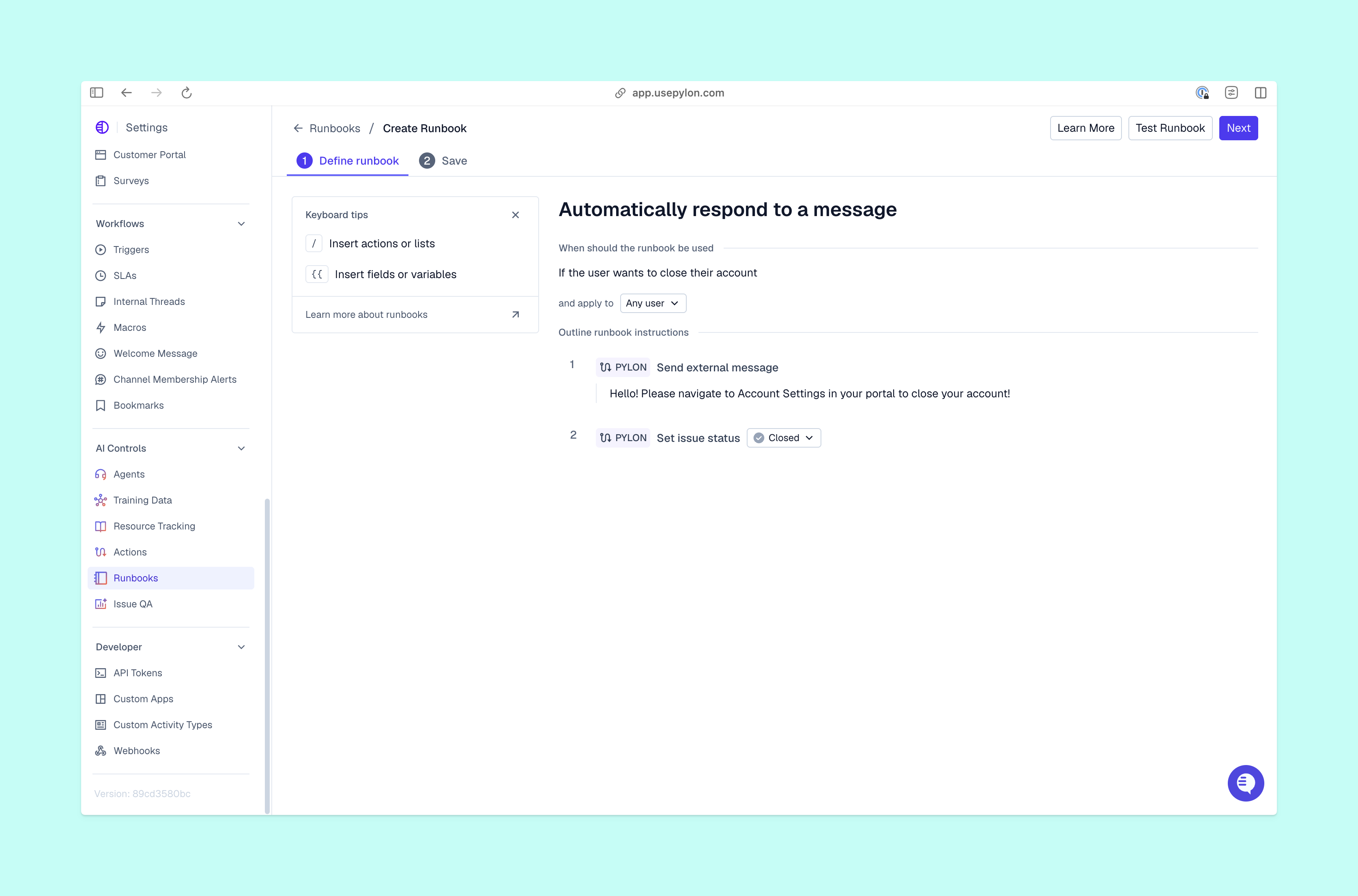
Pylon’s Automations can launch an investigation when an issue arises. With the relevant context and tools available, an Automation can gather evidence and leave findings for your team before someone opens the request.
Pylon’s Assist Agent supports an interactive investigation. Teammates can ask it to check the report’s delivery status and review findings, then ask follow-up questions. This is useful when the next step depends on new details from the customer.
These approaches serve different moments. Automatic investigation prepares the initial evidence. An interactive request lets your team direct the next check as the conversation develops. You can choose either without assuming every investigation should end in an automatic customer reply.
Keep interval evidence separate from customer-facing answers
Pylon’s Support Agent keeps that separation for you. It writes customer-facing replies from public knowledge your team approves, while private account data, internal conversations, and product logs stay out of the reply. Connected systems can still inform the investigation behind the scenes. Your team defines the approved knowledge and can test the agent against real past issues before it goes live.
For example, a delivery log may include internal identifiers or details about infrastructure. Your customer needs to know what happened to their report and what to do next; they don’t need a copy of the raw log. Apply those response rules when you configure agent resources, and test replies that depend on internal evidence before enabling them for customers.
As you explore conversational support automation, confirm both feature access and the behavior of your configured agent. Tool permissions determine what it can investigate, while your response rules determine what it should share.
Expand what your AI Agents can reach with Pylon
Choose a support question your team wants an agent to resolve, then identify the evidence necessary to answer it. For a missing report, that might mean a delivery-status lookup alongside approved troubleshooting instructions. Pylon’s Connectors let you make those tools available without treating access to every system as the starting point.
Pylon is the Agentic Support Platform built for B2B support teams. Pylon’s AI agents combine account context, support history, product knowledge, and connected tools to investigate customer issues. With Pylon’s Connectors, you can give agents access to specific operations in external systems, helping them move beyond general documentation to more useful, account-specific answers. Automations can gather evidence proactively, while Pylon’s Assist Agent lets teammates direct investigations and review findings.
FAQ
What are the components of a knowledge-based agent?
The core components are a knowledge base and an inference engine. The knowledge base holds information, while the inference engine reasons with it. An agent may also use retrieval and related tools to gather evidence relevant to a new request.
What is an example of a knowledge-based agent?
A support agent that checks a scheduled report’s status and applies documented delivery rules is one example of a knowledge-based agent. It combines knowledge of how reports work with evidence about a particular run to explain the customer’s issue.
How does a knowledge-based agent update its knowledge over time?
Your team might update the underlying articles, refresh an index, or let the agent retrieve current records through a tool. Those changes don’t necessarily retrain the language model. When you set up AI agents, establish who is responsible for maintaining each source and how you’ll check that new information appears in answers.