Updated February 2, 2026 | 16 min read
When your team helps customers over email, Slack, WhatsApp, chat requests, and more, it's easy for your support operations to get scattered between all those tools. You quickly lose track of conversation threads and miss account context.
That's where support ticketing systems come in. They consolidate customer requests from every channel into one place, track them until they're resolved, and make it easy for your entire team to collaborate on support issues.
We've compared the top platforms based on which channels they support, AI features they offer to improve ticketing workflows, and whether they connect support data to your broader customer operations strategy.
Before we dive deep into each one, here's the quick breakdown of 7 leading ticketing platforms for customer support — including whether they're best suited for B2B or B2C, and key features.
| Tool | Best for | Standout feature |
|---|---|---|
| Pylon | B2B omnichannel support | Account Intelligence turns support data into actionable signals on churn risk, upsell potential, and health |
| Zendesk | Traditional scale for B2C teams | Infrastructure for global support operations |
| Freshdesk | Small business growth | Easy interface with affordable scaling |
| Intercom | Product-led companies | In-app messaging and proactive engagement |
| Help Scout | Simple email support | Email-first experience with minimal setup |
| Front | Team collaboration | Shared inbox with internal workflows |
| HubSpot Service Hub | CRM integration | Native integration with HubSpot tools |
For each of these platforms, we looked at how they handle different support channels, automate repetitive work with AI workflows, and help teams collaborate on issues.
The right one for your team will ultimately depend on where you support customers and how you plan to scale your support operations going forward.
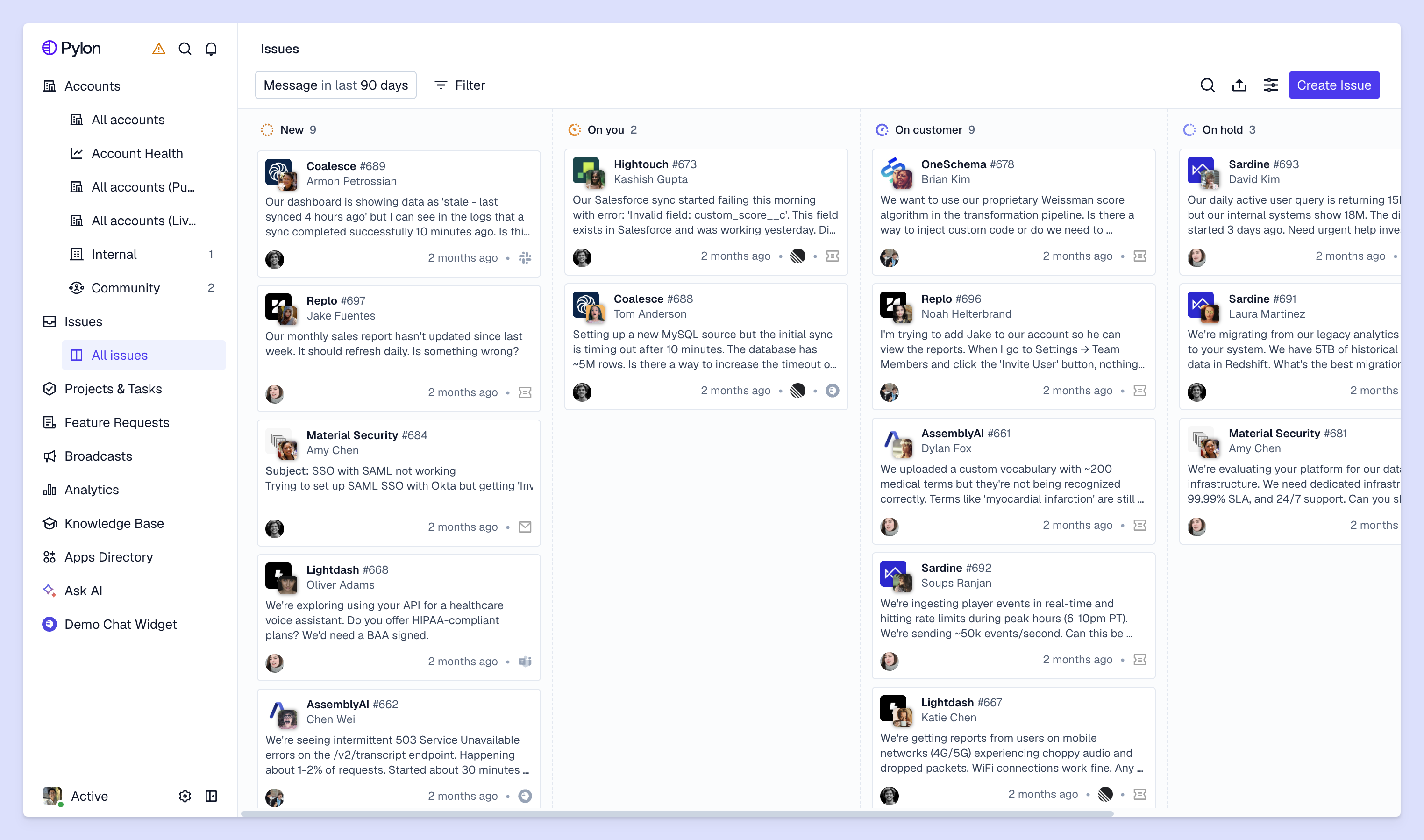
With Pylon you can natively support customers over channels like Slack, WhatsApp, Microsoft Teams, Telegram, SMS, email, and in-app chat. For each of these channels, customer messages automatically get tracked as issues in Pylon, or you can explicitly turn messages into support tickets for you and your customers to track together.
Plus, Pylon lets you create custom issue views that you can share with team members. Everyone gets visibility on customer requests across channels and can collaborate on them.
And while most ticketing systems treat each support interaction as a transactional issue, Pylon connects those conversations to the bigger picture — analyzing sentiment and customer signals in your support data to flag account churn risks and upsell potential.
What you get:
Zendesk handles high-volume support across email, chat, phone, and social media. Their AI routes tickets, suggests responses, and automates categorization — helpful when you're managing thousands of B2C conversations each day.
The platform offers deep customization, though many teams find that this means it takes a lot of internal admin resources and time to implement Zendesk. Expect a learning curve and higher pricing, especially for AI features.
What you get:
Freshdesk keeps things simple with a clean interface and pricing that scales as you grow. The free plan covers basic ticketing, and Freddy AI handles ticket assignment and response suggestions once you upgrade.
New team members can get up to speed quickly because the interface is straightforward. You won't get the same advanced features as Pylon or Zendesk, but you'll cover the essentials without overwhelming a small team.
What you get:
Intercom focuses on in-app messaging instead of traditional ticketing. Your customers from within your product, and you can send them proactive messages based on milestones in the customer journey.
This works well if support is part of your product experience instead of a separate function. You can blend help articles, product tours, and support conversations in the same interface.
What you get:
Help Scout feels like a shared email inbox instead of a ticketing system. If your team mainly handles email and you want something lightweight, this keeps things familiar.
You lose some automation and advanced features compared to more robust platforms. But if you're prioritizing personal, conversational support over complex workflows, the simplicity helps.
What you get:
Front combines email with ticketing features and emphasizes how your team works together. You can comment internally, assign conversations, and see who's handling what — all in the same view.
This visibility prevents duplicate responses and makes handoffs smoother. If multiple people often need to collaborate on the same customer email, Front keeps everyone aligned.
What you get:
HubSpot Service Hub connects directly to HubSpot's CRM, so support tickets automatically link to customer records, deal history, and past interactions. If you're already using HubSpot for sales or marketing, this eliminates data silos.
This integration is the main draw. If you're not in the HubSpot ecosystem, other platforms might fit better.
What you get:
We picked these ticketing systems based on real needs we've heard from the B2B support teams we partner with:
While many comparison of ticketing solutions focus on IT help desks, we specifically looked at ticketing platforms for customer-facing support. That means prioritizing features like account-level context and customer health tracking over internal ticketing capabilities.
With so many options for support ticketing platforms, it can be difficult to understand what differentiates each of them. Here's our take on what separates from platforms that actually make your team more effective.
Omnichannel support platforms help you manage customer conversations from email, chat, Slack, Teams, WhatsApp, and in-app chat all in one place. Since messages from every platform automatically become issues in your support system, you don't have to manually monitor threads or context-switch between multiple tools.
AI agents can automatically deflect simple customer questions without your team getting involved. AI assistants accelerate your team's workflows by drafting issue responses, gathering relevant account context, or surfacing knowledge content to help with troubleshooting.
With platforms like Pylon, you can also set up AI workflows that automatically route tickets to the right people or tag them by issue type.
For complex problem, support teams often need to work closely with product, engineering, or customer success to resolve the issue.
Internal notes and threads let you share context with cross-functional partners; collaborative views give the whole team visibility on issue queues; automated assignment rules make it easy to escalate or hand off issues.
Ticket volume metrics show you how many requests each team member is handling and helps you spot support trends. Response time metrics measure how quickly your team replies and resolves issues. Customer satisfaction scores track whether you're meeting expectations.
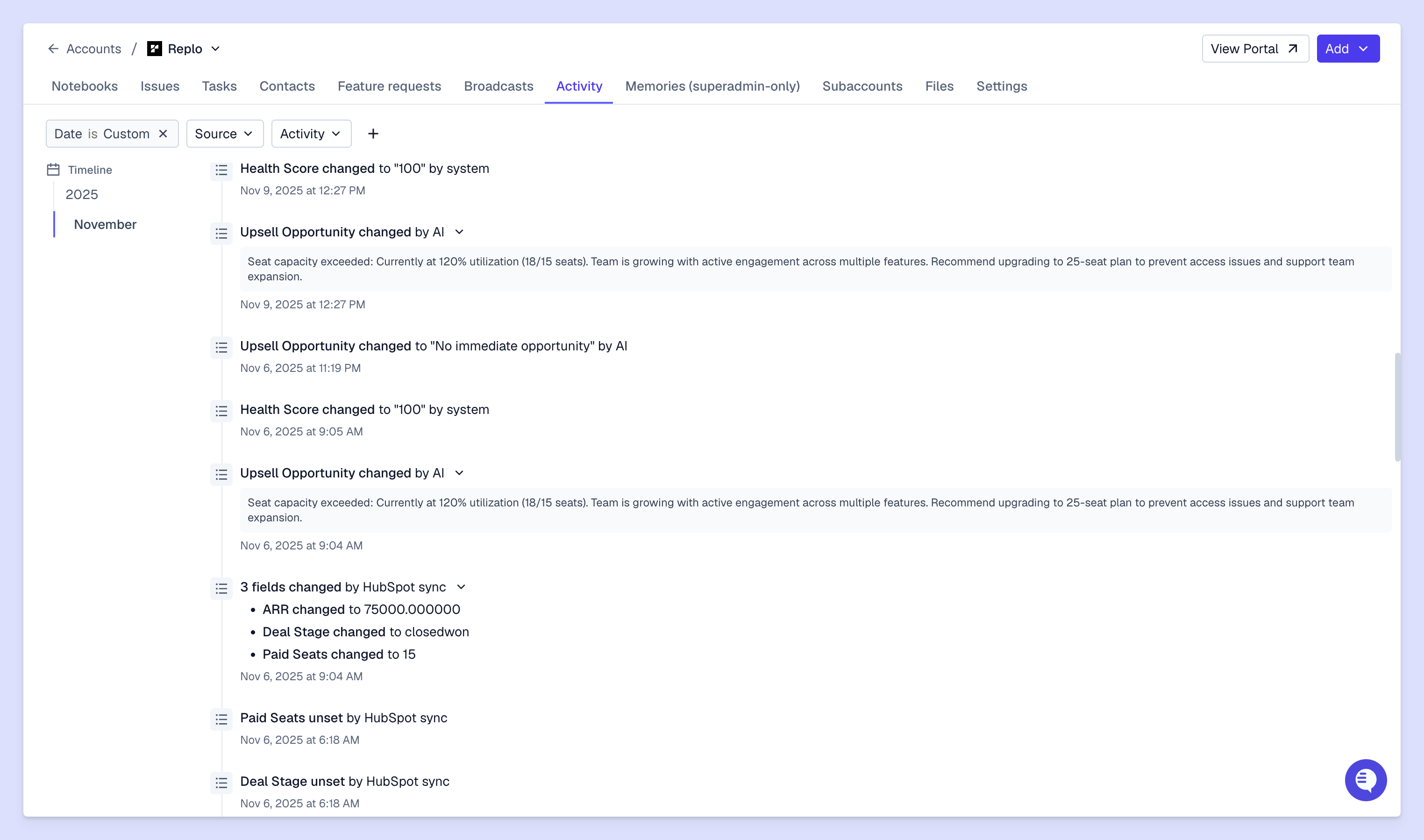
Integrations connect your ticketing system to your CRM (Salesforce, HubSpot), product ticketing tools (Linear, Jira), or data warehouse (Snowflake, S3). Without them, your team has to manually transfer data between systems and loses valuable context.
The best integrations work both ways — data flows automatically instead of requiring manual updates. When you create a product ticket in Jira from a customer request, your support team can automatically see when the bug or feature request has been completed.
The "best" system depends on your team size, where customers reach out, and whether you're B2B or B2C. What works for a 500-person support team won't fit a 10-person team, and an email-first tool won't work if customers mainly message you in Slack.
Here's a framework for how to choose your ticketing platform.
List where customers currently reach out: email, Slack, Teams, WhatsApp, Telegram, or your chat widget. Pick a system that supports your channels natively instead of forcing customers to change how they communicate.
For B2B companies, modern support channels like Slack, Teams, and WhatsApp are especially important. Many customers prefer messaging in shared channels and casual threads, instead of submitting formal tickets. If that's how your customers reach out for support, your ticketing system needs to treat those conversations like first-class tickets.
Estimate monthly ticket volume and team size, then think about where you'll be in 12 months. This tells you whether you need enterprise automation or can start with simpler tools.
Switching ticketing systems later is painful because you'll have to migrate data and retrain your team. It's often smarter to pick something that scales with you instead of the cheapest option for your current size.
List your existing tools: CRM, project management, communication platforms, analytics. Check which ticketing systems integrate natively instead of requiring custom development.
Native integrations are more reliable and easier to maintain. If a ticketing system doesn't connect to your core tools, you're creating data silos that force manual work.
Look at per-user pricing, feature tiers, and total cost including implementation, training, and maintenance. Most platforms charge monthly per user, but pricing varies based on which features come at each tier.
The cheapest option isn't always the best value. A platform that costs $10 more per user but saves everyone 2 hours a week with efficient AI workflows will quickly pay for itself.
We've often seen B2B teams make the same mistakes when they're evaluating different support ticketing systems. Here's what to watch out for.
A system with 100 features you don't use is worse than one with 10 core features you need each day. Pick a platform based on how well it handles your regular workflows, not based on its feature list.
Start by understanding your current support process — how customers reach out, how your team collaborates, which integrations you can't live without — then check if platforms handle those basics well. Advanced features only matter if the fundamentals work first.
Transferring historical tickets, customer data, and workflows from your existing system can take more time than most teams expect. Some platforms offer migration support, but others will have you exporting and importing data manually.
Ask about migration support and typical timelines. Plan for a transition period where your team is learning the new system while still referencing old tickets or workflows.
Complex systems with extensive features require more onboarding time. Think about your team's technical comfort level and how much time you can spend learning new software.
Easy interfaces reduce time-to-value; the most feature-rich platforms don't help if your team won't adopt them.
Look beyond monthly subscription costs to implementation fees, integration development, ongoing maintenance, and add-on charges. Some platforms charge separately for premium support, advanced reporting, or API access.
Calculate true annual cost per team member including all factors. A platform with lower base pricing but expensive add-ons might cost more than one with transparent pricing.
Pick a system that grows with your team: you'll need to add users, handle more tickets, support additional channels, and connect new integrations as your needs change. Switching systems later means migrating data, retraining your team, and potentially losing historical context.
Check whether the platform handles your projected growth over the next 2 to 3 years, not just your current size.
Your ticketing system ultimately becomes the central place where all your customer conversations and context live. For B2B companies, connecting support data to customer success and retention matters just as much as resolving individual tickets.
Pylon is the modern B2B support platform that offers true omnichannel support across Slack, Teams, email, chat, ticket forms, and more. Our AI Agents & Assistants automate busywork and reduce response times. Plus, with Account Intelligence that unifies scattered customer signals to calculate health scores and identify churn risk, we're built for customer success at scale.
Many modern ticketing systems offer Slack and Teams integrations, but capabilities vary. Some only send notifications when new tickets arrive. Others like Pylon let you create tickets, respond to customers, and collaborate with teammates directly inside Slack or Teams without switching tools.
Freshdesk and Help Scout are popular for small businesses because of their easy interfaces, affordable pricing, and free plans. The best choice depends on whether you want simplicity and email-first support (Help Scout) or more features with room to scale (Freshdesk).
AI in ticketing systems automates ticket categorization by analyzing content and assigning tags. It can also suggest issue responses based on historical support data and similar past issues. It routes tickets to the right team members based on expertise and workload.
Some platforms like Pylon offer different types of AI features: AI assistants help your team work faster by drafting issues responses, gathering relevant account context, or automatically capturing feature requests from customer calls. AI agents deflect tickets or execute runbooks on their own.
Pylon Workforce Management is available now. See it in action with a live demo.