AI agent workforces: How B2B support leaders can empower teams with AI
An AI agent workforce doesn’t mean replacing your team. Learn how B2B support leaders use AI agents to empower teams and build customer relationships.
Advith Chelikani
November 3, 2026
An AI agent workforce isn't meant to replace your support team, but to help them work faster and better. Agents investigate issues and complete defined tasks, while your people stay responsible for oversight and outcomes. And as a support leader, you decide how that partnership serves your customers.
True agentic support has parallels to AI use in software engineering. Engineers direct coding agents and review their work, then make the decisions that require human judgment. B2B support teams can take a similar approach by giving agents clear instructions for routine tasks and having them escalate complex or sensitive issues.
In this article, we’ll explore what an AI agent workforce is and how it can benefit your customer support. Plus, we’ll offer some tips for managing processes that combine human and AI efforts.
Orchestration vs. replacement: How to look at human-AI workflows
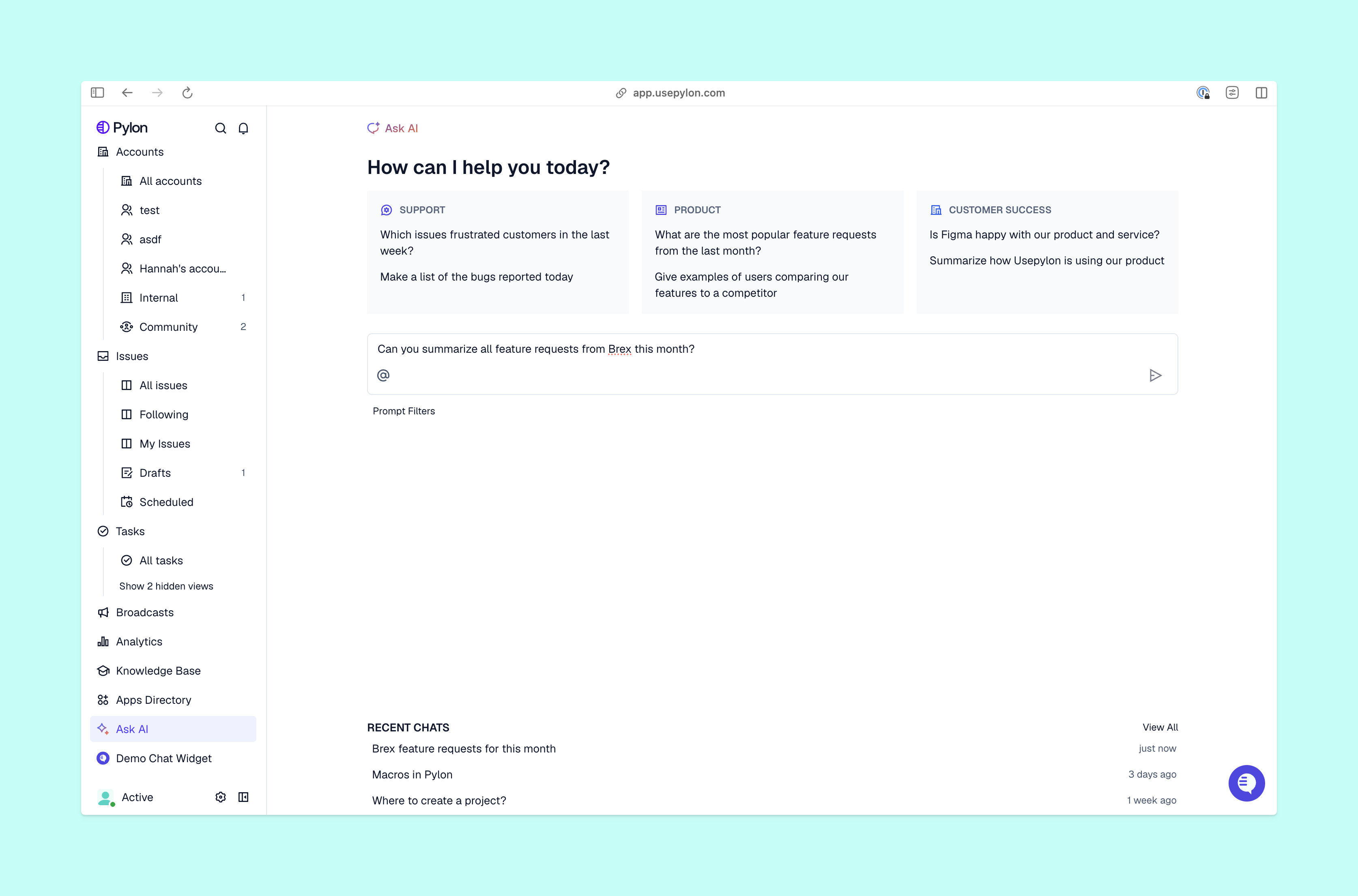
Ask AI in Pylon
It’s common to see AI agents described as “replacing” human workforces, helping them grow faster without adding headcount. But in B2B support, customer relationships are complex, and many issues need multi-step or unique resolutions.
Traditional AI agents for customer support lack the judgment and experience to handle that work autonomously. So instead of replacing your team, look for agentic AI platforms that can help by surfacing context and taking defined actions.
AI agent orchestration is the work of coordinating agents, tools, instructions, and human decisions. Good human-AI collaboration happens when agents gather data and suggest solutions, and people decide what to do and how.
For example, an AI agent may gather evidence for a team member to review before an approved action moves the issue forward. A knowledge base article could explain an error, but your team still needs to figure out if those instructions apply to the specific customer’s setup and account. If the import blocks a launch, someone also needs to agree on next steps with the customer quickly and involve the dev team if necessary.
What an AI agent workforce looks like in B2B support
An AI agent can check past issues and documentation before a team member even opens a ticket. That means the team member starts by reviewing the findings, then requests more checks as needed and decides what next steps to take.
Runs triggered investigations using available context from past tickets, documentation, code, call recordings, and logs
When it runs, the instructions it follows, and the connected tools it can use
Just as with your team, it’s important to give AI agents clear assignments and review their results before expanding their responsibilities. These tips can help you create strong human-AI workflows:
Start with a bounded assignment. Choose one task with a result your team can easily measure, like collecting reproduction steps for a certain type of import failure. Define the required evidence and the conditions that call for escalation.
Match access to the job. Give the agent only the sources and context it needs for the assignment, and test the workflow with the permissions your team will actually use. In Pylon, for example, admins can configure Assist Agent’s available tools.
Turn a proven process into a skill. Work through a real issue and refine the steps, then save the process as a set of reusable instructions called a skill. Both your team and AI agents can use skills to perform tasks quickly and consistently.
Keep judgment and customer relationships with your team. “Human-in-the-loop” AI workflows add handoff points where team members review actions and context before they make important decisions.
Review outcomes and improve instructions. Regularly look at completed work and escalations to find issues like missing evidence, unnecessary handoffs, or replies your team had to correct. Pylon can suggest changes to skills based on agent outcomes, which your team can check and apply.
Plan coverage around AI support. Take agent outcomes into account before you make staffing decisions. Pylon’s workforce management tools consider agent resolution and escalation rates to forecast the workload left for your team. Staffing views and capacity scenarios let you find gaps and test potential schedule changes using live support data.
Orchestrate your human and AI agent workforce with Pylon
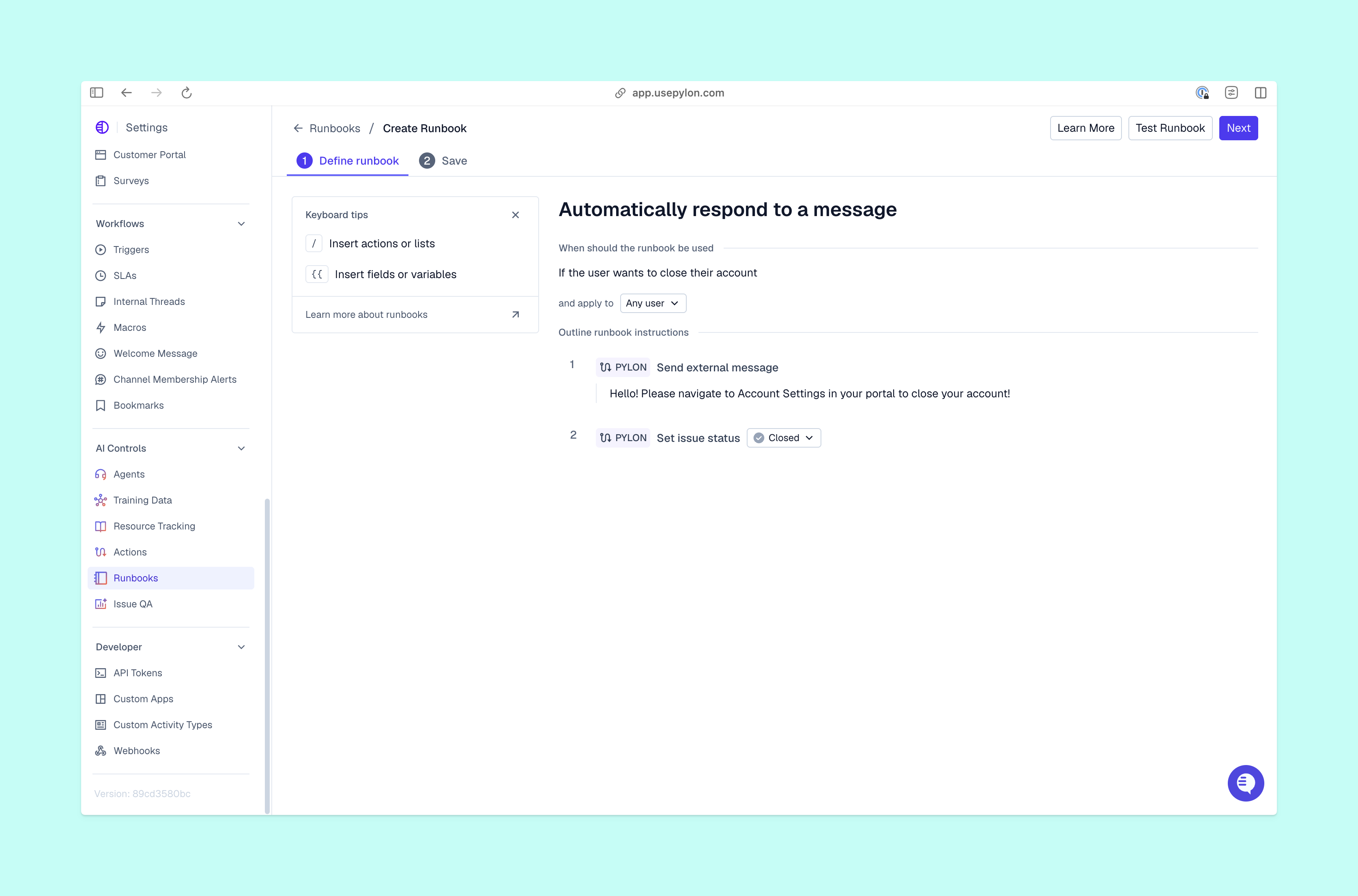
Agent runbook in Pylon
An effective AI agent workforce starts with clear instructions and oversight, plus evidence your team can review. Pylon connects agentic support and workforce management, so you can direct agent work and plan coverage for the tasks your team still needs to handle.
Pylon is the Agentic Support Platform built for B2B support teams. It brings conversations from Slack, Teams, email, chat, and other channels into one place, giving AI the context it needs to help resolve customer issues and continuously improve your knowledge base. Pylon can identify missing or outdated documentation, generate new content from real support conversations, and help your team keep knowledge accurate as your product evolves.
AI agent orchestration is the work of coordinating agent tasks, tools, context, and human review within a workflow. You define how work progresses, along with what each agent can do and when it should escalate to a human team member.
What’s an AI agent workforce?
An AI agent workforce is a group of agents assigned to complete work under human direction. In customer support, AI agents can investigate issues, surface context, prepare replies, and take permitted actions, all while your team controls their scope and reviews the results.
How does an AI agent workforce support business operations?
AI agents can collect information from connected systems and carry out repeatable processes. How useful an AI agent workforce is depends on the access and instructions you provide it with, plus the review process you use to check its outcomes.
What tasks can an AI agent workforce handle effectively?
If you’re just getting started with an AI agent workforce for customer support, begin with a few basic tasks that have clear inputs and reviewable outputs. You could focus on finding related issues, gathering troubleshooting evidence, drafting replies, or preparing escalations. Keep customer commitments and decisions that require judgment with accountable team members.
How can companies implement AI agent workforces?
To integrate an AI agent workforce into your B2B support process, choose a straightforward and repeatable workflow. Connect the necessary sources so the AI has all the context it needs, then set permissions and test the agent against real support cases. Review outcomes before expanding the AI’s responsibilities, and use observed workload and handling time to update your workforce management plan.
Built for Modern B2B Support
Resolve issues faster, strengthen relationships, and uncover opportunities across every customer interaction.