


Many companies’ first support inbox is a Gmail account with a shared password. That setup works fine when you have one person answering emails, but as your team grows and ticket volume increases, the cracks start to show. For B2B teams that also work across multiple channels, speak with several stakeholders per account, and need cross-functional escalations, a shared email inbox stops being useful quickly.
Good shared inbox platforms for B2B teams take an omnichannel approach. They collect information and present it cleanly, so team members know what they own and the context behind each message, and managers have the reporting data they need to spot bottlenecks.
In this article, you’ll learn about the best shared inbox software and how these tools support modern B2B teams’ omnichannel workflows and cross-team communication.
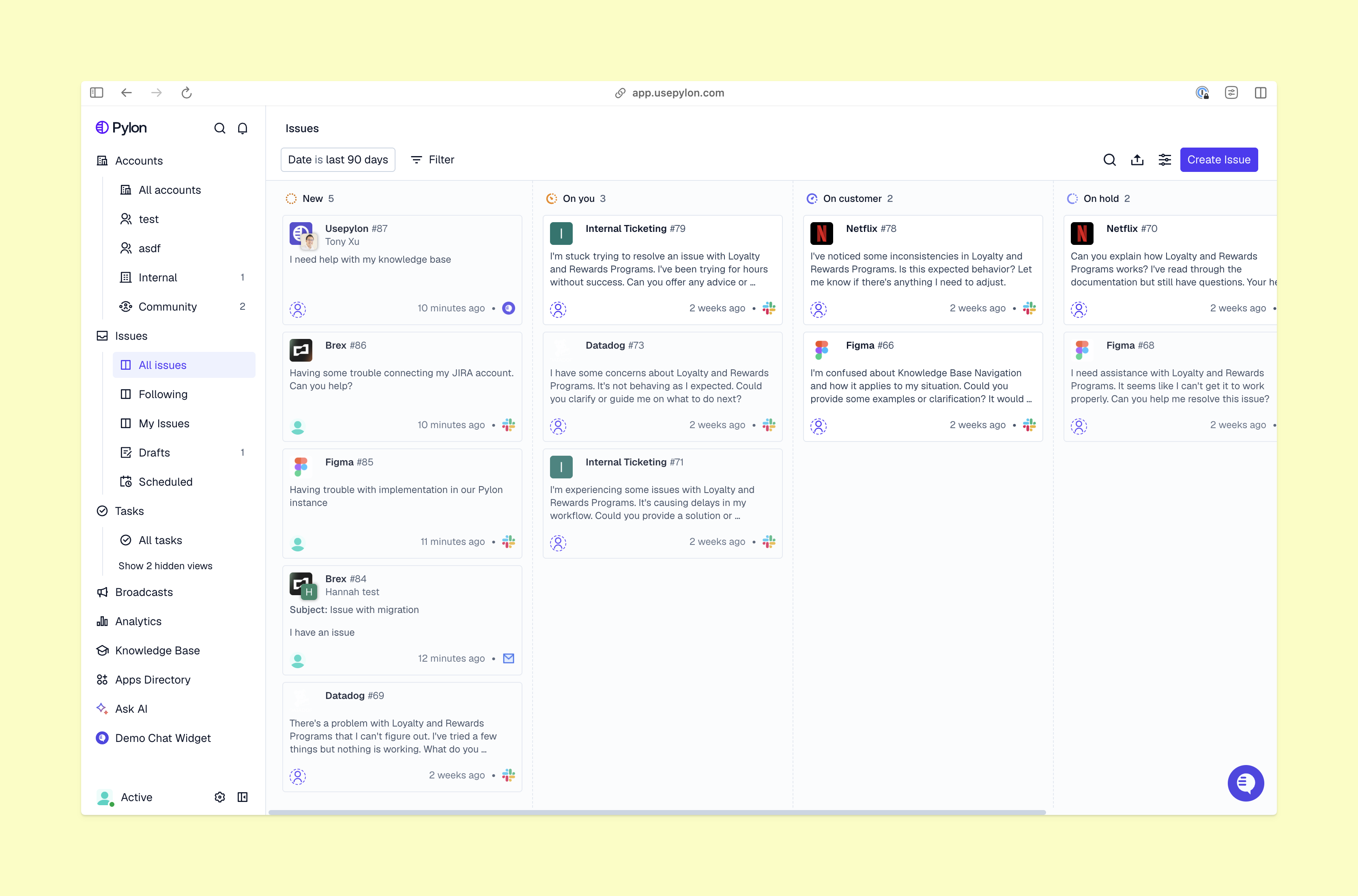
Shared inbox software is a tool that pulls every incoming email into a centralized dashboard with addresses like support@ or help@. It’s meant to improve visibility across your support team, but it can still leave a lot of important support information out of the picture.
Many shared inbox programs include features like:
A basic shared mailbox in Outlook or Gmail works as a single bucket of messages. It overflows when teams try to use it for collaborative support and forces your team to manage their actual support work elsewhere. This is especially true when a team also talks to customers in places other than email, like Slack and Microsoft Teams. Splitting that context and attention can introduce new errors and missing messages.
Internal routing can also break a shared mailbox. When a complex issue needs help from the dev team, handing it off can leave the support team blind to the outcome without shared visibility. And when someone opens an email and forgets to reply, the ticket gets buried in their read emails, not resolved. Cross-functional B2B teams need to find shared inbox software that consolidates all their communication, not just email, and brings account context with it.
Shared inbox tools vary when it comes to team coordination and scale, so evaluate your options using this six-part framework.
If you already talk to customers in more places than email, your shared inbox software needs to cover those other platforms, too. Make a list of the channels you currently use, like Slack and Microsoft Teams, and those you want to expand into. Then, compare that list against the software’s capabilities. B2B companies that are in the process of scaling should consider omnichannel platforms for the most flexibility down the road.
Look at how each shared inbox tool shares that information with support teams, too. It may function like an integration for your existing software, a separate platform, or both.
Shared inbox software that doesn’t include customer context, at an account or individual scale, is missing something critical for B2B teams. Those customer relationships span much longer than for B2C companies, and customers expect support team members to remember what they’ve experienced. Look at each tool’s ability to consolidate and summarize past conversations, surface repeat concerns, and keep them present wherever you access messages.
Pricing models vary widely within shared inbox tools. Some platforms have a low base fee per seat but gate essential features like analytics, account health, and SLA tracking as expensive add-ons. Calculate your total cost for a full year based on your projected headcount, including any necessary upgrades for reporting or CRM integrations. Don’t make a decision based on the sticker price of the basic tier if it doesn’t cover core B2B workflows.
Managers need to know if a spike in volume is due to a product outage or just seasonal trends. An omnichannel platform like Pylon gives you out-of-the-box reporting on metrics like resolution speed and individual team member capacity. Look for dashboards that update in real time and allow you to filter metrics by specific accounts or channels, especially if you can compare those insights to SLAs and account health.
Implementation time is a hidden cost that many teams ignore until they are stuck in deployment. For example, some tools take 10 minutes to connect to Google Workspace and start routing mail to your team. Others need weeks of configuration and custom data mapping before your support team can send a single reply. Match the rollout complexity to your available technical resources, and then factor deployment time into your overall software evaluation.
The software should prevent multiple agents from responding to the same customer at once. Other features that make your daily work easier, like internal tags for organizing issues by product area and a private notes space for team discussions the customer won’t see, give your team more support than a simple mailbox. That way, escalations to other team members don’t mean losing sight of the ticket.
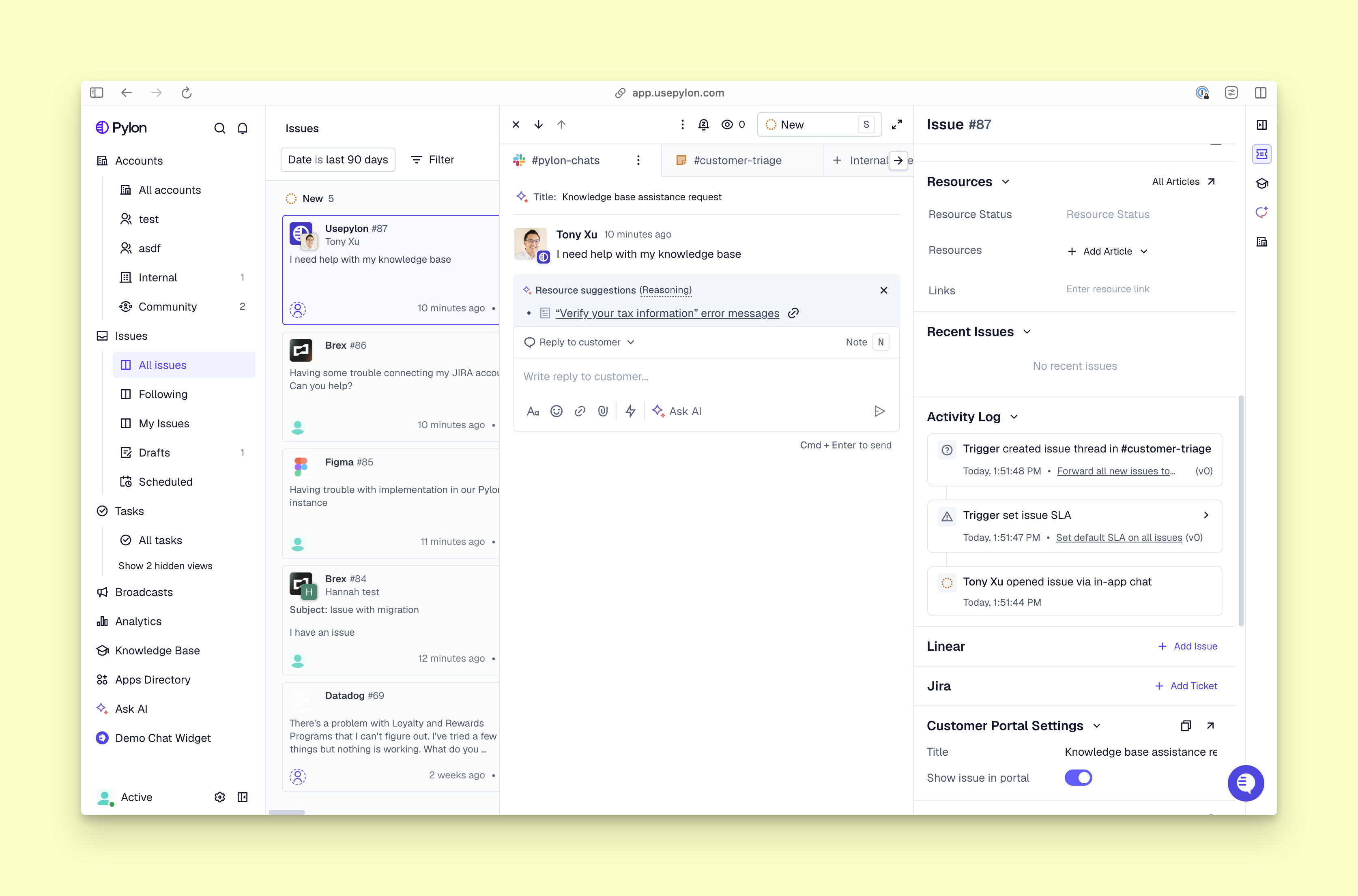
Here are some email management tools that help you manage support more effectively.
Best for: B2B SaaS support managing shared inbox software for teams with multiple stakeholders and rich context.
Pylon keeps account context in the same place as your stakeholder communications and Slack messages. It differentiates itself through deep SLA management: Your team can see the full context of a customer relationship, such as health scores and previously resolved tickets, no matter where they’re working. With this depth, Pylon gives B2B support teams the structure necessary to handle customer queries quickly and with care.
Pylon’s agentic workflows also help support teams minimize the manual labor that comes with an omnichannel communication strategy. The platform includes six kinds of AI Agents, including a prompt-based Assist Agent that safely pulls from internal documentation to answer internal questions and a Slack Agent for access to all of Pylon’s functions directly in Slack channels, as well as a more traditional customer-facing Support Agent. Together, the AI Agents can free your team’s capacity to handle complex escalations.
However, Pylon is specifically built for B2B operations (especially for companies with large, complex accounts with multiple stakeholders), not transactional B2C support.
Best for: High-volume B2C operations that need deep customization.
Zendesk is an established platform for support teams. If you process thousands of transactional requests a day, Zendesk gives you the necessary infrastructure. It handles large email ticket volumes and offers extensive customization for routing rules and reporting dashboards.
The customization is also its primary limitation. Setting Zendesk up correctly takes a significant amount of time and usually needs a dedicated administrator. It’s a heavy lift for smaller teams that just need a clean way to coordinate email replies.
Best for: Product-led companies focusing on in-app engagement.
Intercom approaches the shared inbox from a product-first perspective. It stands out for its in-app messaging, which allows you to trigger proactive chats based on user behavior and combine support with product tours.
Intercom’s limitations pop up when the customer prefers traditional channels. For instance, if your enterprise accounts expect you to manage complex issues over email or you talk to several stakeholders on cross-channel support networks, Intercom’s email handling may not be as robust as you need.
Best for: Developer-heavy teams building custom support tools.
Plain is an API-first support platform. It gives engineering teams the building blocks to integrate highly customized support experiences directly into products and internal dashboards.
Since Plain prioritizes the API, the out-of-the-box interface is sparse. You’ll likely need engineering resources to implement and maintain Plain, which makes it a poor fit for support teams that want a plug-and-play solution they can manage themselves.
Best for: Account management teams collaborating on external emails.
Front brings ticketing mechanics to a familiar email interface. It’s an effective option for teams that need to draft replies together in order to maintain visibility across shared accounts.
While it handles collaborative email software needs well, Front lacks the specialized workflows that dedicated B2B customer success departments need, particularly SLA tracking and churn risk identification.
Best for: Support teams working closely with sales teams using the Salesforce ecosystem.
Salesforce offers shared inbox capabilities tied directly to its CRM. If you already use Salesforce, you’ll see total data unification: Every email interaction is logged into the account record automatically.
However, the interface is built for sales tracking, not rapid support resolution. Using it as a primary support inbox can feel clunky, and the licensing costs are prohibitive if you’re only buying seats to handle incoming mail.
Inbox software upgrades can solve the immediate pain of duplicate replies and lost threads, but the real value appears when it helps you improve your overall support strategy.
To make the most of shared inbox software, connect your highest-volume channels (usually email and Slack) first. Once the messages flow into a single queue, map your SLAs and set up automated routing based on account tiers. Within a few weeks, you’ll have hard data on resolution times and channel volume. That data allows you to plan headcount accurately and identify which product areas are driving the most tickets.
Pylon is the modern B2B support platform that offers true omnichannel support across Slack, Teams, email, chat, and ticket forms. The AI Agents automate busywork and reduce response times. Pylon is built for customer success at scale, since Account Intelligence unifies scattered customer signals to calculate health scores and identify churn risk.
A basic shared mailbox is just an email account that multiple people can log into. Shared inbox software connects to that account and adds a layer of team coordination. It includes features like assignment tracking, internal comments, and collision detection to prevent duplicate replies. These tools turn a plain group email account into a coordinated system with clear ownership.
A shared inbox collects customer communication. A help desk is a broader tool that provides a structure for your team and tracks those messages (sometimes across platforms) through formal ticketing. Help desk software is generally a better fit for B2B teams: It’s easier to implement SLAs and monitor KPIs with a help desk’s deeper visibility.
Teams connect their shared addresses (support@, sales@, billing@) to the software, which pulls every message into one workspace. From there, conversations can be claimed or assigned to a specific person, tagged by topic or priority, discussed privately using internal notes, and marked resolved once handled. This removes the guesswork of who's responsible for a reply.
Look for assignment and ownership tools, collision detection, internal notes and mentions, tagging and status tracking, reporting on response times and volume, and integrations with the other tools your team already uses, like a CRM or project tracker. For growing teams, support across channels beyond email, such as chat or Slack, matters too.
Customer support teams benefit most since they handle high volumes of inquiries and need clear accountability. Sales teams managing inbound leads and demo requests, and operations teams coordinating vendor or internal communication, also rely on shared inboxes to avoid duplicate replies and missed messages.
Pylon Workforce Management is available now. See it in action with a live demo.


