


Updated February 3, 2026 | 14 min read
As your customer base scales and you start supporting customers over Slack, Teams, WhatsApp, email, in-app chat, and more, it becomes impossible to manually maintain account context and keep track of every ticket.
An omnichannel support platform brings all your customer interactions together, across every channel — so your team can route, manage, respond, and track context from every conversation in a central place.
We'll walk through what makes a platform truly omnichannel, compare 8 leading options built for B2B teams, and show you how to choose the right one.
An omnichannel support platform unifies customer conversations from Slack, Teams, email, WhatsApp, SMS, and in-app chat into one interface. Instead of juggling separate inboxes, you have centralized issue views where your team can manage and track every customer interaction.
In practice, this means support teams don't have to manually monitor Slack or email for new customer requests — or context switch between each tool to respond.
And when your customer conversations are centralized in one platform, it also means all your customer context is unified in a single support system.
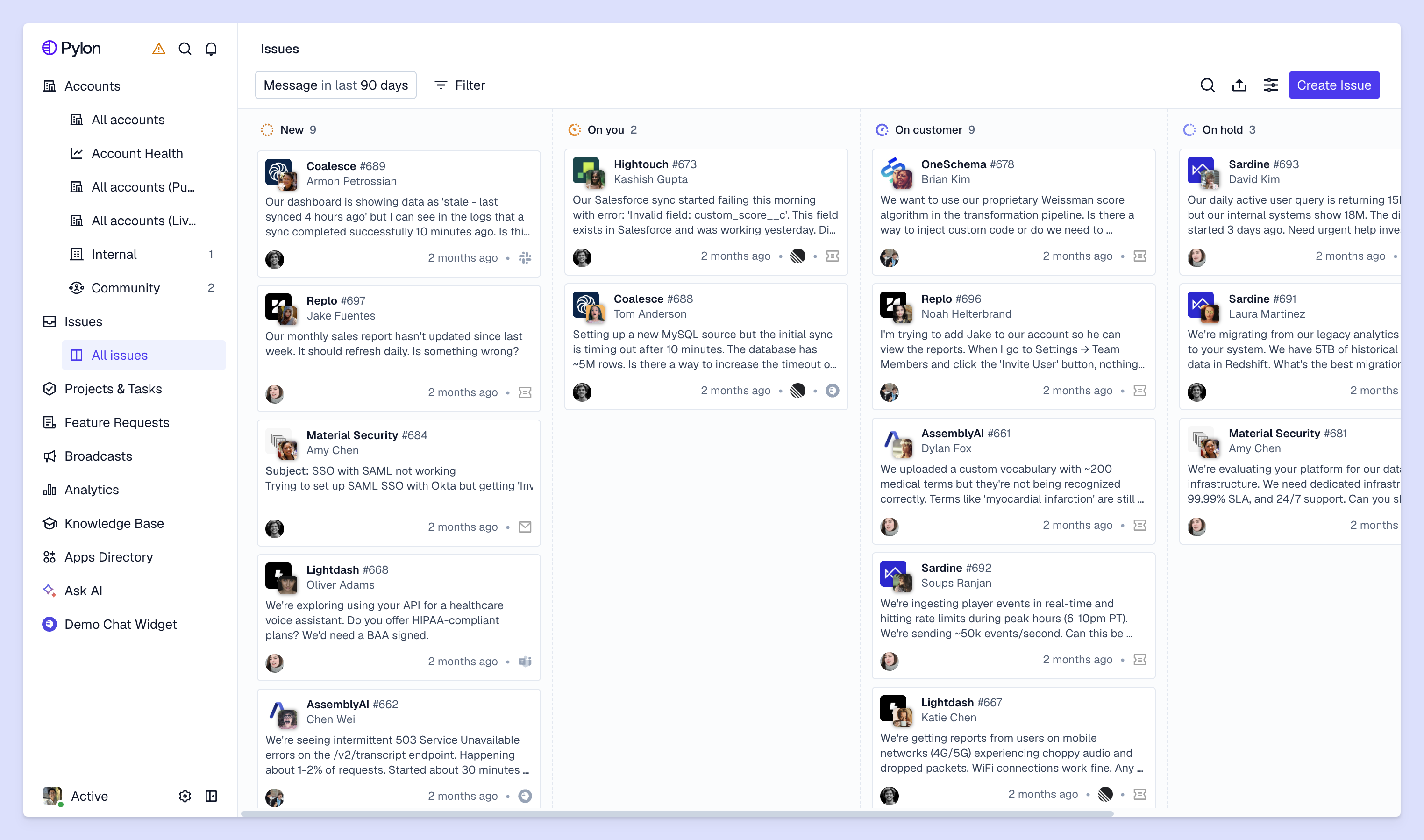
Multichannel support means you help customers across multiple channels, but each one operates independently. Your team might monitor email, live chat, and Slack, but you don't have a way to track all those conversations in a central place.
Omnichannel support connects all those channels into unified issue views, in a single platform. When one customer emails you and another messages you in Slack, both conversations get pulled into your support platform for triage, routing, and tracking.
This is especially important for B2B teams because every support interaction helps you build long-term relationships with accounts — you aren't just focusing on isolated, transactional tickets. You can't afford to lose customer context because it's scattered across different support channels.
While omnichannel support is the core feature you're looking for, it's even more powerful when combined with other capabilities — like AI support workflows or strong collaboration features.
You can create shared issue views, so your whole team can collaborate on open tickets and track support volume together. And within each issue, there are easy ways to loop in your team members — like @ mentions or internal threads.
AI agents automatically deflect simple support requests based on your knowledge base and past issues, while AI assistants help you route tickets, QA support quality, and draft responses to customers.
This all eliminates manual busywork, so your team can spend more time troubleshooting complex customer problems.
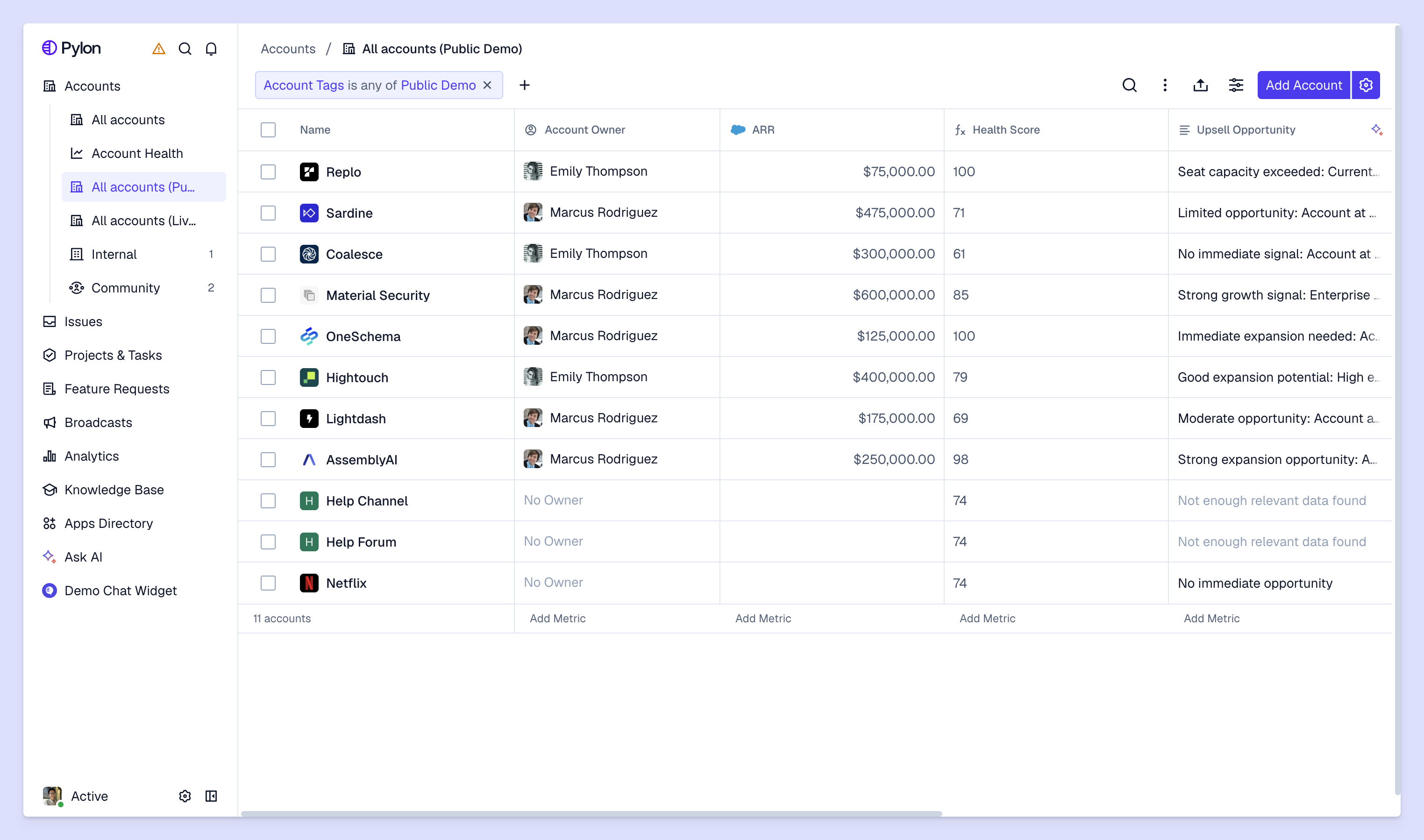
Advanced support platforms use AI to capture customer signals from omnichannel conversations —like account sentiment or feature requests. You can then use these to calculate account health scores, spot churn risk, or identify upsell opportunities.
This connects support data to customer success outcomes, and unifies all your post-sales operations into a single system of record.
To help you evaluate different options, we put together a list of 9 leading omnichannel support platforms. For each one we cover the key channels they support, how well-suited they are for B2B teams, their AI features, and how quickly you can get started.
Pylon is the support platform built for B2B. With native integrations for Slack, Microsoft Teams, WhatsApp, SMS, Telegram, and email — plus support for in-app chat and ticket forms — it helps you meet customers wherever they are.
Unlike traditional support tools that are mainly designed for B2C, Pylon specifically helps you manage all your customer operations at the account level. It unifies support and customer success workflows in one platform, using AI agents and assistants to turn conversational data from support interactions into intelligence on account health, churn risk, and upsell readiness.
What you get:
Zendesk covers a range of channels including email, chat, phone, social media, and messaging apps. It's feature-rich with extensive customization options and a large app marketplace.
The tradeoff is complexity and time to value. Many teams end up spending months and admin resources to set up Zendesk. It's also built primarily for B2C support, so teams often have to implement workarounds or buy third-party add-ons to get unified account context, AI tools for internal support workflows, or integrations for modern support channels.
Intercom started as a messaging platform, before expanding to support channels like Slack and email. It's particularly strong for in-app chat and email, with Fin AI for high-volume ticket deflection.
That said, Intercom is primarily built for B2C use cases with limited support for collaborative issue views, triggers and internal AI workflows, and advanced routing.
Freshdesk offers affordable omnichannel support with solid ticketing workflows. It covers standard channels like email, phone, chat, and social media.
But it lacks B2B-specific features like native Slack support, account-level intelligence, or AI features that accelerate your team's internal workflows.
Service Cloud integrates deeply with Salesforce CRM. If you already use Salesforce, you get powerful connections between support, sales, and customer data.
The catch is implementation time and cost. Service Cloud requires Salesforce expertise (and, often, significant admin resources) to configure, making it a heavy lift if you want to get started quickly.
HubSpot Service Hub integrates tightly with HubSpot's CRM, marketing, and sales tools. If you already use HubSpot, you get seamless data flow across your entire stack.
As a standalone support tool, it's less flexible than dedicated platforms. The omnichannel features work but aren't as advanced as platforms built specifically for support teams.
Help Scout focuses on email support with a clean interface and easy onboarding. It's designed for teams who want straightforward tools without complexity.
The simplicity comes with limitations. Help Scout lacks AI automation, native messaging app support, and account-level intelligence. It works for small teams but doesn't scale to complex B2B support.
Front is a shared inbox supporting email, SMS, and chat. It's built for team collaboration with features like internal comments and shared drafts.
That said, Front lacks advanced ticketing workflows and account-level intelligence. It works for small teams managing basic support but doesn't provide structure for scaling operations.
The right platform might be different for every team. Consider where your customers actually reach out to you for support and what you're trying to accomplish: Are new accounts asking you to offer support over specific channels like WhatsApp or Discord? Are there manual workflows that are becoming bottlenecks as you scale?
Here's how to evaluate your options.
Start by identifying which channels your customers use to contact you. For B2B teams this often includes Slack, Teams, and email — while channels like phone or social media are less important.
If most customers message you on Slack, a platform without a native integration will slow down your team. For each platform you evaluate, check which channels are natively supported and which ones you'll need third-party integrations for.
B2B support is inherently different from B2C. You're managing relationships with entire accounts over several months or years, not one-off transactions with individual consumers.
Look for platforms that have features including:
If a platform is mainly built for high-volume, transactional B2C customer service, it probably won't have what you're looking for.
Some platforms offer very basic automations, like ticket routing or simple notifications. Others have AI agents or copilots that can draft issue responses for you, capture feature requests from support interactions, or assign issues based on team member skills.
Ideally, the platform you choose has AI features that work out-of-the-box or that you can easily customize to fit your workflows. If you'll have to spend weeks configuring AI or tacking on third-party tools, you might want to consider a different support system.
Pricing models vary widely, with some omnichannel platforms charging per seat and others by ticket volume or feature set.
Don't just compare contract cost; factor in implementation time, training, and any technical expertise it will take to configure the platform. A cheaper system that takes 3 months to implement could ultimately cost you more than a more expensive option that you can launch in a week.
Once you've picked the right platform your team, migrating to an omnichannel platform doesn't have to disrupt your support operations. Here's a framework you can use for a smooth implementation.
Connect all your support channels, then import existing support data and historical tickets to preserve context from each customer. Many modern platforms will walk you through each integration with guided setup.
Onboard your team to the new platform, including how to make the most of unified issues views, account-level context, and how to handle tickets from different support channels in the same place.
Once your team is comfortable with basic workflows, set up AI workflows and automations. Start by automating simpler workflows, like ticket routing based on issue content.
Later, you can train your team on using AI for drafting responses, updating your help center, or doing ticket QA.
The ROI of implementing an omnichannel platform will ultimately be different for every team, but many teams find that it actually helps them respond faster and scale to support more customers.
Omnichannel support platforms help you meet customers where they are — without requiring your team to context switch and manually monitor customer conversations.
Pylon is the modern B2B support platform that offers true omnichannel support across Slack, Teams, email, chat, ticket forms, and more. Our AI Agents & Assistants automate busywork and reduce response times. Plus, with Account Intelligence that unifies scattered customer signals to calculate health scores and identify churn risk, we're built for customer success at scale.
Pylon Workforce Management is available now. See it in action with a live demo.



