


Updated February 5, 2026 | 16 min read
Your support inbox is a mess of forwarded emails, lost context, and customers waiting for answers. When your team can't tell who's handling what or which threads are urgent, it directly affects response times and customer satisfaction.
An email ticketing system turns every customer email into an trackable ticket with an owner, a status, and SLAs. We'll walk through what makes a good email ticketing system, compare the top platforms for B2B teams, and show you best practices for email support ticketing.
An email ticketing system converts customer emails into organized support tickets. Each email becomes a ticket with a unique ID, an assigned owner, and a status — and you can automatically track SLAs or collaborate on the ticket with teammates.
You get a lot more structure than a regular, shared inbox: Ticketing systems show you who's working on what, which issues are urgent, and how long customers have been waiting. Everything lives in one place instead of getting buried.
We looked at platforms based on what B2B support teams actually care about: how well they handle email, whether they connect to other tools your team uses, and whether they actually help you work faster. Here's what stands out about each one.
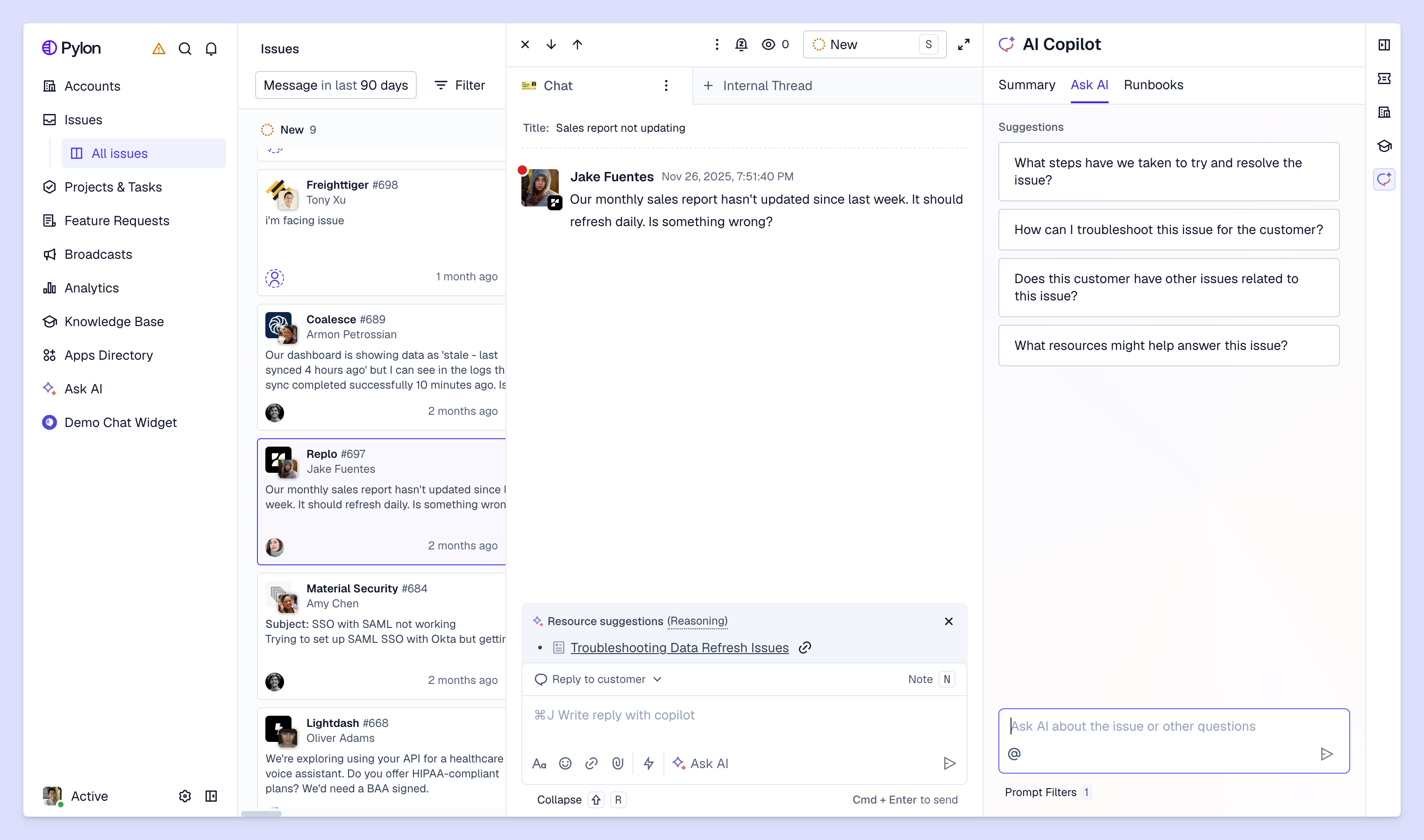
Pylon offers omnichannel support across channels email, Slack, Teams, WhatsApp, SMS, and in-app chat. You can create custom views to track all your customer conversations, and share them with your team to collaborate on issues.
With AI agents and assistants, you can automate repetitive work like tagging tickets, routing them to the right people, and drafting issue responses. And Account Intelligence automatically connects your support data to account-level signals — turning conversational data from support interactions into custom health scores, sentiment analysis, and churn risk tracking.
See how Pylon works for B2B teams.
Zendesk handles high B2C ticket volumes across email, chat, phone, and social media. The platform offers AI workflows, though some teams find them complicated to set up and maintain. It works best for traditional teams who can invest significant time and resources into implementation, onboarding, and ongoing training.
Intercom offers email support, though its main use case is in-app messaging. If most of your customers get support via in-app chat, but you still need to support some level of email support, Intercom might be the right choice for your team.
Freshdesk gives growing teams automation and multi-channel support without enterprise pricing. You get AI-driven routing and collaboration features at a price point that works for mid-sized operations.
Help Scout keeps things simple. The interface looks like email instead of a complex ticketing system, which means faster onboarding and more personal customer conversations.
Front turns shared email into a collaborative workspace. You can assign conversations, leave internal comments, and manage team inboxes without switching tools.
HubSpot Service Hub makes sense if you already use HubSpot's CRM. Your support tickets automatically connect to customer records and deal history without manual data entry.
Salesforce Service Cloud works for enterprise teams with complex workflows. It offers deep customization but typically requires dedicated administrators and significant implementation time.
Zoho Desk delivers automation and multi-channel support at lower price points. You get features like sentiment analysis and automated routing without the enterprise price tag.
Hiver works inside Gmail. Your team can keep using Gmail, but you get additional ticket assignment, collision detection, and analytics workflows. This might work best if your team primarily supports customers over email.
At first glance, an email ticketing system might seem similar to a shared inbox — but it's actually much more structured and organized. While a shared inbox just gives multiple people access to the same email account, a ticketing system adds on new tools and workflows to transform how you track and handle customer requests.
Here's what you get with an email ticketing system:
For small teams supporting their first group of customers, a shared inbox works just fine. You still have the bandwidth to manually monitor threads, and most tickets can be resolved by one person. But once you're handling dozens to hundreds of complex tickets every day, the lack of structure will start to affect response and resolution times.
When manually tracking emails starts to become a bottleneck, the right ticketing system can drastically improve response times and surface better context for you to help customers.
With AI-powered routing, tickets immediately go to the right person based on their topic expertise or capacity. You can also set up AI workflows that automatically tag urgent or high-priority issues. All of this means your team spends less time on triage and deciding who should handle what — you get more time to actually troubleshoot issues and respond to customers.
Many ticketing platforms let you leave internal notes or start internal threads directly within issues, so you don't have to context switch to loop other team members in. And when you need to bring in the customer success team to collaborate or hand things off to engineering, all the ticket context, metadata, and account context is already in one place. Instead of forwarding long email chains or explaining cases from scratch, everyone can collaborate directly in the ticketing system.
In B2B, every support interaction connects back to an account's sentiment and health. But email inboxes treat every customer conversation like an isolated, transactional case.
With an email support system, you can track each of your email interactions by their account. Platforms like Pylon even use AI to summarize sentiment across your customer conversations, factor conversational data into account health scores, and flag churn risks or upsell opportunities based on ticket patterns.
Support platforms like Pylon have built-in analytics, so you can see which tickets take longest to resolve, who's handling the most volume, and where response times are lagging. These metrics help you spot problems before customers complain — and you don't get this kind of visibility with a shared email inbox.
As your customer base grows, it becomes impossible to manually track loose emails and support interactions. With email ticketing systems, you can configure AI workflows and automation to help you handle increasing support volume without proportionally scaling your team. You can build workflows that help each team member work faster.
Once you decide to implement an email ticketing system, there are a few best practices you can follow to get the most out of it.
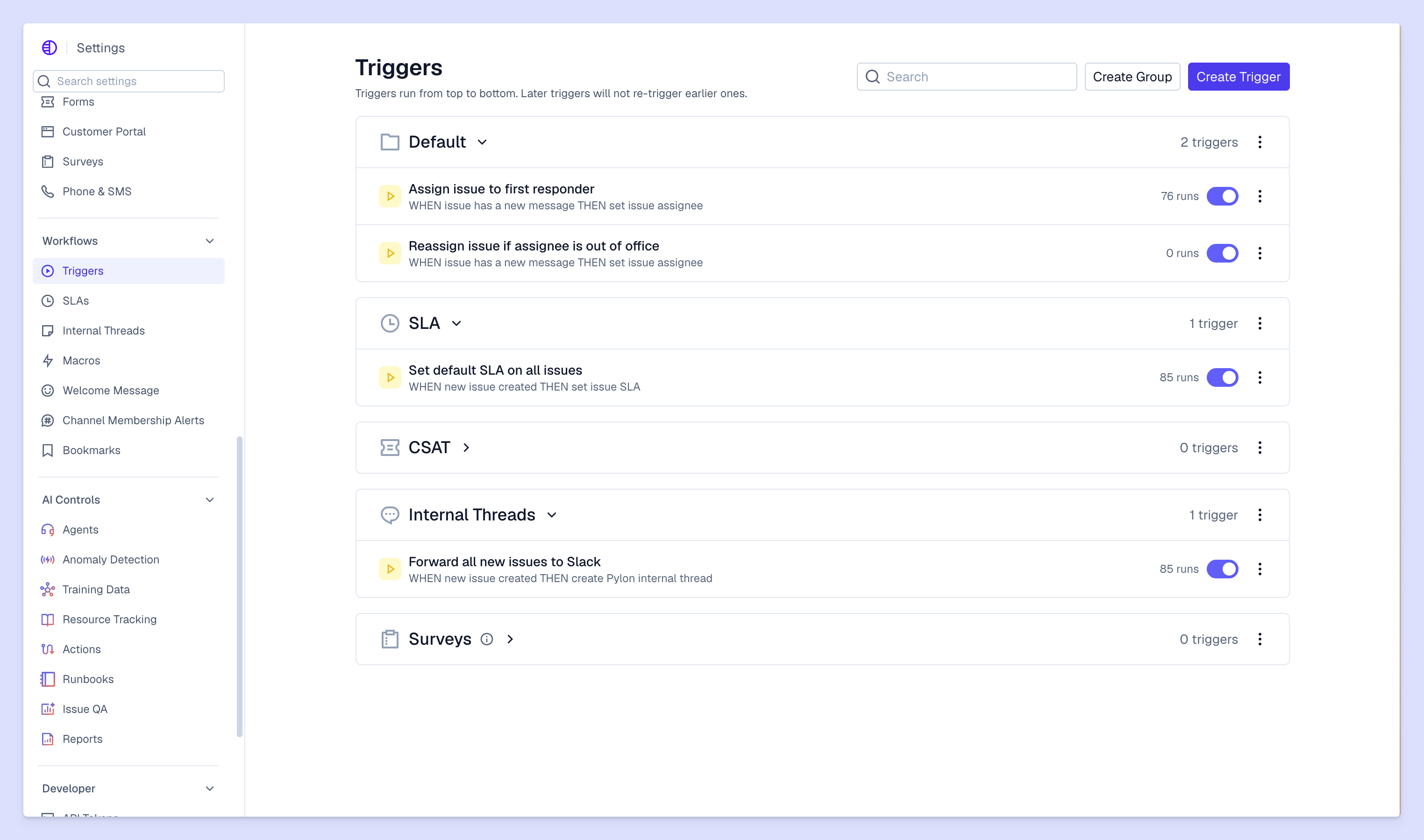
Service level agreements (SLAs) are set between you and your customers, and they define how fast you'll respond to different ticket types. For example during business hours, you might commit to responding to urgent issues within one hour and general tickets within 4 hours. High-value customers might get faster SLAs than standard accounts. Clear agreements help your team prioritize and give customers realistic expectations.
In Pylon, you can create triggers that automatically notify you when SLAs are breached — so you can stay on top of your commitments without having to manually track them.
Start with simple routing rules and refine them as you learn what works. You might use AI to route tickets by issue content, customer segment, or team member expertise. The goal is always that tickets get to a team members with the right expertise, right away — instead of bouncing between multiple teams or people before someone can take it on.
Self-service articles reduce ticket volume by helping customers solve common issues independently. Link relevant articles in your responses so customers can reference them later. Track which articles actually reduce support request; this shows you which types of knowledge content to invest more time or resources in.
Onboard new team members on workflows, response templates, and escalation procedures. Schedule ongoing training when your engineering team ships new features you'll have to support, or when you spot product areas your team is struggling to help customers with. Consistent training means consistent support quality.
Having the right email ticketing system transforms your support operations from reactive firefighting to proactive relationship building. When you can clearly track each support interaction and easily collaborate to resolve issues, your team moves faster and customers get higher-quality support.
Pylon is the modern B2B support platform that offers true omnichannel support across Slack, Teams, email, chat, ticket forms, and more. Our AI Agents & Assistants automate busywork and reduce response times. Plus, with Account Intelligence that unifies scattered customer signals to calculate health scores and identify churn risk, we're built for customer success at scale.
Most platforms offer migration tools that import your existing Gmail conversations and contacts. Some tools like Hiver work directly inside Gmail, so you don't migrate at all.
Help desk software typically includes multiple different tools: ticketing, knowledge bases, chat widgets, reporting, and more. A ticketing system specifically refers to the email-to-ticket conversion and management features.
Basic setup takes a few days to connect your email and configure routing rules. Full implementation with custom workflows, integrations, and team training can take several weeks depending on complexity.
Pylon Workforce Management is available now. See it in action with a live demo.







