Every support team sits somewhere between people doing all the work and people directing agents that do most of it, and knowing your stage tells you what to fix next.
Once agents have the context to do real work, your team's screen starts to change. It doesn't flip all at once. Teams move through four stages, from people doing every step by hand to people managing agents that work issues end to end.
Context comes first. An agent can't take the first pass on an SSO outage ticket unless it can see the related tickets, the known Linear bug, yesterday's auth change, the account's renewal date in Salesforce, and the sales call in Gong where SSO was a must-have. We walk through that example in our post on customer agents and business agents.
Stage 0: Manual
People do the work. A ticket comes in, and a person reads it, searches for context, figures out whether it's a bug or expected behavior, writes the reply, and loops in engineering if needed.
You're probably here if:
- Every ticket starts from a blank screen.
- The answer to hard questions lives in a few people's heads.
- Your team switches between a handful of tools on every escalation.
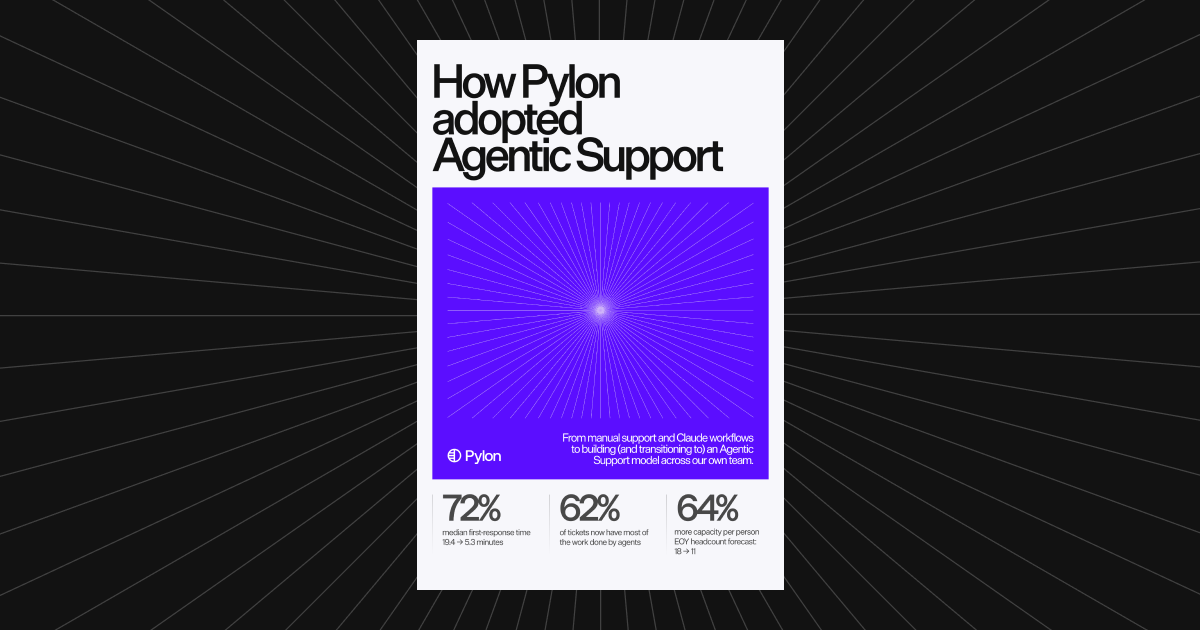
That last one was us. Before we changed our own process, our support team jumped between 5 or 6 tools to gather account and product context, search past tickets and logs, and decide whether an issue was a bug, according to our write-up on how Pylon adopted Agentic Support.
What moves you forward: get your channels, past tickets, and account context into one place so there's something for an agent to work with.
Stage 1: AI on the side
People drive, and AI helps from the side. The ticket is still the main view, and a person still owns it. An AI assistant sits alongside to summarize the thread, look something up, or draft a reply when asked.
You're probably here if:
- AI use depends on who's working the ticket.
- The wins are individual, not team-wide.
- Good prompts and workflows live in personal setups and don't get shared.
This stage helps. When our team used Claude this way, we estimated it made each person about 20% more efficient. But skills were hard to share and maintain, and people had to run a workflow by hand on every ticket.
In Pylon, this is where Assist Agent fits. On an issue, you can ask it to investigate more deeply, draft replies, perform actions, or reach external data through connectors. It proposes drafts and suggests actions for a teammate to review, so your team stays responsible for what gets sent or changed.
What moves you forward: turn individual workflows into shared Skills. In Pylon, you can work through a real issue with Assist Agent, then ask it to turn that into a Skill your whole team and its agents can use.
Stage 2: Agent first, with human review
The agent takes the first pass, and people direct it. The ticket is still the unit of work, but the agent conversation becomes the main view, and the ticket sits alongside it as reference. The agent investigates, pulls in context, and drafts the reply. A person steers it: asks follow-ups, points it at another source, redirects it, and approves what goes out. You're directing the work instead of doing it line by line.
You're probably here if:
- Your team starts most tickets from an agent's first pass, not a blank screen.
- People spend their time directing, correcting, and approving agent work on the ticket, not researching.
- You're starting to track how often agent work gets accepted.
In Pylon, this is the same Assist Agent used a different way. Instead of asking it for help partway through, your team starts with it and directs the work. On an issue, you can review its investigation, ask follow-up questions, redirect the work, approve an action, or take over at any point. It proposes drafts and suggests actions for you to review, so a person still decides what gets sent or changed.
That's how our own team works now. An agent takes the first pass on each ticket, and when that isn't enough, we direct Assist Agent to dig deeper without leaving the ticket, then move to other tickets while it works. In our example, what used to be a 30-minute investigation now takes about 2 minutes to review and approve, and 62% of tickets involve substantive agent work, whether an accepted draft or an active back-and-forth during investigation.
What moves you forward: prove the agent's quality before you let it work issues on its own. Backtesting shows how an agent would have handled real past issues, and backtests never message customers or change the original issues.
Stage 3: Autonomous agents
People manage a queue of agent runs. This is where the interface flips. You don't start from the ticket at all. Your team works from a queue of agents working issues end to end: one investigating an SSO login failure, one retrying webhooks, one with an invoice fix ready for review, one seat upgrade already resolved. People review and approve what agents send, step in where judgment is needed, and improve how the agents work.
You're probably here if:
- Your team's starting point is a list of agent runs and their status, not a list of raw tickets.
- Agents work some issues end to end, and people approve what goes out where it matters.
- Your team spends more time reviewing agent work and improving Skills than writing first replies.
In Pylon, a few pieces support this way of working. Support Agent can be assigned issues like a teammate and work them end to end: it resolves issues directly when it can, and when human judgment is needed, it routes the issue with the investigation, recommended action, and customer context already prepared. You set its knowledge, instructions, permissions, routing rules, and escalation policies. With Assist Agent, you can kick off several agents at once and get notified when they're done or need your input, and the Agents page shows all your agent sessions in one place.
Autonomous doesn't mean unsupervised. In Nexus, the agent harness behind Pylon's agents, every action is checked against your permissions when the tool runs, and certain actions require human approval before they proceed. Every run also produces a trace of what the agent searched, which tools it used, and how the run ended, which can inform later investigations and updates to articles and Skills.
What keeps you here: review agent work on a regular rhythm. Each Support Agent has issue logs that show the outcome and reason for every issue it was assigned, so you can see where it escalated and why.
How to tell which stage you're in
Ask what your team works from, and what they spend time on:
| Stage | What your team works from | What people spend time on |
|---|---|---|
| 0. Manual | The ticket, on its own | Research and writing |
| 1. AI on the side | The ticket, with AI on the side | Research and writing, faster |
| 2. Agent first, with human review | The agent conversation, with the ticket as reference | Directing the agent and approving its work |
| 3. Autonomous agents | A queue of agent runs | Reviewing and approving agent work, handling exceptions, improving Skills |
Most teams aren't at one stage for everything. You might be at stage 3 for password resets and stage 1 for enterprise escalations. That's normal. Move one workflow at a time.
Moving up a stage without losing trust
- Start with one workflow. Pick something frequent and well understood.
- Write it down as a Skill. If you can't describe how your team handles it, an agent can't either.
- Test on past tickets first. Backtest before an agent ever talks to a customer.
- Direct before you delegate. Stage 2 shows you what an agent handles well, and that tells you which workflows are ready to run end to end.
- Keep approval on anything consequential. Loosen it only when the data says you can.
- Keep people close to the work. The goal is your team doing the parts that need a person, not a smaller team.
Pylon is the agentic support platform trusted by 1,800+ B2B customers. If you want help figuring out your stage and your next step, Schedule a demo.
Frequently asked questions
What are the four stages of an agentic support function?
Manual, AI on the side, agent first with human review, and autonomous agents. Each stage moves more of the work to agents and changes what your team works from, while people keep review, judgment, and ownership of the customer relationship.
How do I know which stage my support team is in?
Look at what your team works from. If a person works every ticket from scratch, you're at manual. If people work the ticket and ask AI for help on the side, you're at AI on the side. If people start from an agent's first pass and direct it on the ticket, you're at agent first with human review. If people manage a queue of agent runs and approve what they send, you're at autonomous agents.
Do autonomous agents act without human approval?
Only where you allow it. In Pylon, agents work within the permissions you set, and certain actions require human approval before they proceed.
Can a team skip a stage?
You can, but most teams find it easier to move one workflow at a time, because each stage builds the context, Skills, and trust the next one depends on.
Which Pylon agents fit each stage?
The stages describe how your team works, so it isn't one product per stage. Assist Agent fits AI on the side and agent first: you can ask it for help on a ticket, or start with it and direct the work, reviewing its drafts and suggested actions. For autonomous agents, Support Agent can work issues end to end and route the ones that need a person with the investigation already prepared. Automations run repeatable workflows on a trigger or a schedule, which suits well-defined work at any stage.
How much does Pylon cost?
Professional is $89 per seat per month and Advanced is $139 per seat per month, both on an annual contract. Enterprise is a custom quote. Agentic features run on credits, available pay-as-you-go or as a committed plan, and you can buy more in Pylon anytime. Skills are included on every plan.