To measure ROI from AI agents in B2B support, baseline the metrics that matter, then compare them after you roll agents out: first response time, resolution and escalation rates, CSAT, and what you spend on seats plus credits. Set permissions before you expand what agents can do on their own, and use issue logs, traces, and workspace audit logs so you can see what happened. Pylon is the agentic support platform built for that, and 1,800+ B2B customers use it.
Why ROI, permissions, and audit logs belong together
A polished answer is not proof of return. You need to know what the agent checked, what it was allowed to do, whether a person approved the sensitive steps, and what it cost.
If you only track a resolution rate, you can miss cases the agent handed off, or count a close that a teammate finished. If you expand autonomy without setting permissions first, you get a number you cannot stand behind. If you cannot review what happened, you cannot improve the workflow or show a security reviewer the trail.
The rest of this post walks through a practical way to measure ROI, set permissions, and use the right logs. It also covers how Pylon handles each of those, with links to the public pages and docs.
How to measure ROI
Start with a baseline. Before you roll agents out, record first response time, time to resolution, CSAT, issue volume, and your current support cost. Then run the same measures after, over a comparable window.
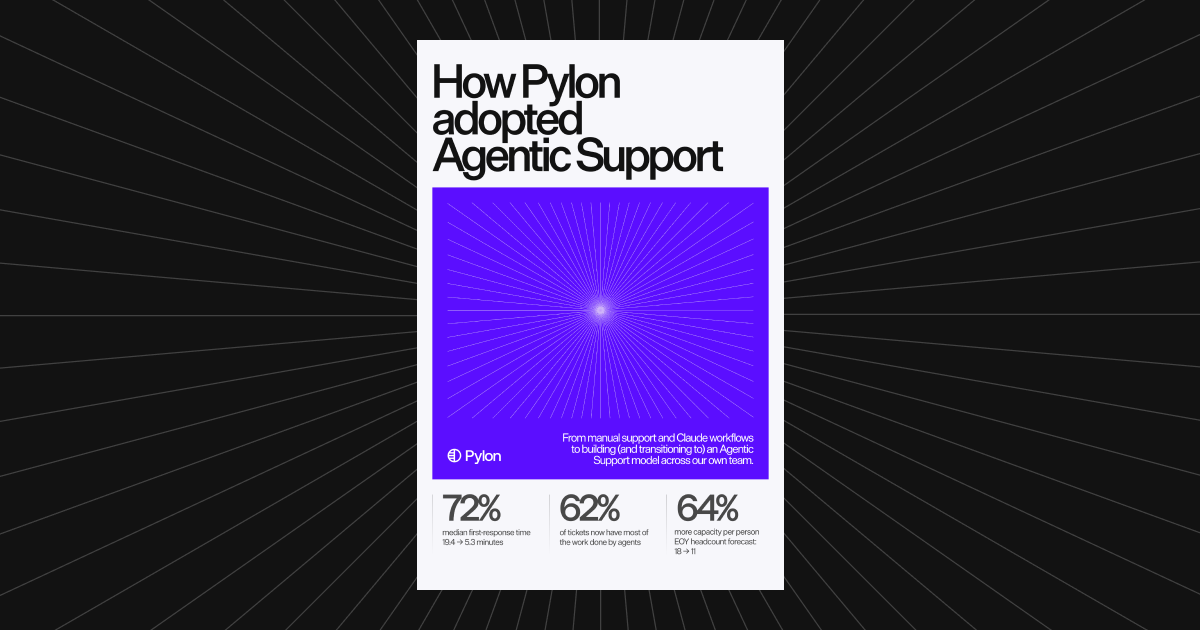
Pylon's own team compared the four weeks before rollout with the four weeks after. Median first-response time fell 72%, from 19.4 minutes to 5.3 minutes, and 62% of tickets involved substantive agent work, whether an accepted draft or an active back-and-forth during investigation. Ticket volume grew 3% in that window. Those figures are in How Pylon adopted Agentic Support.
AssemblyAI published results from deploying a Pylon AI agent on in-app chat: a 97% reduction in first response time, from 15 minutes to 23 seconds, for in-app chat issues handled by the agent, and about 50% of eligible incoming chats resolved without human intervention. See the AssemblyAI case study.
Those are published outcomes, not a formula you can copy. Your ROI depends on the work you automate, the quality bar you set, and what you spend.
For Support Agent, measure from Issue logs and Analytics, in Settings > AI controls > Agents. Every Support Agent metric is a count of issues, not messages or conversations. The main rates are:
- Assign rate: issues assigned to the agent, out of all issues.
- Assist rate: assigned issues the agent assisted, meaning it sent at least one public reply to the customer, ran a runbook, or both.
- Resolution rate and escalation rate: check the denominator. Charts and tiles do not always use the same one, and Pylon has no separate deflection rate. To see the share of all incoming issues the agent handled without a teammate, use the resolution rate on the All Tickets chart.
- Satisfaction rate: CSAT responses scoring 4 or 5 on issues the agent resolved, out of all CSAT responses on those issues. The satisfaction charts only appear if a trigger sends a CSAT survey.
Read the denominators before you compare two numbers. A "Resolved" outcome means the issue moved to a Closed status while it was still assigned to the agent, no matter who closed it: the agent, a teammate, or a trigger. It can also count if the customer stops replying for more than 24 hours. If you want those teammate or trigger closes out of the agent's numbers, reassign the issue before you close it. Resolution rate and escalation rate do not add up to 100%, because in-progress issues stay in the denominator. The full definitions are in Monitor & Iterate.
Then add cost. Pylon does not charge per ticket. Pricing is seats plus credits. Professional is $89 per seat per month and Advanced is $139 per seat per month, on an annual contract. Enterprise is a custom quote. Assist Agent, Support Agent, Slack Agent, and Automations run on credits, with committed credit packages starting at 5,000 credits per year. Pay-as-you-go credits are available when enabled for your account. The seat prices above are for annual contracts; monthly billing is also available. See Pylon pricing, Pylon Facts, and How agentic support is priced.
A useful ROI view is: what changed in response time, resolution, escalations, and CSAT, minus what you spent on seats and credits, over the same period. Model the same mix again at twice the volume, because seat cost may stay flat while credit use rises.
How should you set permissions before expanding autonomy?
Give agents only the context and tools they need for the job, then widen access after the workflow holds up.
In Pylon, that starts with configuration. Nexus, which runs Pylon's agents, gives an agent only the context and tools permitted by its configuration. It also checks permissions when a tool runs, not just in the interface. Certain actions require human approval before they proceed. Guidance can define how the agent should communicate, when to stop, and when to escalate to a person.
The four agents have different jobs, and different guardrails:
- Assist Agent helps your team investigate, draft replies, and take action. It is human-in-the-loop: it proposes drafts and suggests actions for a teammate to review, so your team remains responsible for what is sent or changed. Actions taken through Assist Agent are attributed to the user who took them. Admins configure which tools it can use.
- Support Agent can resolve customer questions across channels and bring in a person when judgment is needed. Expand what it can do with Skills, which are reusable instructions that teach agents how your team investigates, resolves, and acts. Skills are included on every plan and do not use credits.
- Slack Agent answers questions and takes action from Slack, with the same customer context, tools, and permissions as Pylon. It is role-aware: it respects the Pylon access level of the person asking. It runs in internal channels only, not in Slack Connect, and cannot be triggered by external users. Work performed through a teammate's connection uses that teammate's permissions. Admins control which users can use it, and which tools and skills it has.
- Automations run repeatable workflows triggered by an event or a schedule. With Automations set to start on new issues, agents can investigate issues before your team opens them. That does not happen on every issue by default.
Human access is separate from agent tool access. Standard roles (Admin, Member, and Viewer) are on every plan. Custom roles are listed on Advanced and Enterprise on Pylon's pricing page, and let you choose what a group of users can do, including which issues they can access. For the difference between roles for people and controls for agents, see Role-based access control in customer support platforms and A guide to agentic AI platforms for B2B support teams.
What is the difference between traces, issue logs, and audit logs?
These three views answer different questions. Do not treat them as the same thing.
Traces record the investigation path, not just the final response: the evidence the agent used, the tools it called, the dead ends it hit, and the outcome of the run. Nexus stores a trace for every execution. Traces can inform later investigations, surface gaps in docs or agent guidance, and support updates to articles and Skills.
Issue logs show what a Support Agent did on an issue, including its outcome, the reason, and whether it sent a public reply. Use them to see where the agent can be improved or better tuned, and to measure the rates above.
Workspace audit logs record who did what in the workspace, and when. Open them from Settings > Admin console > Audit logs. Only Admins can view them. Events performed by a trigger, macro, AI, or Pylon itself show that as the actor. That includes AI and MCP configuration changes such as creating or publishing an agent or skill, updating AI tool access, and creating or changing an MCP connection. You can export audit logs as a CSV, or pull them into a SIEM through the API. For the security overview, see Pylon security.
To see whether the agent sent a public reply, use Issue logs.
Audit logs are listed on Advanced and Enterprise on Pylon's pricing page. Full audit log history is available on the Enterprise plan. Without it, audit logs cover the last 30 days, and CSV exports and the API return only events from that window.
A practical rollout
Start narrower than you think you need, then expand.
- Turn on Assist Agent for investigation and drafts, and keep a person in the loop for anything that reaches a customer or changes a record.
- Give Slack Agent to internal teams who need account or product context in Slack, with tools limited to what those roles should be able to do.
- Put Support Agent on a defined set of question types. Write Skills for the workflows you want it to follow. Review Issue logs and traces before you widen coverage.
- Add approved actions only after the workflow passes your tests, including the cases the agent should refuse or hand off.
- Set audit log access and exports for the people who will need them in a security review, and agree what "good" looks like on assign, assist, resolution, escalation, and CSAT rates.
How to evaluate an agentic support platform has a scorecard and a set of test issues you can run with any vendor, including a case the agent should refuse or hand off.
What to ask a vendor
Keep this short, and run the same tests with every vendor.
- Can you show the agent's permissions, and a case where a tool or action was blocked?
- Can a reviewer see the trace: what it checked, what it tried, and what it wants to change?
- Where do customer-facing agent replies show up, and what do workspace audit logs actually record?
- What does the same workflow cost at today's volume and at twice that volume: seats, AI billing units, and required add-ons?
The evaluate post walks through those questions in more detail. For a snapshot of platforms, see Best agentic customer support platforms in 2026.
How Pylon handles this
Pylon is the help desk, not an AI layer you add on top of another one. Assist Agent, Support Agent, Slack Agent, and Automations run on credits on every plan. Skills, the Pylon MCP server, MCP connectors, and agentic usage analytics are included on every plan.
Permissions are enforced at configuration and at runtime. Assist Agent stays human-in-the-loop. Slack Agent is role-aware and limited to internal channels. Nexus can require approval before sensitive actions proceed.
You measure Support Agent work in Issue logs and Analytics. You inspect the path of a run in traces. You review workspace changes, including AI and MCP configuration events, in audit logs, with AI shown as the actor for events it performs.
If you want a closer look at how those pieces fit, read AI workflow automation, agentic AI use cases, Nexus, and Pylon Facts, or schedule a demo.
FAQ
How do you measure ROI from AI agents in B2B support?
Baseline first response time, resolution and escalation rates, CSAT, issue volume, and support cost, then compare the same measures after you roll agents out. Add what you spend on seats and credits, and model the same mix at twice the volume. In Pylon, use Support Agent Issue logs and Analytics for assign, assist, resolution, escalation, and satisfaction rates, and check the denominator before you compare two numbers.
What permissions should AI agents have in B2B support?
Give agents only the context and tools they need for the job, and require a person to approve sensitive or consequential actions. In Pylon, Nexus limits each agent to the tools and context in its configuration, and checks permissions when a tool runs. Assist Agent proposes drafts and actions for a teammate to review. Slack Agent respects the access level of the person asking.
Which log should you check to see what an AI agent did?
Check traces for the agent's reasoning and the steps it took on a run. Check Issue logs for what a Support Agent did on an issue, including whether it sent a public reply. Check workspace audit logs for workspace events, with AI shown as the actor for AI and MCP configuration changes.
Do Support Agent replies appear in Pylon audit logs?
Use Issue logs for that. Issue logs show what a Support Agent did on each issue, including whether it sent a public reply. Workspace audit logs record workspace events, such as sign-ins, role changes, and AI and MCP configuration changes, with AI shown as the actor for events it performs.
How is Pylon priced for agentic features?
Pylon is priced by seats plus credits, not per ticket. Professional is $89 per seat per month and Advanced is $139 per seat per month, on an annual contract. Enterprise is a custom quote. Assist Agent, Support Agent, Slack Agent, and Automations run on credits. Committed credit packages start at 5,000 credits per year, and pay-as-you-go is available when enabled for your account.
Where should a team start with AI agents?
Start with investigation and drafts under human review, then expand approved actions after the workflow passes your tests. In Pylon, that often means Assist Agent first, then Slack Agent for internal questions, then Support Agent on a defined set of question types, with Issue logs and traces reviewed before you widen coverage.