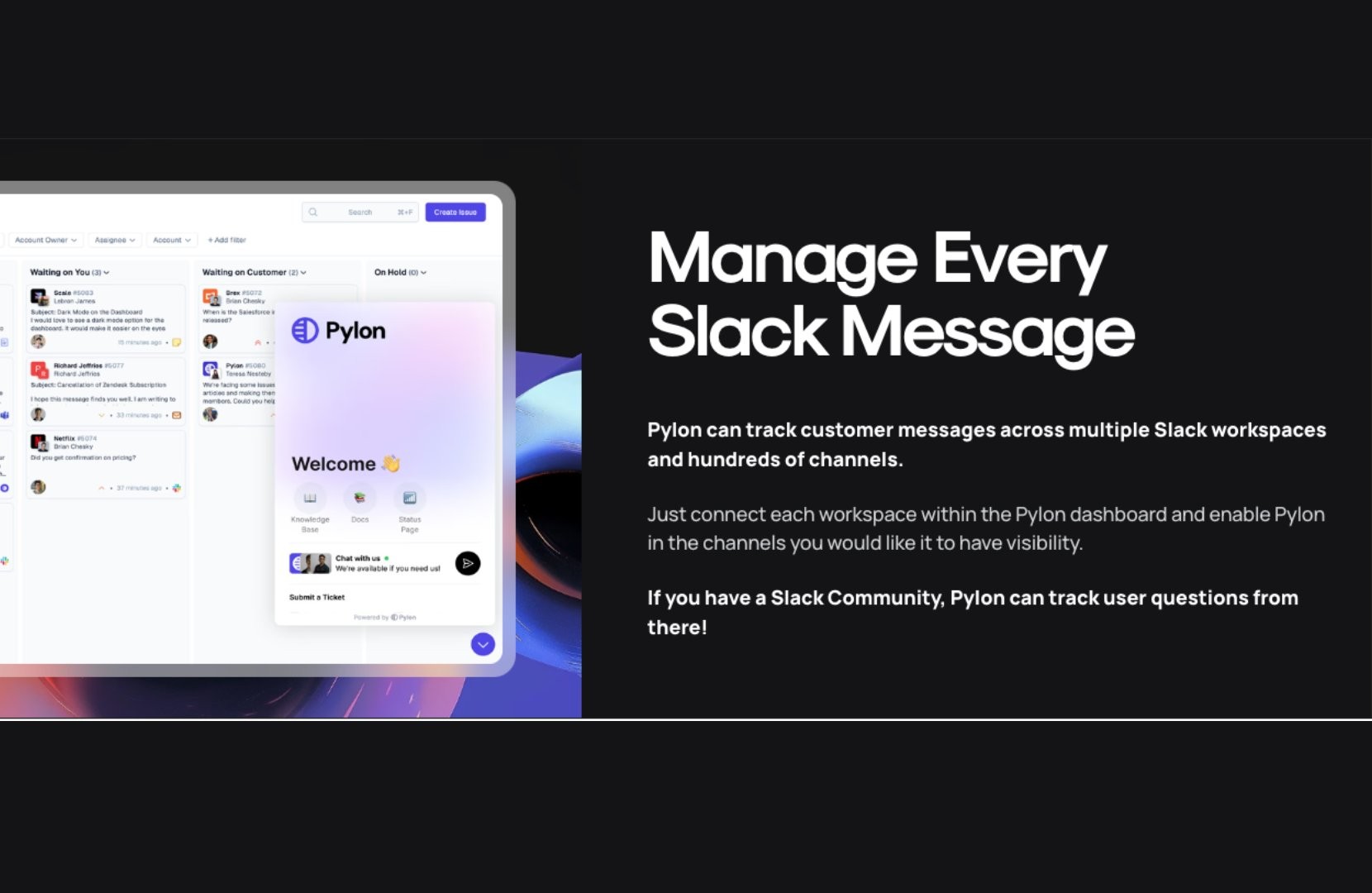
Slack has become the go-to tool for modern B2B collaboration. It embodies what today’s professionals want in a workplace: transparency, connection, and real-time communication.
According to Slack’s recent research, 91% of workers want to feel more connected to their colleagues. With 74% of professionals preferring real-time messaging at work and 70% saying Slack’s availability would influence their decision to accept a job offer, it’s clear that tools like Slack are essential.
Today’s customers want support channels that are fast, flexible, and familiar. In B2B customer support, long email threads or ticketing portals often feel too slow. With Slack, customers can get quick responses, collaborate with their team in real-time, and stay connected on the go via mobile.
So, how exactly does Slack-based support work for B2B teams? It typically involves setting up a dedicated Slack Connect channel for each client, integrating Slack with your existing help desk system, and using tools like Pylon to route and track conversations.
You’ll also want clearly defined roles, expectations, and processes to ensure nothing slips through the cracks.
Let’s go over how to support your customers over Slack.
Providing top-notch customer support in Slack takes more than just creating a few channels. Here’s how to build a system that scales.
Slack is great for conversations, but it’s not a support platform on its own. To make it a viable support channel, connect it with your help desk, CRM, or ticketing system to enable conversational ticketing.
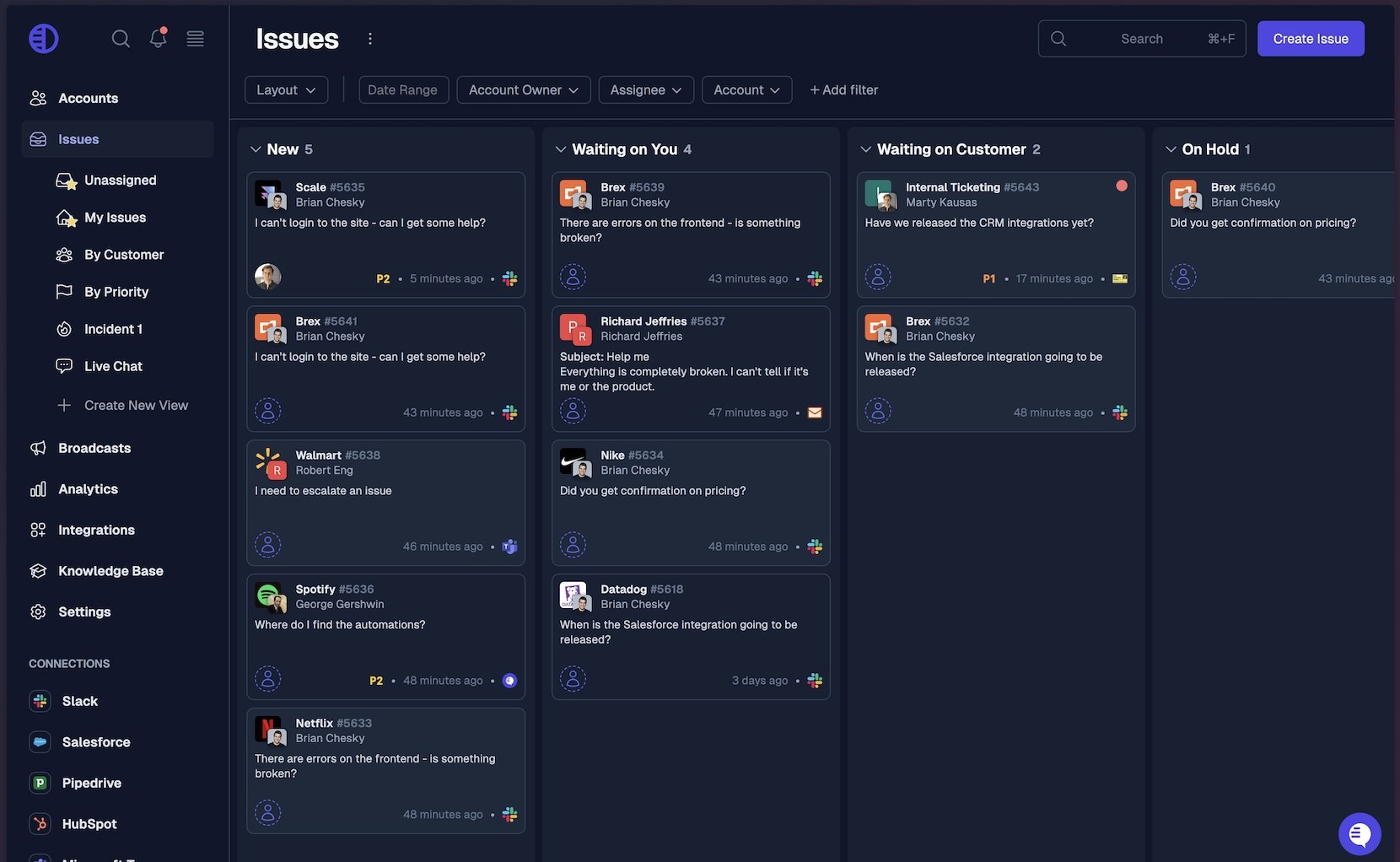
Pylon makes this seamless by integrating Slack conversations with your other support channels in a single view. Instead of manually copying messages, Pylon allows agents to convert Slack threads into tickets that you can see alongside email, chatbot, and Teams tickets. This ensures:
By routing Slack messages into a unified inbox, you can manage them alongside email and web support while keeping your team in Slack.
Slack moves fast, so your team needs a clear strategy for handling support requests.
Key questions to answer:
Consider documenting internal SOPs so everyone on the support team knows how to triage and respond consistently.
Timely responses are crucial; otherwise, customers will lose trust in the Slack channel.
To stay responsive:
Also, consider after-hours protocols. If no one's available 24/7, set auto-responders with expected support hours and link to self-service resources.
Some issues simply can’t be resolved in Slack alone. Bugs, outages, or multi-step technical problems usually require formal tracking, engineering input, or approvals from other departments.
That’s why it’s essential to have a clear, agreed-upon escalation process. Define:
It’s also helpful to build visual workflows (e.g., a flowchart or playbook) that map out when and how Slack messages become tickets or incidents. This keeps Slack from becoming a black hole for unresolved problems and ensures your customers get the attention they need.
Slack Connect is a game-changer for B2B support. It lets you create a shared channel between your company and a customer’s Slack workspace, turning support into a collaborative, real-time experience.

Set up a dedicated channel for each customer to:
Use a consistent naming convention like #support-clientname or #cust-companyxyz, and invite the relevant internal stakeholders, CSMs, support reps, and engineers based on the account’s needs.
Channels can also be grouped in Slack sections by region, tier, or product line for easier management.
Getting customers into Slack is only the first step—you also need to teach them how to use the support channel effectively.
When onboarding a customer to Slack, include:
Here’s a sample pinned message you can customize:
🧑💻 Welcome to your support channel!
Use this space to ask questions, report issues, and contact our team.
We're available Monday–Friday, 9 a.m.–6 p.m. ET. Response time is typically under 1 hour.
Please use threads for new topics and include screenshots or error messages when reporting issues.
This kind of onboarding sets expectations early and helps avoid confusion later.
Managing Slack support without data is like driving blindfolded. To improve and scale, you need visibility into how your team is performing.
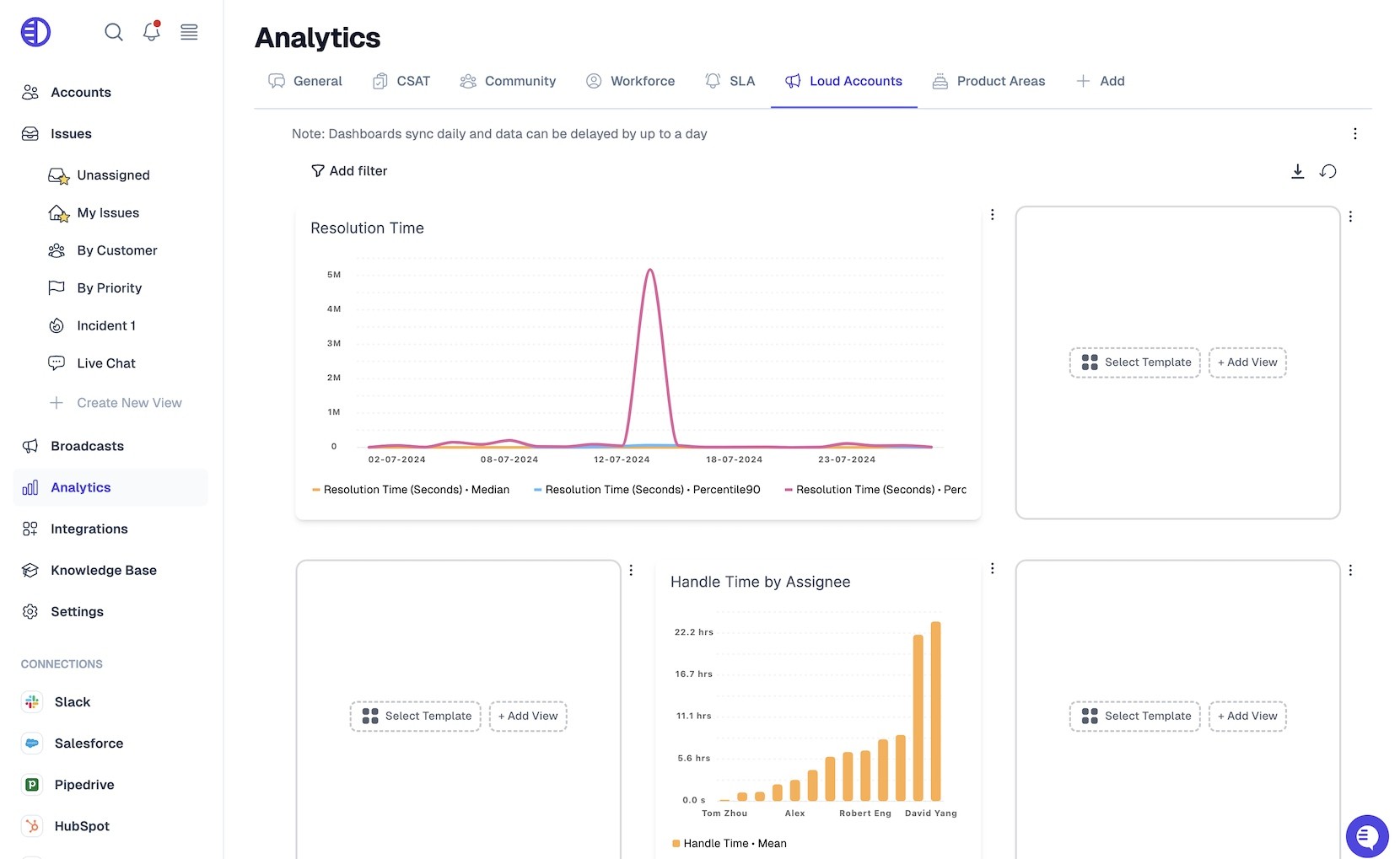
Track key metrics like:
Tools like Pylon, Slack analytics, or your help desk’s reporting dashboard can help you visualize trends over time. For example:
You can also set up alert systems to notify you when:
Use this data to make informed decisions about staffing, training, and process improvement.
Slack support is never “done.” What works today might not work next quarter, especially as your customer base, product complexity, or support team grows.
That’s why it’s essential to review and refine your approach continuously.
Look for signs that your system needs an update, such as:
Make iteration part of your monthly or quarterly support review cycle. Survey customers occasionally to understand their Slack support experience and solicit feedback from your team on what’s working and what’s not.
Refining your Slack support systems over time ensures you can keep up with growth, improve customer satisfaction, and deliver consistent service at scale.
Once you have the basics down, these best practices will help you scale your Slack support program while maintaining quality.
Slack is great for visibility but terrible for long-term tracking. Routing Slack messages into a central inbox ensures:
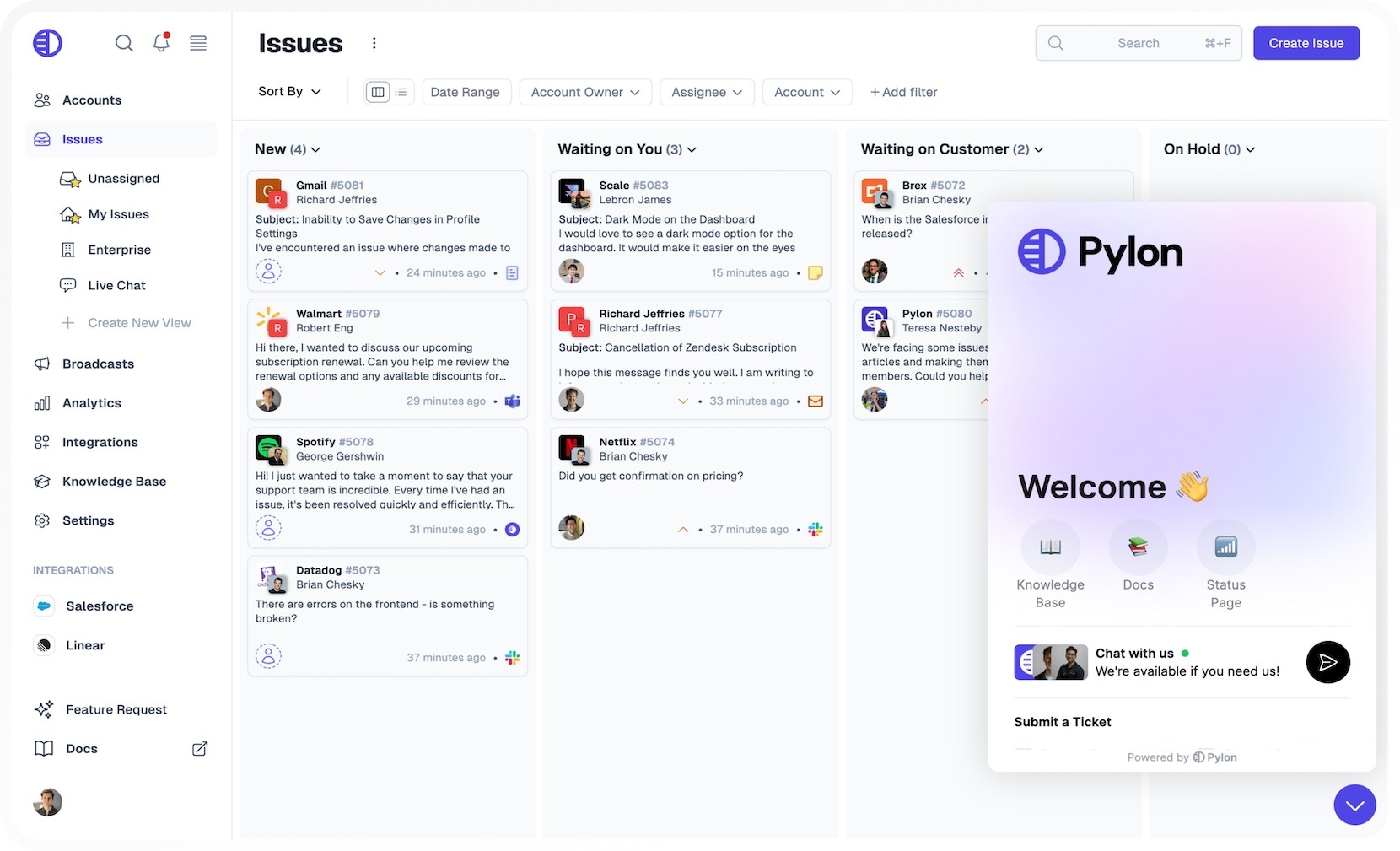
Pylon does this seamlessly by syncing Slack with your other support channels in a single view.
Chances are, you already rely on tools like:
With Slack integrations or middleware tools like Zapier and Pylon, you can connect these platforms and automate actions like:
This saves time and ensures your systems stay in sync.
Automation can take Slack support from “chaotic” to “scalable.”
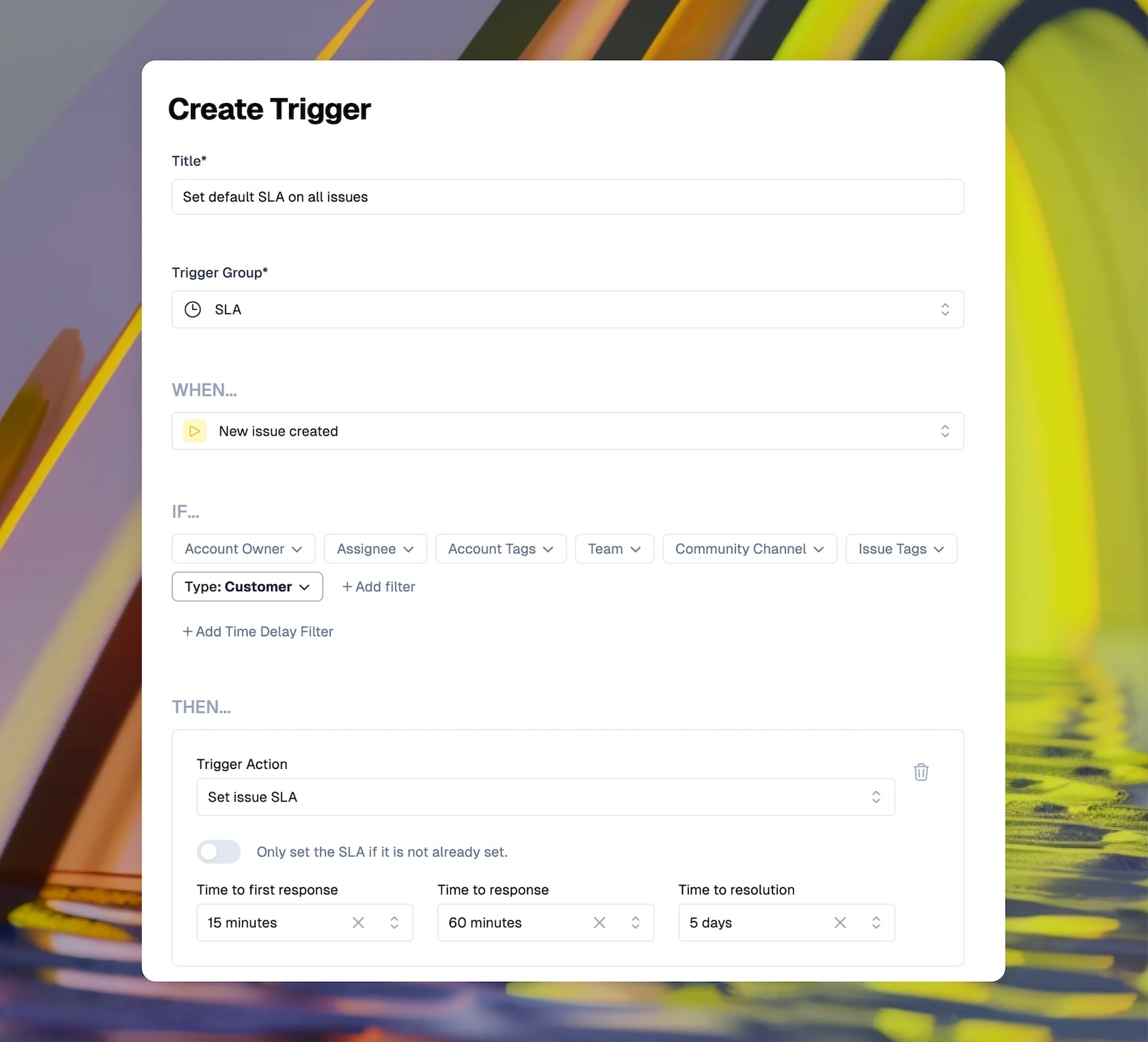
Here are a few ways to use automation:
You can also build Slack workflows using the Slack Workflow Builder or third-party tools to reduce manual triage.
Setting SLAs is especially important in B2B, where contracts often include specific timelines.

To enforce SLAs:
If your team consistently misses goals, investigate root causes, like unclear responsibilities or a lack of after-hours coverage.
A consistent channel naming system keeps your Slack workspace tidy.
Some ideas:
Group customer channels under one prefix (e.g., cust-) so you can easily search and filter them.
Bonus tip: Use Slack channel sections to organize customer channels by region, product line, or tier.
As your Slack support scales, assign an owner to each customer channel. This could be:
Channel owners are responsible for:
Internally, use @here or a support group tag to flag urgent messages.
Sometimes, you need to discuss a customer issue privately.
Options include:
This keeps customer interactions professional while giving your team the space to troubleshoot.
Slack threads are your best friend when it comes to support.
Benefits of using threads:
Encourage your team and customers to reply in threads, especially when multiple conversations happen simultaneously.
Don’t let your Slack workspace become the Wild West.
To maintain order:
Schedule regular audits to clean up unused or outdated channels.
Slack is a great place to surface your knowledge base documentation. You can enable self-service customer support over Slack by:
This lightens the load on your team and helps customers get answers faster.
Interested in setting up a knowledge base? See best practices for creating a B2B knowledge base here or how to create a SaaS knowledge base here
Security is especially critical in B2B environments, where Slack channels often include sensitive conversations, ranging from integration details to outage reports, configuration data, or even legal and billing information.
Without strict access controls and transparent policies, your support channel can quickly become a liability.
A few careless messages or an outdated user permission can lead to a breach of trust or, worse, a data breach. That's why security and access management must be baked into your Slack support setup from day one.
Here are ways to keep your Slack support secure:
Slack also offers these enterprise-grade security features to support compliance and protect your customer data:
In addition to enabling the right security features, educate your team and customers on safe Slack usage. Always include a short security section in your Slack onboarding documentation that covers the following:
Reinforce these policies regularly, especially when onboarding new customers, launching new channels, or updating internal processes.
With strong access controls, enterprise security features, and straightforward user education, you can confidently offer customer support in Slack without putting sensitive data at risk.
When you have 50+ customer channels, things can get chaotic fast. What worked when you had five clients in Slack doesn’t scale when you’re juggling dozens of conversations across multiple time zones and teams.
The key to maintaining high-quality support as you scale is to build systems, assign clear roles, and lean into the right tools.
Here’s how to do it.
As your Slack support presence grows, it’s essential to have someone who owns the process. A Slack coordinator, or even a small team, can be responsible for:
This role connects your support, success, and engineering teams, especially when customer needs span departments.
Without a centralized view, it’s easy for customer issues to get lost. While you can send emails to Slack channels, Pylon takes it a step further by consolidating messages from multiple channels into a unified inbox, where your team can:
This ensures every message is acknowledged, triaged, and resolved, no matter how many channels you manage.
Manual triage doesn’t scale. Use tools and bots to automate repetitive tasks such as:
These automations reduce the burden on your team and help customers get faster responses.
Once you hit a certain scale, it's not enough to have general team coverage. High-priority or high-traffic channels need dedicated ownership. Assign a primary point of contact (like a CSM or lead support rep) who:
Internally, you can reinforce ownership using tags like @channel, @here, or even a custom role like @support-clientxyz.
At scale, you need to be proactive. Set up dashboards that monitor:
Look for patterns that signal issues, like increasing message volumes without increased resolution speed or channels with consistent SLA breaches. Then, update processes or staffing as needed to address them.
As the number of channels grows, consider grouping them by:
This structure helps with staffing (e.g., assigning regional reps), prioritization, and reporting. You can also set different support expectations based on tier, for instance, offering Slack access only to premium or enterprise accounts.
Not every customer needs or expects real-time Slack support. As you grow, it’s worth considering whether Slack should be:
This helps manage demand while giving high-value clients white-glove service. It also sets clear expectations around response times and availability.
Pylon Workforce Management is available now. See it in action with a live demo.