


Updated February 6, 2026 | 15 min read
Some customers message you on Slack with a product question, others submit bug reports through your help center's ticket forms — and certain accounts tell you about feature requests live on a call. Once you're past your first 50 customers in B2B support, it's impossible to manually connect these scattered signals into a complete picture of each account.
But by leveraging AI tools, you can turn these support interactions into unified account context, automate repetitive support work, and surface customer insights that would otherwise slip through the cracks. We'll walk through 15 specific ways AI is helping B2B teams improve the customer experience in 2026.
When you're supporting complex B2B accounts with multiple stakeholders, it's easy for customer data to get scattered everywhere. Your champion messages you directly on Slack about a feature request; another user from that account emails you to share product feedback; a third customer from the same team opens a ticket through your chat widget.
As your customer base scales, it quickly becomes impossible to manually piece all these support interactions into a complete account 360 — for every single account. Your team will end up spending more time hunting for information than actually helping or talking to customers, and critical account health or satisfaction eventually slip through the cracks.
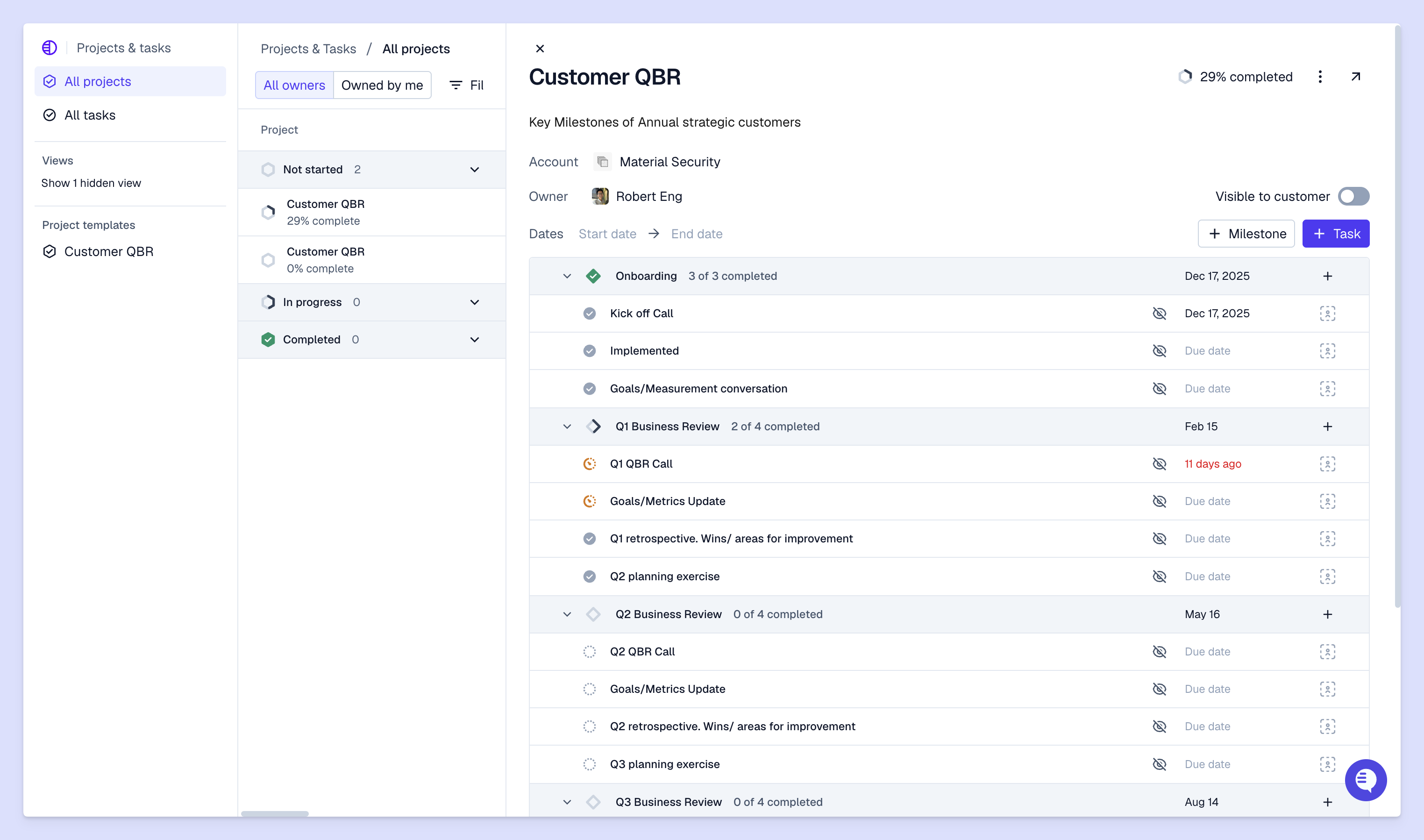
If you're running into bottlenecks in your support operations — your team is constantly switching between platforms, or spending more time on administrative work than customer-facing issues — it might be time to automate some of those workflows with AI.
Here are 15 ways B2B teams are using AI to improve the customer experience.
These days, B2B customers expect support in their preferred channels — and this can vary from customer to customer. For example, within the same enterprise account, you might have team members who prefer reaching your support team in Slack, others who like using your in-product chat widget, and execs who only use email.
But when you use an omnichannel support platform to manage these conversations from the same interface, there are multiple ways AI can help connect them all:
Many teams are now offloading their most manual, repetitive support tasks to AI agents or assistants. This includes workflows like ticket triage, routing, or answering common product questions.
As a result, support and customer success teams have more time to work on things like:
Customer health scores measure how likely an account is to renew, expand, or churn. AI calculates these automatically by analyzing support ticket volume, account sentiment from customer conversations, product usage, and engagement trends.
With real-time updates, you don't have to wait for quarterly business reviews to know which accounts need attention. AI can constantly refresh health scores based on new conversational data or usage patterns — so your team can proactively check in as soon as an account shows signs of low health.
And when you use AI to compute health scores, it's much easier to track account health at scale. Your support team might notice when one customer seems frustrated, but AI can catch patterns across your entire customer base that would be impossible to track manually.
Along with health scoring, AI tools can spot at-risk accounts early by recognizing specific warning signals:
These patterns often appear weeks or months before a customer actually churns. So when AI flags an account as a churn risk, your team can investigate the underlying issues while there's still time to turn things around. Maybe the customer is struggling with a specific feature, or they haven't heard about new releases that might resolve their problems.
This shifts your post-sales function from reactive to proactive. Instead of scrambling to save accounts once they express dissatisfaction, you can step in to solve problems earlier.
Your customers tell you about features they need across support tickets, Slack messages, and calls. The problem is taking that feedback back to your product team. It takes hours of hunting through conversations to build a case for one product change.
With tools like Pylon's Product Intelligence, AI automatically clusters similar feature requests from your customer conversations. When three customers ask for the same capability, AI groups them together and shows you everyone who mentioned it, when they asked, and why it matters to them.
You can also filter these feature requests by customer segment or ARR to prove which ones impact your highest-value accounts. This turns scattered feedback into a clear product strategy that helps your team prioritize what to build next.
With AI agents, you can provide round-the-clock support for customers.
Let's say your global customers are messaging you outside of your team's support hours: AI can handle the straightforward requests immediately, then escalate complex issues to your support team members during business hours.
While AI agents might not be able to resolve every single outside-hours request, they can provide some coverage so customers aren't all stuck waiting until your team is back online.
You'll want to set clear escalation rules so customers know when they're talking to an AI agent and when a support team member will follow up. Transparency about AI usage builds trust.
Since AI can access account context — past tickets, account details, product usage, previous conversations — AI copilots can help you tailor issue responses to each customer. Instead of generic replies, you can leverage AI quickly gather account-specific context and personalize support answers.
In B2B, where you're managing complex accounts, personalized support means understanding which features matter to each customer, remembering their pain points, and adjusting your communication style based on past interactions.
So when a new support ticket comes in, you can ask AI copilots to instantly surface context like: "This account is on the enterprise plan, they've had three tickets about API rate limits in the past month, and they're up for renewal next quarter." Your team responds with that full picture instead of starting from scratch.
Platforms like Pylon offer AI assistants that help support team members draft issue responses, summarize long conversation threads, and surface relevant documentation for faster troubleshooting.
The result is faster response times without sacrificing quality. Your team handles more tickets per day while maintaining thoughtful, personalized service.
On the knowledge management side of things, AI can automatically identify gaps in your knowledge base, detect duplicate articles, or suggest when knowledge articles need an update. If 15 accounts ask about the same topic and you don't yet have an article for it, AI flags this as an opportunity to create new content.
Self-service reduces ticket volume while improving customer satisfaction. Many customers prefer finding answers themselves instead of waiting for a response, especially for simple questions about how features work.
AI assigns incoming tickets to the right support team member based on expertise, current workload, and ticket complexity. If certain team members are experts in your API, you can configure AI routing to prioritize sending those requests to them.
This eliminates the bottleneck of manual ticket routing and make sure customers get help from the right person on the first try — instead of getting passed back and forth between teams.
With tools like Pylon's AI ticket QA, AI reviews conversations for tone, accuracy, and adherence to your company's support standards. Quality assurance happens automatically for every interaction instead of relying on managers to spot-check a sample.
When AI identifies coaching opportunities — like a response that didn't match tone standards, or an incorrect product explanation — it flags these for review. Your team gets consistent feedback that helps them improve, instead of only hearing about problems when customers escalate.
With AI, you can actually use your support data to drive customer success outcomes and workflows. For example, AI can analyze your support tickets from the past month to summarize an account's biggest pain points — and your customer success team uses these summaries to prepare for their check-in meetings.
Besides helping you offer 24/7 support coverage, AI agents can also help you dramatically reduce response times. They can deflect customer questions as soon as they come in, or quickly route them to the best team member for the job.
With Pylon's AI agents, teams like AssemblyAI reduced their first response times for eligible in-app chat issues from minutes to seconds —a 97% drop.
With AI helping you deflect support tickets, handle manual support workflows, and surface customer context so you can resolve issues faster, it allows you to scale your support operations without needing to expand your team at the same rate.
Every support team will still need to grow in headcount as their company scales, but AI makes it much easier, faster, and more efficient for your team to support a larger customer base over time.
Finally, AI helps you maintain your brand voice and support quality regardless of where customers reach out — Slack, WhatsApp, Teams, email, in-app chat, or other channels. When you train AI tools on your knowledge base, internal documentation, and past support interactions, they make it easy for your team to provide quick, consistently accurate support across every account.
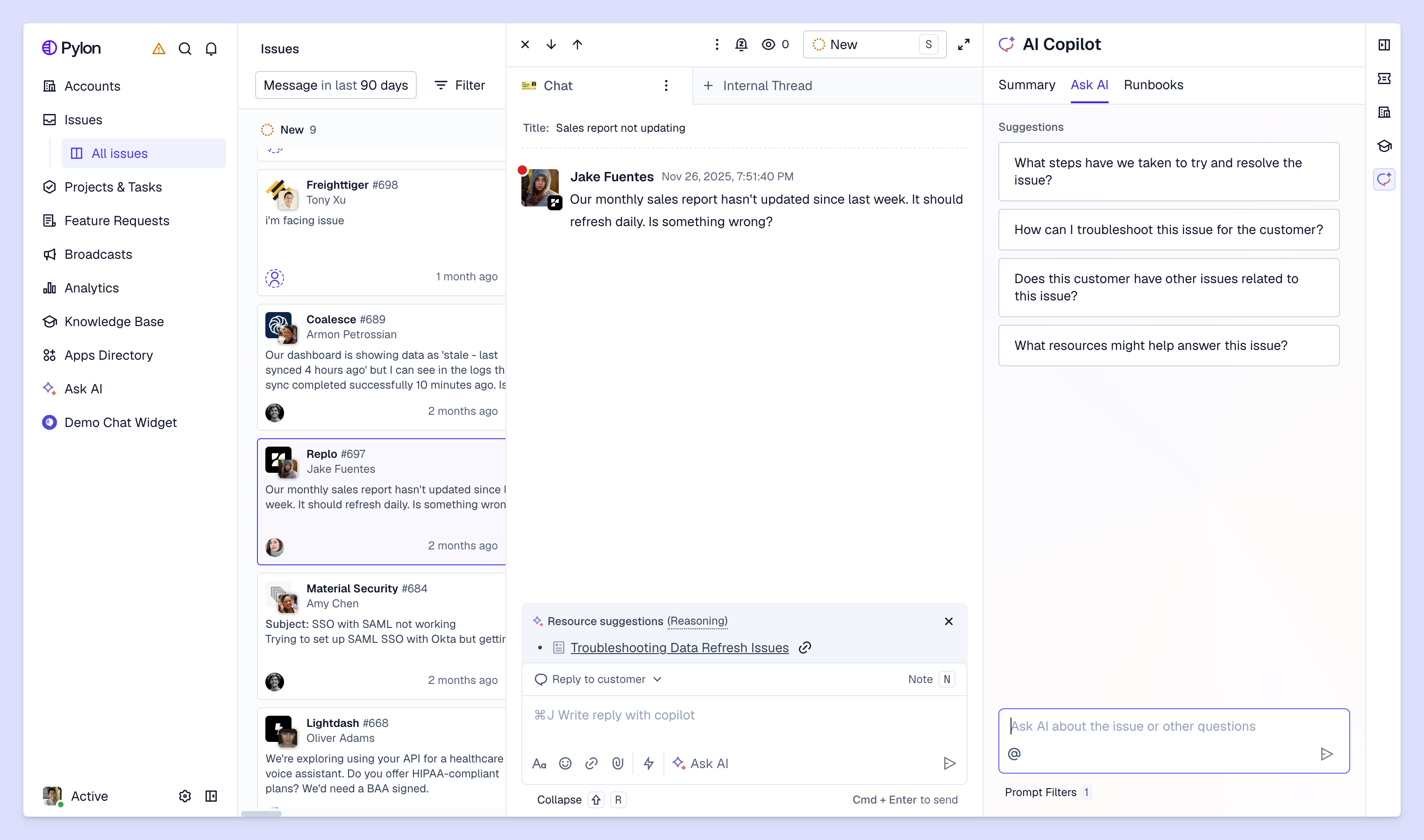
In B2B support, teams are using AI to resolve issues faster, unify account context across all their customer conversations, and improve the customer experience with personalized support.
Pylon is the modern B2B support platform that offers true omnichannel support across Slack, Teams, email, chat, ticket forms, and more. Our AI Agents & Assistants automate busywork and reduce response times. Plus, with Account Intelligence that unifies scattered customer signals to calculate health scores and identify churn risk, we're built for customer success at scale.
ROI varies by company size and use case, but you'll typically see returns through reduced response times, improved team efficiency, and better customer retention. The key is measuring both cost savings from automation and revenue impact from improved customer health.
The best approach blends AI automation for routine tasks with human expertise for complex, high-touch interactions. AI handles repetitive work like tagging tickets and answering common questions, so your support team members can focus on building relationships and solving nuanced customer problems.
Pylon Workforce Management is available now. See it in action with a live demo.



