


As customers start using your product or service, there will eventually be times where something isn’t clear. If they’re stuck or unsure of the next best move, a frequently asked questions (FAQ) page can help them get simple, direct answers without waiting for your support team to respond.
For scaling companies, creating an FAQ page for customers can reduce support load and shorten resolution times. It also builds brand trust when they have positive experiences finding answers for their own concerns.
In this guide, we’ll explain how to write and design FAQ templates that actually help customers and grow with your company. You’ll learn how to identify important themes, organize an efficient layout, and revisit content so it stays fresh as the product evolves.
FAQ pages let customers answer their own questions. When they can independently solve minor problems, your team saves time and resources so they can get involved in more complex conversations. It also encourages customers to learn more about your product, leading to higher adoption rates and more general use.
FAQ pages can reduce the back-and-forth that typically happens during onboarding. Straightforward explanations about setups or billing, for example, help customers understand your product faster. When they know how to find dependable answers, they’ll feel better about using your platform more frequently.
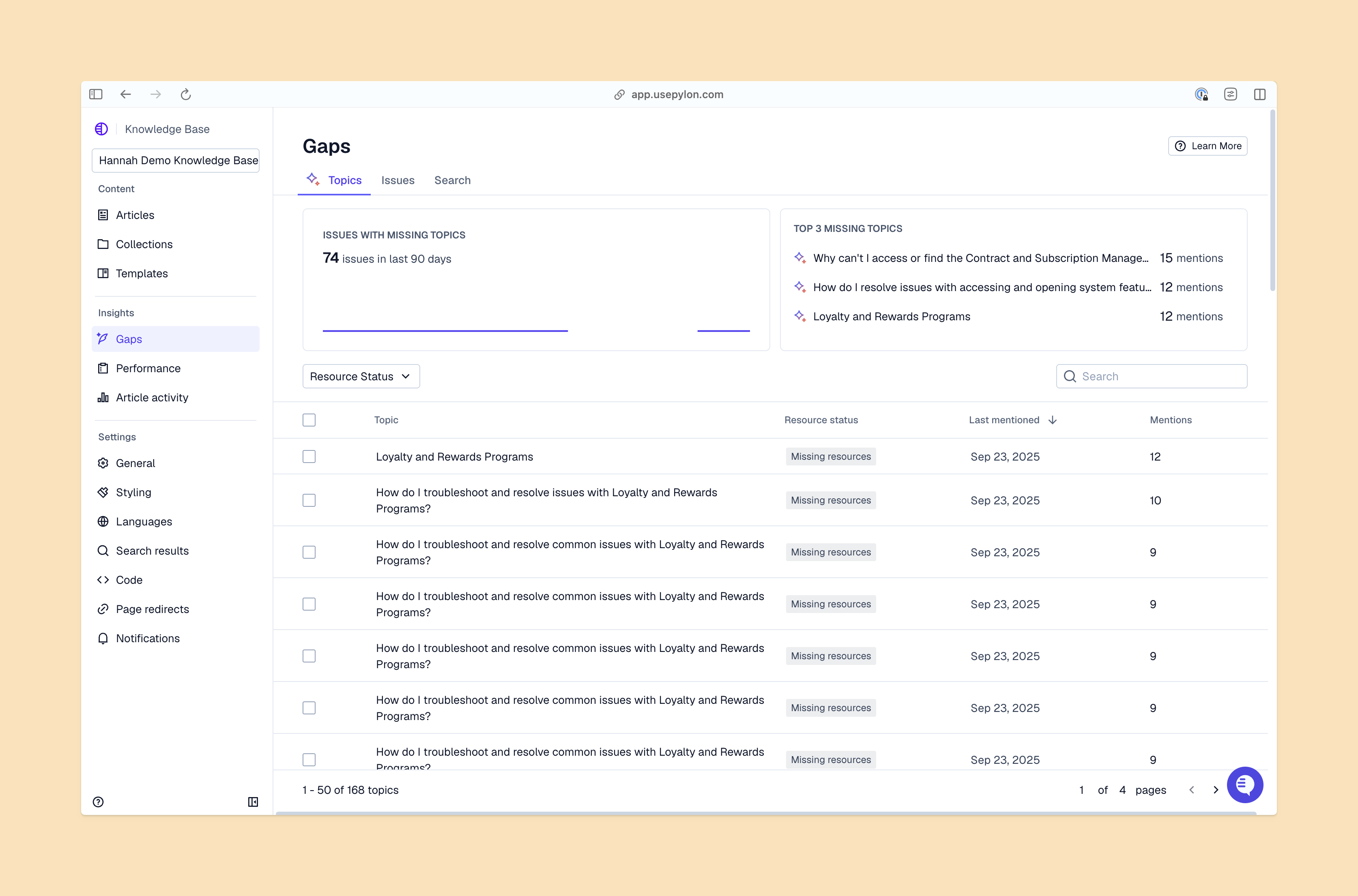
When you’re writing an FAQ, focus on a few common patterns: keywords customers repeatedly search, issues that frequently come up on tickets, and products that have confusing or unclear procedures, for example. Identifying these patterns helps your teams decide which instructions need to be updated for a better customer experience.
As your product changes and your company grows, your FAQ page should reflect areas where customers need more support.
Look at what customers ask about most often before writing an FAQ page. Review recent tickets and chats for questions and product feedback. Here, you’ll discover what’s been slowing customers down most often.
After you’ve put together a list of potential questions, organize them into categories like “Getting Started,” “Pricing,” and “Integrations.” This will help customers navigate your page without having to read every question, which reduces the chance they’ll bounce before finding an answer.
The FAQ should be structured in a way that feels familiar so readers can learn what to do next. While you’re planning questions, keep these tips for useful FAQ formatting in mind:
An FAQ page works best when it provides clear, accurate information and is easy to navigate. Try the following approaches as you design your page’s layout and content flow.
Automated tools that review past tickets can find common themes and language, and more intelligent machine learning can flag frequent problems. This will help you prioritize topics so they’re relevant to customers’ real stumbling blocks.
While some customers want short text answers, others learn more from screenshots, short clips, or step-by-step listicles. Use more than one format to address recurring themes so everyone can learn.
A balanced FAQ should be easy for customers to scroll through. You can list every subject on one page or break them into drop-down sections. Many companies provide a combination of the two — questions set as category headers with longer answers underneath.
Your layout should match your product’s and brand’s style. It also needs to work well for readers on both desktop and mobile, including clear section headings, consistent spacing, and visible hyperlinks to other references.
Even the best FAQs can’t answer everything. New customers will likely need support at some point, whether it’s from your support team or AI-powered help desks that can respond around the clock. Add simple instructions on how to reach out through email, Teams, a contact form, or wherever your customers already work.
Make sure your FAQ page reflects customers’ changing needs. You can do so by regularly reviewing your FAQ’s content and updating any instructions or screenshots that no longer match your product. Frequent updates create smoother interactions as customers get the best information, which also reduces time to resolution over time.
Many companies check their FAQ monthly or quarterly, depending on how often they ship new features. Looking at where your customers are (and aren’t) using your FAQ can also show you where to improve, like identifying confusing or unhelpful answers. Regular updates can help you scale your support across platforms.
Be aware of how customers’ language changes over time. If they use different words than your team does to describe certain issues, make sure the answers in your FAQ mirror those shifts so customers can find what they need.
Search engines can also help users spot the right answer without starting on your website. Questions phrased clearly with natural keywords, simple headings, and other SEO best practices can make it easier for search engines to find your answers for customers who don’t go directly to your knowledge base.
Many B2B companies use their FAQ to effortlessly guide customers from setup to troubleshooting. The following examples of FAQ pages highlight how to make it into a thoughtful experience:
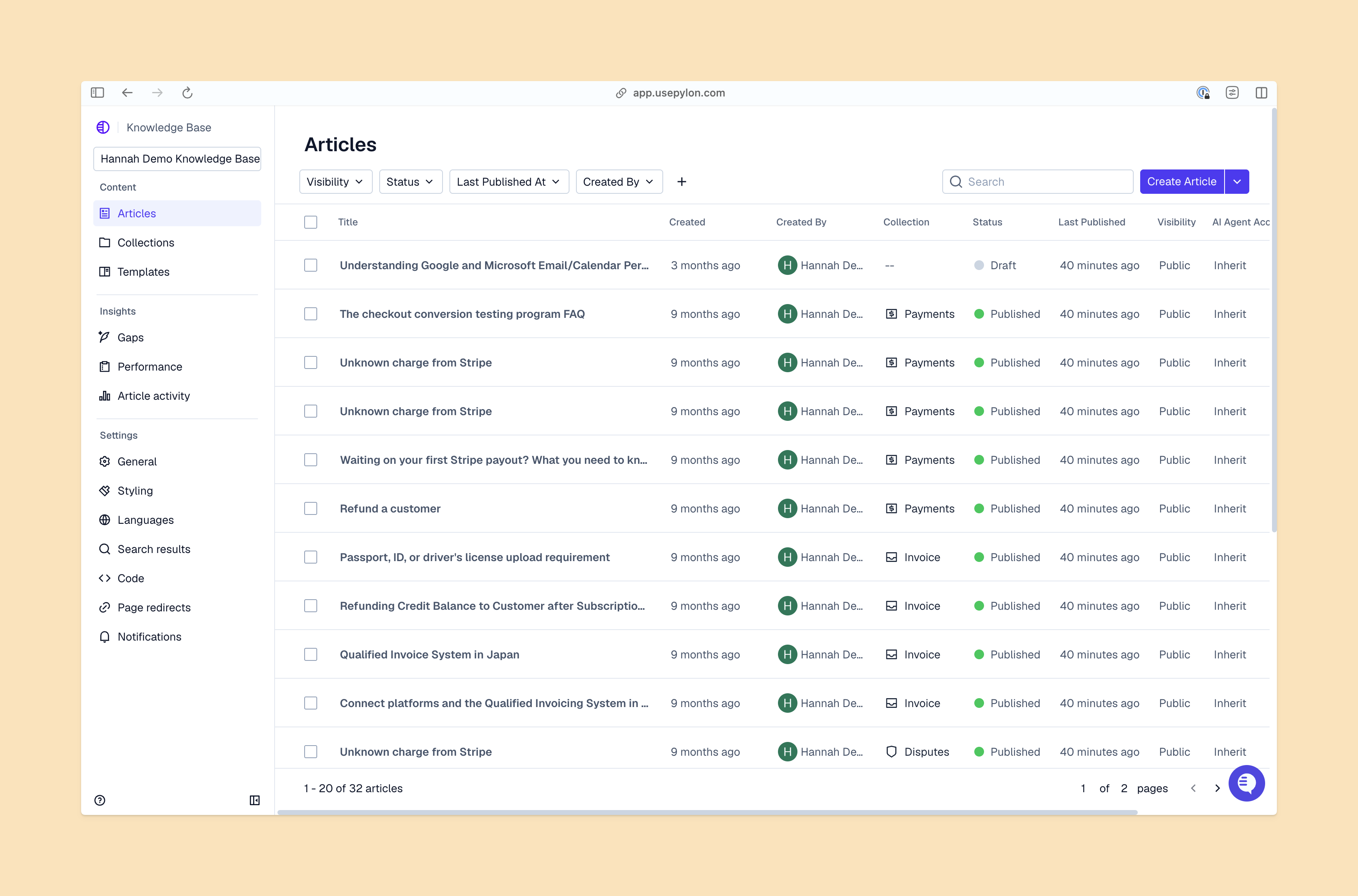
As customers get familiar with your product, they may need more than the quick, easy answers from FAQ pages. Short answers are a good starting point for step-by-step videos, guides, and other article templates that let customers learn at their own pace.
Over time, these various formats can become part of a central resource — a well-organized knowledge base that supports onboarding and everyday use — so you don’t have to rely on team members to solve every issue.
An FAQ is a great start to building customer resources, but growing B2B startups need support that scales with them. Pylon AI Knowledge Management identifies gaps in your content and generates resources your team can quickly share with customers. These knowledge bases also help customers find information about your product without needing to open tickets and ask your team about simple issues.
Pylon is the modern B2B support platform that offers true omnichannel support across Slack, Teams, email, chat, ticket forms, and more. Our AI Agents and Assistants automate busywork and reduce response times. Plus, with Account Intelligence that unifies scattered customer signals to calculate health scores and identify churn risk, we're built for customer success at scale.
Pylon Workforce Management is available now. See it in action with a live demo.




