


B2B customers can send messages via Slack, email, chat widgets, and ticket forms. But no matter how many channels they use, they’ll need a single place to view progress. Otherwise, they have to keep following up to ask about request status, a process that can frustrate them and erode trust.
Customer portals help B2B support teams deal with rising volumes, multiple channels, and high expectations smoothly. These dynamic, scalable support hubs cut down on the need for follow-ups and keep customers more engaged.
In this article, we’ll look at how to build a customer portal for B2B support, with no coding required. We’ll also talk about the limitations of basic portals, and the key features you’ll need to handle omnichannel ticket management for your scaling support needs.
──────────────────────────
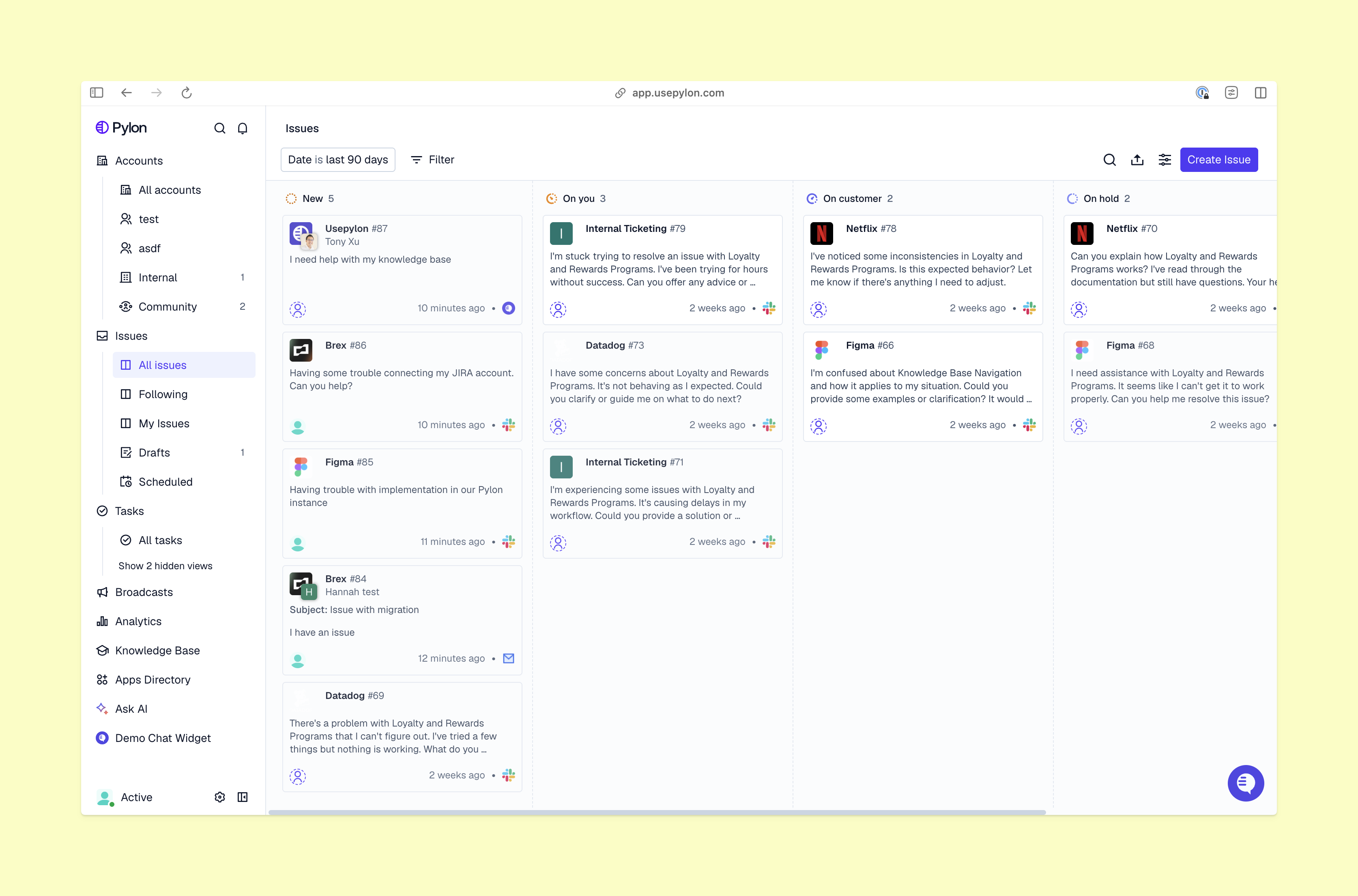
A customer portal is a secure space where accounts view and manage their support tickets. They can use the portal to check request status, view documents, and access your knowledge base.
B2B portals are different from consumer-focused portals for e-commerce order tracking or project management. A B2B support portal helps your team manage long-term customer relationships and give great omnichannel customer support.
──────────────────────────
Here’s how to create a customer portal with Pylon.
In your Pylon dashboard, go to your settings and enable the customer portal. This gives you a central hub where customers can send tickets and track issues.
On the customer portal settings page, add your company logo and change the colors to match your brand. You can also customize the portal’s header and footer.
Next, set up user roles for your customers. There are three default access levels:
You can also create custom roles to define different levels of access.
Create the forms customers will use to submit support requests. Pylon’s Ticket Forms settings let you choose which channels customers can use and pick the form fields you want. You can also add open-ended prompts that let customers share extra information.
Choose which ticket fields will appear in the portal and in other apps like Slack. You can also decide whether customers can view or edit these fields based on their user roles.
Go to the “Workspace” tab in your Pylon settings page to set how customers will sign in. Pylon supports password-less authentication and single sign-on (SSO).
In the customer portal settings, check previews to see how the customer service portal will look for different account types. Test security and other features, and then launch the portal.
Once everything is ready, give admin access to key stakeholders for each account. In turn, those stakeholders can invite other people and manage permissions for their companies.
Pylon is built to move fast. It takes you from your first look at the settings screen to making your branded portal live in minutes. Schedule your personalized walkthrough to see how Pylon improves the customer experience.
──────────────────────────
.png)
When you choose a platform where you can build a customer portal and offer B2B support, look for these important features.
Look for a portal that’s simple to set up and configure, without any need to code or get dev team support. Make sure you can easily specify different access levels and set up customer user roles.
Pylon’s B2B Customer Portal feature lets you define user roles and create custom permissions, just by choosing options on the settings page. On the customer side, people with admin access can easily manage their own roles without having to ask for help.
A strong customer portal needs real-time status tracking. Customers often send follow-up messages because they don’t know what’s happening with their requests. When you give customers clear visibility into issue status, they don’t need to contact you as often.
Pylon’s portal lets customers see the full context for every ticket they submit. Admins can also view other people’s tickets, which helps when multiple stakeholders need updates on a single issue. This portal also includes self-service options, like a knowledge base and AI agent, so customers can solve problems on their own.
Let customers see who their requests are assigned to, when the last activity was, and what the next steps will be. It’s important to take full responsibility and be transparent about who has ownership of each issue. That way, customers can trust the process, even when resolution takes time or tickets move between different teams.
Book a 30-minute demo, and see how Pylon gives every customer a real-time view of their support tickets.
Basic portals are designed around individual ticket management, which doesn’t work well for more complex B2B customer relationships. When portals lack features like shared visibility, role-based access controls, and built-in knowledge bases, customers can struggle.
It’s harder for them to work together across teams, and different stakeholders often create duplicate tickets. These experience gaps get more obvious as accounts grow, and customers start to bypass the portal and rely on follow-up emails to get the information they need.
Follow these best practices to encourage use and help customers get value from your portal:
Here are the outcomes B2B teams saw after setting up custom customer portals with Pylon:
As ticket volume and channel sprawl increase, a user-friendly customer portal becomes a vital tool. You can use this portal to create a unified customer experience, and track usage patterns to make even more improvements.
Pylon is the modern B2B support platform that offers true omnichannel support across Slack, Teams, email, chat, ticket forms, and more. Our AI Agents and Assistants automate busywork and reduce response times. Plus, with Account Intelligence that unifies scattered customer signals to calculate health scores and identify churn risk, we're built for customer success at scale.
Join support teams, like Sardine and Coalesce, who turned their customer portals into competitive advantages. Book your demo.
──────────────────────────
A B2B customer portal is a secure, login-protected hub where customers can submit and track support requests, view account-level ticket history, and manage interactions across channels — without emailing your team for a status update. Unlike consumer portals focused on order tracking or password resets, a B2B support portal is built around ongoing relationships, multi-contact accounts, and the kind of operational transparency that enterprise buyers increasingly expect. The best ones don't just centralize information — they reduce inbound volume by giving customers the visibility to self-serve answers to “where does my ticket stand?” before that question becomes a follow-up email.
Want to see what this looks like for B2B support? Book a demo, and we’ll show you how Pylon helps teams centralize customer requests.
It depends on the platform. Traditional portal builds — especially those involving custom authentication, CRM integrations, or role-based access controls — often require engineering involvement, and can take weeks or months to get to launch. No-code platforms have changed that significantly, but not all of them are built with B2B support workflows in mind. The tradeoffs usually show up around custom permissions, ticket form configuration, and SSO setup — areas where “no-code” can quietly become “some code required.” Pylon’s portal builder is designed specifically for support and CS teams: branding, access controls, ticket visibility, and authentication are all configurable without touching a line of code.
Looking for a setup that fits your team’s workflow? Talk to us, and we’ll walk you through how Pylon supports portal configuration.
With traditional tools, a production-ready B2B portal can take anywhere from a few weeks to several months to launch — especially when custom integrations, SSO, and tiered access controls are involved. The timeline typically scales with complexity: a simple ticket submission and tracking portal moves faster than one with multi-account visibility, custom authentication flows, and branded white-labeling. With Pylon, the initial configuration — branding, access defaults, ticket forms, authentication — can be completed in a single session and previewed before any customer sees it. Most teams move from setup to pilot-ready in the same week, then expand access and features based on what they learn in the first rollout.
Curious what a realistic rollout could look like for your team? Book a demo, and we’ll help map the right launch path.
Pylon’s Customer Portal is a branded, no-code support hub built specifically for B2B teams. Customers log in via email-code authentication or SSO, and immediately see a unified view of their open and resolved tickets — regardless of whether those tickets originated in Slack, email, chat, or a ticket form.
From the portal, customers can submit new requests, track existing ones, and filter by status or date. On the backend, support teams control which ticket fields are visible, set access permissions by account or contact, and configure custom branding to match their products’ look and feel. The result is a customer-facing surface that reduces "any updates?" messages and gives both sides a shared source of truth going into QBRs or account reviews.
Want to see it in action? Schedule a demo, and we’ll show you how Pylon’s Customer Portal works across real support workflows.
Pylon Workforce Management is available now. See it in action with a live demo.




