
All Articles
Guides

Building a scalable help center with strategic knowledge base templates

Optimize your self-service strategy with high-performing knowledge base templates. Learn how to create clear articles and improve ticket deflection.

Robert Eng
May 22, 2026

Just like you’d use architectural blueprints to build a house, you should always use knowledge base templates to structure your help articles.

Templates make your knowledge base articles quick to write, simple to find, and easy to read. They give you a logical structure to work from, and that structure helps customers access solutions in seconds.

In our previous knowledge base guides, we covered what to write. This article gives you a more strategic view of how to build a documentation system that’s easily searchable and quickly meets customer needs.

Core architectural elements of high-performing templates

When you’re creating a template for a knowledge base article, you need these main elements:
  • The “inverted pyramid” for support. Start every article template with a simple, clear answer to the reader’s question. When customers are stuck and searching for a solution, they don’t want to dig through a long article to find it. Summarize the critical information at the top, and provide supporting details and technical context lower down. Make it easy for customers to grasp the most important points without needing to read the whole article.
  • Semantic tagging and SEO metadata. Searchability is vital for B2B knowledge base articles, so use templates that prompt writers to include keywords, topic tags, and meta descriptions. Also, make sure all article titles are short and highly focused on the questions customers often ask. This makes it easy for customers to find the right article in both internal and external search engines.
  • Table of contents. Help customers scan an article or jump right to the information they need by including a table of contents with clickable links for each section. This often appears as a sidebar that remains visible as readers scroll.
  • Standardized visual placement. Written articles should include visual elements like screenshots and videos. Use a knowledge base documentation template that includes placeholders for these elements. When images and videos appear in consistent locations in every article, customers quickly get used to the layout and know where to find crucial information.
  • Prerequisites and environment context. Templates need to include a section for prerequisites. Some solutions only work if the user has admin access or a specific software version, for example. You’ll frustrate customers if you give solutions without specifying what they need to implement them.
  • Step-by-step instructions. This is the meat of every article in a SaaS knowledge base. Give the solution in detailed, numbered steps that are easy to follow. Visuals like screenshots, diagrams, and guides help customers grasp what to do.
  • Additional resources. Finish every help desk knowledge base template with links to pages where customers can learn more. These could be other parts of your knowledge base, pages on your website, and external sites. Knowledge base articles should be short and focused on a single question, so customers will often have follow-up questions about related issues.

Strategic workflows for implementing documentation templates

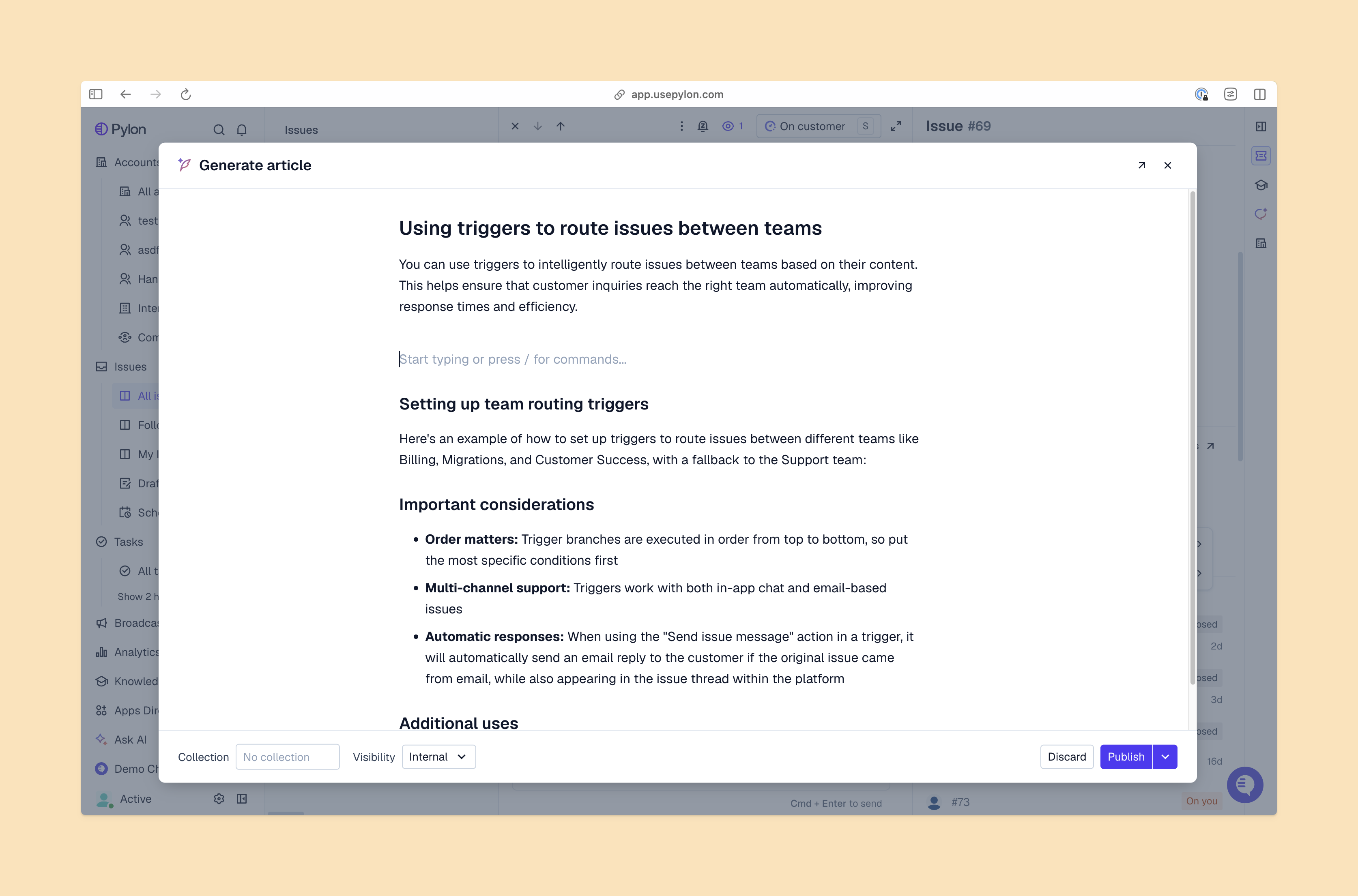
Generate knowledge base article view from Pylon

Knowledge base templates give you a handy head start in creating well-structured, searchable articles, but the work doesn’t end there. You also need a reliable process to keep them up-to-date as your company grows and your products evolve. 

Follow these workflows to keep your knowledge base relevant, well-organized, and tightly focused on customer needs.

1. Collaborative drafting and review cycles

Build templates that specify who’s responsible for writing each section and lay out the editing workflow for all written articles. 

For example, your dev team knows the technical details, while your support team has a day-to-day insight into customer needs. Have developers write the detailed step-by-step instructions for technical fixes, while the support team contributes the article title, introduction, and semantic tagging based on their knowledge of customer search intent.

Then, you need a review process, where a team leader checks each article and makes sure it is clear, well structured, and readable. All of this needs to be specified in the knowledge base template, with checklists for each stage, so articles are only published when they’ve been fully formed and polished.

2. Version control and “last verified” time stamps

Every help desk knowledge base template needs a section to show when the article was last checked against the live product. Out-of-date information frustrates customers, so it’s important to show them how fresh each article is. Then, set up a process to review each article regularly and update the time stamp.

3. Knowledge base software with AI capabilities

The latest knowledge base software helps you manage your knowledge base and keep all your articles and templates updated. For example, Pylon’s AI Knowledge Management automatically identifies knowledge gaps and generates articles to fill them, and it flags duplicates and with an AI assistant to edit, rewrite, and translate articles. 

You can still keep control with an editorial review process, but AI-powered knowledge base software makes it much easier and faster to manage documentation as your company grows.

4. Process for updating articles based on support ticket conversations

Support tickets are a perfect source for creating new knowledge base articles and updating old ones. They include the latest customer questions, along with ready-made answers from your support team. 

Create a process to feed the insights from support conversations into your customer knowledge base. The workflow should automate part of the process so it’s easy for your team to transfer content from tickets to article drafts, which many knowledge base apps can help with. However, you must also feed the content into your usual knowledge base templates so the articles are properly structured and formatted.
Measuring the ROI of template-driven documentation

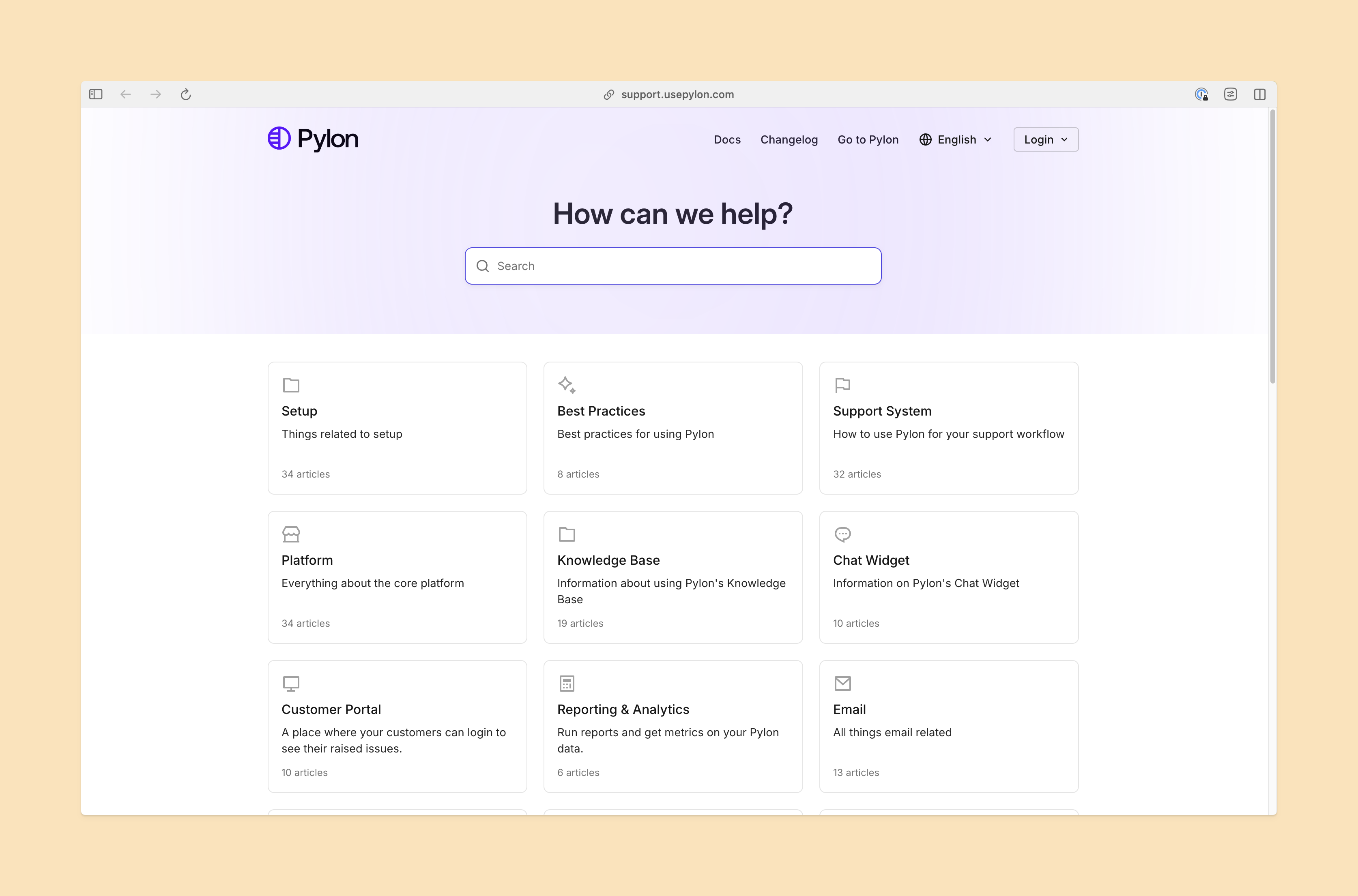
Public knowledge base view from Pylon

The payoff of a good knowledge base is clear. Research shows that 61% of customers prefer to use self-service resources for simple issues, and 92% would use an online knowledge base for self-support if it were available. 

Here’s how to measure whether your knowledge base templates successfully provides customers with efficient self-service: 

  • Ticket deflection and “article helpful” signals. Page views show whether customers use your knowledge base articles, but you need to know if they actually solved the problem. Include simple “thumbs up” and “thumbs down” in each article template, and track ticket volumes to see if customers open fewer tickets for issues covered by your knowledge base.
  • Search-to-ticket ratio. Analyze how often a customer searches for a term, reads an article built from a template, and still opens a ticket. You must track individual user flows through your system, and if you see many customers opening tickets related to a specific article, you should rework the piece accordingly.
  • Content gaps. Check search terms that customers enter, and look for searches that gave zero results or led to pages that didn’t answer the question. Use templates to plug these content gaps with new, relevant articles so customers get better results.
  • Customer trust. When you use structured knowledge base templates to build consistent articles, you build trust in your B2B customer relationships. Customers see you’re a reliable partner, and you should see that reflected in customer loyalty metrics like retention rate and customer lifetime value (CLV).
  • Time to resolution. Better documentation helps support teams as well as customers. If you use an internal knowledge base template to create documentation for your support team, you should see a faster time to resolution (TTR) as your team spends less time hunting for answers and more time interacting with customers.

Future-proofing your documentation with AI-ready templates

Today’s knowledge base templates must be designed for the future of customer support, which is increasingly driven by AI agents and LLMs. Make sure your templates are structured so your published articles are easy for AI agents to understand, with plenty of semantic tags to make the meaning clear and to specify user intent that the article matches. When your knowledge base software is AI-ready from the start, the process becomes much easier.

Pylon is the modern B2B support platform that offers true omnichannel support across Slack, Teams, email, chat, ticket forms, and more. Our AI Agents and Assistants automate busywork and reduce response times. Plus, with Account Intelligence that unifies scattered customer signals to calculate health scores and identify churn risk, we're built for customer success at scale.

Book a demo

FAQs

How do knowledge base templates improve internal training? 

Templates act as a “teaching tool” for new hires. By following the template structure, new agents learn exactly what information is required for a resolution, reducing the time it takes to get up to speed on documentation. 

Should templates be different for internal vs. external articles? 

Yes. Internal templates often include “security risks” or “escalation paths” that shouldn't be visible to the public, while external templates prioritize clarity and brand voice.

What’s the best way to distribute templates to a team? 

Centralize them within your knowledge base software or a shared workspace like Confluence to ensure that everyone is using the latest version and prevent “rogue” formatting. 

Can templates help with SEO rankings? 

Absolutely. By providing a consistent H2 and H3 structure and prompting authors for metadata, templates ensure that your articles follow the “Helpful Content” guidelines preferred by search engines.

Explore more

No items found.

Explore more

Industry

Building effective customer support channels in Slack

Pylon Team
January 20, 2026
Blog post
Industry

How to drive accountability with an intuitive issue management system

Robert Eng
April 2, 2026
Blog post
Spotlights

Spotlight: Emma Charles @ Everbridge

Robert Eng
October 24, 2024
Blog post
Industry

Best Zendesk alternatives: 7 competitors ranked for 2026

Pylon Team
January 14, 2026
Blog post
Industry

B2B Live Chat: Benefits, How to Set It Up, & More

Anna Clink
May 21, 2025
Blog post
Guides

Strategies and examples of customer retention for customer success teams

Dan Guo
February 2, 2026
Blog post
Industry

Building Slack ticketing systems for scalable customer support

Pylon Team
January 7, 2026
Blog post
Industry

How AI Is Transforming B2B Customer Support | Complete Guide for 2025

Pylon Team
October 17, 2025
Blog post
Industry

Understanding customer knowledge bases: Definition, benefits, and best practices

Pylon Team
February 19, 2026
Blog post



