The Support Manager’s Guide to Knowledge Base Templates for SaaS
Explore essential knowledge base templates for SaaS. This guide helps B2B support managers customize templates and offers best practices for success.
Dan Guo
December 5, 2025
Support docs can be a mess. Key info ends up scattered everywhere — like in Slack threads, emails, docs, and your ticket system. But getting it all into one solid knowledge base makes it easy to point everyone (both internal teams and customers) to the right answers.
You can simplify the process of creating your knowledge base with templates for SaaS. Keep reading to see how SaaS knowledge bases work, which templates are common, and our top tips for building and organizing yours.
Understanding SaaS Knowledge Bases
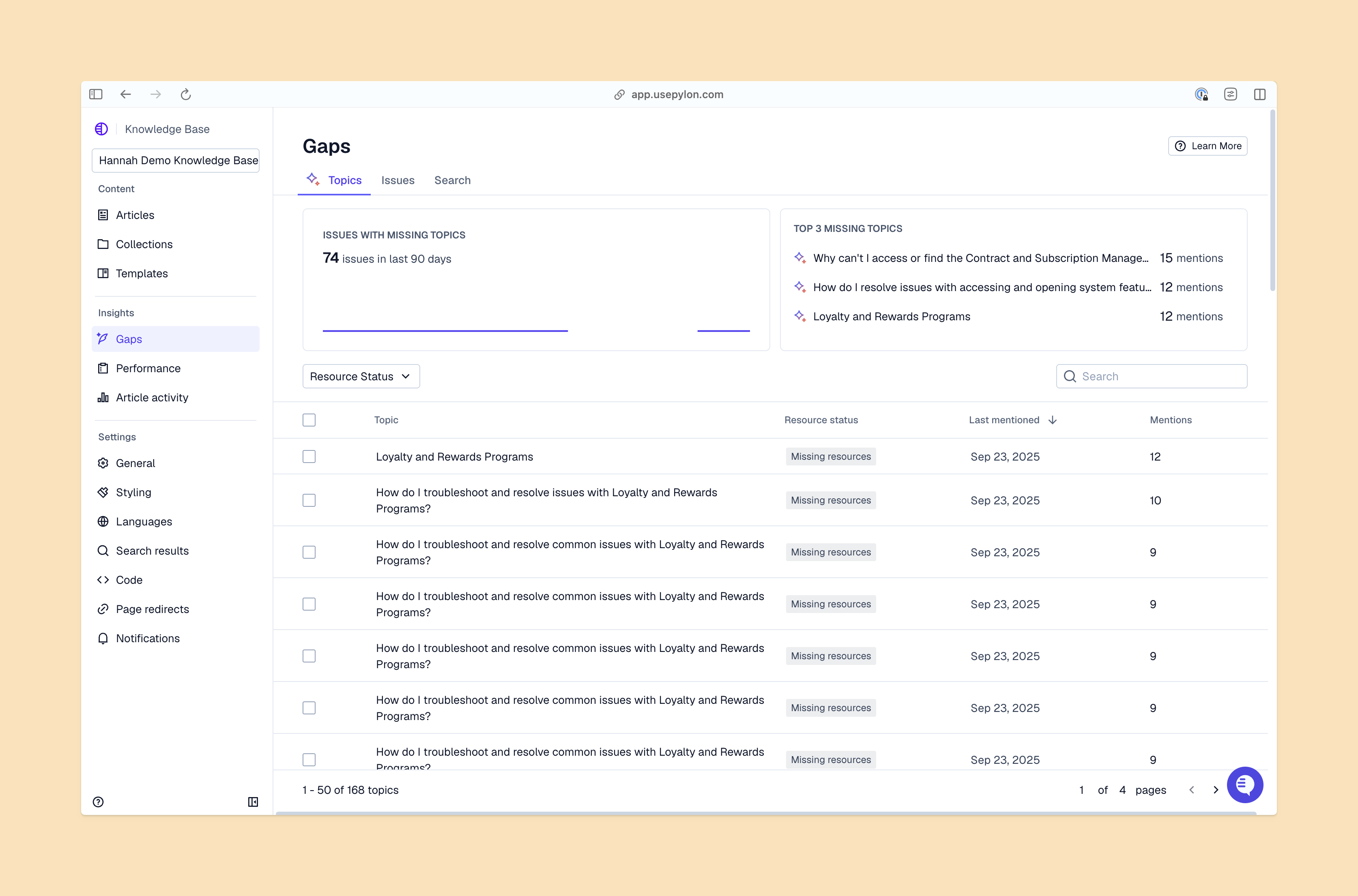
Knowledge Gaps View From Pylon
A SaaS knowledge base is a centralized library of product-relevant content. It usually lives in your support portal or on your website and includes FAQs, step-by-step guides, and short feature explanations. Companies often break these up into two types: customer-facing and internal. But often the customer-facing one has some overlap, with team members also referencing it when they solve issues.
A great knowledge base is centralized and organized. Anyone looking for relevant answers should be able to find and navigate through it. This way, customers can easily solve simpler problems and adopt your product more smoothly, and support teams can quickly step in with accurate and helpful answers or resources when needed. All of this supports an effective customer experience strategy, making life easier for your customers so they stick around.
Essential Elements of an Effective Knowledge Base Template
Most templates for knowledge base articles include these elements:
A short opener. Start with one or two sentences that tell customers what the article covers and what they’ll be able to do by the end.
Audience and what customers need. Make it clear who the article is for — customers, support teams, or technical teammates — and list anything they should have ready before they start.
Readable structure. Use headings, brief paragraphs, and bulleted lists so readers can scan easily. This also helps your knowledge base tool return the right section in search results.
Visuals. Add screenshots and graphics to show what each step looks like.
Follow-up options. Link to related resources for those who want more info, and let customers know how to contact your support team.
Common Knowledge Base Template Examples for SaaS
Here are some common knowledge base content examples for SaaS support:
FAQ articles usually include short answers to common questions, with each article focusing on a certain subject. These give the reader easy problem-solving wins without convoluted explanations.
Process guides cover step-by-step instructions for routine tasks, like turning on a product feature or completing a customer onboarding task.
Troubleshooting guides help support teams and customers address common issues.
Informational articles clearly explain concepts, settings, or product features, often written in simple, non-technical language.
Product or feature descriptions are overviews of how something works, when to use it, and which roles have access.
Glossaries cover short definitions relevant to your product/service, typically with links out to other definitions and articles so the reader can learn more.
How to Customize Knowledge Base Templates for SaaS Products
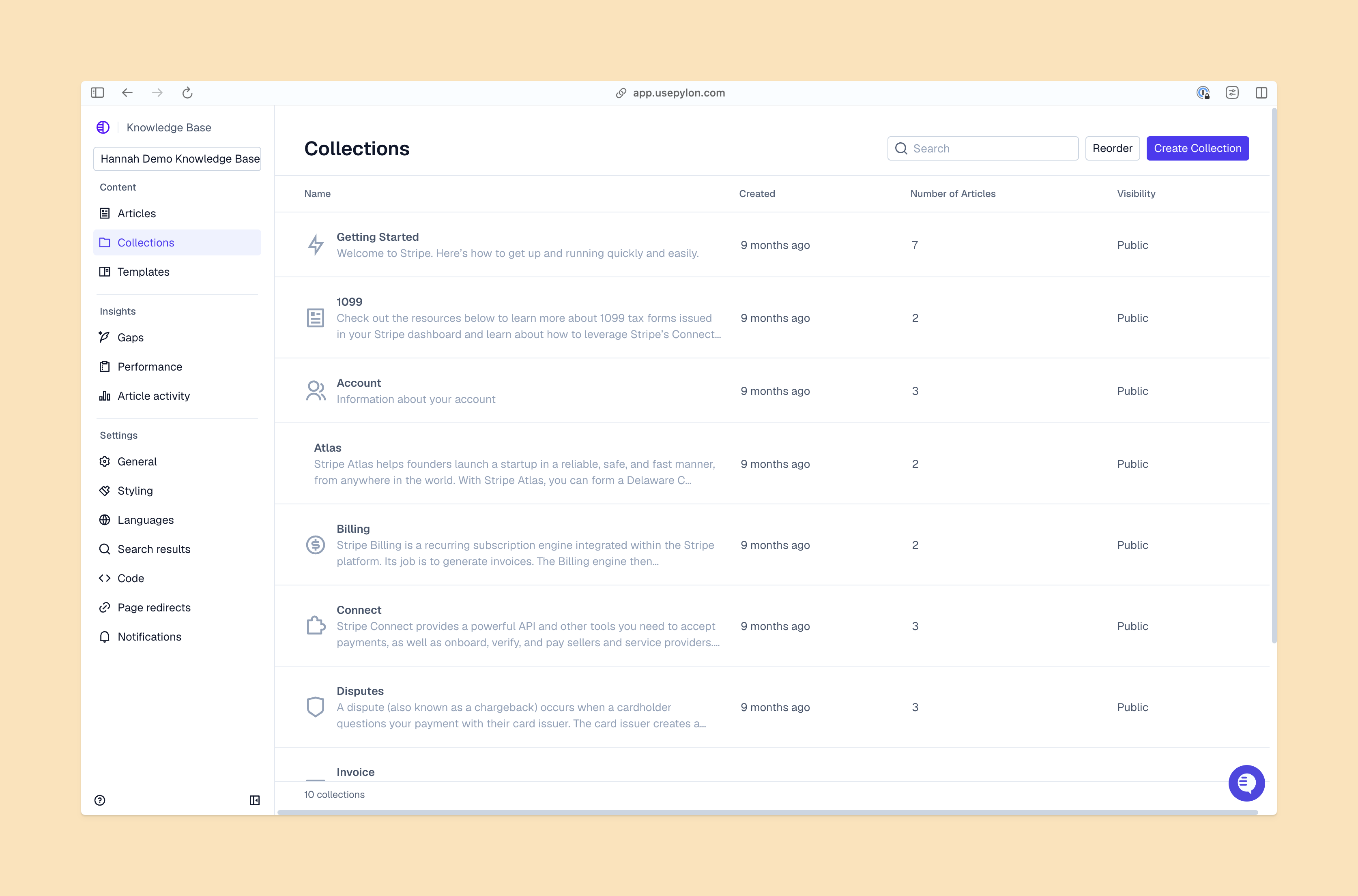
Knowledge Base Collection View From Pylon
If you’re adapting standard templates, make sure to bring in your support, product, and success teams early. They know the real questions customers ask — and the patterns that make docs succeed or fail.
As you adapt templates for your knowledge base, focus on these areas:
Brand consistency. Keep every template aligned with your brand’s voice and visual style. Use short, clear sentences — helpful, not chatty. You might also add a mini writing guide right inside the template that includes things like preferred words, banned phrases, punctuation choices, and how you talk about features. Also include a “gold standard” version of a filled-in template.
User interface adaptation. Match your template layouts to the constraints of your knowledge base platform (Pylon, Slack, Asana, etc.). If your platform supports tabs, accordions, or code blocks, bake those into your templates. And test your templates on mobile, tablet, and desktop to make sure everything loads properly.
Content customization. Build templates that are easy for anyone on your team to adapt. Keep the structure rigid enough to create consistency but flexible enough to account for edge cases and advanced setups.
Best Practices for Maintaining a SaaS Knowledge Base
Products change, customers surprise you with novel questions, and screenshots go out of date. Here are a few ways to keep your pages current without having to add too much to your documentation team’s plates:
Use tickets as a content pipeline. Flag repeat questions from Slack, email, and AI help desks as potential subjects for new knowledge base articles.
Review high-traffic pages. Monitor traffic and/or ask customers directly to find out if they read any help articles before they opened a support ticket. If a popular article isn’t resolving issues, you might need to rework it.
Update after every release. Run through a checklist for product changes that could affect visuals, settings, or categories.
Assign clear ownership. Each feature area should have an owner who reviews and updates its articles on a regular basis.
Use AI to find missing topics. For example,Pylon’s AI Knowledge Management uses conversational data from tickets to identify content gaps and outdated sections.
Create a Consistent, Helpful Knowledge Base With Pylon
Clear templates make your SaaS knowledge base more efficient to write and manage — and much easier for customers to use. FAQs, process guides, troubleshooting flows, and glossary pages give customers predictable paths to answers, which frees up time for your support team.
With Pylon’s AI Knowledge Management, your knowledge content stays accurate and up to date. Pylon automatically surfaces gaps, syncs insights from real support conversations, and keeps every article aligned with how customers actually talk about your product.
Pylon is the modern B2B support platform that offers true omnichannel support across Slack, Teams, email, chat, ticket forms, and more. Our AI Agents and Assistants automate busywork and reduce response times. Plus, with Account Intelligence that unifies scattered customer signals to calculate health scores and identify churn risk, we're built for customer success at scale.