


Updated November 13, 2025 | 18 min read
The customer support landscape has fundamentally shifted, especially in B2B. When they can, your customers would rather find answers themselves than wait for support.
So a well-executed knowledge base doesn't just deflect tickets. It becomes an extension of your support team that can serve customers 24/7, across time zones.
The numbers tell a compelling story. According to industry research:
If your team is juggling a complex product, omnichannel conversations, and technical documentation, you need to find the right knowledge base software to help you scale.
Unlike B2C, many B2B companies sell complex products and manage unique customer expectations across thousands of accounts. You need knowledge base software that can keep up with your team.
1. AI-Powered Content Generation
The best knowledge base platforms for customer support teams now have AI that writes articles for you. Instead of manually documenting every support scenario, these systems:
This is particularly valuable in B2B, where your product is always changing and it’s easy for documentation to become outdated.
2. Automated Content Updates Using AI
Many knowledge base platforms can also automatically update articles with AI. These systems:
3. Omnichannel Integrations
Your knowledge base shouldn't be isolated from the rest of your support engine. The best platforms integrate with:
When you take an omnichannel support approach, your customers get answers regardless of where they reach out for help.
4. Advanced Search Capabilities
B2B documentation is often technical and extensive. The top tools for knowledge management include:
5. Version Control and Collaboration
In B2B, teams are shipping product changes and improvements all the time. Your knowledge base needs:
6. Permission-Based Access
Not all documentation should be visible to everyone. Knowledge bases should have:
Based on our research, here are the best knowledge base platforms for B2B companies in 2025. We’ve organized them by their primary strengths.
| Platform | Best For | AI Features | Starting Price | Key Strength |
|---|---|---|---|---|
| Pylon | Modern B2B support with AI agents | ✅ AI content generation ✅ Auto-updates ✅ Smart suggestions | Contact for pricing | Native Slack/Teams/Discord integration; AI-first architecture |
| Freshdesk | Teams needing integrated ticketing + KB | ✅ Article generator ✅ AI search ✅ Ticket conversion | $15/seat/month | Strong automation and multilingual support |
| Zendesk | Enterprise companies with complex workflows | ✅ Content cues ✅ Generative AI assistant ⚠️ Translation | $19/seat/month | Established platform with extensive integrations |
| Document360 | Standalone documentation with deep customization | ✅ AI-powered search ⚠️ Content suggestions ❌ Auto-updates | Custom pricing | Excellent for technical documentation |
| Confluence | Internal knowledge sharing for product/engineering | ⚠️ AI summaries (Premium+) ⚠️ Writing assistance ❌ Auto-generation | $650/10 users/year | Perfect for SaaS companies using Atlassian stack |
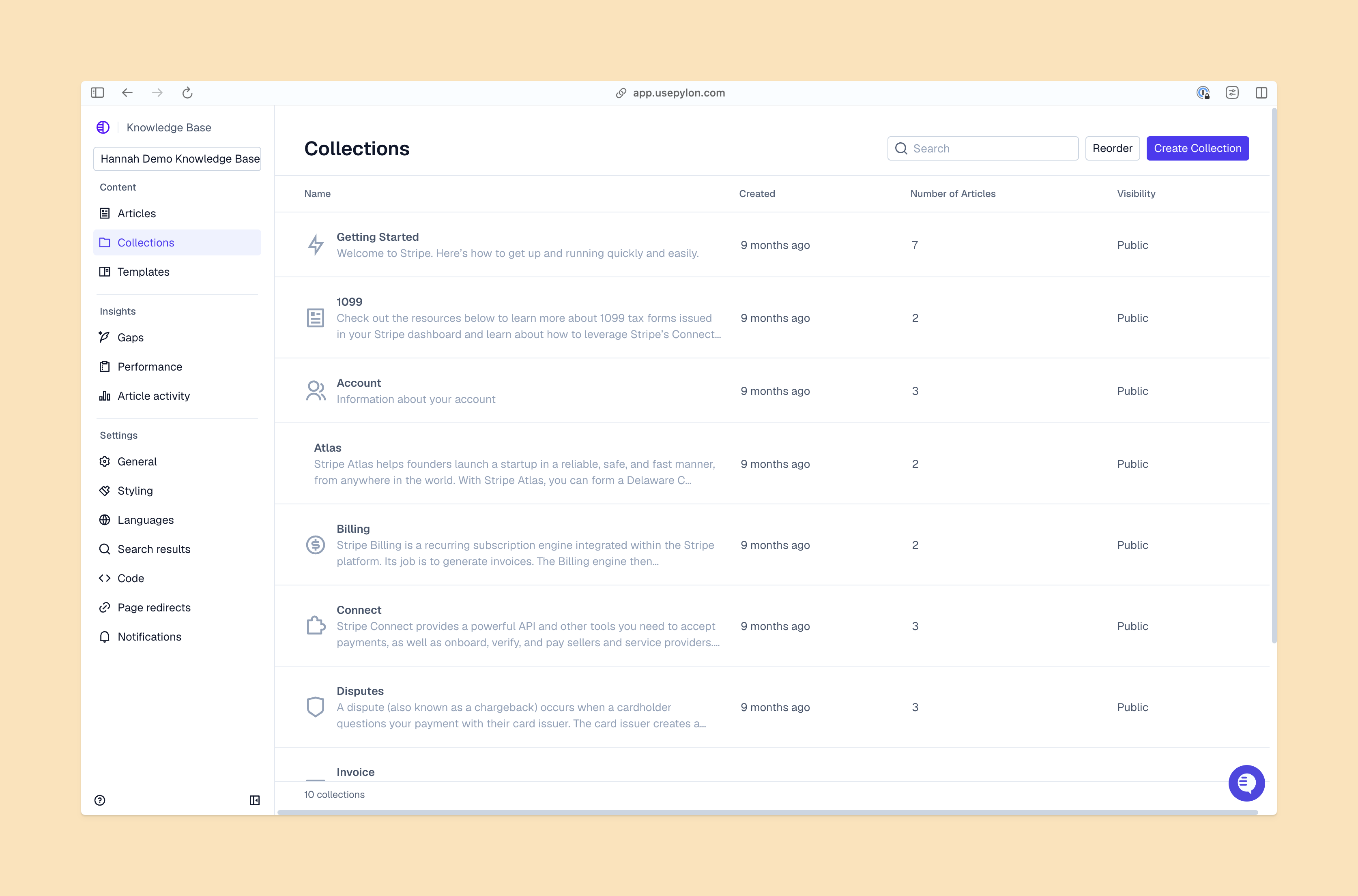
Pylon is the all-in-one support platform for B2B. We offer AI-native knowledge management that help you automatically draft and keep articles up to date.
Key strengths:
Best for: B2B companies who want knowledge management that’s integrated with their support platform—and who want AI to do the heavy lifting.
Learn more: Explore Pylon's AI-powered customer support capabilities and see why B2B companies are switching over from Zendesk.
Freshdesk has a knowledge base platform that’s integrated with their customer service software.
Key strengths:
Best for: Small to mid-size B2B companies who need basic knowledge base features integrated with their support platform.
Considerations: Freshdesk has solid knowledge base features, but support teams that use communication platforms like Slack will have to do a lot of context-switching. If your team lives in Slack, consider Slack integrations for customer support for more natural workflows.
Zendesk Guide integrates knowledge base capabilities within their broader support suite.
Key strengths:
Best for: Companies who specifically need robust, multi-brand styling or have dedicated content teams.
Considerations: Zendesk's pricing can escalate quickly, and a lot B2B companies are evaluating Zendesk alternatives with a better user experience. For a detailed comparison, see our analysis of the best B2B customer support platforms.
Document360 specializes exclusively in knowledge base management, so it’s ideal if you’re only looking for documentation features.
Key strengths:
Best for: Companies with complex technical products who specifically need a documentation platform.
Considerations: Document360 is a standalone knowledge management tool, so you would need separate help desk software. This can create workflow friction for your support team.
Atlassian's Confluence is mainly for product-focused teams who need to maintain internal documentation.
Key strengths:
Best for: Teams who already use the Atlassian ecosystem and work closely with product and engineering.
Considerations: Confluence is designed for internal use. For customer-facing knowledge bases, you'll need a different solution.
Modern platforms like Pylon now have AI-powered article generation that pulls information directly from support conversations. This addresses one of the biggest ongoing challenges in knowledge management: keeping content up to date without overwhelming your team.
1. Conversation Analysis
AI monitors support tickets across all your customer conversations. It identifies patterns in customer questions and your team’s responses.
2. Content Extraction
AI extracts the key problem, solution, and context from conversations where your team successfully resolved customer issues.
3. Draft Generation
The platform automatically generates a draft knowledge base article with:
4. Review and Publishing
Support teams review the AI-generated draft, make refinements, and publish.
By using AI to do all the pre-work, your team can cut the time they spend manually creating articles by 70% or more.
Pylon excels here with our AI-native architecture. Because Pylon understands the full context of customer conversations across all channels (your Slack messages, support tickets, call recordings, and more), it can generate accurate and comprehensive articles.
Freshdesk lets you convert a support ticket into an article, though it requires more manual editing from your team.
Zendesk's Content Cues can suggest article topics based on ticket analysis, but it doesn't automatically generate full drafts.
Static documentation becomes outdated the moment you publish it. The best knowledge base platforms for customer support now include AI that keeps content fresh automatically.
1. Content Monitoring
AI tracks when articles were last updated, how product features have changed, and whether support conversations suggest that your documentation is out of date.
2. Conflict Recognition
Some platforms can compare knowledge base content against recent support conversations, to flag times when your team is providing different information from what's documented.
3. Automated Updates
Some platforms can automatically update certain types of content:
4. Knowledge Gaps Analysis
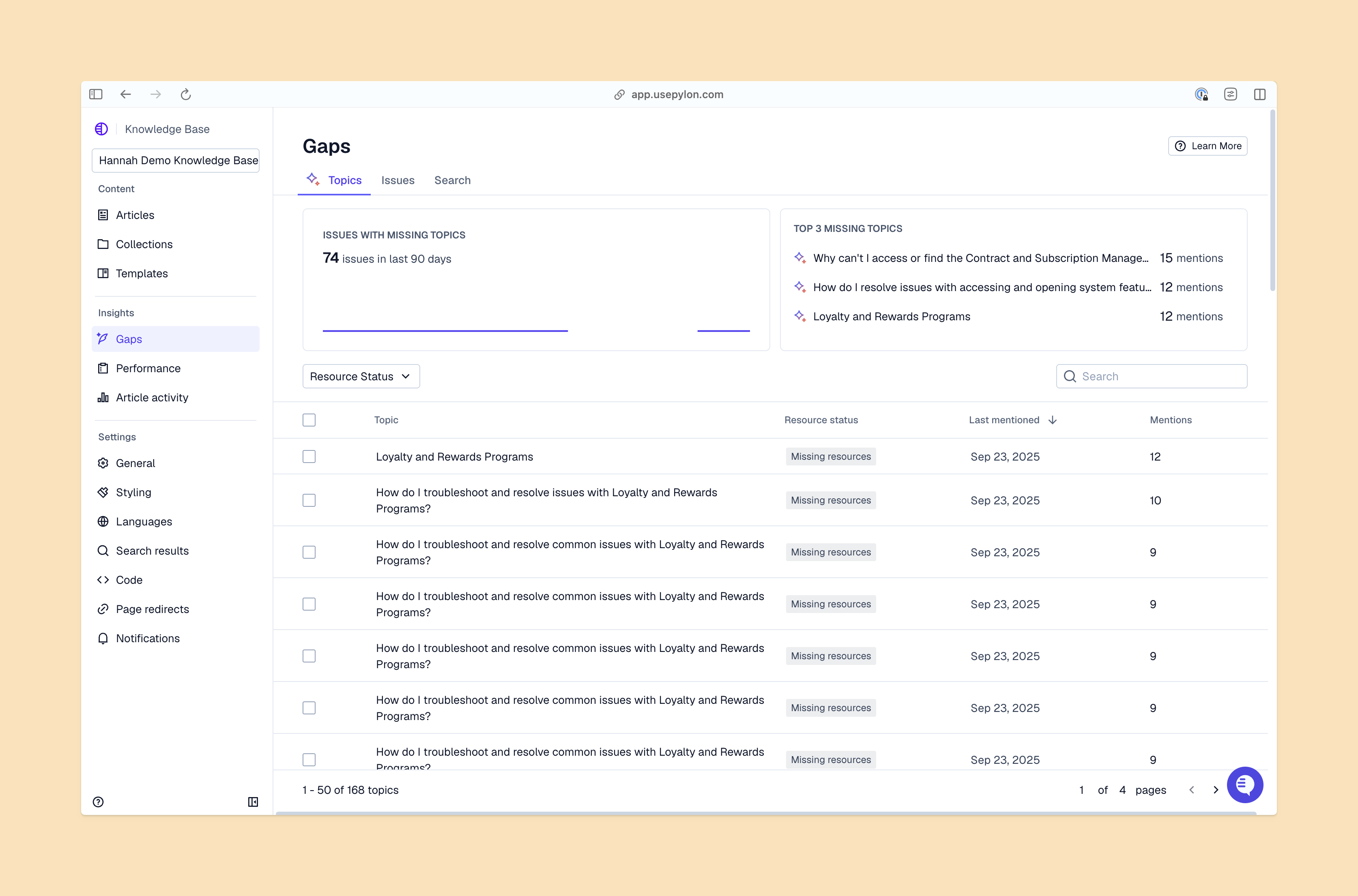
With platforms like Pylon, AI flags when your customers are asking about topics you don’t already have articles for. This helps you identify which content to prioritize.
Phase 1: MonitoringStart by enabling AI monitoring without automated updates. Review AI’s suggestions so you’re confident that they’re accurate.
Phase 2: Selective AutomationEnable automatic updates for low-risk content like version numbers, release dates, or statistical data that can be programmatically verified.
Phase 3: Full Automation with OversightAllow AI to make broader content updates, but implement approval workflows for significant changes.
Teams that implement AI-powered knowledge management will:
For B2B companies that ship fast, having a knowledge base that self-updates transforms your documentation from a liability into a competitive advantage.
Write for Scanners, Not Readers
Most customers are looking for a quick answer. They’re not reading your knowledge base for fun. Structure your articles with:
Match Customer Language
Use the terms your customers use, not internal jargon. If customers say "dashboard" but your team calls it the "analytics portal," consider using your customers’ language.
Keep Articles Focused
Each article should solve one specific problem. If you're writing "and also" or "additionally" too many times, you should probably break things up into multiple articles.
Show, Don't Just Tell
Include visual elements:
Your knowledge base can be a powerful SEO asset, driving organic traffic and educating prospects before they become customers.
Technical SEO
Content SEO
Internal LinkingStrategic internal links improve both SEO and user experience. Link:
For example, if you’re writing about customer support platforms, link to specific implementation guides like Slack integrations for customer support or omnichannel chat best practices.
Establish a Content Governance Model
Leverage AI for Maintenance
Use knowledge base software that updates itself using AI to:
Measure Content Health
Create a content health scorecard:
Step 1: Define Your Primary Use Case
Are you building:
Step 2: Evaluate Integration Requirements
Which channels do your customers use?
Step 3: Assess AI Requirements
Do you need:
Step 4: Consider Team Size and Growth
Step 5: Budget Realistically
Think about which pricing plans work best for your team:
1. What is the difference between a knowledge base and a help center?
A knowledge base is the underlying repository of information—articles, guides, FAQs, and documentation. A help center is the public-facing interface where customers access that knowledge base, often including additional elements like community forums, contact forms, or chatbots. Most modern platforms bundle both capabilities.
2. How long does it take to build a B2B knowledge base?
Initial setup and launch typically takes 4-8 weeks, including platform selection (1 week), information architecture design (1 week), and initial content creation (2-6 weeks). However, building a comprehensive knowledge base is an ongoing process. Most companies reach "critical mass" (sufficient content to deflect 30%+ of tickets) within 3-6 months.
3. Can knowledge base software really generate articles from support tickets automatically?
Yes. Modern AI-powered platforms analyze resolved support conversations, extract the problem and solution, and generate draft articles requiring minimal editing. Platforms like Pylon, Freshdesk, and Zendesk offer this capability, though quality and accuracy vary. Expect AI-generated drafts to need human review before publishing, but they typically reduce article creation time by 60-80%.
4. What's the ROI of implementing a B2B knowledge base?
Companies typically see 20-35% reduction in support ticket volume within 6 months of launching a quality knowledge base. For a 20-person support team with an average cost of $50,000 per agent, a 30% ticket reduction translates to $300,000 in annual savings. Additional benefits include improved customer satisfaction, faster time-to-resolution, and reduced onboarding time for new support team members.
5. Should we build separate internal and external knowledge bases?
It depends on your content strategy. Many B2B companies maintain:
Some platforms allow you to manage both in one system with permissions-based visibility. Others require separate instances.
6. How do I measure knowledge base success for executives?
Focus on business impact metrics:
Include leading indicators like article view growth, search success rate, and content health scores for operational dashboards.
7. What's the best knowledge base software for startups vs. enterprises?
Startups (1-10 team members): Prioritize ease of use, AI features to compensate for small team size, and platforms that grow with you. Consider Pylon, Freshdesk, or Notion. Avoid enterprise platforms with complex pricing and lengthy implementation cycles.
Mid-market (10-50 team members): Balance features, integrations, and cost. Platforms like Pylon, Freshdesk, or Document360 offer strong capabilities without enterprise complexity.
Enterprise (50+ team members): Prioritize customization, multi-brand support, advanced permissions, and integration with existing enterprise systems. Zendesk, Document360, or Pylon's enterprise tier are common choices.
8. How often should knowledge base articles be updated?
The frequency depends on content type:
Use AI-powered tools to continuously monitor article health. Platform like Pylon can flag articles that look outdated based on recent support conversations, you can prioritize updates strategically.
9. Can I migrate from my current knowledge base software without losing content?
Most modern platforms offer migration services or tools to import content from competitors. Expect some manual cleanup for:
Budget 2-4 weeks for a typical migration, longer for extensive customizations. If you're considering switching, read our guide on why B2B companies are switching from Zendesk.
10. What's the best way to get customers to actually use the knowledge base?
1. Discoverability: Place prominent links in your product, support emails, and website. Implement in-app help widgets that surface contextual articles.
2. Quality: Ensure articles actually solve customer problems. Use customer language, include visuals, and test content with real users.
3. Promotion:
For ongoing adoption, monitor metrics like search success rate and article ratings, continuously improving content based on feedback. Consider reading our guide on AI-powered customer support to learn how AI can help surface relevant articles automatically.
The best B2B knowledge management platforms aren't just document repositories. They're intelligent, self-improving systems that reduce support costs, improve customer satisfaction, and scale with your team.
The key differentiators are:
Whether you're building your first knowledge base or evaluating alternatives to your current platform, you should focus on platforms that reduce your team’s manual effort without compromising accuracy or quality.
For companies that are serious about scaling their support operations, a modern knowledge base is the foundation of your B2B support platform strategy.
Ready to see how AI knowledge management can transform your support operations? Pylon is the modern B2B support platform that offers true omnichannel support across Slack, Teams, email, chat, ticket forms, and more. Our AI Agents & Assistants automate busywork and reduce response times. Plus, with Account Intelligence that unifies scattered customer signals to calculate health scores and identify churn risk, we're built for customer success at scale.
Pylon Workforce Management is available now. See it in action with a live demo.




