


Updated February 12, 2026 | 12 min read
Knowledge bases (KBs) are some of the best tools for support ticket deflection. Customers can find answers to common product questions, feature setup instructions, or troubleshooting guides without having to reach your team.
But writing documentation from scratch is manual and time intensive. Instead, knowledge base templates give you pre-built article structures that turn repetitive answers into self-service content in minutes instead of hours.
This guide covers eight proven templates that handle everything from quick FAQs to complex integration guides, plus how to choose the right format for each type of customer question.
Knowledge base templates are pre-built article formats with structured sections that help you write help documentation faster. They're like fill-in-the-blank frameworks — you get the headers, formatting, and content structure already set up, so you can easily tailor specific content for each article.
Templates give you a proven structure that already works, which means you spend less time figuring out how to organize information and more time actually helping customers.
Your team probably answers the same questions dozens of times each week. Templates help you turn repeat answers into self-serve articles for customers.
Here are a few benefits of consistently using templates in your knowledge content process:
New team members can start writing helpful articles immediately because they're following a structure that already works. And customers actually use your knowledge base because articles are predictable and easy to scan.
These eight templates cover most of the documentation you'll create for a customer support help center. Each one solves a specific customer problem, from quick answers to complex setup guides.
The FAQ template answers a single common question in one or two paragraphs. The article title is the exact question you're answering, and you give a direct answer in the article body.
Use this when you're getting a high volume of tickets with the same product or process question — but customers don't need step-by-step instructions. For example, FAQ pages typically work well for pricing questions, policy clarifications, or simple product explanations.
What to include:
How-to articles walk customers through completing one specific task. They use numbered steps, with each one covering a single action.
This template works for any process that requires multiple actions in order. You might explain how to export data, change account settings, or set up a new feature.
What to include:
Troubleshooting guides help customers fix slightly more complex problems on their own. They start with the symptom or error message, then walk through potential solutions.
Use this when customers report errors, unexpected behavior, or features not working. The goal is helping them identify the cause and fix it without contacting your team.
What to include:
"Getting started" articles help new customers take their first steps with your product. They assume zero prior knowledge and focus on quick wins.
This template is your onboarding content. It builds confidence by showing customers they can accomplish something useful right away.
What to include:
Product documentation explains different features and how to use them. Unlike how-to articles that focus on one task, these docs give a complete overview of everything you can do with a feature.
Use this when you're launching something new in your product, or creating reference material for complex capabilities. It helps customers understand the full scope of what they can do with your product.
What to include:
Release notes tell customers what's changed in your product. They communicate updates, bug fixes, and new features you shipped in a scannable format.
Good release notes clearly communicate what's different about the product and any next steps customers should take to try new features.
What to include:
Best practices articles are a way for you to share recommended approaches with customers — like how they can get the most value out of your product. They go beyond basic instructions to teach optimization and strategy.
Use this when you want to share lessons from successful customers or help teams avoid common mistakes. It's especially valuable for complex products where approach matters as much as execution.
What to include:
Integration guides help customers connect your product with other tools they use. They're more technical than other templates and already assume customers have access to both systems.
You'll probably use this template often if your product offers lots of integrations with other platforms. Clear integration docs directly impact whether customers successfully adopt your product — when they work well, more users can easily fit your product into their daily workflows.
What to include:
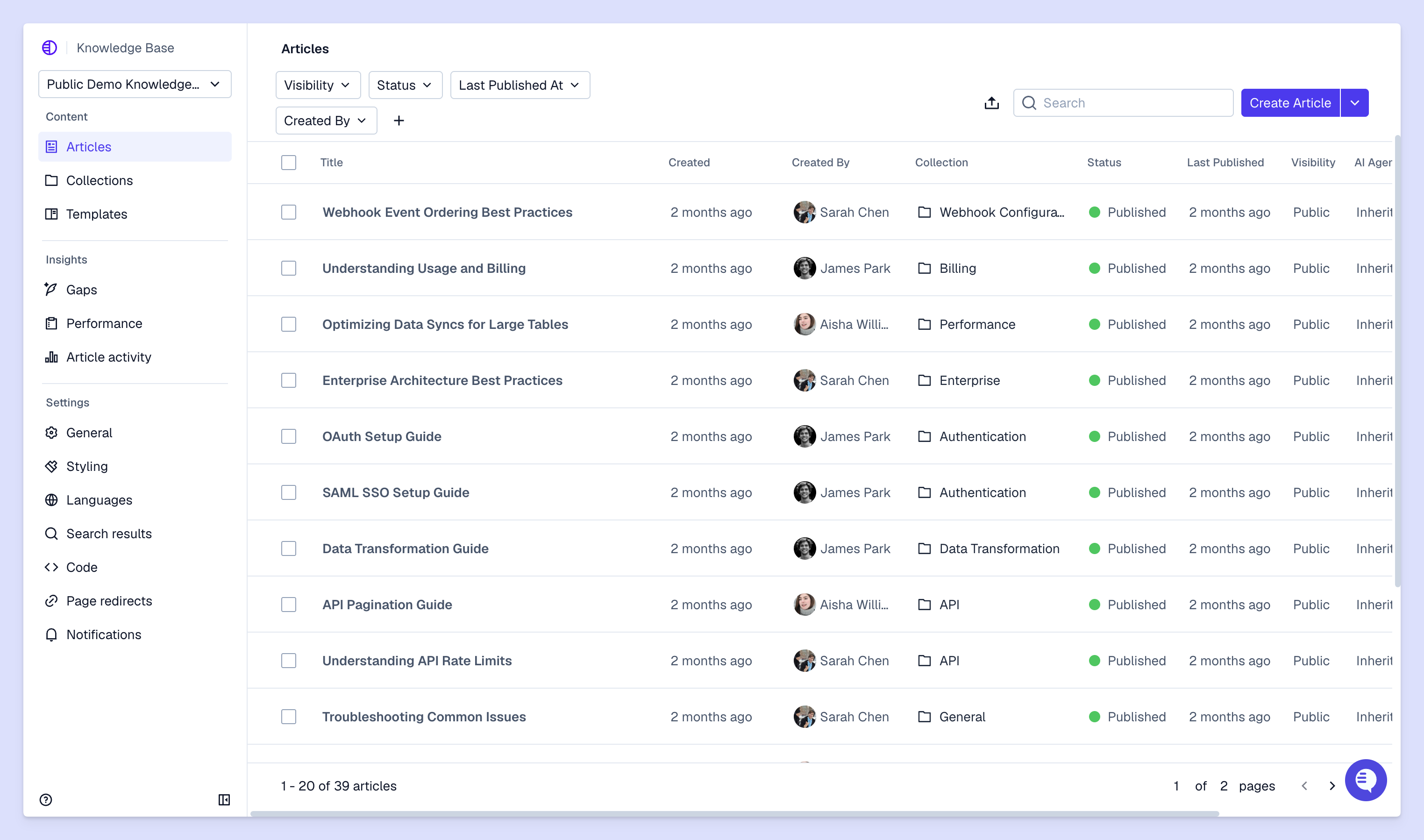
Templates give you structure, but you still need to write clearly to create effective knowledge base articles for customer support. Here are a few tips for creating documentation that customers will actually use.
Write like you're explaining features, processes, or implementation steps out loud to someone. Use short sentences, common words, and break complex topics into multiple shorter articles (or clear sections) instead of one long guide.
When knowledge articles have vague instructions like "update your settings," customers end up having to reach out to your support team for more help. Instead, tell them exactly which buttons to select, which menus to look for, or which fields to fill out.
Screenshots help, but they don't replace clear written instructions. Always include text instructions alongside images.
Write clear, informative article titles. Titles determine whether customers will actually find the information they need when searching your help center. Use the exact words and phrases customers will search for, not internal product terminology.
Your product changes, which means your documentation needs to change too. Review content every quarter, month, or week depending on your team's capacity to catch issues before they impact customers.
When an article becomes outdated, archive it instead of leaving incorrect information live. Outdated articles create more support tickets than they deflect.
If you're unsure which template to pick for an article, here's a cheatsheet to help you decide.
Most topics fit clearly into one template. If you're torn between two, think about whether the customer needs instructions (how-to, troubleshooting) or information (FAQ, product documentation).
Internal knowledge bases work differently from customer-facing ones. You're documenting team processes, escalation procedures, and institutional knowledge that helps your support team do their jobs.
You can use the same templates as customer-facing knowledge articles, but you'll need to adapt the content. For example, an internal how-to might explain how to give customers access to private API endpoints.
Internal documentation also reduces onboarding time because new team members can use those resources to troubleshoot and ramp on your product independently.
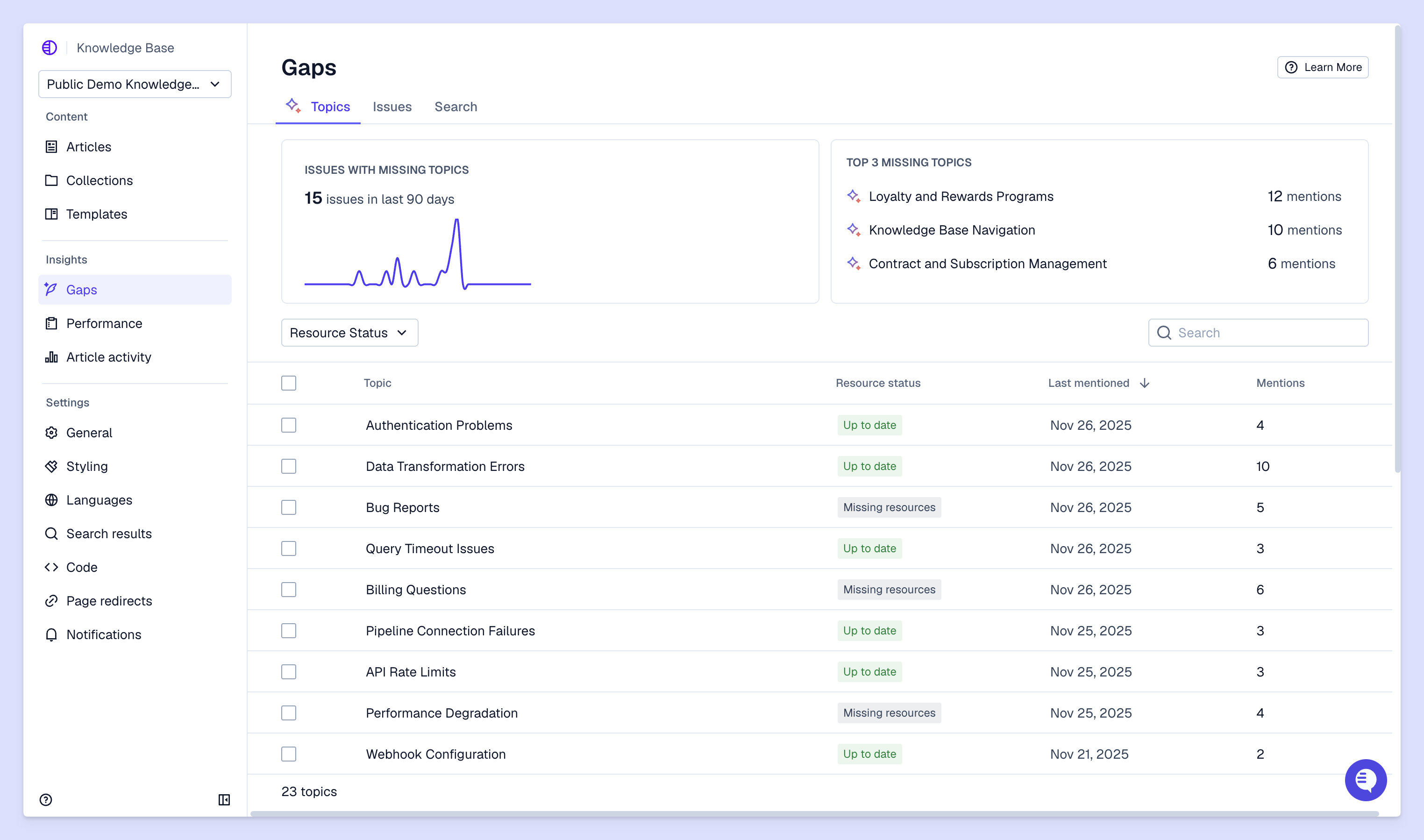
Templates reduce repetitive support questions and help customers solve problems on their own. But they're just the starting point. With customer support tools like Pylon, you can combine your templates with AI that automatically drafts knowledge articles, identifies gaps in knowledge content, and detects duplicates articles — so your team can focus on producing high-quality support resources for customers.
Pylon is the modern B2B support platform that offers true omnichannel support across Slack, Teams, email, chat, ticket forms, and more. Our AI Agents & Assistants automate busywork and reduce response times. Plus, with Account Intelligence that unifies scattered customer signals to calculate health scores and identify churn risk, we're built for customer success at scale.
Review your templates whenever you make significant product changes or notice customers struggling to find information. A quarterly audit catches most issues before they impact too many customers.
Internal templates document team processes and institutional knowledge for your support team, while external templates help customers solve problems independently. Both use similar structures but serve different audiences with different information needs.
Track article views, customer feedback ratings, and whether support ticket volume decreases for documented topics. You can also monitor search terms to see if customers find your articles when they need them.
You can combine templates when it makes sense for your customers, like adding a troubleshooting section to a how-to article. Just keep the article focused on one main topic instead of trying to cover too much at once.
Pylon Workforce Management is available now. See it in action with a live demo.




