All Articles
Industry

B2B Customer Health Score: Metrics and Best Practices

Learn to create a B2B customer health score system that predicts churn, highlights growth opportunities, and gives teams a clear picture of account health.

Dan Guo
December 15, 2025

B2B customer health scores give your team quick reads on customer satisfaction and whether accounts are likely to renew or churn. You’ll pull together key account metrics to produce easy-to-read scores, which will help your team quickly deal with at-risk accounts. 

In this guide, we’ll cover why client scores matter and how to clearly capture customer sentiment.
What’s a Customer Health Score?

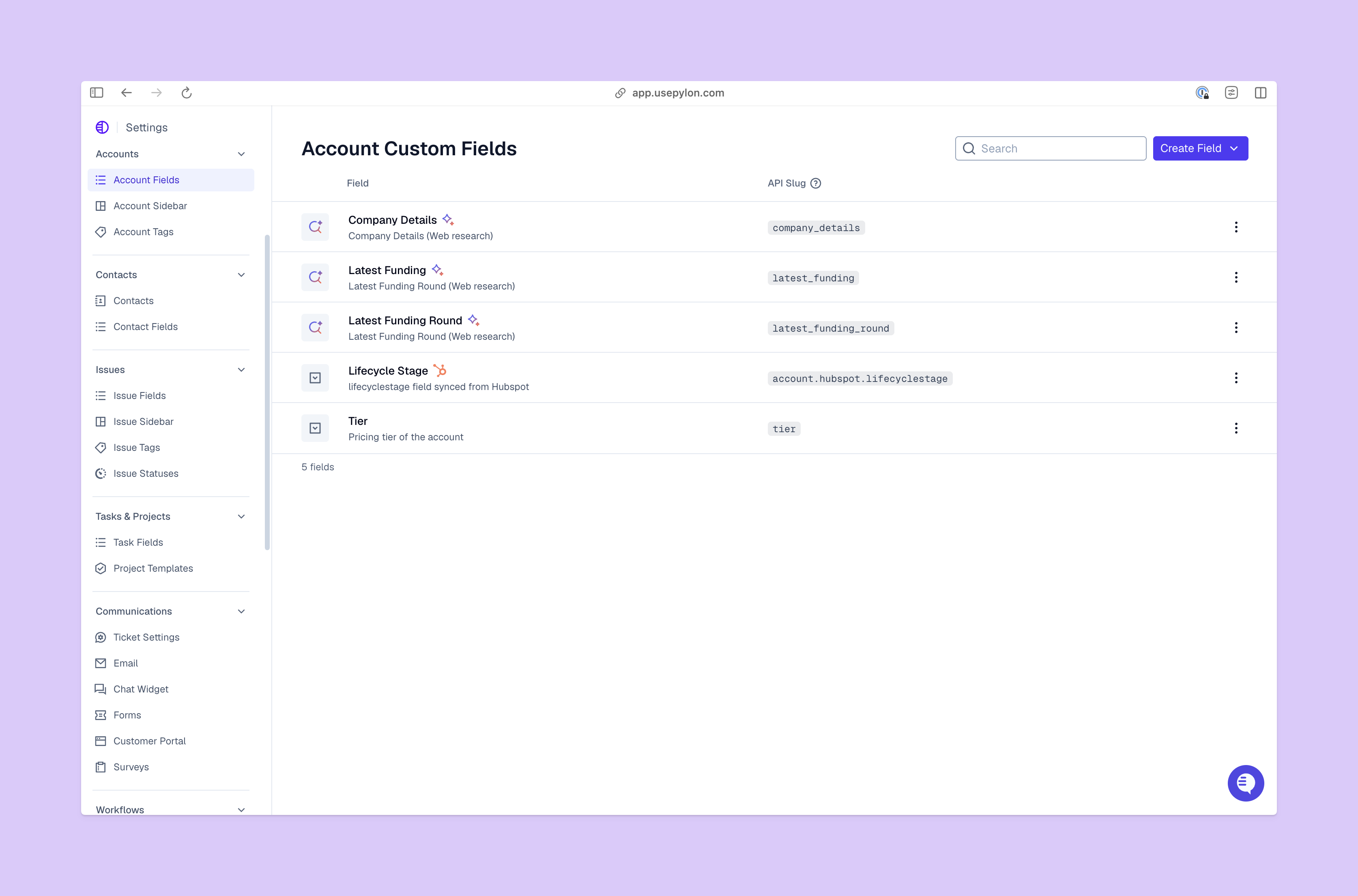
Account Custom Fields View from Pylon Platform

A customer health score (sometimes called a customer health index) shows whether a B2B account is leaning toward renewal, expansion, or churn. It combines signals from several important behaviors, like product use and customer engagement.

Some support metrics answer very specific questions. Net promoter scores show how willing customers are to recommend your product, while customer satisfaction scores measure feelings about specific interactions.

Customer health scores give you a more complete picture of where accounts are headed. This lets you build a better customer experience and supports retention strategies.

Why Customer Health Scores Matter for B2B Success

Customer health scores show you which accounts are doing well with your product or service, and which need extra attention. Weak scores help your team figure out why accounts disengage, so they can step in early and stop customers from churning. Strong scores point to accounts with room to grow, so you can find upsell and expansion opportunities.

Health scores also help you plan growth with confidence, lead to better retention forecasting, and build a shared understanding between teams. Plus, you can pair them with other information to measure growth and movement throughout the customer lifecycle.

Important Customer Health Score Metrics

Here are some key categories of metrics to include in your customer health scores: 

  • Product setup and onboarding. Shows how well customers use your product’s core features, and includes the onboarding process and time to first value. Strong early engagement tends to result in longer retention and quicker expansion. 
  • Product usage and engagement. Looks at how customers use the product over time, and whether that usage moves up or down.
  • Customer sentiment. Measures how customers feel about your product and support, and how likely they are to recommend your company.
  • Account outcomes. Covers how easily and how often customers get positive outcomes from your product, and whether those outcomes are tied to their goals.

How to Calculate Customer Health Scores: 4 Steps

These four steps will help you design a customer health score that reflects your goals and fits into your overall success playbook.

1. Define What Success Looks Like

Take a look at the metrics you see in stable, renewing accounts. Maybe healthy customers complete product setup within the first week, reach their first milestones within a month, have good satisfaction scores over time, and show consistent usage patterns.

Once you know how renewal-ready customers are different from accounts that stall or churn, you can use that knowledge to decide what a strong health score looks like.

2. Choose and Prioritize Important Metrics

Decide what metrics to focus on, based on what you learned in the previous step about your healthiest accounts. Then prioritize and track those metrics based on how much they impact account and company outcomes.

For example, if customers who complete onboarding and regularly use core features almost always renew, you’ll weigh those two metrics heavily. Giving different weight to important factors keeps your health scores accurate and stops low-impact behaviors from having too much effect.

3. Decide on Your Scoring Method

Choose a scoring format that makes the final results easy to understand. A 0 to 100 scale works well if you want clear thresholds for “healthy” versus “at-risk” accounts, while a simpler system — like red, yellow, and green lights — gives your team clear benchmarks and helps them move quickly.

4. Create Clear Categories

Group your health scores into categories so your team knows how to treat each type of account. If you use a percentile score, you could group customers as:
  • Healthy (80–100). Your customer success team continues with check-ins, but starts shifting the conversation toward expansion. You could introduce this group to new features or products, and gather customer testimonials from them.
  • Stable (60–79). You’ll pinpoint friction points that slow engagement, share product use best practices, and watch for trends that lead to lower scores.
  • At-risk (40–59). These accounts need targeted recovery plans tied to their specific goals. Your team should address roadblocks, re-engage stakeholders, and improve touchpoints until product usage and customer satisfaction improves. 
  • Critical (0–39). Immediate intervention is needed — you’ll escalate internally and create tailored next steps, then rebuild value by focusing on the customer’s problems and goals.

Pitfalls to Avoid When Building Your Health Score

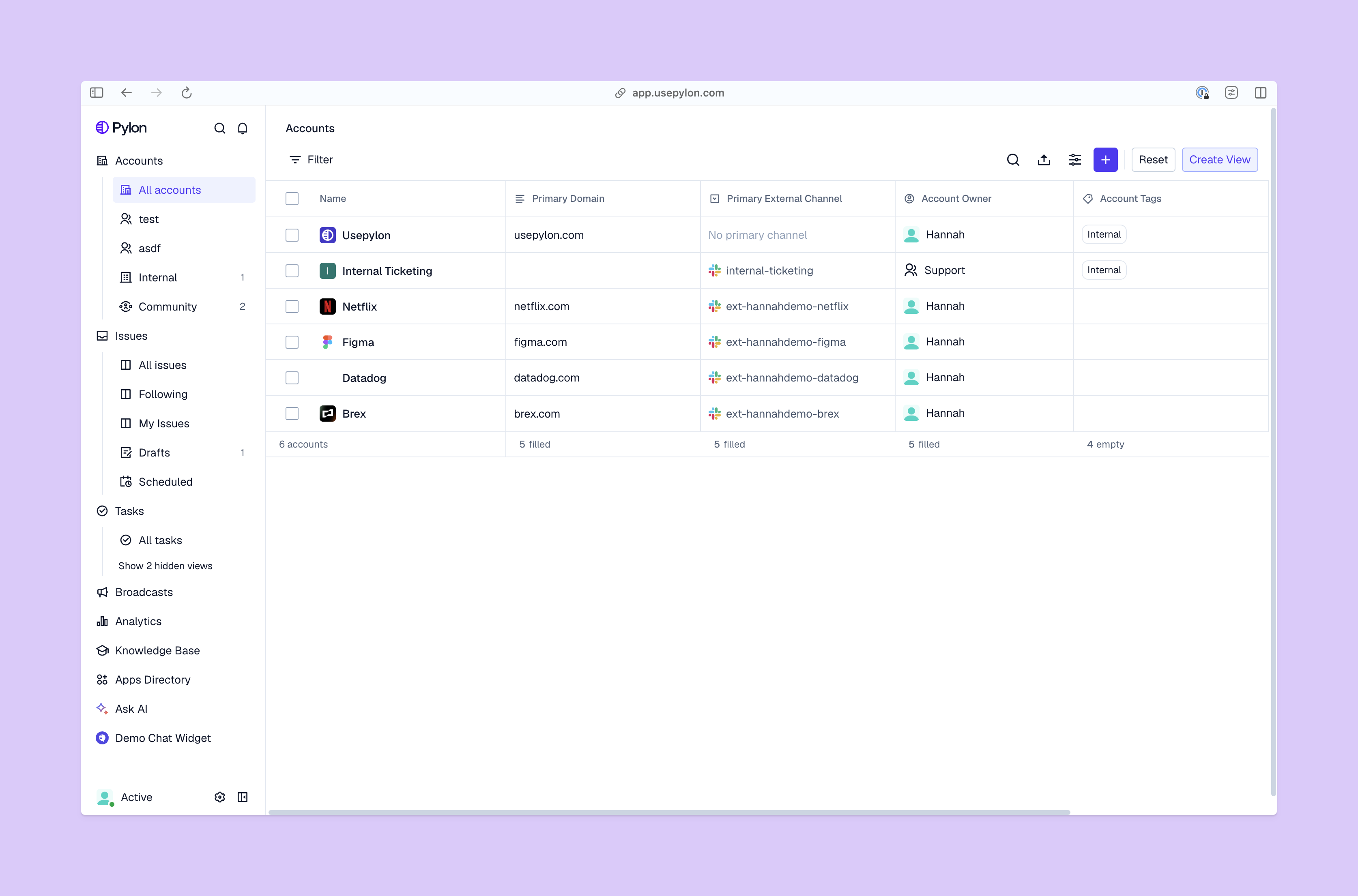
Accounts View from Pylon Platform

These issues can lead to unreliable or misleading customer health scores:

  • Confusing activity with engagement. A customer could rely on core product features but miss out on key outcomes or have a poor experience. So it’s important to look at product usage alongside satisfaction numbers.
  • Using too many metrics. Overloaded customer health scorecards can overwhelm your team and make it harder to spot patterns. A focused set of high-impact metrics gives you a clearer picture of risks and opportunities. 
  • Relying on old information. Both hard data and subjective feedback can quickly go out of date, so you’ll need to keep clear, updated information on hand.
  • Skipping validation. Metrics need to match outcomes — if “at-risk” accounts renew at similar rates to “healthy” accounts, your scoring model needs more work. 

How to Improve and Act on Customer Health Scores

Successful customer support teams act on and improve poor health scores by: 

  • Reviewing usage and engagement trends. Look closely at customer workflows, paying attention to spots where they engage less often or more slowly. Activity changes often point to problems, so this shows you where to dig deeper for the real issues.
  • Talking to customers and identifying root causes. One-on-one conversations reveal a lot of information that doesn’t show up on spreadsheets, like changing priorities or internal politics. Direct conversations can confirm or deny your team's guesses about why engagement is slow, helping you create targeted rescue plans. 
  • Using automation for proactive outreach. AI and automation let you set up alerts for usage dips, missed milestones, and negative feedback, so your team can react before customers churn.
  • Aligning success, product, and sales teams. Low scores tend to reflect several poor experiences across the customer journey, so your fixes need to involve all relevant teams.

Turn Customer Insights Into Growth With Pylon

When your team acts on customer health scores, they catch issues early and keep accounts moving in the right direction. And with Pylon, you can combine custom health scoring with other real-time data to create a complete strategy for customer experience and success. 

Pylon is the modern B2B support platform that offers true omnichannel support across Slack, Teams, email, chat, ticket forms, and more. Our AI Agents and Assistants automate busywork and reduce response times. Plus, with Account Intelligence that unifies scattered customer signals to calculate health scores and identify churn risk, we're built for customer success at scale.


Book a demo

Explore more

No items found.

Explore more

Industry

How AI and Automation Help Support Teams Handle 10x More Tickets

Pylon Team
October 20, 2025
Blog post
Industry

50+ Customer Support Statistics & Trends for 2025

Dan Guo
July 15, 2025
Blog post
Industry

10 B2B Knowledge Base Examples (& Why You Should Set One Up)

Marty Kausas
March 28, 2025
Blog post
Spotlights

Spotlight: Colby Orona @ SkillGigs

August 18, 2025
Blog post
Guides

SLA Best Practices: How to Set and Manage Customer Expectations

Yoona Kim
December 5, 2025
Blog post
Releases

Product Launch: Slack-Teams Bridge

Marty Kausas
November 25, 2023
Blog post
Team

David Yang, Founding Engineer

Advith Chelikani
June 3, 2024
Blog post
Industry

What is Customer Support Automation Software?

Pylon Team
December 6, 2025
Blog post
Spotlights

Spotlight: Carlos Hernandez @ Eppo

Advith Chelikani
March 4, 2025
Blog post



