When a server goes down or a critical feature breaks, you have about five minutes before your support queue overflows. Customers notice the issue, head straight to Slack or your support portal, and start asking the exact same question en masse. Your team ends up copying and pasting the same apology hundreds of times, while trying frantically to coordinate with engineering.
But you can stop that flood of inbound support tickets before it starts. When you need to communicate sudden changes or problems to hundreds of customers at once, a broadcast message is the fastest way to get ahead of confusion.
In this guide, you’ll learn how to create a broadcast with Pylon. We’ll walk through how to write up an update, choose the right audience, and push the message live across every channel your customers use, all in five minutes.
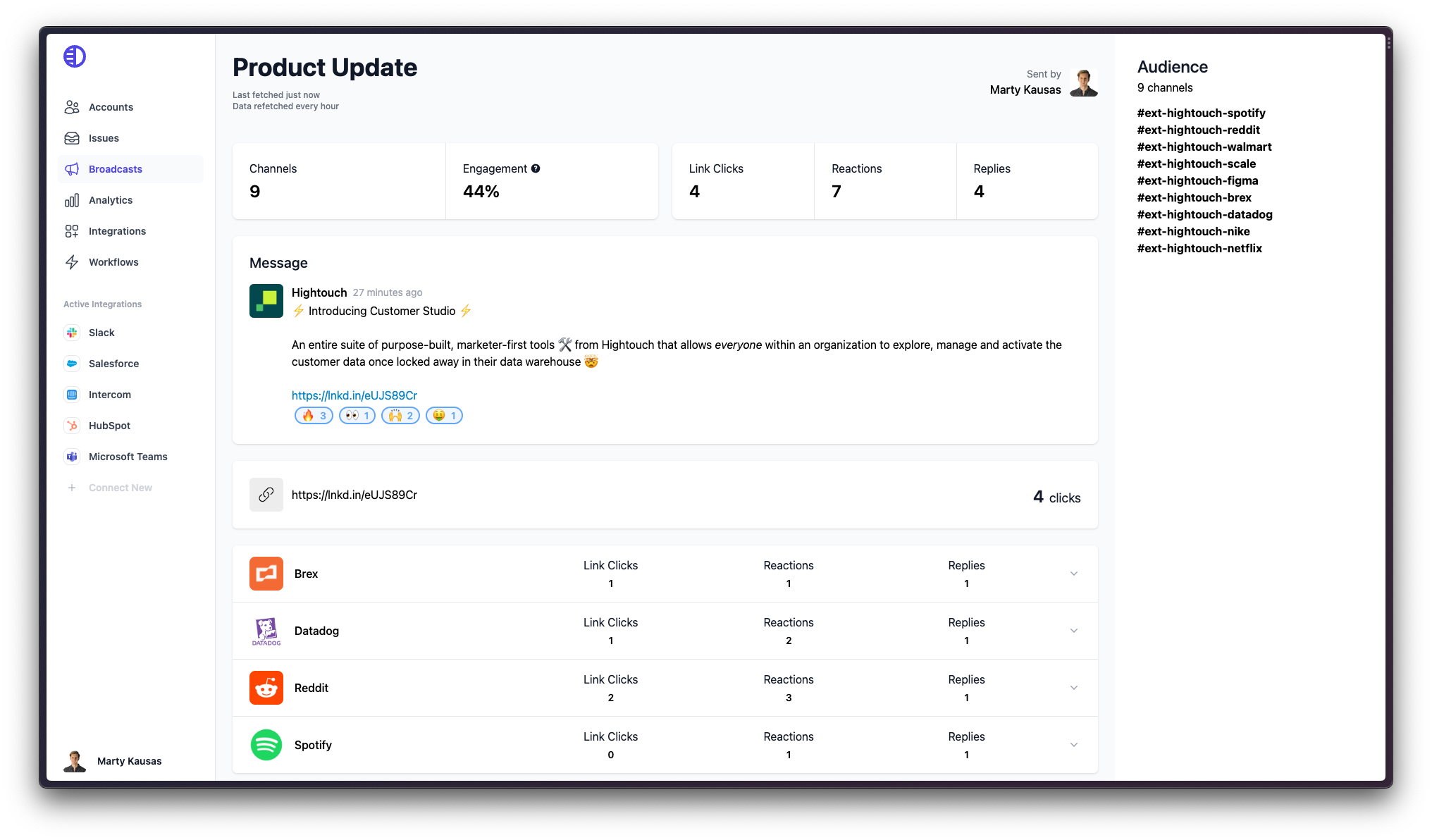
Reactive support happens when a customer runs into a problem and submits a ticket. A broadcast is a proactive message sent simultaneously to multiple customer accounts. Broadcasts help your support team initiate the conversation to get ahead of questions and concerns.
To execute broadcast messaging well, you have to adapt to the medium. Here’s what a good broadcast looks like:
Sending a broadcast could sound complicated, but you don’t need to pull a list of emails from your CRM or manually message every Slack Connect channel. Here’s how to create a broadcast and blast it out in minutes.
First, open your Pylon workspace and go to the Broadcasts tab. This dashboard shows your draft, scheduled, and previously sent messages.
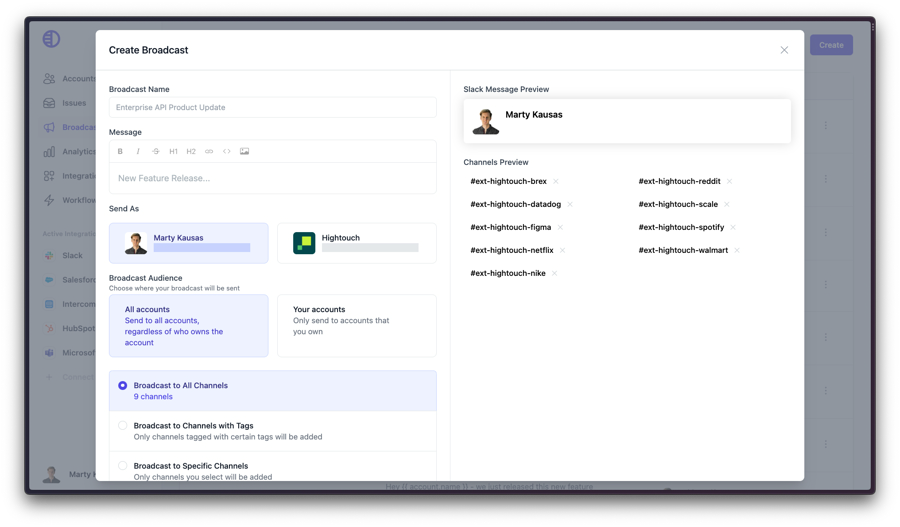
Give your broadcast an internal title, so your team knows what it is. Customers won’t see this title, which means you can keep it descriptive. Use a clear naming convention like “March 26 Outage” or “Q2 Feature Launch”, so you can easily track engagement metrics later.
Next, draft the update your customers will read. Keep the message concise, put the most important information at the top, and format everything so the broadcast is easy to read on a phone or desktop. You can also use personalization variables to insert each customer’s company name directly into the text.
Decide who the message should come from. You can send it from your personal business account if the issue is specific to a small group, and you want to maintain a one-on-one relationship with the customers involved. For major outages or official policy updates, though, it’s best to send the broadcast from a general company account.
Unless your broadcast is going out to literally everyone, you’ll want to target the accounts that need to see the update. You can restrict the broadcast to accounts with specific ownership, or filter by criteria like account tier and product area.
If you apply a tag filter but want to exclude one specific customer, you can manually remove their channel from the list. This prevents you from accidentally messaging certain accounts, like ones that are currently in sensitive renewal negotiations.
It’s a good idea to turn on notifications, so you know when customers respond. Pylon will surface any replies and emoji reactions directly in your workspace or a designated internal Slack channel. This lets your team jump in immediately if a customer asks a follow-up question.
Never blast a message to hundreds of customers without checking the formatting first. Send a test preview to yourself or an internal channel. Verify that the personalization variables work right, and any links route to the correct pages.
Once you verify the preview, it’s time to hit send. Pylon will distribute the message simultaneously across Slack, Microsoft Teams, and email, based on how each customer account’s channel configuration is set up.
That’s how Pylon takes your broadcasts from draft to delivered across 500 customer Slack channels in minutes. Schedule your personalized walkthrough to see Pylon in action.
Leaving customers to discover a broken feature on their own creates frustration, but telling them about it proactively shows that you’re monitoring the situation and value their time. It also communicates that you respect customers’ business operations enough to give them a heads-up before their own users start complaining.
Broadcasts are perfect for:
On the other hand, you usually shouldn’t send a broadcast for:
Great support teams know how to get ahead of problems, launch features with impact, and keep customers informed, without adding manual overhead to their daily workflows. When you know how to make a broadcast and send it fast, you can control the narrative during outages and make sure your feature announcements get read.
If you already run customer support through Slack, customer broadcasts can be even more powerful, because you’re reaching people where they already work. And when you use a true omnichannel support platform, you can cover all your channels from a single workspace.
Pylon is the modern B2B support platform that offers true omnichannel support across Slack, Teams, email, chat, ticket forms, and more. Our AI Agents and Assistants automate busywork and reduce response times. Plus, with Account Intelligence that unifies scattered customer signals to calculate health scores and identify churn risk, we’re built for customer success at scale.
A broadcast message is a one-to-many communication sent simultaneously to multiple customer accounts to share an update, announcement, or alert. Unlike reactive support tickets, broadcasts are initiated by the support team to get ahead of customer questions, so they’re especially useful for outages, feature launches, and policy changes.
Broadcasts make sense when speed, reach, and channel relevance matter more than long-form messaging. Use them for time-sensitive updates like outages, scheduled maintenance, or feature launches through platforms like Slack and Teams. Email still works for newsletters, detailed announcements, or non-urgent updates that don't require immediate attention.
Yes. In Pylon, you can target broadcasts to All Accounts, Your Accounts (based on account ownership), or filter by account tier, product area, region, or any custom CRM field. You can also remove individual channels from the audience even after applying a tag filter, so the right message reaches the right customers without manual list-building.
Pylon supports broadcasts across Slack, Microsoft Teams, and email, so you can reach customers in the channels they already use. You can choose to send as yourself or as the company account, and enable engagement notifications to track replies and reactions in Pylon or a designated Slack channel.
Use personalization variables to insert dynamic content, like the customer's company name, directly into the message. This keeps the broadcast feeling tailored, even when it's being sent to hundreds of accounts at once. Pylon's editor supports variables in Slack, Teams, and email broadcasts, so the same setup works across every channel.
Enable engagement notifications when configuring the broadcast, and any replies or reactions will surface in Pylon or a designated Slack channel. This makes it easy to follow up on questions, identify accounts that need extra support, and measure how customers responded to outages or product updates.
Pylon Workforce Management is available now. See it in action with a live demo.