


Updated January 13, 2026 | 8 min read
Support and customer success teams answer the same questions over and over, manually route tickets between team members, and spends hours copying customer data between systems. Meanwhile, at-risk accounts are slipping through the cracks because there isn't time to focus on customer signals and retention.
CX automation platforms use AI and workflow tools to handle this repetitive work automatically. This gives your team more time to focus on strategy — making sure customers continue getting value out of your product and scale with your platform.
We'll walk through what CX automation is, why it matters for B2B teams, and how to choose a platform that turns customer interactions into better retention and support outcomes.
CX automation means using AI and workflow tools to handle repetitive tasks in your support operations. Instead of manually routing tickets or answering very common requests, automated workflows can take care FAQs, data entry, ticket categorization, and follow-ups.
For example: When a customer reaches out to support, AI can immediately classify the issue, suggest a response to your team, or automatically resolve simple requests. And workflow automations can handle background tasks like updating ticket statuses, drafting help center updates, syncing data to your CRM, or escalating urgent issues to the right person.
The key difference from traditional help desk software is that CX automation platforms actively reduce the work for your team to resolve issues. Traditional help desks just organize tickets — automation platforms actually help you handle them.
.png)
In B2B support, you aren't just resolving one-off issues. You're managing long-term relationships with accounts that have multiple stakeholders and are worth thousands or millions in ARR — so every interaction affects significant revenue, retention, and expansion potential.
Here's how automating your customer experience operations can help drive those outcomes.
These days customers reach out across many different platforms: Slack, email, ticket forms, SMS, and more. When you don't automate triage or routing workflows for all these channels, you lose context across omnichannel conversations and your team wastes time manually piecing it together.
CX automation platforms connect all these channels into one system. Your team can track, route, and manage conversations from every channel without switching tools. This gives you a centralized view of your support operations — instead of fragmented interactions.
Your support team spends hours each week tagging tickets, copying information between systems, sending status updates, and drafting responses to common questions. But this work is repetitive and often becomes a bottleneck; it takes time away from solving more complex customer problems.
AI assistants and agents automate this busywork. They categorize incoming requests, suggest responses based on past conversations, and handle routine follow-ups automatically. Your team gets more time for the work that actually moves accounts forward.
Some of the most valuable workflow automations happen in the background. Your platform analyzes patterns across all customer interactions to spot warning signs like declining engagement, repeated issues, or frustrated messages.
This transforms automation from an efficiency tool into a retention strategy. Instead of reacting to cancellation requests, your customer success team gets early alerts about at-risk accounts. You can reach out proactively with solutions before customers even consider leaving.
In Pylon, this all happens with Account Intelligence — AI helps you unify scattered customer signals and conversational data to calculate custom health scores and automatically identify churn risks. Your support tickets inform how you drive retention, and your long-term customer conversations inform how you provide personalized support to each account.
When you're evaluating different platforms to automate your CX operations, you want to make sure it fits well with the rest of your support workflows. Here are a few essential features to look for.
The difference between basic help desk software and true CX automation is how all of these features work together. A good automation platform doesn't just display or organize your tickets for you — it should actively help you resolve issues faster.
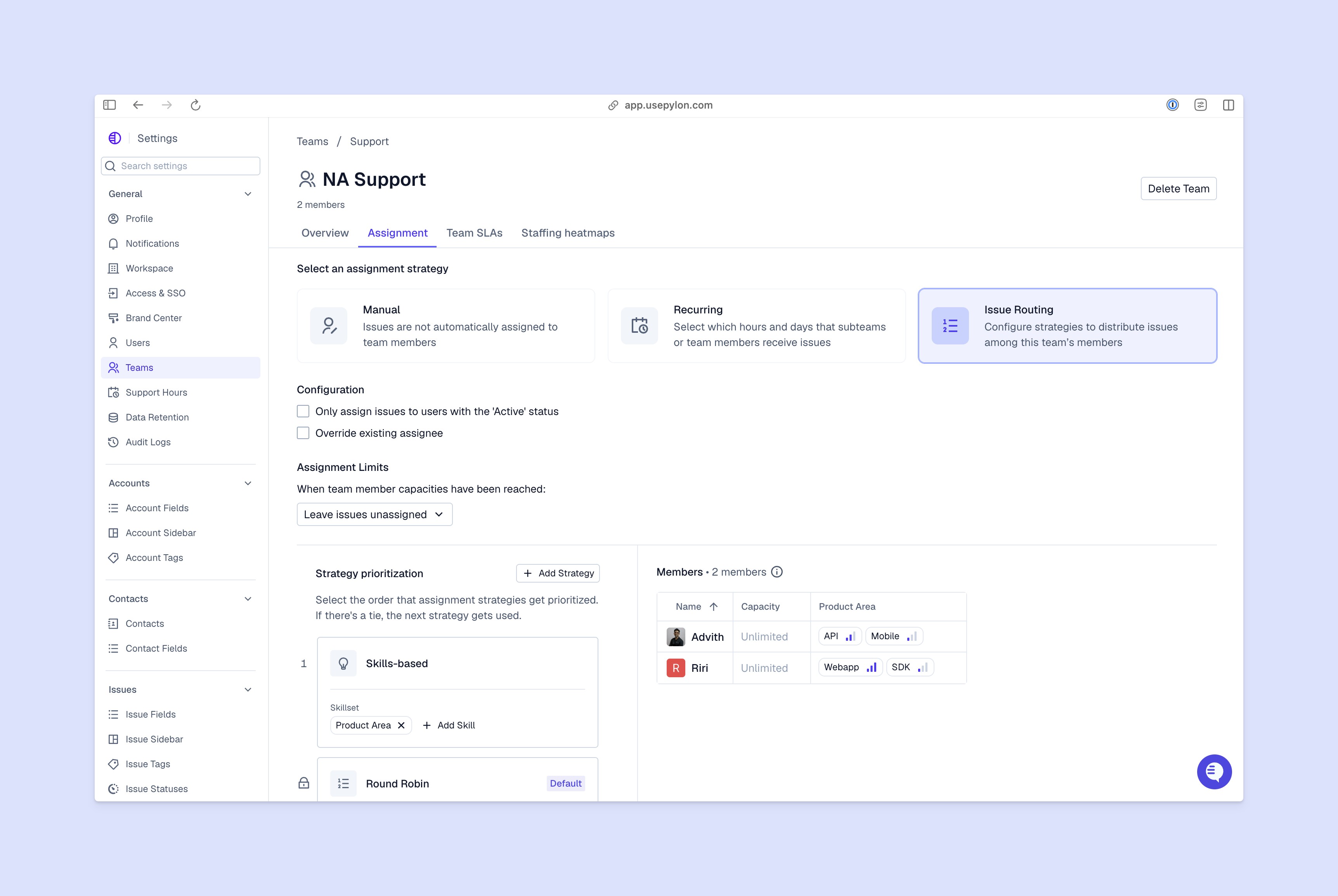
AI agents help your team respond to common questions immediately, even outside of your support hours. Your team's response time metrics improve dramatically when automation handles the high-volume, low-complexity work.
When automation eliminates repetitive tasks, your team members spend their time on work that actually requires their expertise: complex troubleshooting, strategic account discussions, and building customer relationships.
The shift improves both job satisfaction and the quality of support you deliver. Most support teams don't want to spend their days tagging tickets.
Automation enables personalization at scale. Your platform pulls account history, past interactions, and customer preferences into every conversation automatically.
Support team members don't have to ask customers to repeat information or dig through old tickets. They have full context immediately, so every interaction feels personalized even when you're supporting hundreds (or thousands) of accounts.
You can support more customers without proportionally increasing headcount. Automation helps you handle additional volume and accelerate your team's internal workflows. The savings show up in your cost per ticket and overall support budget.
Traditional support teams hit capacity limits; there are only so many tickets a person can handle per day. Automation breaks this constraint. As your customer base grows, your team can scale their workflows by leveraging AI for the busywork.
Here are a few examples of how B2B teams actually use automated workflows for day-to-day support operations.
Automatic ticket classification: AI reads incoming requests and tags them by issue type, urgency, and affected product area. Your team opens their issues view and immediately knows what needs attention.
AI-suggested responses: As team members draft replies, the platform suggests relevant responses based on similar past conversations or knowledge content. Support staff can accept suggestions as-is, edit them, or ignore them — but either way, they're responding faster to every issue.
Churn risk detection: The platform analyzes signals across all customer conversations (support tickets, Slack messages, email threads, call recordings) to identify accounts that are unsatisfied or disengaging. It flags these customers to your success team before active churn.
Other practical examples include:
The pattern across all of these use cases: Automation handles the predictable work so your team can focus on the unpredictable problems.
Evaluating platforms comes down to how well they fit your specific workflows and customer communication patterns. Here's what to prioritize:
Omnichannel support: The platform works where your customers already are, whether that's Slack, Teams, email, chat, ticket forms, WhatsApp, or somewhere else. True omnichannel support means you can easily track conversations and context across every system.
AI capabilities: The automation actually can fit with your specific workflows, not just generic use cases. Test whether the AI can understand your product terminology and business context.
Integration ecosystem: It connects with your existing tools (CRM, project management, communication platforms) without requiring custom development work.
Unified customer data: Your support tickets, customer success conversations, and account health metrics live in one system. When support spots a pattern, customer success can act on it. When success identifies expansion opportunities, support can deliver personalized service.
Scalability: The platform grows with your team and customer base without performance issues or exponential cost increases.
The best CX automation platforms create a shared system of record for your entire post-sales organization. Your support data informs retention strategies, and your customer success insights improve support quality.
Start by identifying your highest-volume, most repetitive support tasks. Look at your ticket queue and identify customer requests that follow predictable patterns: common feature questions, basic status updates, and simple troubleshooting.
Evaluate platforms that can automate those workflows while keeping your customer data unified across support and customer success. The goal isn't just efficiency — it's building a system where every customer interaction contributes to better account management and retention.
Pylon is the modern B2B support platform that offers true omnichannel support across Slack, Teams, email, chat, ticket forms, and more. Our AI Agents & Assistants automate busywork and reduce response times. Plus, with Account Intelligence that unifies scattered customer signals to calculate health scores and identify churn risk, we're built for customer success at scale.
CX automation platforms use AI and workflows to automatically handle repetitive tasks across multiple channels, while traditional help desks primarily organize and track tickets manually. The automation platform actively reduces the work required to resolve issues instead of just creating a place to manage them.
Most teams start automating basic workflows within days of implementation. Full deployment depends on your integration requirements, team size, and how many custom workflows you want to build. Platforms with pre-built integrations and templates get you to value faster.
Automation actually increases personalization by giving your team more time for complex, relationship-building interactions. The AI also uses customer data to tailor every automated response based on account history, preferences, and context — something that's impossible to do manually at scale.
You'll see returns through reduced response times, lower cost per ticket, and improved retention as your team handles more customers without needing to proportionally scale headcount. Most teams also report higher support team satisfaction since automation eliminates the repetitive work that leads to burnout.
Pylon Workforce Management is available now. See it in action with a live demo.




