


Customers expect fast, convenient support. In 2026, that means offering live chat. It’s become a core channel for many B2B companies, on par with email and phone support.
But a successful chat support system is more than a widget on your website that can answer simple and common questions. Today, it’s the combination of people, processes, and software, all working together.
In this guide, we’ll cover what a chat support system is and the key features to look for when choosing a platform for your team.

A chat support system is the entire ecosystem that makes live chat work. You’ve got:
Live chat happens in real time and customers typically access it within your product, so it’s best for urgent issues or workflow questions where a quick answer makes all the difference. When you chat with customers this way, you have their full attention while they’re actively using your app — you’ll want to prioritize speedy, accurate answers.
The best live-chat software will include the following components:
To check if your chat support is working, you can track customer support KPIs like:
A well-implemented live-chat support software offers your team the following benefits.
Chat is just easier for customers. Instead of being tethered to the phone or waiting for email responses, they can continue working while your team finds a solution. Offering live chat shows that you respect their time, which leads to higher customer satisfaction.
Providing live chat also shows you’re in touch with what customers want: It’s the #1 preferred support channel. Meeting customer preferences like these builds trust and connection.
Most chat support systems include AI/automation to answer simple questions and route issues to the right teams. This takes a huge workload off your team’s plate, so they can instead focus on the high-value interactions. You can handle more volume without a linear increase in headcount, directly boosting your bottom line.
For pre-sales teams, proactive chat can stop people from abandoning their purchase decision. For instance, a quick answer to a pricing or feature question can be the difference between a new customer and a lost one.
And even for post-sales teams, offering live-chat support can lead to increased revenue thanks to the trust you build by offering this speedy and on-trend form of support. Accounts are more likely to stay longer and scale up their account.
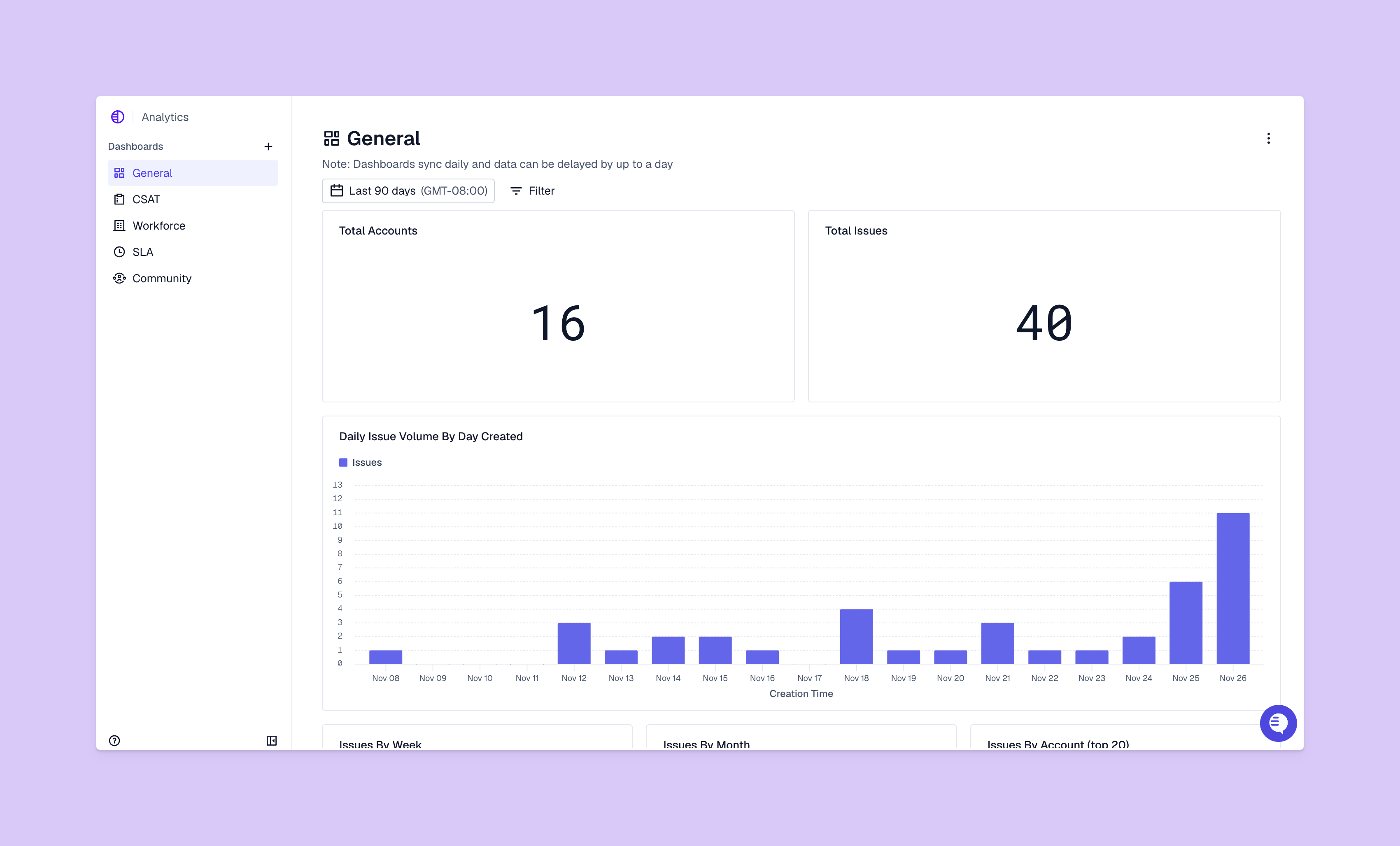
When you turn scattered data into cohesive customer context, disparate chat transcripts tell an important story. Some chat support systems like Pylon can turn unstructured data — like chat conversations — into structured analytics and customer insights. Say you find that 20% of all support chats are questions about a particular feature, or that an account has shown low sentiment across their past three chats with you. That’s a clear signal for your product team to improve the user interface or for your customer success team to check in.
The following capabilities separate a basic chat widget from a powerful customer support chat platform.
If the chat experience is clunky, nothing else matters. Look for a customizable chat widget that you can style to match your brand. Your team needs a clean, intuitive console that makes it easy to manage multiple conversations and access full customer context from every interaction. File sharing, emojis, and read receipts are also standard.
Look for skills-based routing, which sends chats about specific topics (like API issues) to the team members best equipped to handle them. Business hours and statuses are also great for managing team availability and setting customer expectations. And a great system will automatically route chats to available teammates and queue them during peak times, so no customer is left hanging.
It’s common now for agentic AI to be included in this kind of support. Look for live-chat systems that include AI agents that immediately answer initial customer requests and escalate issues as needed. Advanced AI chat tools can understand intent, summarize long conversations, and even suggest replies to your team.
Your chat tool needs to connect to the other systems you use every day, like your CRM and help desk. This easy integration lowers the learning curve, gives your team a complete view of account context, and makes it easier to centralize analytics.
You can’t improve what you don’t measure. Your tool needs to provide clear, actionable analytics on support performance. Look for dashboards that let you track performance by support team member, team, and channel. And finally, the tool has to be compliant and secure, protecting customer data with features like data encryption and access controls.
Work through this four-step guide with fellow support leadership teammates to find the best tool for your team.
Start by identifying what you want to achieve. This should be specific and actually achievable: Something like “reduce first response time by 30% within 60 days” offers a clearer goalpost than something vague like “improve customer support.”
Connect your tool selection to the outcomes that matter most, whether that’s higher CSAT, faster resolution times, or scalability. This will help you justify the investment and measure the success of your chat support system.
Next, identify the key moments in your customer’s journey where they might need help. For a SaaS company, this could be on the pricing page, in the onboarding flow, or when a user tests a complex feature for the first time.
Placing chat widgets, or call-to-action buttons for support help, can provide the assistance exactly when it’s needed most. Being proactive can turn a moment of frustration into a positive interaction, and it’s these types of moments that you need to identify within your own ecosystem.
Be realistic about your team’s capacity, considering the following questions:
For example, Pylon’s AI agents can be trained on full customer context, with intelligent routing to get humans involved when needed. Plus, with Account Intelligence, you can get proactive notifications about customers who might churn soon. And it’s an omnichannel chat system, covering Slack/Teams, live chat, email, and more. So in every situation, your AI agents and support team have full customer context.
Automation level is a great metric to go by when choosing a chat support system. You might only need a simple chatbot for common requests, with most issues escalating to your support team. Or you could use a chat system that deflects more issues via automated responses (like sending a knowledge base article when people ask about password resets) and agentic AI (like live chat with an AI agent that offers more complex troubleshooting help).
Try to find a live-chat support system your post-sales teams will want to stick with. It should scale alongside your company, make consistent and efficient support easier for everyone, and offer analytics you can use to improve the customer’s experience.
Pylon is the modern B2B support platform that offers true omnichannel support across Slack, Teams, email, chat, ticket forms, and more. Our AI Agents and Assistants automate busywork and reduce response times. Plus, with Account Intelligence that unifies scattered customer signals to calculate health scores and identify churn risk, we're built for customer success at scale.
Pricing in 2026 typically ranges from $15 to $50 per seat/month for standard tools like HubSpot or Freshchat. Enterprise solutions can exceed $2,500 monthly, while free versions remain available for basic needs.
Chatbots are always automated, providing instant, 24/7 answers to routine queries. Live chat is generally a combination of automated responses, AI deflection, and escalation to support team members. Hybrid models are now standard, with bots handling up to 80% of routine inquiries before escalating to support team members.
The three primary types are human-to-human, AI-automated, and messaging apps. By 2026, more than half of customers believe bots will offer natural conversation.
Pylon Workforce Management is available now. See it in action with a live demo.





