


Updated December 8, 2025 | 12 min read
Conversational AI can help handle your support team's most repetitive issues and accelerate manual workflows. But in B2B support, you need a platform that offers more than basic chatbot features.
We'll walk through how conversational AI actually helps in customer support, compare the top platforms built for B2B teams, and show you how to evaluate the features that matter for your specific workflows and channels.
Conversational AI for customer support uses natural language processing to understand customer issues, respond automatically, and trigger other workflows to accelerate your support operations.
Natural language processing (or NLP) helps computers understand human language the way we actually speak and write, not just through exact keyword matches. This means AI can grasp context, learn from past conversations, and figure out what customers are asking for.
Plus, it does more than answer questions. AI can route tickets to the right people, update issue statuses in your support system, categorize issues without manual tagging, and trigger workflows based on conversational data.
This is important for B2B support teams: AI can distinguish between minor bug reports and critical outages, and help your team respond appropriately.
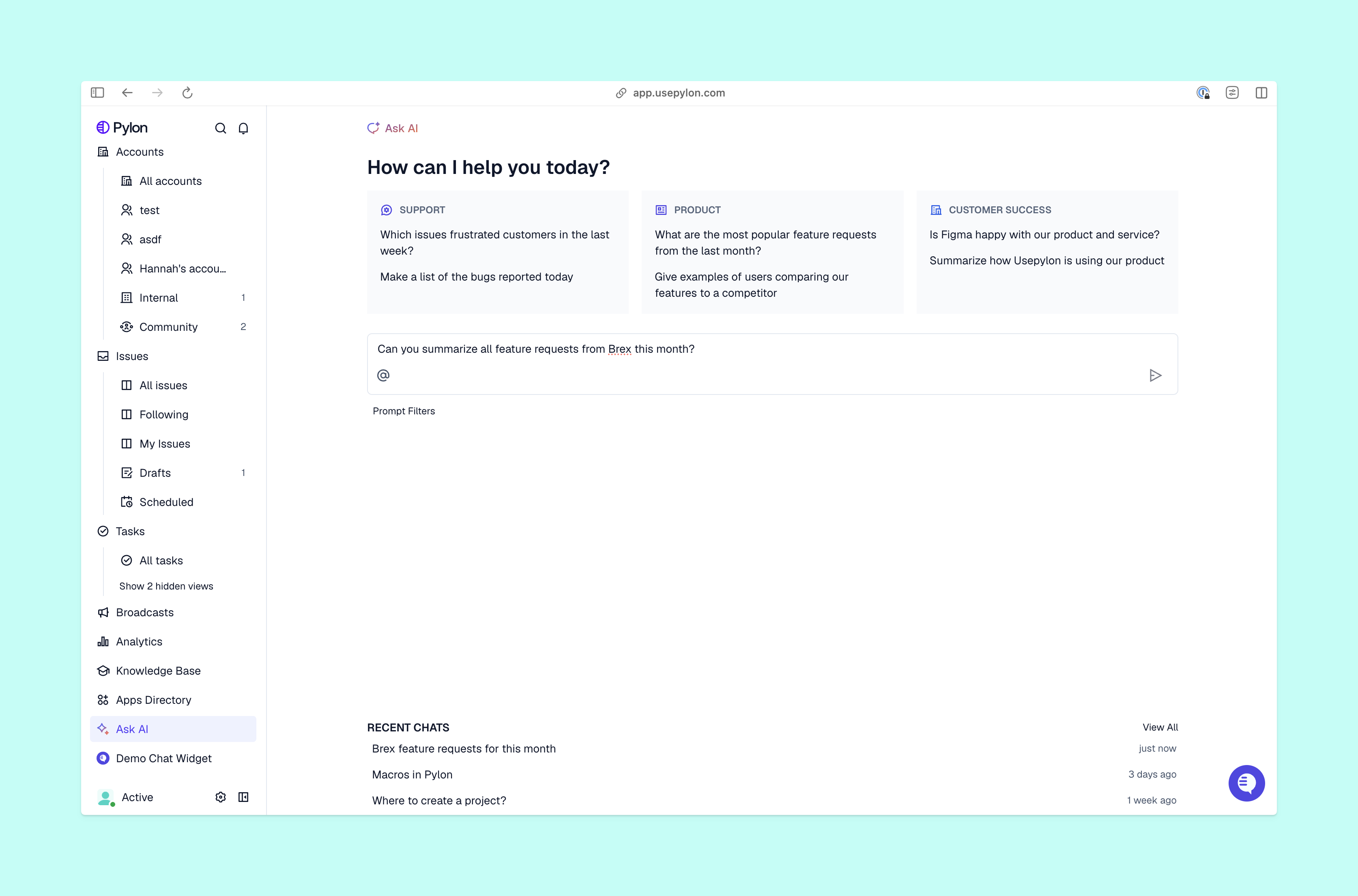
We've researched conversational AI platforms based on what B2B post-sales teams deal with every day: supporting customers across channels like Slack, Teams, and email; maintaining full context on each account's health and history; driving renewals and proactively reducing churn risk.
Pylon supports conversations across Slack, Teams, email, chat, ticket forms, and more from a single interface. Our AI Agents deflect routine issues while automating many of your team's daily workflows, including:
Pylon also has AI Assistants that help your support team draft responses faster, answer questions about customer context instantly, and automatically update knowledge articles based on issues your team has already solved.
Account Intelligence is what makes Pylon different. It pulls together scattered customer signals (from support tickets, customer conversations, and call recordings) to help your team calculate custom health scores and proactively spot churn risk.
This means your support data actively informs broader account context, so your team knows which customers need attention and why. Pylon is specifically built for B2B post-sales teams who need shared context across support and customer success.
Intercom's Fin AI handles complex conversations and resolves a high percentage of inquiries without human help. It works well for companies already using Intercom's platform.
That said, Fin is mostly designed with B2C use cases in mind. Beyond ticket deflection and response, it doesn't automate support and success teams' workflows—and for teams dealing with multi-stakeholder B2B issues, Fin lacks account-level context.
Zendesk's AI has many integrations and customization options, and focuses on deflecting tickets and helping support team members with suggested responses.
But it has limited support for automating other complex B2B workflows. You might end up having to add third-party AI integrations or building custom solutions, which increases both your implementation time and costs.
Sierra helps teams with actions across systems like updating CRM records, managing deliveries, and triggering workflows in connected tools. The platform offers strong customization and brand alignment for large customer experience teams.
Sierra was built mainly for B2C use cases, though. B2B teams with complex account hierarchies might find it limited for their workflows.
Decagon can handle complex workflows and promises fast AI deployment with enterprise-grade guardrails. The platform offers strong observability so you can track exactly what your AI does and why.
But similar to Sierra and Fin, Decagon was primarily built for B2C customer service. If you're part of a B2B support team, you'll have more trouble managing account-level context and conversations with multiple stakeholders.
Service Cloud Einstein works best for companies who already use Salesforce's CRM. It offers integrations with your existing sales and customer data, so you get a full view across the customer lifecycle. If you're already in the Salesforce ecosystem, Einstein adds AI capabilities without bringing in another vendor.
But Salesforce Service Cloud takes time and internal resources to implement. You generally need an admin to set up custom workflows and any integrations you need (like product ticketing, call recorders, or incident management tools).
| Platform | Best For | Key Strength | Integration Focus |
|---|---|---|---|
| Pylon | B2B post-sales, support, and customer success teams | All-in-one platform with AI workflows and unified customer context | Slack, data warehouses, call recorders, product ticketing |
| Intercom Fin | Intercom users | High resolution rates, mostly in B2C service | Intercom ecosystem |
| Zendesk AI | Zendesk customers | Mature integrations | Zendesk suite |
| Sierra | Enterprise CX teams in B2C | Cross-system actions | Custom integrations |
| Decagon | Fast deployment needs in B2C | Agent procedures | Various helpdesks |
| Salesforce Einstein | Salesforce users | Customer view across pre- and post-sales | Salesforce CRM |
Not all conversational AI platforms are built the same. Here's what matters for B2B support teams who handle complex accounts and relationships with multiple contacts at each account.
B2B customers expect support where they already work. That could be Slack, Teams messages, email, in-app chat, or similar. Your conversational AI platform needs to meet customers in these channels while keeping unified conversational context across all of them.
AI analyzes urgency signals, account value, and issue complexity to route conversations appropriately. The best platforms use a deflection center approach where AI handles simple issues like feature explanations or common API questions, then escalates complex issues to your support team with full context already attached. Your team doesn't have to deal with the repetitive stuff, but they get everything they need to resolve sophisticated problems quickly.
Your conversational AI learns from your documentation, past ticket resolutions, and product information. The quality of that training data determines how well it performs. Look for platforms that let you customize responses to match your brand voice and product specifics without requiring engineering resources. The difference between platforms that need technical setup and no-code options could be weeks of implementation time.
You want visibility into which issues your AI resolves, and which ones require your team to step in. Track resolution rates, response times, and customer satisfaction scores to understand where your AI excels and where it struggles. These analytics help you improve AI performance over time by identifying gaps in your knowledge base or workflows that need refinement.
Focus on decision criteria specific to B2B post-sales teams, instead of generic chatbot features that matter more for consumer support.
Getting started with conversational AI doesn't require months of implementation if you focus on the right steps in the right order.
Start by connecting email, Slack workspaces, Teams channels, chat widgets, and ticket forms into your conversational AI platform. Test each channel to confirm that messages flow correctly and your team can manage and respond to conversations from a single interface—so no one has to constantly switch tools.
Add your documentation and product guides, and make sure your help articles and past support tickets are connected, so AI has accurate information to draw from. It will use this content to answer customer questions, so incomplete or outdated knowledge bases lead to poor AI performance.
Ongoing maintenance matters here. Update your knowledge base as products change, or use platforms like Pylon that can auto-update content based on new issues your team resolves.
Set up rules for when your AI responds automatically, and when it routes conversations to your support team. Create workflows for common scenarios like feature explanations, logging bug reports, and API troubleshooting that your AI can handle reliably. Start by automating simple but effective workflows, then expand AI's role as you gain confidence in its accuracy.
Monitor your AI's responses for accuracy and tone, especially in the first few weeks. Review conversations where your AI escalated to your support team to identify improvement opportunities. These escalations often reveal gaps in your knowledge base or edge cases your workflows don't cover yet.
Iterate on both your knowledge content and automation rules based on real performance data.

Focus on metrics that will make a difference for your retention and account growth, not just ticket volume.
For B2B specifically, you might also track how AI customer support impacts retention rates and account health scores. When your support team has more time for high-touch interactions with at-risk accounts, you should see improvements in metrics that outweigh direct cost savings.
Resolution rates vary by platform and implementation, but conversational AI typically handles routine issues like simple account questions, feature explanations, and troubleshooting steps. It will still escalate complex issues to your team.
The AI routes the conversation to your support team, along with full conversation history and relevant account context. This way they can pick up seamlessly without making the customer repeat information.
Implementation timelines depend on your existing systems and customization needs, but most platforms can be connected to your support channels and knowledge base within days, with ongoing optimization as you learn what works best.
Modern conversational AI platforms can manage multi-step workflows and access customer account data to handle some sophisticated scenarios. Your support team is still best equipped to handle edge cases and relationship-sensitive situations.
Most enterprise conversational AI platforms offer integrations with popular tools like Salesforce, HubSpot, Zendesk, and Intercom, so AI can access customer context and update information across your tech stack.
Platforms like Pylon offer conversational AI that's directly built on top of a helpdesk.
Conversational AI works best when it connects support interactions to broader customer success efforts, instead of treating tickets as isolated events.
Modern platforms like Pylon unify support conversations with account-level intelligence so your team always has complete customer context. Your support data informs health score calculations, and feature requests factor into expansion signals.
Pylon is the modern B2B support platform that offers true omnichannel support across Slack, Teams, email, chat, ticket forms, and more. Our AI Agents & Assistants automate busywork and reduce response times. Plus, with Account Intelligence that unifies scattered customer signals to calculate health scores and identify churn risk, we're built for customer success at scale.
Pylon Workforce Management is available now. See it in action with a live demo.





