


Updated January 15, 2026 | 14 min read
Your support team has to switch between 5 different tools to answer requests, while your customer success team is manually gathering data and wrangling spreadsheets to calculate health scores. Meanwhile the feature requests your customers keep mentioning never make it to your product team — because they're buried in long conversation threads.
Modern support tools centralize customer conversations, automate repetitive work, and connect support data to broader customer outcomes. This guide covers the tools enterprise teams specifically need to scale support operations and how to choose the right platforms.
Support tools help B2B centralize customer conversations from email, Slack, Teams, chat, and ticket forms into one place. They automate repetitive work like routing tickets and suggesting responses, while connecting support data to customer health scores and churn risk.
The difference from basic ticketing systems comes down to what happens with your data. Traditional tools just organize requests into a queue. Modern platforms turn those conversations into customer intelligence — your support tickets inform retention decisions, health scores show which accounts need attention, and customer feedback flows directly to your product team.
Enterprise teams in particular need tools that are built for support operations at scale. Unlike B2C support, you're likely managing large accounts with dozens of customers who all reach out for help — not one-off purchases or requests from individual buyers.
Here's how support tools should help large teams.
In B2B, one customer account means multiple stakeholders. Maybe your support team talks to the implementation lead on Monday, a product manager on Wednesday, and your executive champion on Friday.
If you're using support tools that don't centralize account-level context, these conversations become isolated cases. But for B2B teams, all your customer interactions are part of larger trends that affect account retention and growth.
Support volume often grows faster than team size, especially for enterprise companies who support thousands to millions of accounts. As your customer base grows, you can't always scale headcount at the same pace.
AI and automation tools can help by handling many of the most manual support workflows: answering common product questions, routing issues to team specialists, or capturing feature requests from support interactions. This helps your team support more customers while maintain quality and personalization.
In a lot of enterprise companies, support, customer success, and product teams work in totally separate tools — which creates major silos and bottlenecks. Your support team knows exactly which features customers keep requesting, but that intelligence never makes it to the product roadmap because it's trapped in ticket threads.
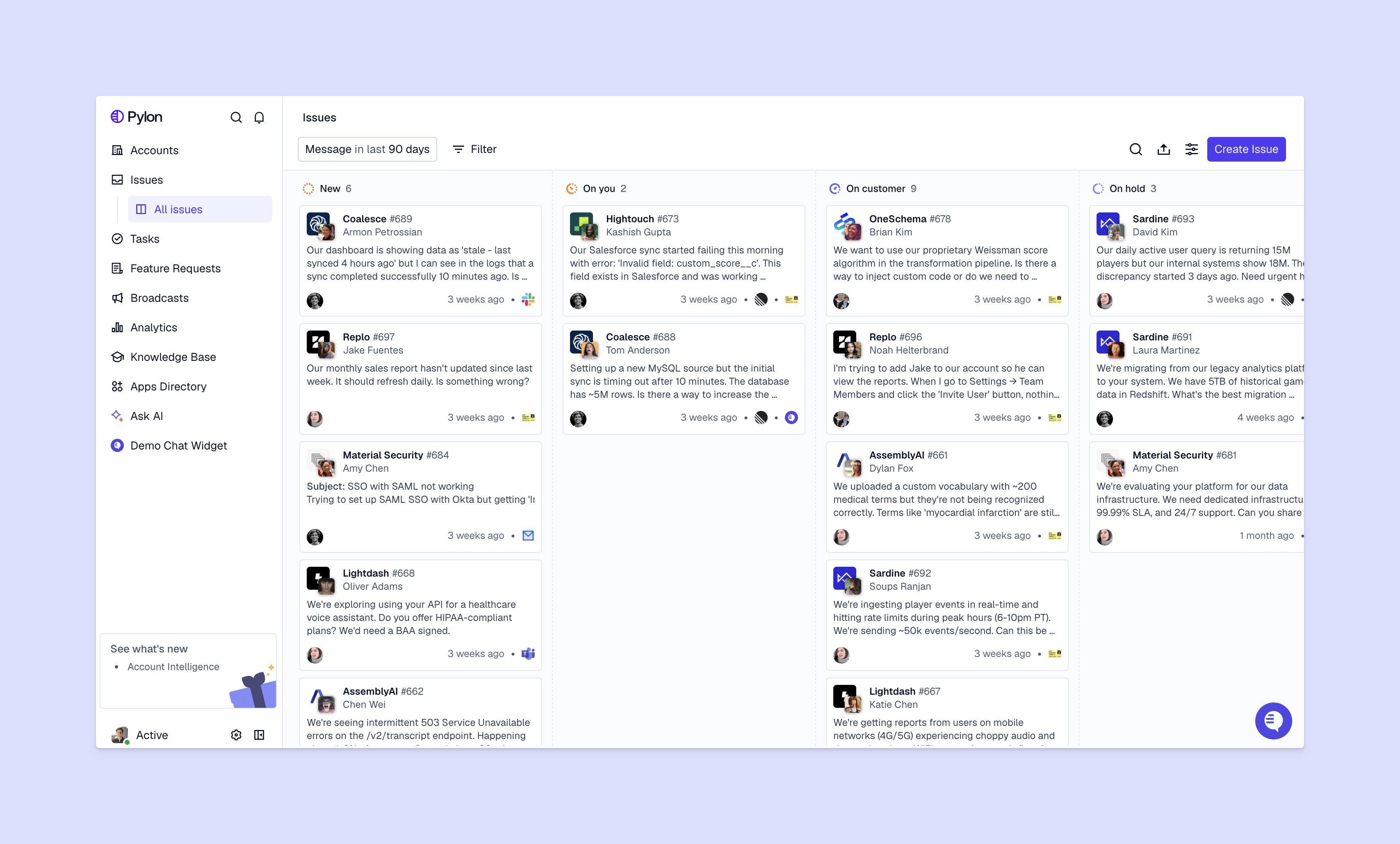
Modern platforms act as a shared system of record for all your customer-facing operations:
With tools like Account Intelligence and Product Intelligence, everyone works from the same customer data and signals instead of making decisions in isolation.
For large enterprise teams, it's especially important to pick the right support tools from the start. Otherwise, you can spend months on implementation before realizing that your team members aren't actually adopting the platform — and you might end up having to migrate to something else anyway.
Here are things to consider when you're evaluating support tools.
Your support tool connects to your CRM, Slack, Teams, project management tools, and platforms for usage data. Check whether the platform offers native integrations or if you'll need custom API work.
Poor integration means copying data between systems manually. Your team transcribes information from support tickets into your CRM, or worse, they miss context because it lives in a different tool.
It's tempting to automatically pick the cheapest option, but this can often costing you more in the long run. You might save on base contract fees, but lose hundreds of hours to manual work that a different platform could automate.
Think about implementation time, training, ongoing maintenance, and efficiency gains. A platform that costs twice as much but cuts response times in half and automates 40% of tickets pays for itself fast.
Enterprise support teams in the B2B space typically handle sensitive customer data. Make sure the tools you choose are SOC 2 and GDPR compliant, and meet your customers' security requirements.
Ask about data encryption, access controls, and audit logs. If a vendor can't provide sufficient documentation on their security posture, consider other options.
AI can help you auto-categorize tickets, suggest responses from your knowledge base, route requests to the right team member, and flag urgent support issues before they escalate. With many modern platforms, you can also configure custom automations to accelerate team workflows.
There are many different pieces to B2B support operations: ticketing, managing customer interactions, reporting on metrics, tracking customer feedback, and more. Here are a few categories of features and tools that can help with each of those workflows.
Ticketing systems organize customer requests into trackable cases with clear ownership, status, and resolution timelines. Every request becomes a ticket your team can assign, update, and close.
This is the foundation. Without ticketing, you're managing issues through shared inboxes or spreadsheets. Those forms of manual tracking break down fast.
Omnichannel platforms let you support customers across email, Slack, Teams, chat, and forms from one interface. Your team doesn't have to switch tools when a customer reaches out on a different channel.
All conversations are linked to their respective accounts — no matter which channel they started from — so every support interaction becomes part of your unified customer context.
Knowledge bases are searchable help centers where customers find answers without contacting your team. They reduce ticket volume by letting customers self-serve on common questions.
You'll want external documentation for customers and internal documentation for your team. The best knowledge bases show you which topics customers search for but can't find, so you know what content to create next.
Analytics tools track response time, resolution time, and ticket volume, then connect those metrics to account data. They help you calculate customer health scores, identify churn risk, and show which accounts need proactive outreach.
This turns your support data into actionable retention insights. Instead of just knowing your average response time, you see which high-value accounts are having issues and might churn.
Feedback management tools collect and organize feature requests from across customer conversations. They cluster similar requests, show which accounts asked for what, and connect customer feedback to your product roadmap.
Feature requests stop disappearing into support tickets. They become trackable items with evidence and business impact attached.
We've researched and compiled information about some of the leading support tools for enterprise teams. Here's a brief summary of how each one helps large teams scale their support operations.
Pylon is support platform built for B2B teams. It offers true omnichannel support across modern customer communication channels (Slack, Teams, WhatsApp, Telegram, Discord, in-app chat) and traditional ones (email, ticket forms, etc.).
Pylon is best for teams that want support and customer success in one platform, with AI automation and account intelligence that connects support conversations to customer health.

Zendesk is an established, traditional ticketing platform with extensive integrations. Best for large teams that need customizable workflows — it's powerful, but complex to set up and expensive at scale.
Service Cloud is another traditional support solution built into Salesforce. Best for organizations already using Salesforce CRM that want deep integration. It requires significant configuration and Salesforce expertise.
Intercom is a customer messaging platform focused on chat and proactive engagement. Best for product-led companies that want to blend support with marketing and sales conversations. Strong on automation but less focused on traditional ticketing.
ServiceNow is an enterprise IT service management platform that extends to customer support. Best for large organizations with complex workflows and IT service desk needs. Built for enterprise scale but comes with enterprise complexity — and isn't specifically built for customer support workflows.
Freshdesk is a user-friendly ticketing system with good value for mid-market and enterprise teams. Best for teams that want core support features, but lacks some advanced AI workflows.
Service Hub is the support tool within HubSpot's platform. Best for companies using HubSpot's ecosystem that want unified customer data across marketing, sales, and support.
Front turns email into a collaborative shared inbox. Best for teams that primarily support customers via email and want better team coordination. Less focused on traditional support features like knowledge bases, and limited support for modern channels.
Help Scout is a simple support platform for small to mid-size teams. Best for teams that want straightforward ticketing without enterprise complexity. Strong on ease of use but limited on advanced automation.
Once you've chosen the right platform for your team, you'll need to implement and deploy it on your team. Here's a framework for rolling out new support tools for enterprise teams.
Document how your support operations work today. List your communication channels, ticket volume, team structure, and integration requirements.
Identify your biggest pain points: slow response times, lost context, manual busywork, or lack of visibility into account health. This determines the features and capabilities you'll need from a support platform.
Your ticketing system is the foundation. This tool will be your system of record for customer data, workflows, and intelligence.
If you support customers primarily through Slack and Teams, you need a platform built for those channels instead of retrofitting an email-first tool.
Connect your customer channels to your ticketing system. Set up email forwarding, chat widgets, Slack Connect channels, Teams integrations, and ticket forms.
Make sure you can automatically create issues from conversations in each of those platforms, or easily get context across omnichannel interactions. Your team works from one interface instead of switching between tools.
Leverage platform features that turn your support data into customer insights. Set up dashboards for response times, resolution rates, and ticket volume trends.
Implement account-level tracking to connect support activity to customer health scores. Configure alerts for at-risk accounts or SLA breaches.
Integrate your support platform with your CRM, product ticketing tools, or data warehouse. Sync all your customer data so you can manage customer operations from a single place.
Enterprise teams manage complex accounts with multiple stakeholders per customer. You need advanced security and compliance features, deeper integrations, and account-level intelligence that connects support data to retention and revenue.
Most teams see initial efficiency gains within the first month: faster response times, reduced manual work, fewer missed tickets. Measurable ROI typically appears within 3 to 6 months.
Start with a pilot team to test the new platform and document workflows. Provide hands-on training and designate internal champions. Roll out in phases instead of switching everything at once.
Platforms like Pylon, Zendesk, and Salesforce Service Cloud offer extensive integration ecosystems. Check for native integrations with your CRM, Slack, Teams, and product management platforms before committing.
The right support tools help enterprise teams scale by centralizing customer data, automating busywork, and connecting support interactions to customer success outcomes.
Pylon is the modern B2B support platform that offers true omnichannel support across Slack, Teams, email, chat, ticket forms, and more. Our AI Agents & Assistants automate busywork and reduce response times. Plus, with Account Intelligence that unifies scattered customer signals to calculate health scores and identify churn risk, we're built for customer success at scale.
Pylon Workforce Management is available now. See it in action with a live demo.






