


Updated January 26, 2026 | 16 min read
As you're building out your support function and scaling your customer base, manual workflows really start to slow you down: tracking customer conversations across email and Slack, piecing together account context, and answering repetitive product questions.
The right customer support tool centralizes conversations, automates repetitive work, and gives your team shared context to help customers. We'll walk through what makes a great support platform, compare the top 7 options for startups, and show you how to choose one that grows with your team.
Customer support software brings all your customer conversations together in one place. Instead of separately checking 3 different email inboxes, your Slack workspace, and a chat widget separately, you have a single workspace where your team can see every conversation, respond to requests, and track what's been resolved.
The right tool grows with your company. At early stages, your CEO or CPO might be handling support, but in 6 months you might have a whole support handling customer conversations across 3 or 4 different platforms. A good support system handles that shift without forcing you to migrate everything to a new tool.
Look for capabilities like:
That last point matters more than most startups realize at the start. When more people on the team start to handle support and customer operations, they'll all need to see unified account context to collaborate on customer success.
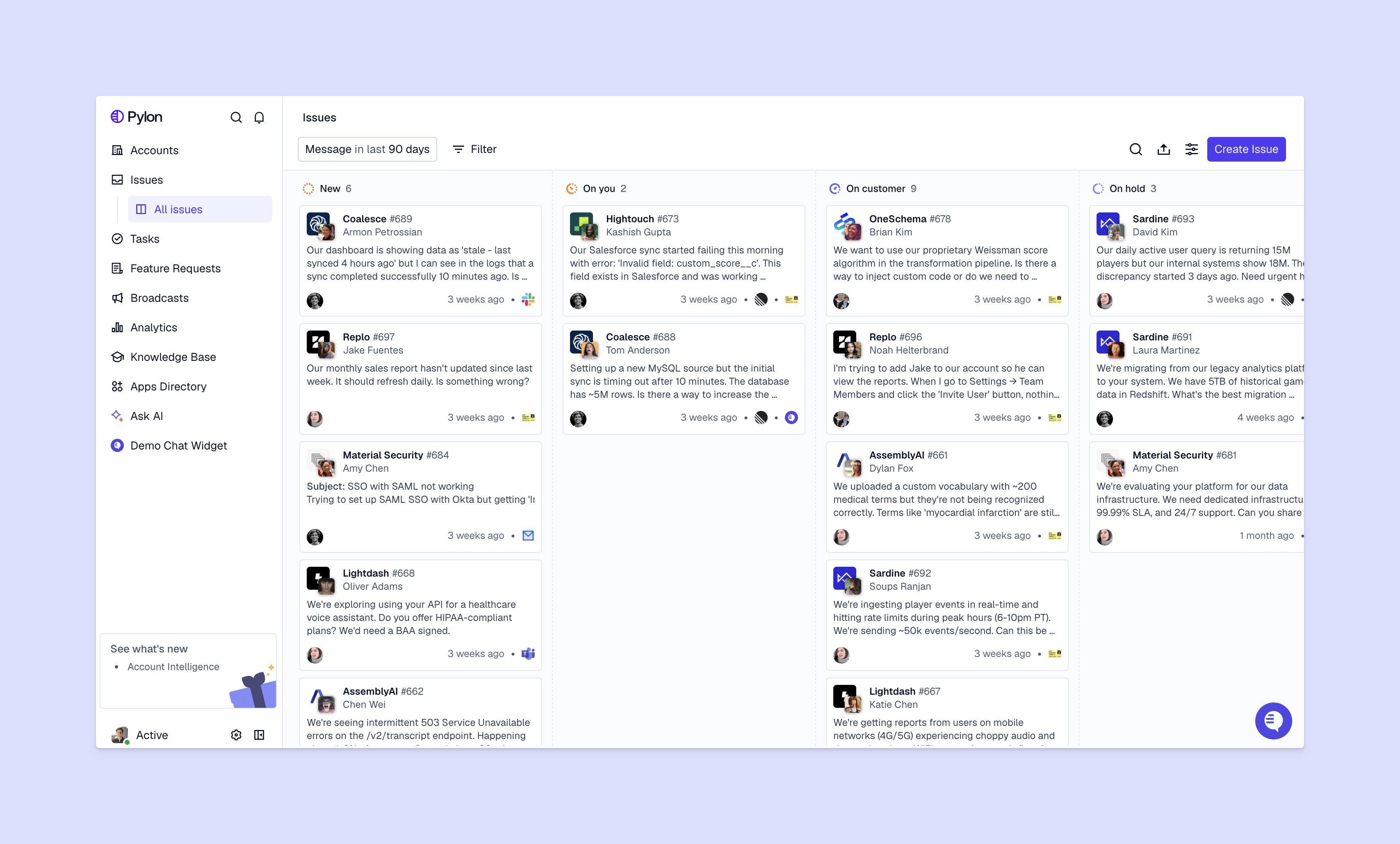
Many teams start with email or Slack support only. This can work until you get to a critical mass of customers — at that point you'll want a real support platform to help you respond faster, handle more support volume, and enable cross-team collaboration on customer issues.
Let's dive deeper into each of those benefits.
When your omnichannel issues all live in one view and you have intelligent routing set up, you can respond to customers in minutes instead of hours. You don't need to monitor whether someone already replied to that Slack message, or check multiple tools to see if a customer emailed you — you automatically get notified by your support platform and can easily keep track of conversations.
Many support platforms now offer AI agents to help you deflect repetitive requests: login help, billing questions, simple feature explanations. Your team focuses instead on the complex problems that need a support expert to troubleshoot. For small teams, this often means you're able to support 200 customers with the same team size you had at 75 customers.
With shared issue views and unified account context, you stop having to do duplicate work. When a team member's on vacation, someone else can cover their customer conversations without missing context. Internal notes and tags keep everyone aligned on complex issues that need input from multiple people.
Support platform give you access to detailed metrics, so you can diagnose exactly where bottlenecks happen. Maybe 40% of your support time goes to questions about the same feature — that's a signal to improve your docs or the product. You can track response times, resolution rates, and spot patterns that help you make smarter decisions about where to invest your time.
Support tools fall into a few categories, though some modern support systems combine these into one unified platform. Learn more about which you actually need at this stage of your growth.
Help desk software turns every customer request into a ticket with an ID, status, and assignment. This works well when you need formal tracking and reporting, especially for teams handling hundreds of requests that need structured workflows.
Live chat is a widget directly in your product where customers can start instant support conversations. This is great for product-led companies, where in-app help reduces friction during onboarding or technical workflows.
Knowledge bases let customers find answers in searchable articles and guides. Self-service handles common questions that don't need personalized responses — think "How do I connect this integration?" or "How do I setup this feature?"
Omnichannel platforms unify email, chat, Slack, Teams, and other support channels in one workspace. You can track each conversation as an issue, regardless of where customers reach out. This has become the standard for B2B startups because many customers prefer platforms like Slack, Teams, or WhatsApp — so you can easily meet everyone where they are.
We've researched 7 of the top customer support tools for startups, and summarize their features and strengths.
Pylon is the support platform built for B2B. We offer omnichannel support across Slack, Teams, WhatsApp, Telegram, Discord, email, in-app chat, and ticket forms — you can track every conversation as an issue and create shared views to manage your support volume.
Our AI agents and AI assistants automate busywork and help you move faster by categorizing issues, drafting responses, automatically updating your knowledge base, and routing conversations to the right person.
Plus, Account Intelligence helps you spot customer signals from support interactions, so you can calculate custom health scores, spot churn risk earlier, and identify upsell signals sooner.

Zendesk is a legacy platform that specializes in support ticketing. The platform integrates with thousands of tools through its marketplace, which helps if you need deep connections with your existing tech stack.
The tradeoff is implementation complexity. Zendesk's feature set comes with a steep learning curve, and many teams find that its workflows get increasingly complex and clunky as you grow. Early-stage startups often pay for capabilities they won't use for years — or find that Zendesk doesn't scale well with them.
Intercom combines customer messaging, chatbots, and help desk features into one platform focused on proactive engagement. It works well for product-led companies where you want to message customers based on their behavior and offer in-app guidance.
Freshdesk offers a user-friendly ticketing system with a free tier that includes email support, ticket management, and basic reporting for up to 10 team members. It's a practical starting point for teams primarily handling email support.
But if you need native Slack or Teams support, Freshdesk won't be able to support your operations there. It also has limited automation capabilities, compared to AI-native support platforms like Pylon.
Help Scout focuses on simplicity with an email-based help desk that feels more like Gmail than traditional ticketing software. Small teams appreciate the clean interface and the platform's emphasis on personal support.
Automation features lag behind competitors, though, and the platform is primarily designed around email. If your customers expect to reach you through Slack or Teams, you'll find Help Scout limiting.
Front transforms email into a collaborative workspace where your team can share inboxes, assign conversations, and work together on responses. It's strong for teams managing high email volumes across multiple addresses.
The platform works best when email is your primary support channel. If you're fielding requests across Slack, Teams, chat, or other modern channels, Front's email-first approach will feel clunky.
HubSpot Service Hub makes sense if you're already using HubSpot for marketing or sales. The free tier includes basic ticketing and email support, while paid plans add live chat, knowledge base, and customer feedback tools.
The value depends heavily on your existing HubSpot investment. As a standalone support tool, you might find better options, but the unified customer data across marketing, sales, and service can be powerful if you're committed to the HubSpot platform.
Picking a customer support platform ultimately comes down to what your support channels are, how your team likes to work and collaborate, and where you'll be in 6 to 12 months.
Track where your customers contact you. You might find that 60% of customer requests come through Slack, 30% through email, and 10% in Teams. B2B startups often underestimate how much support happens in Slack and Teams channels, where customers already spend their work day.
Look at both your current costs and how pricing scales as you grow. Some platforms charge per user on your team, which works well if you have a small support team but many customers. Others charge based on conversation volume or contact count, which can create unexpected costs as you scale.
Your support tool should connect with your CRM (like Salesforce or HubSpot), project management tools (like Linear or Jira), and analytics platforms. These integrations prevent your team from having to manually transfer data between systems. Check whether integrations are native or require third-party tools like Zapier, which add complexity.
Think about where you'll be in 6 to 12 months. If you're planning to add Slack Connect channels with customers or expand your team from 3 to 10 people, make sure your chosen platform can handle that growth without requiring a painful migration.
Test tools with your actual team and workflows instead of just watching demos. Set up real conversations, try the automation features, and see how the interface feels after a few days of actual use. Most platforms offer 14-day free trials.
Free tiers and low-cost options exist, but you'll want to understand their limitations first. Free plans typically restrict team members, conversation volume, or access to features like automation and reporting that become essential as you grow.
Email-only support is often free because it's the baseline capability. Adding omnichannel support, AI automation, or advanced analytics often requires paid plans.
The challenge is balancing immediate cost savings against the total cost of ownership: a free tool that requires hours of manual work each week might end up being more expensive than a paid platform that automates those tasks.
Options for tight budgets:
But consider whether saving money now will create more problems for your team later. Migrating from one support platform to another means exporting conversational data, retraining your team, and potentially losing context during the transition.
Pylon is the modern B2B support platform that offers true omnichannel support across Slack, Teams, email, chat, ticket forms, and more. Our AI Agents & Assistants automate busywork and reduce response times. Plus, with Account Intelligence that unifies scattered customer signals to calculate health scores and identify churn risk, we're built for customer success at scale.
For small teams, some customer support platforms can be set up in a few hours or a few days. It usually depends on how many channels you're connecting or which integrations you need.
You'll probably need to invest more time if you're migrating historical support data and training your team on new workflows. Those can take a few weeks.
Most modern customer support platforms offer import tools or migration assistance to bring in historical data in from email, spreadsheets, or your previous support tool. Check with your chosen platform about their specific migration process and whether they provide hands-on support during the transition.
Most customer support tools are designed for non-technical teams and offer guided setup processes that walk you through connecting channels and configuring basic settings. You might need developer help for advanced integrations with your product or custom workflow automation, but the core setup typically doesn't require coding.
B2B startups typically need tools that support Slack, Teams, WhatsApp, or SMS channels where customers already communicate, plus account-level views that unify customer context. A platform like Pylon is specifically built for B2B.
You'll know it's time when you have multiple team members handling support and you're losing track of who's responding to what, when customers reach out across different channels and context gets lost, or when you can't easily see patterns in what customers are asking about. If you're still a solo founder handling occasional questions, email might work fine — but once support becomes a team effort, having an actual platform quickly pays for itself.
Pylon Workforce Management is available now. See it in action with a live demo.



