


A help desk is often a customer’s first stop when they have a concern. It can make a difference in how quickly your team resolves issues, how much context they have when a customer reaches out, and how well your support operations can scale. Pick the right one and your team operates with less friction from day one.
In this guide, you’ll learn what help desk software actually does and the capabilities that separate good tools from inefficient ones, then compare six help desk software solutions worth your time.
There are a few differences between service desk and help desk software. Service desks tend to be collaborative and complex, and are often used for internal IT support. Help desk platforms were designed to handle three major tasks.
When a customer sends your team a message, the help desk creates a ticket, assigns it a priority, and routes it to the right person. In some cases, help desk software solutions include conversational AI tools that can resolve simple tickets without your team’s involvement.
Good ticket management means your team doesn’t have to spend time manually sorting, tagging, or figuring out who’s responsible for what. Help desk systems use AI-powered customer support that learns from your patterns and customer context to route and delegate tickets.
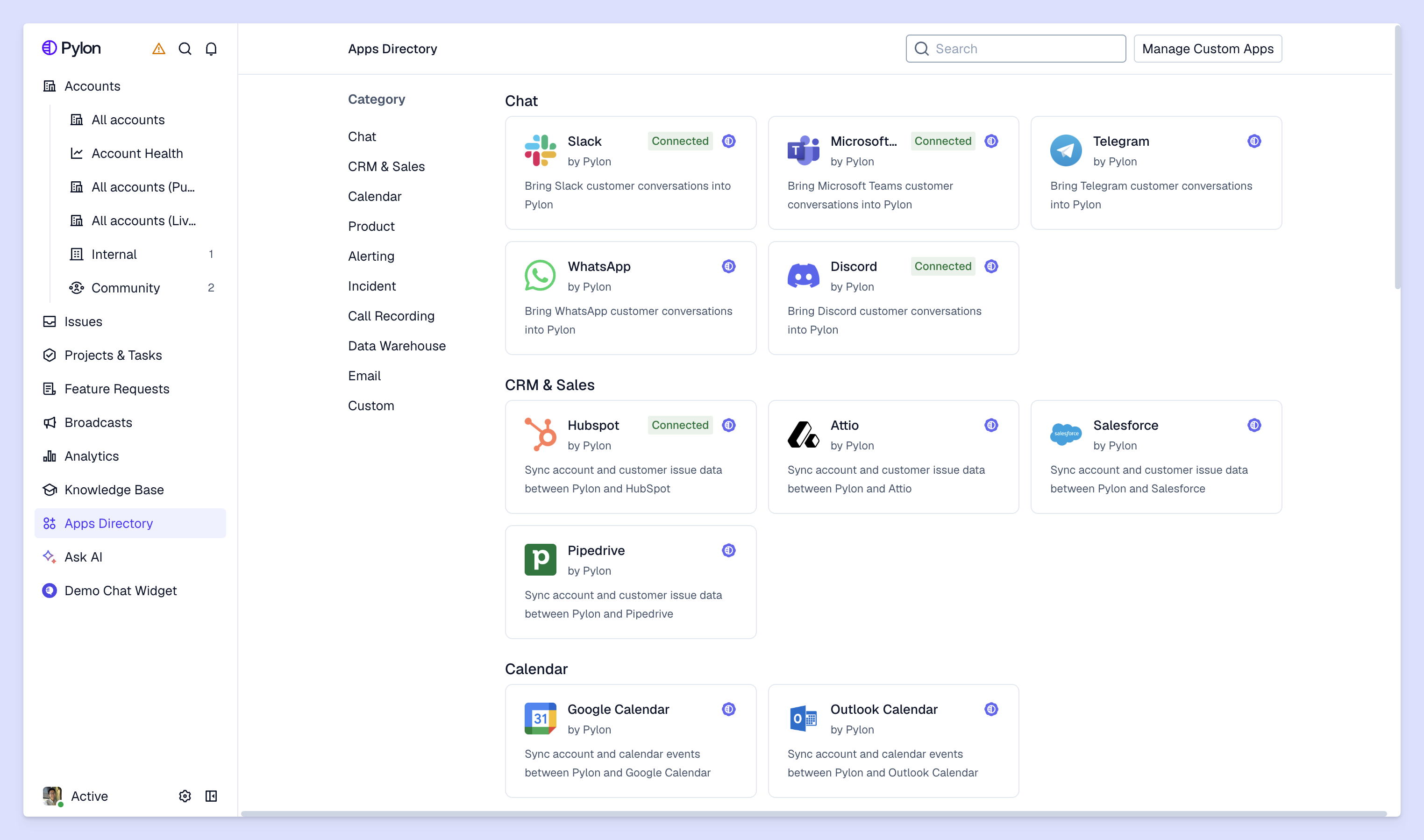
A customer might bring your attention to an issue over email, then follow up in Slack from their phone after work hours. The right help desk can connect the two and help you address both with full context. This tool also lets your team respond from the same interface, no matter which platform the customer prefers.
Problem resolution is where ticket management and communication merge. To resolve an issue, your team needs diagnostic context like ticket history and an up-to-date knowledge base for answers that already exist. A help desk that works well gives your team all three up front to compress time to resolution.
Help desks use a variety of features to help your team run and scale smoothly.
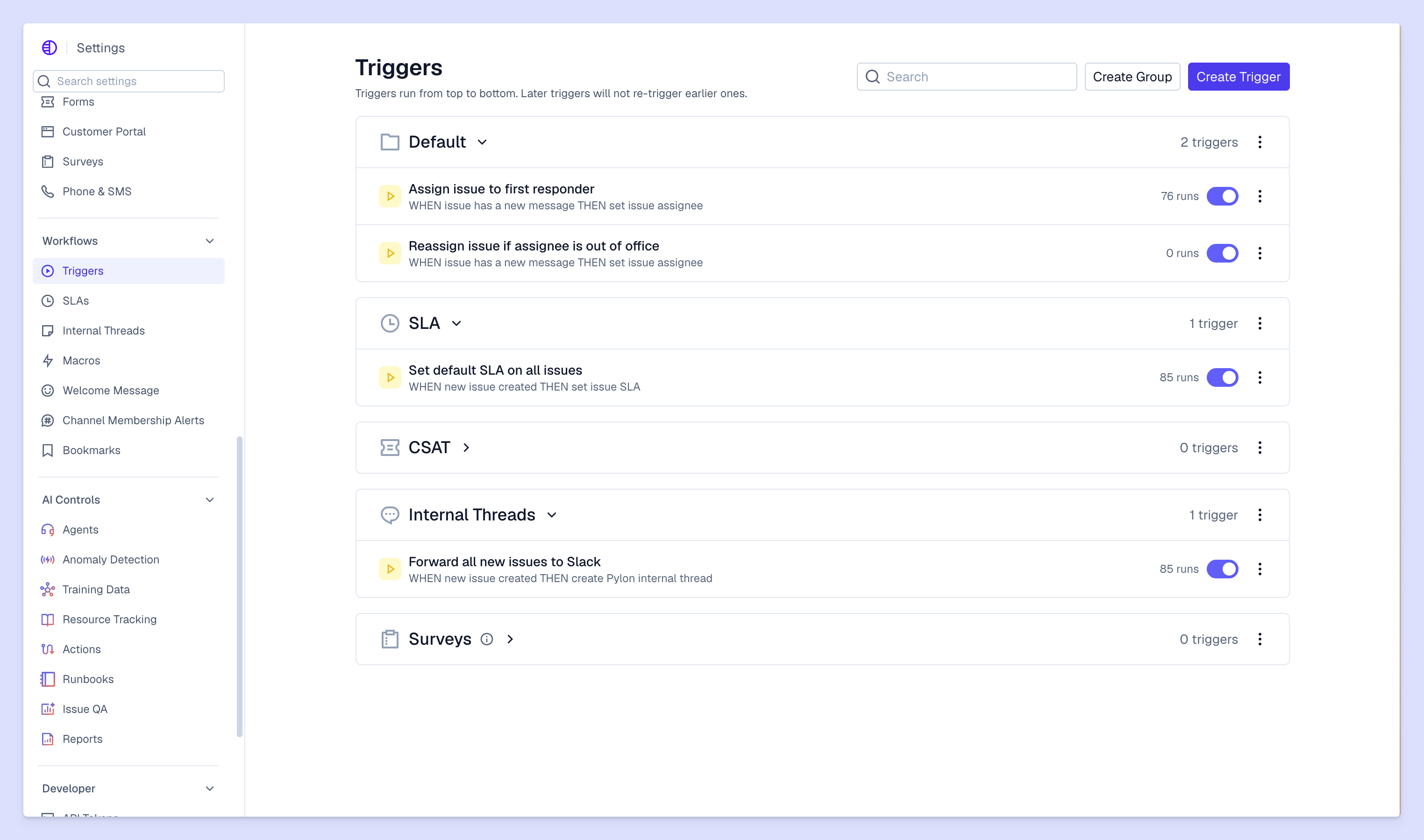
Automation handles repetitive work like responses for common questions and status updates as more complex problems make their way toward resolution. The time an AI help desk saves your team on manual triage is time you can use to solve complex problems and provide deeper care to accounts.
It’s hard to improve what isn’t measured, so look for help desks with dashboards that track key support metrics like resolution time and customer satisfaction scores (CSATs). Some platforms also include automations to show you trends like where your knowledge base has gaps and if customers are reporting a new problem after an update.
For example, Pylon’s Account Intelligence can flag specific accounts to your customer support and success teams if there are signs of churn risk.
Your help desk needs to integrate with all the important software in your team’s tech stack. By working seamlessly with your programs, it’s easier to customize open fields and escalation rules to match how your team actually operates. A tool that forces you to change your process to fit its defaults will create friction that your team feels every day.
When a single product issue generates 40 tickets from different customers, you need a system that connects them so your team isn’t manually solving the same problem over and over. Look for tools that let you build structured workflows around the ticket lifecycle. Priority-based queues, SLA tracking with real-time alerts, and the ability to link related tickets together take more of the mental load off your team.
The best service desk software pulls all your customers’ favorite communication channels into one dashboard so your team can manage conversations more easily. These omnichannel support platforms help you improve important customer support KPIs by giving context and continuity without interrupting your customers’ work day.
Here are six of the best AI help desks worth comparing for your team.
Pylon is built for B2B support teams with customers who communicate through multiple channels. Instead of forcing customers to communicate through a portal or another dedicated channel, Pylon pulls all your support interactions into one unified view.
A customer can open a Slack thread, your team responds from Pylon, and the full conversation history stays attached to that account’s profile.
Pylon’s AI agents can autonomously resolve routine inquiries, and for more complex issues, AI assistants draft suggested responses and generate issue summaries so your team spends more time solving problems than reading threads. Pricing starts at $59 per team member/month billed annually.
Freshdesk is a general-purpose help desk with a large integration marketplace and Freddy AI for routing and deflection. It works best for mid-size teams, especially in B2C companies who only use a few limited channels (email and chat). Pricing starts at $19 per team member/month billed annually.
Zoho Desk is a budget-friendly option that uses Zia AI for ticket management. This tool is at its strongest when your company already uses the Zoho ecosystem, since it integrates with Zoho CRM, Projects, and Analytics without extra setup. Without Zoho, this software for help desks has a steeper learning curve than some alternatives. It costs $7 per team member/month billed annually, and offers a free version for teams of three or less.
Help Scout is best suited for smaller teams whose customers primarily reach out via email. It uses a shared inbox model with no-code automation to manage its help desk. Help Scout is quick to set up and easy to learn, but its multi-channel support beyond email is limited. Free plans are available for teams of five or less, but pricing starts at $25 per team member/month billed annually otherwise.
Salesforce Service Cloud is an enterprise-grade platform with Einstein AI and deep CRM integration. It gives support teams full visibility into the customer record, including sales contexts and open opportunities for upsells. It takes a lot of time and money to implement: Pricing ranges from $25 to $550 per team member/month. For teams of one or two, you can use Salesforce’s free suite. And, like Zoho, it works best inside the Salesforce ecosystem.
LiveAgent is a practical option for teams who need core help desk functionalities without a big investment: pricing starts at $15 per team member/month. It includes built-in live chat, 200+ integrations, and a knowledge base.
Here’s a help desk buyer's guide to help you determine what tool will work best for your team:
The right help desk software service gives your team a foundation they can build on, not a ceiling they’ll hit in a year. Start by identifying your channels, your team size, and the specific problems you need to solve. Then, use the trial period to your advantage and test out all the features it includes to make your support team run faster and smoother, no matter the platform.
Pylon is the modern B2B support platform that offers true omnichannel support across Slack, Teams, email, chat, ticket forms, and more. Our AI Agents and Assistants automate busywork and reduce response times. Plus, with Account Intelligence that unifies scattered customer signals to calculate health scores and identify churn risk, we're built for customer success at scale.
Help desk software is generally used by customer support teams, IT departments, HR teams, and operations groups to manage and resolve incoming requests. It can support both external customer questions and internal service requests.
That said, some help desks are designed for specific use cases (for example, customer support vs. IT).
Common features include ticket management, automation rules, reporting dashboards, knowledge bases, and multi-channel support, including email, chat, and phone integrations. These features help teams organize, prioritize, and respond to requests efficiently.
Help desk software typically focuses on managing and resolving support tickets, while service desk software may include broader IT service management capabilities like change management, asset management, and service catalogs. The scope and functionality vary by platform.
Pylon Workforce Management is available now. See it in action with a live demo.





